
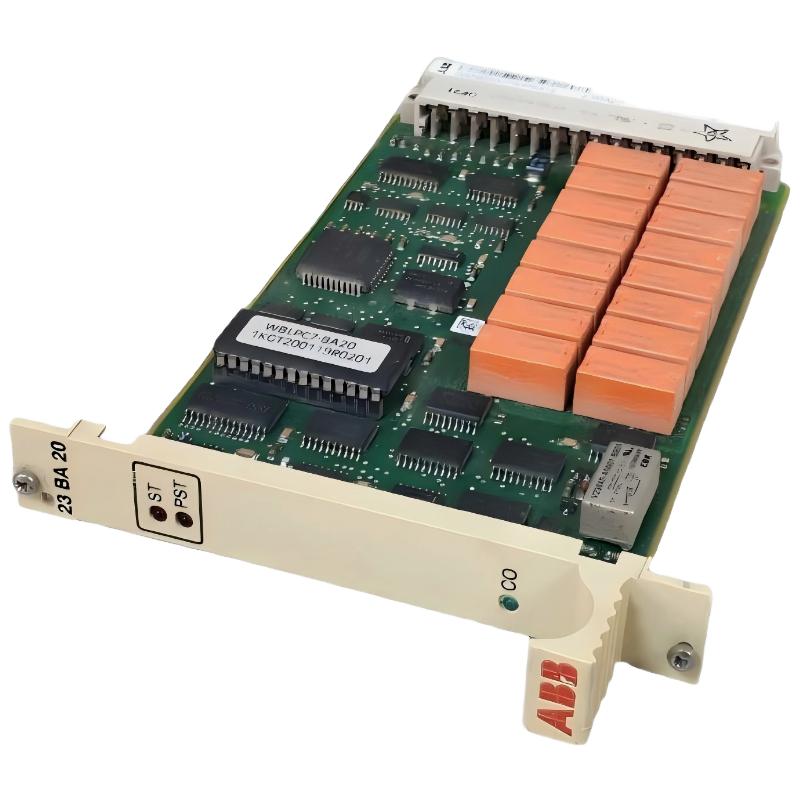
ABB 23BA20 GSNE000700R5312 Binary Output Module Installation Overview
ABB 23BA20 GSNE000700R5312 Binary Output Module installation requires correct relay wiring, RTU560 system configuration, and output verification before field operation. In practical commissioning work, most startup problems are related to incorrect external voltage wiring, common return connection mistakes, or incomplete System Configuration rather than module hardware failure.
The ABB 23BA20 is a 16-channel relay output module designed for RTU560 applications. The module provides relay contacts arranged in two groups of eight outputs and supports command switching applications with process voltage isolation requirements. The output module is commonly identified as GSNE000700R5312 and 23BA20 R5312.
ABB 23BA20 PLC Module Installation Guide Contents
- Hardware preparation and installation environment
- Binary Output Module wiring method
- RTU560 System Configuration
- Commissioning verification procedure
- Field experience and practical checks
- FAQ for ABB 23BA20 setup
ABB 23BA20 Module Setup Preparation Before Installation
Before installing the ABB 23BA20 Binary Output Module, engineers should confirm rack compatibility, power availability, and field device requirements.
- Verify RTU560 rack slot assignment.
- Check backplane connector condition.
- Confirm external output voltage range.
- Review relay load characteristics.
- Prepare wiring documentation according to the System Configuration.
The module uses a 48-pole DIN 41612 backplane connection. The engineering team should inspect connector pins carefully because oxidation or poor contact can create intermittent output faults during commissioning.
ABB 23BA20 Binary Output Module Wiring and Connection Method
The wiring process should separate control logic verification from field power connection. A recommended engineering approach is to test relay operation without connecting the final process load.
- Install the module into the assigned RTU560 rack position.
- Connect the backplane interface.
- Wire relay output channels according to the approved drawing.
- Connect the external process voltage supply.
- Verify common return grouping.
The ABB 23BA20 contains sixteen relay outputs divided into two groups. Each group shares a common return, therefore incorrect grouping may cause unexpected switching behavior.
ABB 23BA20 Setup and Commissioning Validation Procedure
During commissioning, engineers should validate the output path from software command to physical relay activation.
- Check module status LED indication.
- Confirm output command from RTU software.
- Measure relay contact switching voltage.
- Verify field equipment response.
In one commissioning case, a remote switching command was correctly generated in the control system, but the field actuator did not respond. We measured the relay output and found the module switching correctly at 24VDC. The actual problem was a missing common return connection on one output group. After correction, all eight channels operated normally.
Field Experience With ABB 23BA20 PLC Controller System Configuration
A common field mistake is assuming that a binary output module failure is caused by the PCB itself. Experienced engineers normally check the complete signal chain:
- Control command generation
- I/O mapping
- Module diagnostics
- Relay contact condition
- External power supply
This diagnostic logic prevents unnecessary replacement of ABB 23BA20 modules during maintenance activities.
FAQ – ABB 23BA20 GSNE000700R5312 Binary Output Module Installation
Can ABB 23BA20 be installed in any RTU rack position?
The installation position depends on the RTU560 rack configuration and System Configuration database. The assigned slot should match the engineering documentation before commissioning.
How many output channels are available on ABB 23BA20?
The module provides 16 relay output channels arranged into two groups.
What should be checked before powering the module?
Engineers should check wiring polarity, common return connections, rack installation, and external load conditions.
Why is output grouping important during wiring?
Because each group of relay outputs shares a common return, incorrect grouping can prevent field devices from receiving the correct voltage.
Does ABB 23BA20 require software configuration?
Yes. The module must be correctly defined in the RTU560 System Configuration before operational testing.
What commissioning tools are useful for ABB 23BA20?
I/O diagnostics, voltage measurement tools, and RTU communication monitoring are commonly used during commissioning.
Can ABB 23BA20 switch DC loads?
Yes, the module is designed for relay contact switching applications within specified electrical limits.
What is the recommended installation practice?
Always perform signal simulation testing before connecting critical field equipment.
ABB 23BA20 Installation Guide General Overview
The ABB 23BA20 GSNE000700R5312 Binary Output Module requires careful wiring verification, correct System Configuration, and structured commissioning testing. Field experience shows that most installation issues come from external wiring and configuration errors rather than module defects. A practical Installation Guide approach improves startup reliability and reduces troubleshooting time.



