
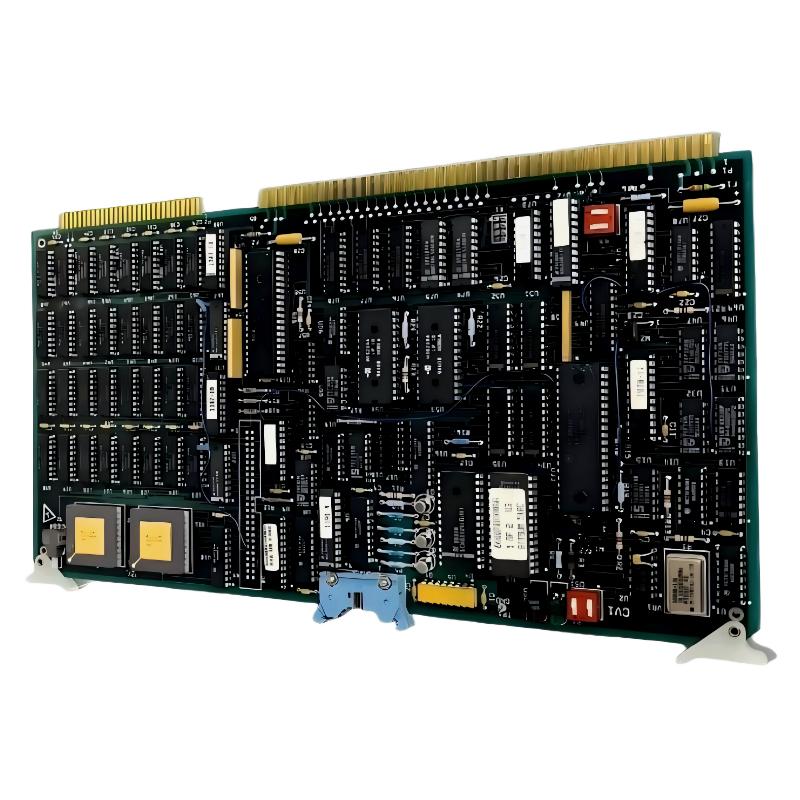
ABB 6008BZ10000E Video Module Installation Guide Contents
- ABB 6008BZ10000E Video Module Role
- ABB 6008BZ10000E Installation Preparation
- ABB 6008BZ10000E Wiring and Hardware Installation
- ABB 6008BZ10000E System Configuration
- ABB 6008BZ10000E Setup and Commissioning
- ABB 6008BZ10000E Commissioning Validation
- ABB 6008BZ10000E Installation FAQ
- ABB 6008BZ10000E Installation Summary
ABB 6008BZ10000E Video Module Role
The ABB 6008BZ10000E is identified in industrial spare-parts documentation as a Video Module or video board associated with ABB Taylor Electronics control hardware. Installation should therefore begin with system identification rather than simply inserting the board and applying power. The correct rack, host equipment, board revision, cable arrangement, and system configuration should be confirmed before commissioning.
For an engineer performing an ABB 6008BZ10000E Installation Guide procedure, the important point is that a video module is part of a larger electronic control architecture. A mechanically correct installation does not guarantee correct operation if the associated display interface, backplane connection, or system configuration is incorrect.
ABB 6008BZ10000E Installation Preparation
Before handling the ABB 6008BZ10000E Video Module, record the existing installation. This is particularly important when replacing an installed board because the original cable routing and switch or jumper positions can provide useful evidence during later Fault Diagnosis.
- Record the exact part number: 6008BZ10000E.
- Record the board revision and visible identification markings.
- Photograph existing connectors before removal.
- Check the host chassis and available slot.
- Verify that the replacement board matches the original hardware configuration.
- Use appropriate ESD protection when handling the PCB.
- Confirm that the control system is safely powered down before board removal.
ABB 6008BZ10000E Video Module Replacement Inspection
Inspect the connector pins for oxidation, contamination, bent contacts, or mechanical damage. Also check the PCB for cracked solder joints, discolored components, damaged edge connectors, and signs of overheating. A visual inspection often prevents an unnecessary Troubleshooting cycle after installation.
ABB 6008BZ10000E Wiring and Hardware Installation
The ABB 6008BZ10000E should be installed into the correct host position specified by the system documentation. Do not force the board into a slot if the connector alignment is incorrect. Excessive insertion force can damage both the module connector and the backplane.
- Isolate the host equipment according to the plant shutdown procedure.
- Remove the existing video board only after confirming the correct board identity.
- Inspect the slot and connector before installation.
- Align the ABB 6008BZ10000E with the mechanical guides.
- Seat the module evenly without applying force to individual components.
- Reconnect the associated interface cables using the recorded positions.
- Check that cables are separated from high-energy power conductors where practical.
ABB 6008BZ10000E Grounding and Signal Considerations
Video and display-related signals can be affected by grounding and electromagnetic interference. During an installation, keep signal wiring away from high-current switching conductors and verify that the system grounding arrangement remains unchanged from the validated plant configuration.
ABB 6008BZ10000E System Configuration
The system configuration should be checked before the first operational test. The objective is not to change parameters unnecessarily but to confirm that the host system recognizes the installed hardware and that the associated video interface is configured as expected.
- Confirm the host controller or processor status.
- Verify the expected display or video interface configuration.
- Compare installed hardware identification with maintenance records.
- Check for system alarms associated with the video hardware.
- Confirm that no unrelated configuration changes were introduced during replacement.
Maintenance check:
HOST STATUS  = NORMAL
VIDEO BOARD  = INSTALLED
DISPLAY LINK = CHECK
ACTIVE ALARM = NONE
CONFIG       = MATCH EXISTING SYSTEM
ABB 6008BZ10000E Setup and Commissioning
During Setup and Commissioning, restore power according to the plant procedure and observe the system before attempting repeated resets. The first objective is to determine whether the host system initializes normally and whether the video path becomes available.
In one field-style replacement scenario, an engineer initially observed an intermittent display after a video board replacement. Instead of immediately replacing the new board, the connector seating and cable routing were checked. The board was removed and reseated, and the interface cable was secured away from a nearby switching conductor. The display then remained stable during repeated operating checks. This type of observation is important because an apparent Video Module fault can originate from the connection path rather than the PCB itself.
ABB 6008BZ10000E Commissioning Validation
A successful ABB 6008BZ10000E commissioning should be demonstrated through stable operation rather than a single successful power-up.
- Check the display or video output after startup.
- Observe the system for intermittent image loss.
- Check for abnormal system alarms.
- Verify stable operation after a controlled restart.
- Record the final board identification and installation location.
- Document any configuration changes made during commissioning.
ABB 6008BZ10000E Installation Acceptance Criteria
The installation can be considered technically satisfactory when the board is mechanically secure, the associated interfaces are correctly connected, the host system operates without unexpected hardware alarms, and the video function remains stable during the agreed commissioning test.
ABB 6008BZ10000E Installation FAQ
What should be checked before installing the ABB 6008BZ10000E?
Confirm the complete part number, board revision, host equipment, slot position, connector condition, and existing cable arrangement. ESD protection should also be used when handling the PCB.
Can an ABB 6008BZ10000E be commissioned immediately after insertion?
The board should first be checked for correct seating, cable connection, system configuration, and abnormal alarms. A controlled startup and functional test are preferable to immediately placing the system into full production.
Why can a video problem remain after installing a replacement module?
A display problem can be caused by connectors, cables, grounding, configuration, the host system, or the video module itself. Fault Diagnosis should therefore isolate the signal path before declaring the PCB defective.
ABB 6008BZ10000E Installation Summary
The ABB 6008BZ10000E Video Module Installation Guide should be treated as a system-level procedure rather than a simple PCB replacement. Correct identification, controlled installation, connector inspection, System Configuration verification, and practical commissioning tests provide a more reliable approach. When the video function does not respond as expected, engineers should evaluate the complete signal path before replacing additional hardware.



