
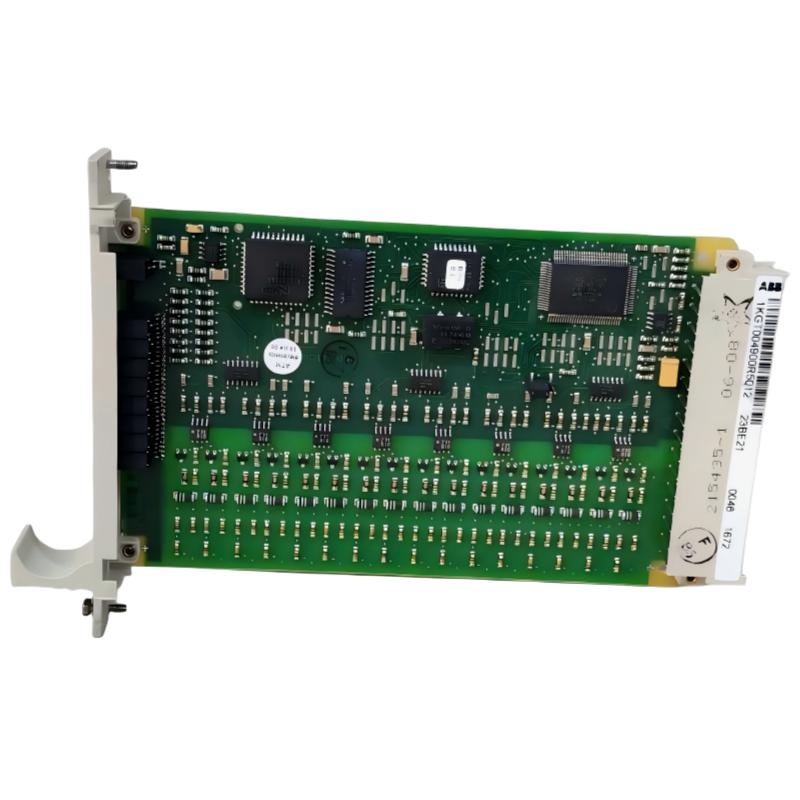
ABB 23BE21 1KGT004900R5012 Binary Input Board Installation Guide Overview
ABB 23BE21 1KGT004900R5012 Binary Input Board installation requires correct field wiring, RTU bus configuration, and signal verification before commissioning. In industrial automation projects, most commissioning delays are caused by incorrect binary signal mapping, grounding problems, or configuration mismatch rather than board hardware failure. The ABB 23BE21 Binary Input Board is designed for ABB Procontrol and RTU-based systems, providing isolated digital input processing for industrial binary signals.
ABB 23BE21 Binary Input Board Installation Preparation and System Configuration
Before installing the ABB 23BE21 Module, engineers should verify the system configuration, RTU communication parameters, and field signal characteristics. The board supports multiple binary process applications, including status monitoring, event recording, and digital signal acquisition.
- Confirm ABB Procontrol or RTU interface compatibility.
- Check input voltage range from field devices.
- Verify terminal assignment according to engineering drawings.
- Inspect cabinet grounding and shielding conditions.
- Backup existing System Configuration parameters before replacement.
ABB 23BE21 Binary Input Board Wiring and Signal Connection Guide
The ABB 23BE21 Binary Input Board uses grouped isolated digital inputs. During installation, each input channel should be tested independently to avoid incorrect signal allocation inside the PLC Controller or DCS environment.
- Disconnect field power before wiring.
- Connect binary field devices according to channel allocation.
- Verify common return connections.
- Check polarity of DC input signals.
- Confirm LED indication after power restoration.
ABB 23BE21 Module Setup and Commissioning Validation
The commissioning stage of the ABB 23BE21 Installation Guide should include both electrical testing and software validation. Engineers should confirm that every physical input corresponds with the configured signal database.
- Verify input LED response.
- Confirm RTU communication status.
- Check event timestamp behavior.
- Validate binary status inside the control system.
ABB 23BE21 Binary Input Board Real Commissioning Case Analysis
In one commissioning case, an ABB 23BE21 Binary Input Board was installed in a power distribution monitoring cabinet. The operator reported that several breaker feedback signals were not updating in the SCADA system.
The engineering team measured the field voltage and found 48VDC available at the terminal. However, the input status remained inactive. After checking the System Configuration database, engineers discovered that several channels were assigned to incorrect signal addresses.
After correcting the channel mapping and downloading the configuration, all 16 binary inputs responded normally. The commissioning time was reduced because the troubleshooting focused on signal logic instead of replacing the Module.
ABB 23BE21 Binary Input Board Installation FAQ
Can ABB 23BE21 be used for PLC and DCS applications?
Yes. The ABB 23BE21 Binary Input Board is commonly applied in industrial automation systems where binary process signals must be collected and transferred through RTU or control system networks.
What should be checked before ABB 23BE21 commissioning?
Engineers should verify wiring, DC input voltage, grounding, configuration parameters, and communication status before starting the Setup and Commissioning procedure.
Why does the ABB 23BE21 input LED not turn on?
Possible reasons include missing field voltage, incorrect polarity, damaged wiring, or incorrect terminal assignment.
How can signal mapping problems be avoided?
The best practice is comparing engineering drawings, hardware channels, and software database addresses before system startup.
Does ABB 23BE21 require configuration after replacement?
Yes. The replacement Module normally requires loading correct configuration data before normal operation.
What tools are useful during ABB 23BE21 Installation Guide execution?
A multimeter, engineering workstation, system diagnostic software, and wiring documents are commonly required.
How is binary input performance verified?
Engineers normally verify field voltage, LED status, communication feedback, and SCADA indication.
What is the main installation risk for ABB 23BE21?
Incorrect wiring and incorrect System Configuration are the most common installation risks.
General Overview of ABB 23BE21 Installation and Commissioning
ABB 23BE21 1KGT004900R5012 Binary Input Board installation success depends on accurate wiring, correct configuration, and practical field verification. A professional Installation Guide approach reduces startup problems and improves reliability in PLC Controller and DCS applications.



