
Table of Contents
- ABB 22AS01 Control Module Installation Overview
- ABB 22AS01 Module Installation Preparation and System Configuration
- ABB 22AS01 Control Module Wiring and Signal Connection
- ABB 22AS01 Setup and Commissioning Procedure
- ABB 22AS01 Field Commissioning Experience
- ABB 22AS01 Control Module FAQ
ABB 22AS01 Control Module Installation Overview
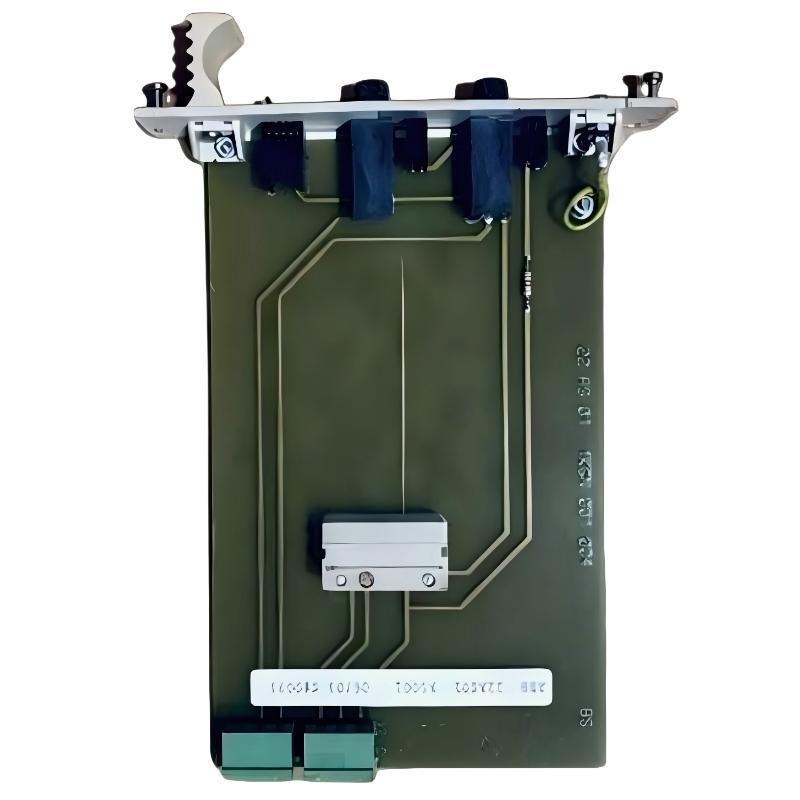
The ABB 22AS01 1KGN001004R5001 Control Module installation process requires correct wiring, stable power supply, and proper system configuration to avoid commissioning delays. In industrial automation projects, most startup problems are not caused by module hardware failure but by incorrect signal mapping, grounding problems, or configuration mismatch.
The 22AS01 module is commonly integrated into ABB Procontrol automation environments where reliable communication between field signals and control processors is critical. Before installation, engineers should confirm the hardware revision, I/O allocation, and application requirements.
ABB 22AS01 Module Installation Preparation and System Configuration
- Verify ABB 22AS01 1KGN001004R5001 ordering code and hardware compatibility.
- Check cabinet power quality and grounding conditions.
- Review PLC Controller or DCS System Configuration before physical installation.
- Prepare shielded cables for sensitive field signal connections.
- Confirm environmental conditions including temperature and cabinet ventilation.
A practical Installation Guide should begin with system verification rather than immediate wiring. During one retrofit project, engineers discovered that the replacement module was installed correctly but the configured channel address did not match the existing control database.
ABB 22AS01 Control Module Wiring and Signal Connection
The wiring stage determines long-term reliability. Incorrect terminal identification or poor cable routing can introduce unstable input signals and unnecessary troubleshooting work.
- Mount the ABB 22AS01 module securely inside the automation cabinet.
- Connect power supply according to the approved electrical drawing.
- Verify signal cable polarity before energizing the system.
- Separate communication cables from high-current power cables.
- Check grounding resistance before commissioning.
ABB 22AS01 Setup and Commissioning Procedure
ABB 22AS01 Setup and Commissioning should include hardware inspection, software configuration, and live signal testing. Engineers should not rely only on status indicators because a healthy LED does not always confirm correct process communication.
- Download System Configuration parameters.
- Check PLC Controller recognition status.
- Test each connected field signal.
- Confirm real-time input response.
- Record commissioning values for future maintenance.
ABB 22AS01 Field Commissioning Experience
In one commissioning case involving an ABB Procontrol system upgrade, the ABB 22AS01 module powered on normally, but several input channels remained inactive. The initial assumption was a defective Module. After signal analysis, the engineering team measured the field loop voltage and found that the terminal reference potential was incorrect.
After correcting the grounding connection and updating the System Configuration database, all channels returned to normal operation. The measured input stability improved from intermittent signal fluctuation to a steady 24V DC reading.
ABB 22AS01 Control Module FAQ
Can ABB 22AS01 be integrated into an existing automation system?
Yes. Integration requires checking hardware compatibility, communication settings, and existing PLC Controller or DCS configuration before replacement or expansion.
What should be checked before ABB 22AS01 commissioning?
Engineers should verify power supply, wiring correctness, grounding quality, and software configuration parameters before starting live testing.
Why does the ABB 22AS01 module need signal verification after installation?
Signal verification confirms that field devices, wiring, and configuration are working together correctly instead of only confirming hardware power status.
What tools are useful for ABB 22AS01 Fault Diagnosis during startup?
Multimeters, configuration software, engineering drawings, and communication monitoring tools are commonly used during diagnosis.
Can incorrect configuration affect ABB 22AS01 operation?
Yes. Incorrect channel allocation or system parameters can prevent correct signal processing even when the physical module is functioning.
How can ABB 22AS01 reliability be improved?
Stable power supply, proper grounding, clean cabinet installation, and regular maintenance checks improve long-term reliability.
What is the role of System Configuration in ABB 22AS01 applications?
System Configuration defines how the module communicates with controllers and how field signals are processed by the automation system.
Is ABB 22AS01 replacement possible without changing the entire control system?
In many cases replacement can be completed by verifying compatibility and updating configuration parameters instead of replacing the complete automation platform.
General Overview of ABB 22AS01 Control Module Installation
The ABB 22AS01 1KGN001004R5001 Control Module Installation Guide focuses on practical engineering procedures including wiring inspection, system configuration, and commissioning validation. Correct installation methods reduce startup risks and improve automation system availability.



