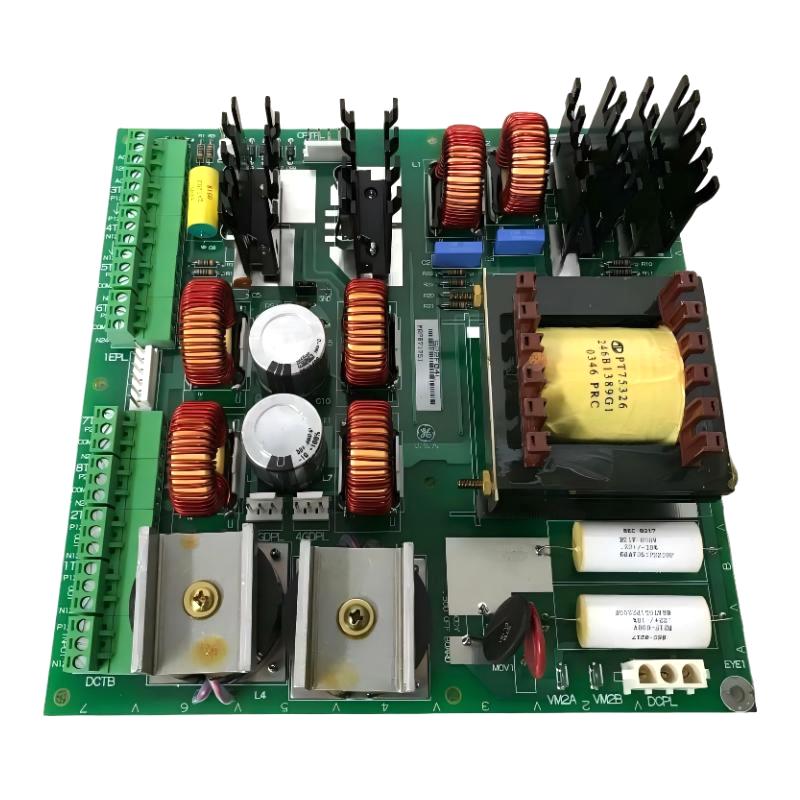
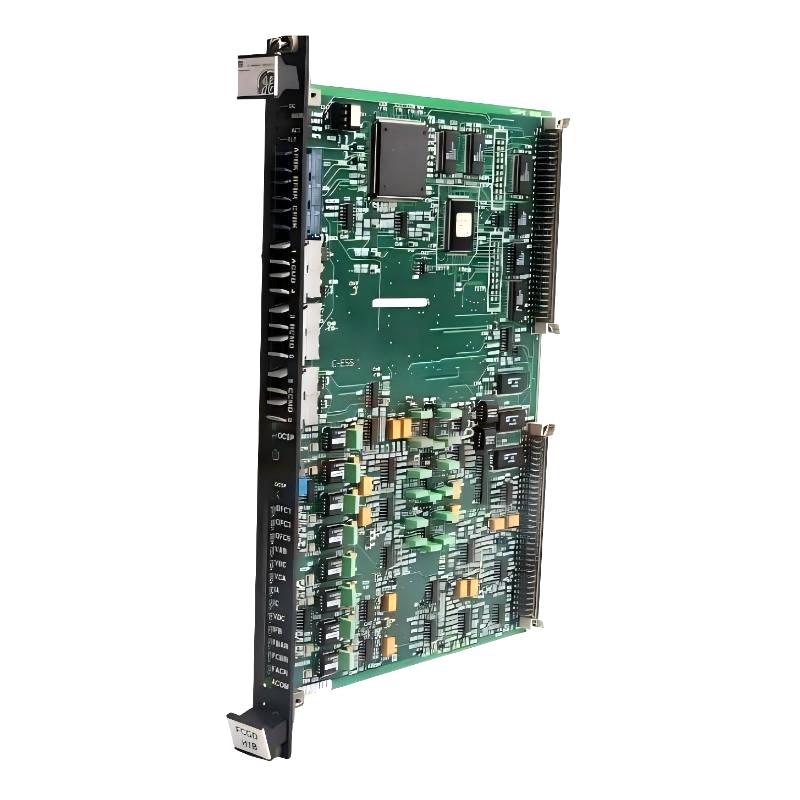
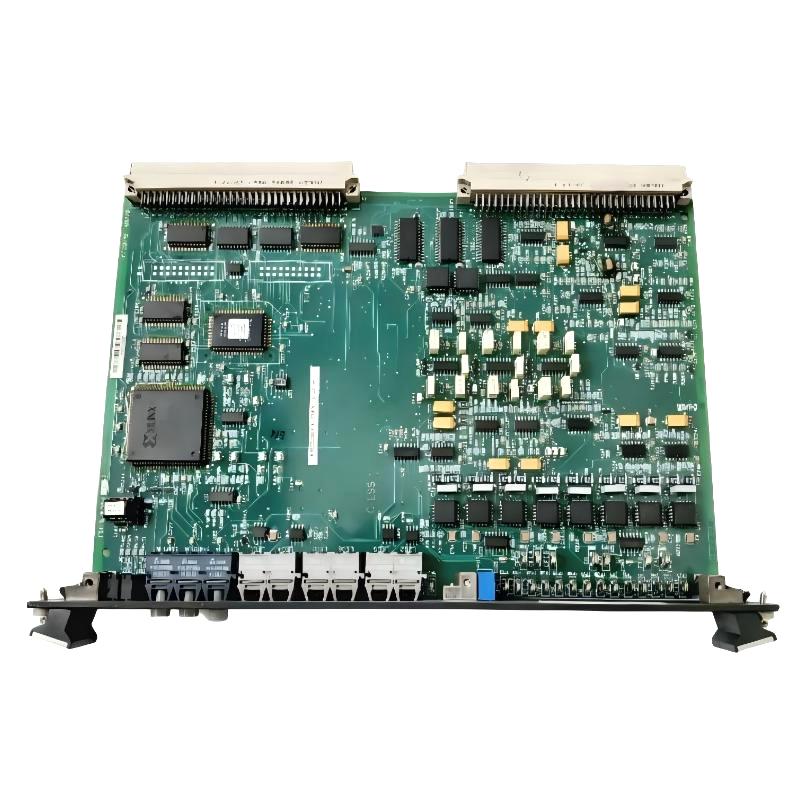
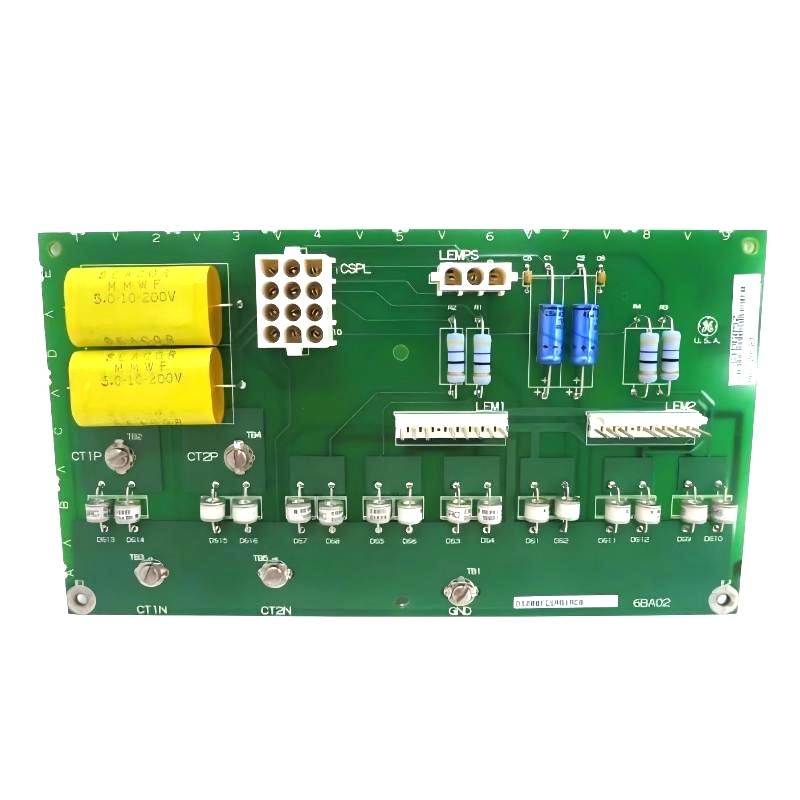
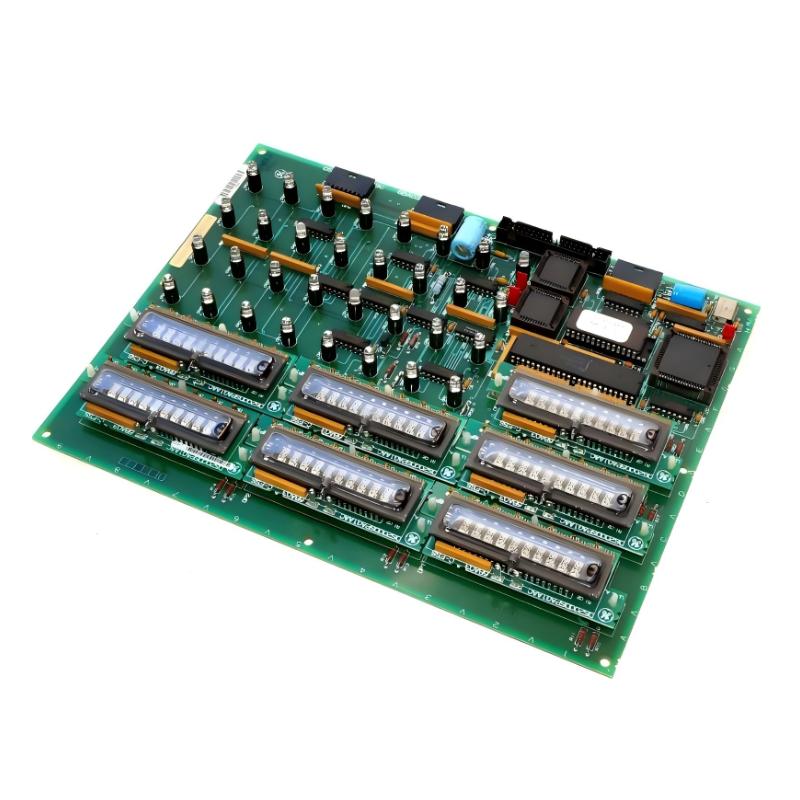
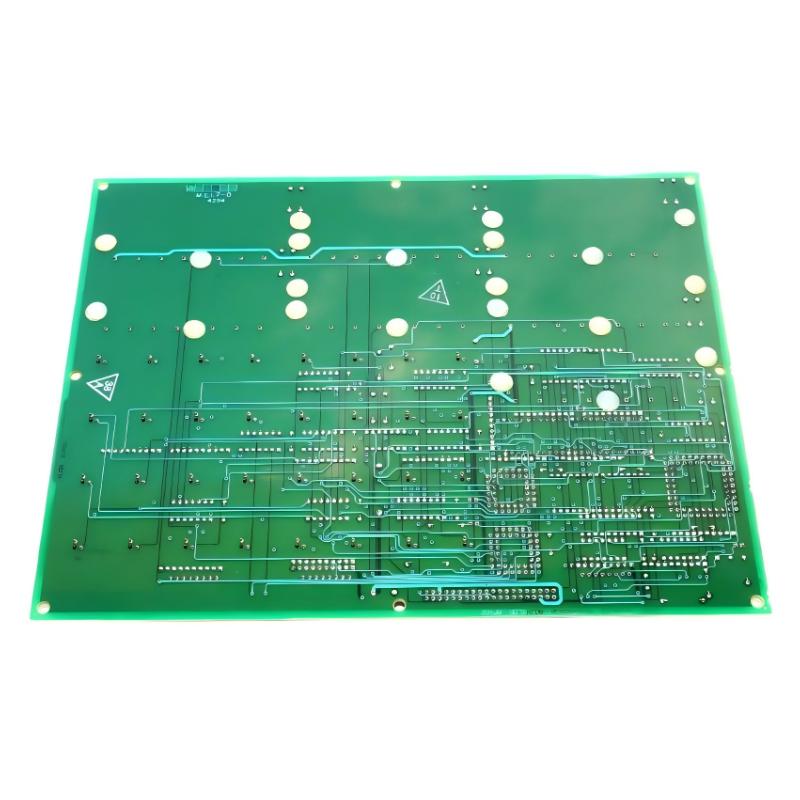
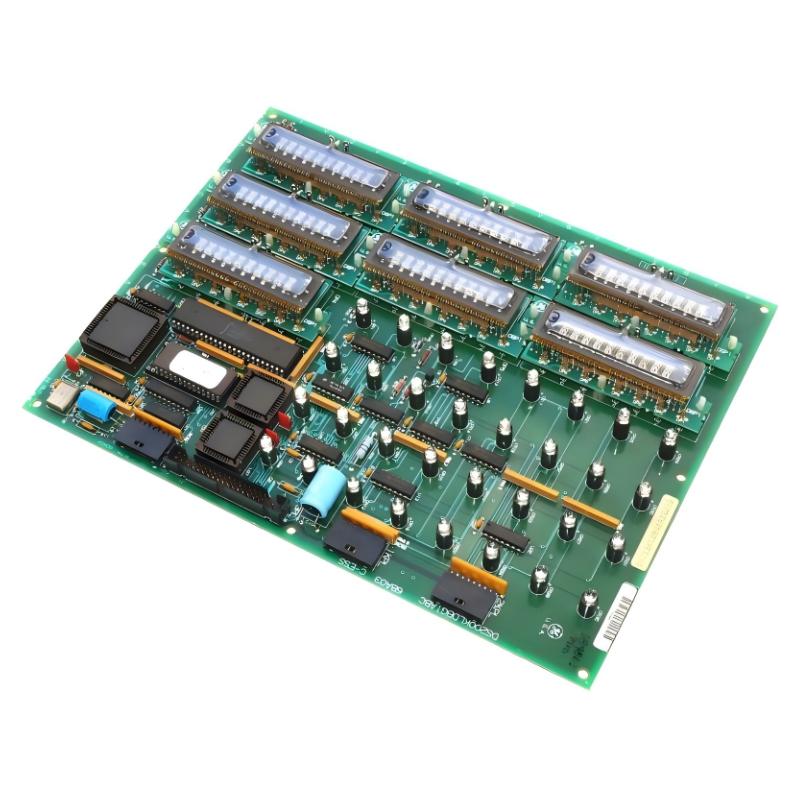
GE DS200KLDBG1ABC Mark V LED Display Keypad Board
| Company Information | ||||||||
| [email protected] | ||||||||
| Mobile | +8613666084105 | |||||||
| +8613666084105 | ||||||||
| 15305023276 | ||||||||
| Add to | Room 1004, No. 62 Xiangxiu Li, Siming District, Xiamen City, Fujian Province, China | |||||||
 Technical Specifications
| Parameter | Specification |
|---|---|
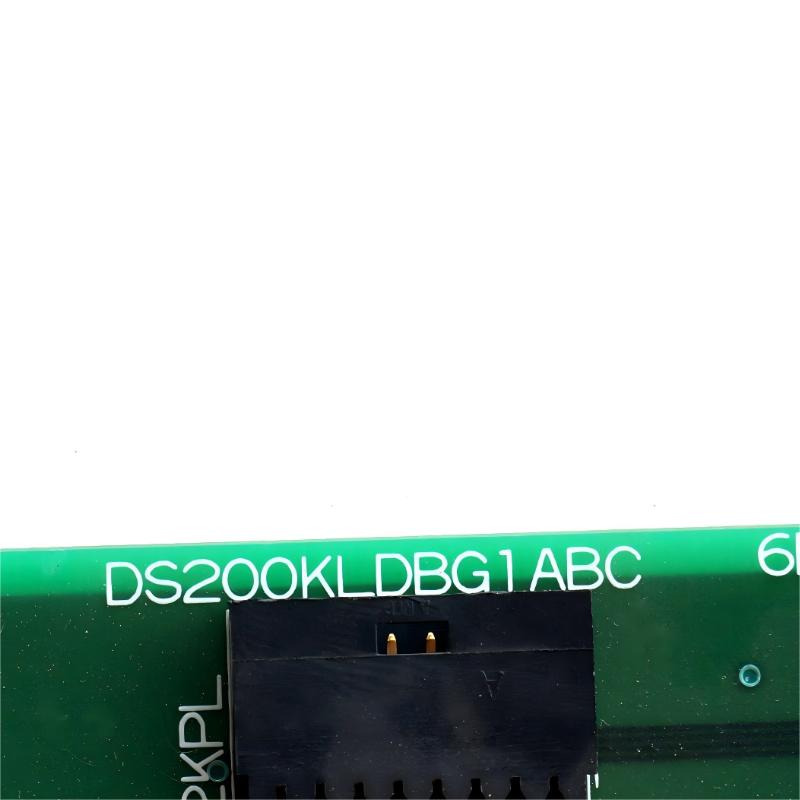
| Model | DS200KLDBG1ABC |
| Manufacturer | GE |
| Product Series | Mark V |
| Product Type | LED Display Keypad Board |
| Board Type | Display and Keypad Interface Board |
| Main Function | Provides LED display and keypad interface functions for the associated turbine control system |
| Application | GE Mark V turbine control and EX2000-related systems |
| Display Function | Provides visual indication of system operating information and status |
| Keypad Function | Enables operator input and local interaction with the control system |
| User Interface | LED display and keypad interface |
| Control System Integration | Interfaces with the associated GE turbine control architecture |
| Communication | Exchanges operator and display-related information with the control system |
| Diagnostic Support | Helps present system status and operator-related diagnostic information |
| Installation | Installed in the corresponding GE control panel or operator interface assembly |
| Electrical Connection | Board connectors and associated control-system wiring |
| Operating Environment | Industrial turbine control environment |
| Dimensions | 224 × 206 × 20 mm |
| Weight | 0.567 kg |
FAQ
1. What is the main function of the GE DS200KLDBG1ABC?
The GE DS200KLDBG1ABC is an LED Display Keypad Board associated with the GE Mark V turbine control architecture. Its primary role is to provide a local operator interface through LED indications and keypad input. The display section can present operating information, system status, alarms, or other information made available by the control system, while the keypad provides a means for the operator to interact with the system according to the configured functions. The board therefore acts as an interface between the operator and the underlying turbine control system. If the display or keypad becomes abnormal, troubleshooting should consider the board itself as well as its power supply, connectors, communication paths, and the control-system components providing the data.
2. What information can the DS200KLDBG1ABC display?
The information available on the LED display depends on the specific Mark V system configuration and the data provided to the operator interface. Typical operator-interface functions can include equipment operating status, alarm information, system indications, control-related messages, and other configured parameters. The display board itself should not be considered the source of all displayed data because it receives information from the associated control system. If the display is blank, incomplete, or showing unexpected information, technicians should first determine whether the problem is related to the display board, its power supply, the communication path, or the upstream control system. Comparing the display behavior with system diagnostics can help identify whether the problem is local to the interface or part of a wider control-system fault.
3. What are common symptoms of a DS200KLDBG1ABC fault?
Common symptoms may include a completely blank LED display, partially missing characters, unstable or flickering indications, incorrect displayed information, unresponsive keypad inputs, or intermittent operation. In some situations, the display may continue to operate while the keypad fails to respond, which can indicate a problem in the input section rather than the entire board. Conversely, if both the display and keypad stop functioning simultaneously, power supply or board-level problems should be investigated. Communication faults can also produce incorrect or missing information even when the display hardware itself is functioning normally. For this reason, troubleshooting should include the board’s power, connectors, communication signals, keypad operation, and the associated control-system status.
4. What should be checked before replacing the DS200KLDBG1ABC?
Before replacing the DS200KLDBG1ABC, verify the complete part number and confirm that the replacement board matches the existing Mark V system configuration. The equipment should be placed in an appropriate maintenance condition, and electrical isolation should be completed according to the site’s approved procedures. Before removing the existing board, record the position of connectors and associated wiring to prevent incorrect reconnection. If possible, document the symptoms and diagnostic information observed before replacement. The replacement board should also be visually inspected for damaged components, contamination, loose connectors, or other abnormalities. After installation, verify power, display operation, keypad response, communication status, and the correct interaction with the control system.
5. Why might the LED display work while the keypad does not respond?
If the LED display operates normally but the keypad does not respond, the problem may be isolated to the keypad input circuitry, keypad contacts, associated wiring, or the processing path responsible for detecting operator input. A communication or configuration problem can also prevent valid keypad commands from being recognized by the control system. The first step should be to determine whether the keypad is completely unresponsive or whether only specific keys or functions are affected. Inspecting connectors and wiring can help identify intermittent contact problems. If the display continues to present valid system information, the board’s power supply may still be functioning, but this does not completely rule out a partial board failure. System diagnostics and functional testing should be used to distinguish between a keypad hardware problem and an upstream control-system issue.
6. Can a standard multimeter be used to troubleshoot the DS200KLDBG1ABC?
A standard multimeter can be useful for basic electrical checks, such as verifying appropriate supply voltage and checking accessible wiring or continuity where permitted by the maintenance procedure. However, a multimeter cannot fully evaluate the board’s LED drive circuits, keypad scanning functions, digital processing, or communication behavior. A display board can have correct supply voltage while still experiencing a fault in its interface circuitry. For this reason, electrical measurements should be combined with functional testing and system diagnostics. If communication signals or digital interface functions need to be evaluated, appropriate diagnostic instruments and the relevant system test procedures should be used. All measurements should be performed by qualified personnel under the applicable electrical safety requirements.
7. What can cause repeated failure of the DS200KLDBG1ABC?
Repeated failure of the DS200KLDBG1ABC may be associated with unstable power, electrical transients, poor grounding, connector problems, excessive contamination, environmental conditions, or faults in other parts of the control system. If a replacement board develops the same problem shortly after installation, replacing the board again without investigating the surrounding system may not solve the underlying issue. Power supply quality should be checked along with connectors, wiring, grounding, and communication interfaces. If the display and keypad are exposed to frequent operator use or harsh industrial conditions, physical wear and contamination may also contribute to intermittent problems. Reviewing previous failure records can help determine whether the problem is isolated to the board or represents a recurring system-level condition.
8. How should the DS200KLDBG1ABC be maintained for reliable operation?
Maintenance should focus on keeping the display and keypad interface clean, securely connected, and properly integrated with the Mark V control system. During scheduled maintenance, technicians can check the board and its connectors for contamination, corrosion, loose connections, physical damage, or other visible abnormalities. The LED display should be checked for consistent operation, while the keypad should be tested to confirm that operator inputs are correctly recognized. System alarms and communication status should also be reviewed because an interface problem can sometimes originate from another control component. Maintaining records of display faults, keypad failures, board replacements, and system diagnostics can help identify recurring problems. Any inspection, testing, or replacement should follow the applicable maintenance and electrical safety procedures for the GE turbine control system.
GE DS200KLDBG1ABC Mark V LED Display Keypad Board is in stock. Please contact us for a quick quote and competitive pricing.
| Company Information | ||||||||
| [email protected] | ||||||||
| Mobile | +8613666084105 | |||||||
| +8613666084105 | ||||||||
| 13950166376 | ||||||||
| Add to | Room 1004, No. 62 Xiangxiu Li, Siming District, Xiamen City, Fujian Province, China | |||||||
Company Introduction
Xiamen Shengruite Trading Co., Ltd. is a company specializing in the supply of industrial PLC spare parts.
We provide high-quality PLC spare parts to customers in the global manufacturing, energy and power, chemical and other fields.
Since its establishment in 2011, after 13 years of rapid development, the cumulative global shipments have reached 223,650 pieces, with an annual output value of US$50 million.
Successfully served more than 500 customers in more than 100 countries and regions including Saudi Arabia, UAE, the United States, Europe, Africa, and Southeast Asia
Our Mission
Provide customers with the best quality PLC spare parts and the fastest delivery service to ensure that their industrial automation systems are always in the best operating condition.
We provide a 1-year warranty service, and we support returns and exchanges for any issues to ensure your rights and interests are fully protected.
We can provide detailed product images upon request, and our team can arrange warehouse photos for confirmation to ensure you have all the information you need before making a purchase.
Shipping times vary depending on your location. With the support of our 16 global warehouses, we strive to deliver orders as quickly as possible. Contact us to get an estimated delivery time for your specific location.
The minimum order quantity (MOQ) is typically one unit. However, for larger orders, please contact us for potential discounts and pricing details.
Yes, we offer competitive pricing for bulk purchases. Please reach out to our sales team with the specifics of your order to receive a custom quote.
We accept various payment methods for wholesale orders, including bank transfers (T/T), letters of credit, and other options upon agreement. For large transactions, please contact us directly for payment terms.
Yes, we offer flexible ordering options for both small and large quantities. Whether youre looking for a single unit or a large batch, we can accommodate your needs.
We occasionally offer promotional discounts for new wholesale customers. Contact us to learn more about any current offers available for first-time buyers.
If you are unsure of compatibility with your existing setup please provide your system details and our support team can verify compatibility prior to purchase.
Returns are accepted within 30 days if the product is unused, unopened, and in its original packaging. Please note that return shipping and associated costs are the buyer\\\\\\\\\\\\\\\\\\\\\\\\\\\\\\\\\\\\\\\\\\\\\\\\\\\\\\\\\\\\\\\\\\\\\\\\\\\\\\\\\\\\\\\\\\\\\\\\\\\\\\\\\\\\\\\\\\\\\\\\\\\\\\\\\\\\\\\\\\\\\\\\\\\\\\\\\\\\\\\\\\\\\\\\\\\\\\\\\\\\\\\\\\\\\\\\\\\\\\\\\\\\\\\\\\\\\\\\\\\\\\\\\\\\\\\\\\\\\\\\\\\\\\\\\\\\\\\\\\\\\\\\\\\\\\\\\\\\\\\\\\\\\\\\\\\\\\\\\\\\\\\\\\\\\\\\\\\\\\\\\\\\\\\\\\\\\\\\\\\\\\\\\\\\\\\\\\\\\\\\\\\\\\\\\\\\\\\\\\\\\\\\\\\\\\\\\\\\\\\\\\\\\\\\\\\\\\\\\\\\\\\\\\\\\\\\\\\\\\\\\\\\\\\\\\\\\\\\\\\\\\\\\\\\\\\\\\\\\\\\\\\\\\\\\\\\\\\\\\\\\\\\\\\\\\\\\\\\\\\\\\\\\\\\\\\\\\\\\\\\\\\\\\\\\\\\\\\\\\\\\\\\\\\\\\\\\\\\\\\\\\\\\\\\\\\\\\\\\\\\\\\\\\\\\\\\\\\\\\\\\\\\\\\\\\\\\\\\\\\\\\\\\\\\\\\\\\\\\\\\\\\\\\\\\\\\\\\\\\\\\\\\\\\\\\\\\\\\\\\\\\\\\\\\\\\\\\\\\\\\\\\\\\\\\\\\\\\\\\\\\\\\\\\\\\\\\\\\\\\\\\\\\\\\\\\\\\\\\\\\\\\\\\\\\\\\\\\\\\\\\\\\\\\\\\\\\\\\\\\\\\\\\\\\\\\\\\\\\\\\\\\\\\\\\\\\\\\\\\\\\\\\\\\\\\\\\\\\\\\\\\\\\\\\\\\\\\\\\\\\\\\\\\\\\\\\\\\\\\\\\\\\\\\\\\\\\\\\\\\\\\\\\\\\\\\\\\\\\\\\\\\\\\\\\\\\\\\\\\\\\\\\\\\\\\\\\\\\\\\\\\\\\\\\\\\\\\\\\\\\\\\\\\\\\\\\\\\\\\\\\\\\\\\\\\\\\\\\\\\\\\\\\\\\\\\\\\\\\\\\\\\\\\\\\\\\\\\\\\\\\\\\\\\\\\\\\\\\\\\\\\\\\\\\\\\\\\\\\\\\\\\\\\\\\\\\\\\\\\\\\\\\\\\\\\\\\\\\\\\\\\\\\\\\\\\\\\\\\\\\\\\\\\\\\\\\\\\\\\\\\\\\\\\\\\\\\\\\\\\\\\\\\\\\\\\\\\\\\\\\\\\\\\\\\\\\\\\\\\\\\\\\\\\\\\\\\\\\\\\\\\\\\\\\\\\\\\\\\\\\\\\\\\\\\\\\\\\\\\\\\\\\\\\\\\\\\\\\\\\\\\\\\\\\\\\\\\\\\\\\\\\\\\\\\\\\\\\\\\\\\\\\\\\\\\\\\\\\\\\\\\\\\\\\\\\\\\\\\\\\\\\\\\\\\\\\\\\\\\\\\\\\\\\\\\\\\\\\\\\\\\\\\\\\\\\\\\\\\\\\\\\\\\\\\\\\\\\\\\\\\\\\\\\\\\\\\\\\\\\\\\\\\\\\\\\\\\\\\\\\\\\\\\\\\\\\\\\\\\\\\\\\\\\\\\\\\\\\\\\\\\\\\\\\\\\\\\\\\\\\\\\\\\\\\\\\\\\\\\\\\\\\\\\\\\\\\\\\\\\\\\\\\\\\\\\\\\\\\\\\\\\\\\\\\\\\\\\\\\\\\\\\\\\\\\\\\\\\\\\\\\\\\\\\\\\\\\\\\\\\\\\\\\\\\\\\\\\\\\\\\\\\\\\\\\\\\\\\\\\\\\\\\\\\\\\\\\\\\\\\\\\\\\\\\\\\\\\\\\\\\\\\\\\\\\\\\\\\\\\\\\\\\\\\\\\\\\\\\\\\\\\\\\\\\\\\\\\\\\\\\\\\\\\\\\\\\\\\\\\\\\\\\\\\\\\\\\\\\\\\\\\\\\\\\\\\\\\\\\\\\\\\\\\\\\\\\\\\\\\\\\\\\\\\\\\\\\\\\\\\\\\\\\\\\\\\\\\\\\\\\\\\\\\\\\\\\\\\\\\\\\\\\\\\\\\\\\\\\\\\\\\\\\\’s responsibility.
Yes, we offer technical support for the installation and integration of our products. Our team can assist with setup, configuration, and troubleshooting to ensure a smooth installation.