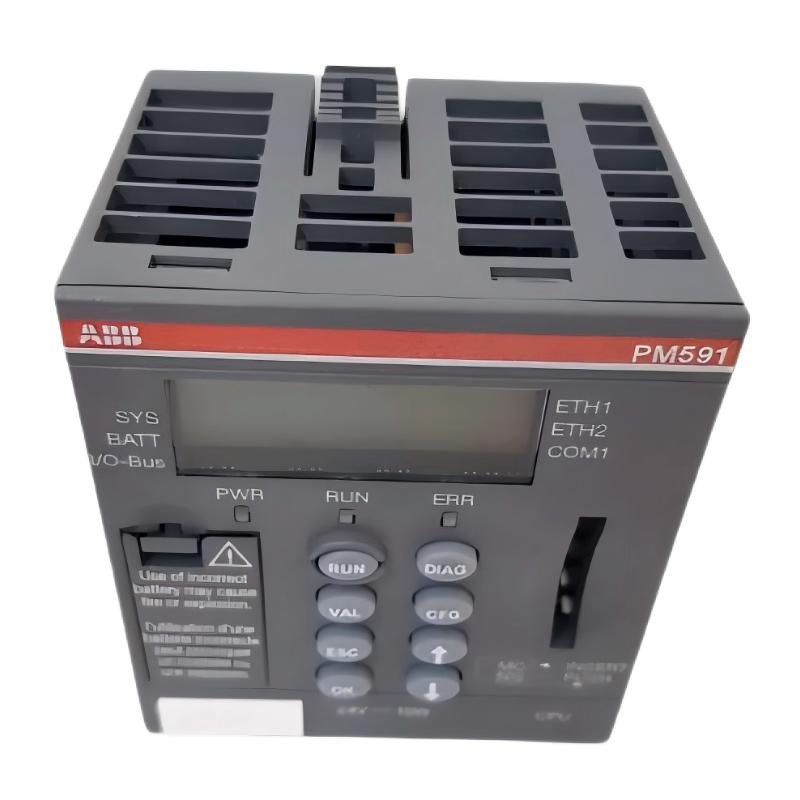
ABB PP825 3BSE042240R1 Installation Guide for Panel 800 HMI
The ABB PP825 3BSE042240R1 operation panel requires correct panel mounting, stable power, compatible communication settings, and a validated HMI project to complete commissioning successfully. This Panel 800 operator interface provides a 5.7-inch color display with 320 × 240 pixel resolution and touch-based operation. Installation should be planned around the existing control architecture rather than treating the panel as a standalone display.
ABB PP825 HMI Installation Planning and Compatibility Checks
Before installing the ABB PP825 operation panel, confirm the complete order code on the rear label and identify the controller, communication interface, and engineering software used by the existing machine. The original PP825, order code 3BSE042240R1, should not automatically be treated as interchangeable with the later PP825A variant.
- Record the existing panel’s firmware and application version.
- Back up the original HMI project and document its communication settings.
- Check the panel cutout, mounting clearance, connector access, and enclosure condition against the applicable ABB hardware manual.
- Confirm the required DC supply rating and terminal polarity from the device label and official documentation.
- Identify the communication cable, port type, protocol, and controller address before disconnecting the existing equipment.
ABB’s Panel 800 documentation identifies Panel Builder 800 as the configuration environment for the operator panel. Confirm the software release supported by the installed hardware and firmware before transferring an application.
ABB PP825 Operation Panel Mounting and Electrical Preparation
Mechanical fit and electrical integrity should be checked separately. A panel can fit the enclosure opening but still develop intermittent operation because of loose mounting, poor grounding, or stressed connectors.
- Place the control system in an approved safe state and isolate the relevant supply before wiring or removing the existing panel.
- Inspect the cutout and sealing surface for burrs, deformation, dirt, or damage that could compromise mounting.
- Fit the PP825 according to ABB’s specified mounting procedure. Do not overtighten fasteners or distort the enclosure.
- Connect the verified power and communication cables to their designated interfaces. Never assume connector compatibility proves that the pinout is correct.
- Route low-level communication wiring away from switching devices, motor cables, and other significant electrical-noise sources where practical.
- Check protective grounding and cable strain relief before energizing the panel.
Use the exact hardware manual for terminal assignments, cutout dimensions, tightening instructions, and environmental limits. Do not infer electrical ratings or pin assignments from a visually similar Panel 800 model.
ABB PP825 HMI Setup and System Configuration
The HMI project determines what operators see and which commands they can issue. A powered PP825 is not necessarily ready for service if the correct graphics, variable mappings, alarm definitions, and controller connection settings have not been loaded.
- Open the approved project in a compatible Panel Builder 800 environment.
- Verify controller identity, communication parameters, variable addresses, and alarm mappings against the plant configuration.
- Check screen navigation, numerical formats, engineering units, language settings, and operator access permissions.
- Transfer the project using the supported connection and documented procedure for the installed panel generation.
- Preserve the previous working project and record any software or firmware changes for rollback.
Do not substitute a project from a different panel revision without checking compatibility. A project that opens successfully in an engineering tool may still require validation on the actual hardware.
ABB PP825 Setup and Commissioning Validation
Commissioning should establish that the display, touch input, communications, and application behavior all work together. Start with non-invasive checks before permitting control commands.
- Apply power under the site’s approved commissioning procedure and observe the startup sequence.
- Confirm that the application loads without unexpected restart loops or persistent system messages.
- Check several live process values against an independent controller or engineering-station reference.
- Test touch accuracy on representative screen areas and verify that navigation does not select adjacent controls.
- Confirm alarm display and acknowledgement behavior using an approved test condition.
- Test any operator command only after confirming interlocks, machine permissives, and the safe operating state.
Where diagnostic facilities expose relevant status information, record it before changing configuration. The following is a documentation template, not a native PP825 command:
HMI commissioning record
Panel model: PP825
Order code: 3BSE042240R1
Power at panel: ____ V DC
Application version: ____
Firmware version: ____
Controller communication: PASS / FAIL
Live-value comparison: PASS / FAIL
Touchscreen response: PASS / FAIL
Alarm test: PASS / FAIL
Operator command test: PASS / FAIL / NOT PERMITTED
ABB PP825 Installation: Field Engineering Example
Illustrative commissioning scenario: A replacement HMI powers up and displays its startup screen, but process values remain unavailable. Rather than replacing the panel again, the engineer first confirms the DC supply at the device terminals under load, checks the communication cable and connector seating, and compares the configured controller address with the approved project backup.
If the supply remains within the device’s documented limits and the physical link is intact, the next investigation should focus on protocol settings, controller addressing, and project compatibility. If a documented configuration correction restores live values without changing the hardware, the evidence supports a configuration or connection problem rather than a failed display.
This is a representative diagnostic method, not a claim of a verified customer repair. Actual voltage readings, firmware versions, and recovery results should be recorded from the specific installation.
ABB PP825 Installation and Commissioning FAQ
What should be checked before installing an ABB PP825 3BSE042240R1?
Verify the complete part number, mounting requirements, power supply, communication wiring, firmware compatibility, and availability of the correct HMI project.
Which software is used for ABB PP825 HMI configuration?
Panel 800 documentation identifies Panel Builder 800 as the configuration environment. The applicable software release must be confirmed against the specific panel generation and firmware.
Can a PP825A replace the original PP825 directly?
Do not assume direct interchangeability. Compare the order codes, hardware generation, firmware, application compatibility, mounting, and communication requirements before approving a replacement.
Why does the ABB PP825 start without showing process data?
Possible causes include incorrect controller settings, communication wiring faults, an incompatible project, incorrect variable mappings, or an unavailable controller. Diagnose these possibilities systematically before condemning the HMI.
How can the PP825 touchscreen be validated?
Test representative locations across the active screen, check navigation and numeric-entry accuracy, and verify that touch actions activate the intended controls. Use the documented calibration procedure if the panel supports or requires it.
Should the HMI project be backed up before replacement?
Yes. Preserve the approved application and document the existing firmware, communication settings, and controller mappings before disconnecting the original unit.
What should be included in an ABB PP825 commissioning report?
Record the hardware identification, software and firmware versions, supply measurements, communication status, live-value checks, alarm tests, touch response, outstanding faults, and final acceptance status.
Can the ABB PP825 be commissioned while the machine is running?
Only if the site’s approved risk assessment and operating procedure explicitly permit the work. Panel replacement, wiring, and control-command tests must account for unexpected machine actions and process hazards.
ABB PP825 Installation Guide: General Conclusion
Reliable ABB PP825 3BSE042240R1 Setup and Commissioning depends on correct hardware identification, compliant mounting, verified power and communication wiring, a compatible HMI project, and functional testing against the actual controller. Keep a backup and a traceable commissioning record, and use the model-specific ABB hardware and software manuals as the authority for electrical limits and configuration procedures.