
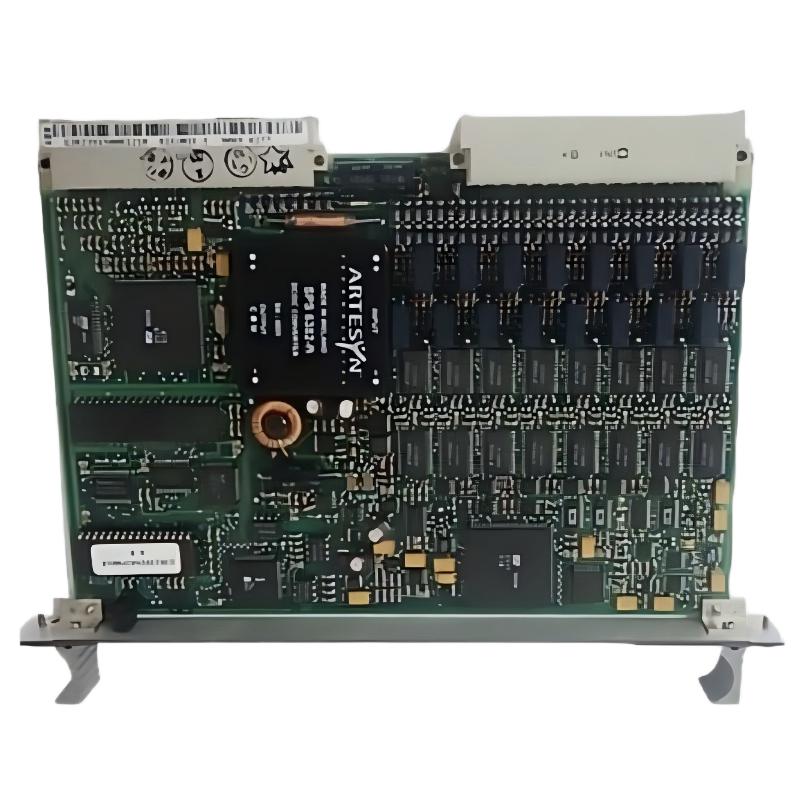
ABB 88FK05R0100 Remote Bus Coupling Module Installation Overview
The ABB 88FK05R0100 (GJR2393600R0100) Remote Bus Coupling Module is designed to connect a cabinet to a channel of the Procontrol remote bus. Correct installation, wiring inspection, and System Configuration are essential for dependable communication between the control cabinet and the remote bus network.
This Installation Guide focuses on practical preparation, hardware inspection, connection checks, and Setup / Commissioning. Because terminal assignments, electrical limits, and supported configurations depend on the installed Procontrol system, always confirm these details against the applicable ABB documentation before applying power.
ABB 88FK05R0100 Installation Preparation and Safety Checks
Before mounting the PLC Controller system’s communication hardware, confirm that the replacement or new module matches the equipment list and cabinet drawings. The 88FK05R0100 is identified as a Remote Bus Coupling Module, rather than a general-purpose I/O module.
- Verify both identifiers: 88FK05R0100 and GJR2393600R0100.
- Check the Procontrol rack, mounting position, and remote-bus channel against the approved system drawings.
- Inspect the module housing and connectors for damage, contamination, or bent contacts.
- Review the cable route, shield termination arrangement, and separation from high-current switching conductors.
- Back up relevant System Configuration records before modifying an operating installation.
Isolate the relevant power sources and follow the plant’s lockout/tagout procedure before inserting or removing the module. Do not assume that this legacy module supports hot replacement unless the exact system documentation explicitly confirms it.
Remote Bus Coupling Module Mounting and Connection Strategy
Mechanical fit is only the first part of installation. A module may seat correctly while the remote-bus connection remains unreliable because of an incorrect channel, damaged connector, or unsuitable cable termination.
- Compare the intended installation position with the approved rack layout.
- Check the mating connector and mounting guides before insertion.
- Install the module using the original retention arrangement without forcing the connector.
- Connect the remote-bus cable according to the system-specific wiring drawing.
- Verify cable identification at both ends and confirm that any required termination is installed at the specified location.
- Record the module identifier, channel, cable reference, and installation date.
Do not infer pin assignments or termination resistance from another ABB coupling module. Similar product names do not establish electrical compatibility.
ABB 88FK05R0100 Wiring Inspection and System Configuration
Before commissioning, inspect the communication path from the cabinet connector to the corresponding remote-bus endpoint. The purpose is to separate physical installation issues from configuration errors before the control system returns to service.
- Connector integrity: Check locking hardware, contact condition, and cable strain relief.
- Cable routing: Look for crushing, sharp bends, loose shielding, or proximity to major electrical noise sources.
- Channel identification: Confirm that the cable reaches the intended Procontrol remote-bus channel.
- Configuration consistency: Compare the installed hardware with the approved rack and network documentation.
- Grounding and shielding: Follow the original cabinet design and ABB instructions rather than adding improvised shield connections.
For the 88FK05R0100, do not enter generic PLC network settings or assumed baud rates unless the installed Procontrol architecture specifically requires them. Configuration options must be verified for the actual system.
ABB 88FK05R0100 Setup and Commissioning Validation
Commissioning should begin with a controlled power-up and a review of the system’s available diagnostics. Keep the controlled process in its approved safe state until communication and interlocks have been checked.
- Confirm that the cabinet is ready for energization and all wiring checks are complete.
- Restore power according to the plant’s approved startup procedure.
- Observe available module indicators and the system-level diagnostic display.
- Check whether the expected remote-bus endpoint is recognized by the control system.
- Review communication alarms, event logs, and any channel-specific diagnostic information.
- Perform the approved functional test before returning the equipment to normal operation.
Where an engineering workstation exposes diagnostic information, use the actual system interface and documented commands. The following is a conceptual checklist, not a native ABB command set:
CHECK module_identity
CHECK remote_bus_channel
CHECK endpoint_status
REVIEW communication_events
VERIFY interlocks_before_release
Record observed values and status messages instead of relying solely on whether the system appears to start normally.
Field Commissioning Example for an ABB Remote Bus Module
Consider a representative commissioning scenario in which a remote endpoint remains unavailable after a coupling module has been installed. An engineer should not immediately conclude that the module is defective. First, verify the module number and rack position, then inspect the cable route and connector seating. Next, compare the endpoint expected by the System Configuration with the physical cable destination.
If a connector is found incompletely seated, correct it under the approved isolation procedure and repeat the communication test. If the endpoint remains unavailable, check the opposite end of the cable and the system’s diagnostic records before substituting hardware.
This is an illustrative engineering scenario, not a verified report of a particular ABB site failure. No measured recovery time or performance improvement is claimed.
ABB 88FK05R0100 Installation Guide: Frequently Asked Questions
What is the function of the ABB 88FK05R0100 module?
It is a Remote Bus Coupling Module intended to connect a cabinet to a channel of the Procontrol remote bus.
Is GJR2393600R0100 the same product identifier?
ABB product information associates GJR2393600R0100 with the 88FK05R0100 Remote Bus Coupling Module. Confirm both identifiers on the equipment label and purchasing records.
Can the module be installed while the system is energized?
Do not assume live insertion is supported. Follow the exact Procontrol documentation and plant isolation procedure before removing or installing the module.
What should be checked if communication does not start after installation?
Verify the module identity, connector seating, cable continuity, remote-bus channel, termination arrangement where applicable, and system diagnostics.
Does the module use standard Ethernet settings?
Do not assume that it uses Ethernet or generic network parameters. Confirm the physical interface and configuration requirements from the relevant Procontrol documentation.
What information should be recorded during commissioning?
Record the module identifiers, rack location, channel, cable reference, diagnostic messages, test results, and any approved configuration changes.
Conclusion: ABB 88FK05R0100 Setup and Commissioning
A dependable ABB 88FK05R0100 installation relies on correct product identification, careful connector and cable inspection, verified remote-bus channel assignment, and controlled commissioning. When a communication problem appears, confirm the physical path and System Configuration before replacing the module. Use the applicable ABB documentation as the authority for wiring, electrical limits, and system-specific procedures.



