100% Original, Ready to Ship!

ABB 87TS01I-E GJR2368900R2342 Coupler Module Installation Guide And Commissioning Procedures
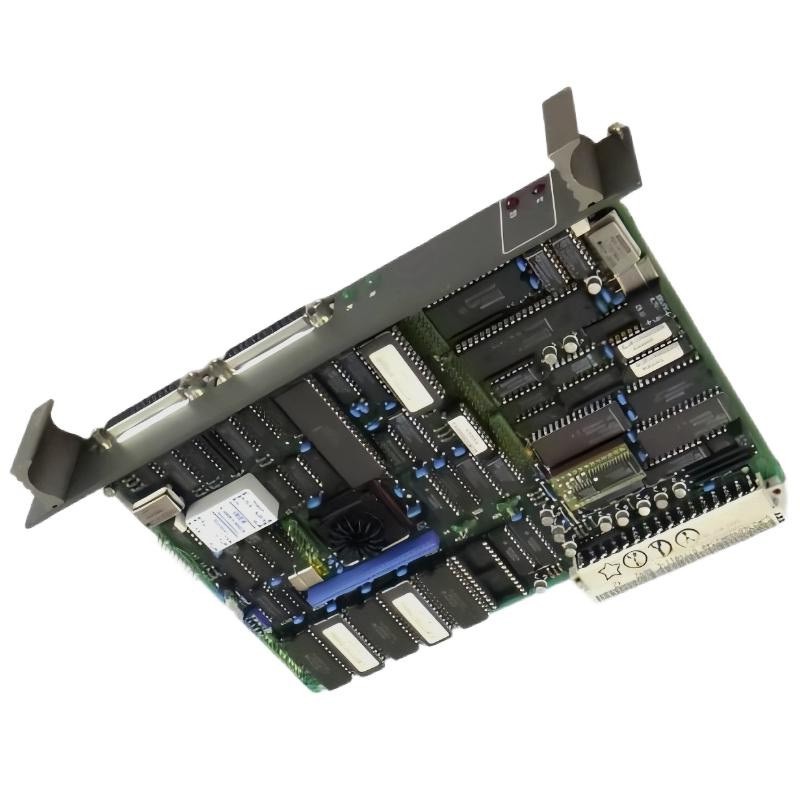
ABB 87TS01I-E Coupler Module Installation Overview
The ABB 87TS01I-E GJR2368900R2342 Coupler Module installation process should begin with hardware identification, system compatibility checks, and verification of the existing communication architecture. In industrial automation systems, an incorrectly identified coupler or incompatible configuration can prevent communication between control-system components even when the module itself is functional. This Installation Guide explains practical preparation, mounting, wiring inspection, Setup, and Commissioning procedures while distinguishing general engineering practices from model-specific requirements that must be confirmed in the applicable ABB documentation.
The 87TS01I-E designation and GJR2368900R2342 ordering code should be checked against the installed unit’s nameplate and the system bill of materials before any replacement or commissioning work begins.
ABB 87TS01I-E Coupler Module System Configuration Checks
Before installing the Coupler Module, establish its intended position and communication role within the existing control system. Do not assume that modules with similar 87TS01-series designations have interchangeable firmware, interfaces, or hardware revisions.
- Record the complete product designation, ordering code, hardware revision, and available identification labels.
- Confirm compatibility with the installed controller, rack or mounting assembly, backplane, and communication architecture.
- Review the approved wiring diagrams, terminal assignments, grounding arrangements, and applicable electrical limits.
- Back up relevant System Configuration files and record the current communication parameters before changing hardware.
- Check whether the replacement requires a specific firmware revision or configuration file.
Field engineering practice favors documenting the original configuration before making changes. A photograph of the installed module, its connectors, and associated cable labels can help prevent wiring or slot-position errors during restoration.
ABB 87TS01I-E Installation Guide: Mounting and Connection Preparation
Isolate the equipment according to the site’s approved lockout/tagout procedure before removing or installing hardware. Confirm that the relevant circuit is in a safe state and follow the manufacturer’s instructions for handling energized equipment, stored energy, and electrostatic-sensitive components.
- Inspect the module for damaged connectors, bent contacts, contamination, corrosion, or signs of overheating.
- Verify the designated installation position using the system drawing rather than relying on physical similarity to an adjacent module.
- Check connector alignment and the condition of the rack or mounting interface.
- Inspect communication cables for damaged insulation, loose contacts, incorrect routing, or excessive mechanical strain.
- Confirm that protective grounding and cable shielding follow the approved system design.
Do not force a module into its mounting position. If the connector does not align naturally, stop and investigate the mechanical orientation, slot assignment, and hardware compatibility.
ABB 87TS01I-E Coupler Module Wiring and Signal Integrity
Reliable communication depends on correct interface wiring as well as correct hardware installation. Verify the cable type, connector pinout, signal reference, shielding method, and termination requirements against the documentation for the actual system interface. Do not infer pin assignments from a visually similar ABB module.
- Keep communication wiring separated from high-current switching cables where the installation design requires segregation.
- Inspect connector locking mechanisms and verify that plugs are fully seated.
- Check cable continuity and conductor-to-conductor shorts with the circuit safely isolated.
- Confirm that any required termination or biasing components are installed at the specified locations.
- Ensure that shield connections follow the approved grounding strategy and do not create unintended ground paths.
For commissioning records, document the cable identifier, connected endpoint, interface setting, and relevant measurement results. Electrical measurements must be compared with the manufacturer’s limits; no voltage or pin-level specification should be assumed solely from the model designation.
ABB 87TS01I-E Setup and Commissioning Validation
After mechanical and electrical checks are complete, restore power using the approved startup procedure. Observe the system’s documented startup sequence and check for abnormal indicators, diagnostic messages, or unexpected changes in controller status.
- Confirm that the installed hardware is recognized by the host system, where hardware identification is supported.
- Compare the loaded System Configuration with the approved project version.
- Verify the configured communication parameters at both ends of the connection.
- Check diagnostic status and communication counters using the supported engineering tools.
- Perform an approved communication test and verify that the intended endpoints exchange data correctly.
- Record the final module identity, configuration revision, alarms, and acceptance results.
Where a diagnostic interface supports textual status commands, the following is a conceptual example only, not a confirmed ABB command sequence:
CHECK MODULE_ID
CHECK CONFIGURATION_STATUS
CHECK COMMUNICATION_STATUS
CHECK DIAGNOSTIC_COUNTERS
Use the actual commands and diagnostic screens documented for the installed control platform. Do not enter illustrative commands directly into a live controller.
ABB 87TS01I-E Commissioning Case: Intermittent Communication After Replacement
Consider a representative commissioning scenario in which a replacement coupler is physically installed, but the supervisory workstation does not establish reliable communication. The initial observation alone does not prove that the replacement module is defective.
The engineer should first verify the ordering code and hardware revision, then check the rack position, connector seating, configuration compatibility, and communication parameters. If the system reports a configuration mismatch, correcting the approved configuration may resolve the problem without further hardware replacement. If the configuration is valid but communication remains unavailable, the investigation should move to the cable, connected endpoint, interface settings, and documented diagnostic counters.
This is an illustrative troubleshooting scenario, not a claim of a verified field repair involving this exact part number. Actual acceptance values and final results must come from the site’s commissioning records.
ABB 87TS01I-E Coupler Module Installation FAQ
What should be checked before installing the ABB 87TS01I-E?
Confirm the full ordering code, hardware revision, approved mounting position, system compatibility, and applicable installation documentation before removing the existing unit or fitting the replacement.
Can a similar ABB 87TS01-series module be installed as a direct replacement?
Not automatically. Confirm the exact ordering code, interface characteristics, hardware revision, firmware requirements, and compatibility with the existing system before substitution.
Why should the original System Configuration be backed up?
A verified backup provides a reference for communication parameters, hardware assignments, and configuration revisions. It also makes controlled recovery easier if the new installation does not behave as expected.
What should be recorded during commissioning?
Record module identification, installation position, configuration revision, diagnostic status, communication-test results, and any corrective actions taken. Use the site’s approved acceptance criteria.
ABB 87TS01I-E Installation Guide: Final Engineering Summary
A dependable ABB 87TS01I-E GJR2368900R2342 Coupler Module installation relies on verified hardware compatibility, correct mechanical seating, documented wiring, and a controlled commissioning process. Treat successful startup as the beginning of validation rather than proof that every communication path is working correctly. Confirm endpoint communication, review diagnostic information, and retain a clear commissioning record. Model-specific electrical limits, connector assignments, and configuration instructions must be taken from the applicable ABB documentation for the installed hardware revision.
 ABB PP845 3BSE042235R1 Operation Panel Installation Guide
 ABB 89NU01E Safety Relay Installation Guide
 ABB PP825 3BSE042240R1 Operation Panel Installation Guide
 ABB 89NU01D-E GJR2329100R0100 Alarm Module Installation Guide