
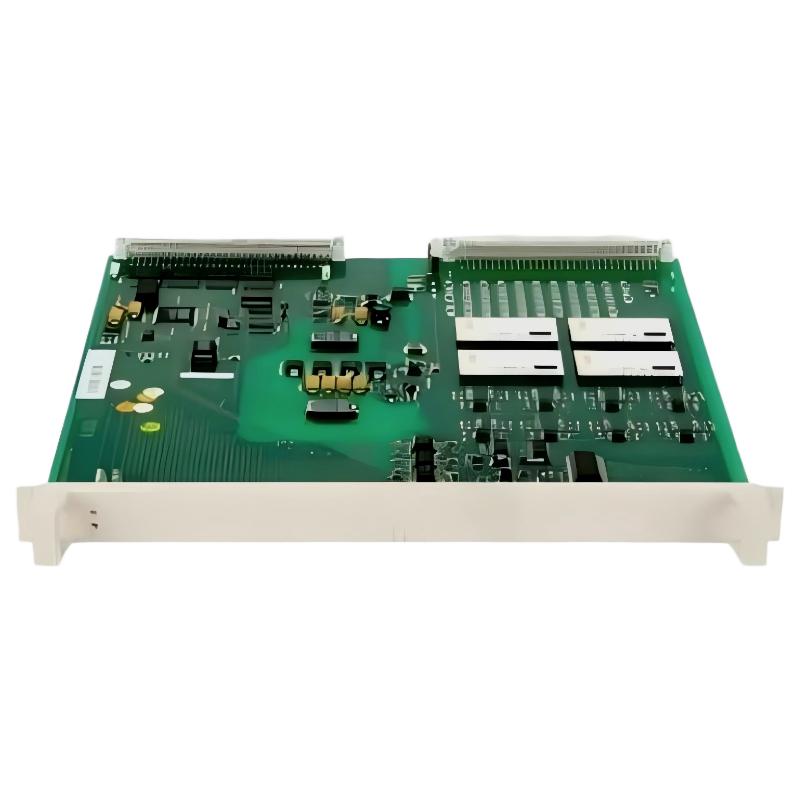
ABB 89IL05B-E Remote Bus Coupling Module Installation Guide
The ABB 89IL05B-E GJR2391200R0100 Remote Bus Coupling Module should be installed only after its hardware compatibility, bus topology, connector assignments, and system power requirements have been verified. A reliable Installation Guide for this industrial communication module must address not only physical mounting but also Setup, Commissioning, and validation of communication with the connected control system.
ABB 89IL05B-E Module Role in Remote Bus Communication
The 89IL05B-E is identified as an ABB Remote Bus Coupling Module associated with part number GJR2391200R0100. Its role in a compatible automation architecture is related to communication between system components over a remote bus. The exact interface, supported protocol, electrical ratings, and compatible controller family must be established from the documentation for this specific hardware revision before wiring begins.
Do not assume that a similarly named ABB coupling module has identical pin assignments or operating requirements. Confirm the product label, complete part number, revision, and host-system compatibility before installing the unit.
ABB 89IL05B-E Installation Preparation and Safety Checks
Begin by documenting the existing system configuration. This makes it possible to distinguish an installation error from a pre-existing bus fault during commissioning.
- Record the module’s full part number and hardware revision.
- Obtain the applicable ABB wiring diagram and installation instructions.
- Identify the upstream controller, remote-bus cable, downstream devices, and bus termination requirements.
- Verify the specified supply voltage and polarity against the correct technical manual.
- Inspect connectors, terminals, cable insulation, and mounting hardware for damage.
- Back up the controller project and record the current communication settings before making changes.
Isolate electrical power and follow the site’s lockout/tagout procedure before handling wiring or removing a module. Never insert or remove this unit under power unless the specific system documentation explicitly permits hot swapping.
ABB 89IL05B-E Remote Bus Mounting and Wiring
Mount the module in the designated rack or installation position specified for the compatible ABB system. Confirm that mechanical guides and connectors align correctly. A connector that appears to fit is not proof of electrical compatibility.
- Inspect the mounting position and confirm that the rack or carrier is suitable for the module.
- Install the module using the manufacturer’s specified retention method.
- Route communication cables away from high-current switching conductors and sources of electromagnetic interference where practicable.
- Connect the remote-bus interface using the documented terminal or connector pinout.
- Apply shielding, grounding, and termination according to the system-specific wiring diagram.
- Check cable continuity and connector seating before restoring power.
Do not use a generic pinout from another remote-bus product. Incorrect signal assignments, reversed connections, or inappropriate termination can prevent communication and may damage connected equipment.
ABB 89IL05B-E System Configuration Before Startup
Successful hardware installation does not guarantee that the remote bus will operate. System Configuration must match the actual hardware layout, communication settings, and controller project.
- Verify that the host controller supports the installed coupling module.
- Confirm station addressing and bus configuration where applicable.
- Check that configured remote devices correspond to the physically installed devices.
- Verify communication parameters using the correct ABB engineering software and system manual.
- Save the approved configuration and document any changes.
The precise software menus, address format, and diagnostic commands depend on the controller family. Do not enter unverified commands or substitute configuration values from another ABB product.
ABB 89IL05B-E Setup and Commissioning Procedure
Commission the remote-bus connection in a controlled sequence rather than enabling the entire process immediately.
- Power verification: Measure the supply at the documented test point and compare it with the permitted operating range.
- Module status: Observe the module indicators and compare their patterns with the correct manual.
- Bus availability: Check the controller’s communication diagnostics for detected stations, link status, and reported errors.
- Configuration validation: Confirm that the physical devices match the configured topology.
- Functional test: Verify permitted read/write operations or I/O exchanges using an approved commissioning procedure.
- Stability test: Monitor the connection under normal operating conditions and check for recurring communication errors.
Commissioning checklist
1. Verify part number and hardware revision
2. Verify supply against the module manual
3. Inspect bus connections and termination
4. Check controller communication diagnostics
5. Validate configured remote devices
6. Record results and outstanding alarms
The checklist above is a generic engineering aid, not an executable command sequence or a substitute for ABB’s official commissioning procedure.
ABB 89IL05B-E Field Validation Example
Consider a representative commissioning scenario in which a remote station remains unavailable after a coupling module is installed. An engineer should first verify the power supply, then inspect the physical bus connection, and finally compare the controller’s configured station list with the installed hardware.
For example, if the supply measures 24.1 V at a test point whose documented nominal value is 24 V DC, that measurement alone does not establish that the supply is suitable for this module. The applicable manual must confirm the required voltage range and supply arrangement. The next checks should include voltage under load, connector continuity, termination, and diagnostic status.
This is an illustrative diagnostic scenario, not a verified service record for an individual 89IL05B-E installation. Actual measurements and corrective actions should be recorded from the equipment under test.
ABB 89IL05B-E Installation and Commissioning FAQ
Which information must be verified before installing the GJR2391200R0100 module?
Confirm the full part number, hardware revision, compatible controller family, approved mounting arrangement, connector pinout, supply requirements, and remote-bus wiring instructions.
Can the ABB 89IL05B-E be installed while the system is running?
Do not assume hot-swap capability. Follow the instructions for the exact host system and module revision, and isolate power when required.
Why is a remote station missing after commissioning?
Possible causes include incorrect wiring, a supply problem, unsuitable termination, incompatible hardware, incorrect addressing, or a mismatch between the physical topology and the controller configuration.
Which diagnostic values should be recorded during Setup?
Record the measured supply voltage, module indicator states, controller diagnostic messages, detected station list, communication error counters where available, and the results of functional tests.
Does a lit status indicator prove that the bus is operating correctly?
No. An indicator may show power or an internal status without confirming successful communication with every remote device. Check the documented indicator meanings and controller diagnostics.
How should the remote-bus cable be routed?
Follow the specified cable type, maximum segment length, shielding, grounding, and separation requirements for the actual interface. Avoid applying generic network-cabling rules without verifying the protocol.
Is a controller configuration change always required when replacing the module?
Not necessarily. The requirement depends on the controller architecture, module identity, addressing method, and project configuration. Compare the replacement hardware and configuration against the approved system documentation.
What information should be included in the commissioning report?
Include the module identification, revision, wiring checks, measured electrical values, configuration version, diagnostic results, functional test outcomes, and any unresolved alarms.
ABB 89IL05B-E Installation Guide: General Conclusion
Reliable ABB 89IL05B-E Remote Bus Coupling Module installation depends on verified hardware compatibility, correct remote-bus wiring, appropriate System Configuration, and documented Commissioning tests. When technical details are unavailable, confirm them from the applicable ABB documentation rather than relying on assumptions based on similar modules. A disciplined installation record also makes future Troubleshooting and Fault Diagnosis more efficient.



