100% Original, Ready to Ship!

ABB 89NU04A/89NU04A-E/89NU04B-E GKWE853000R0200 Coupled Module
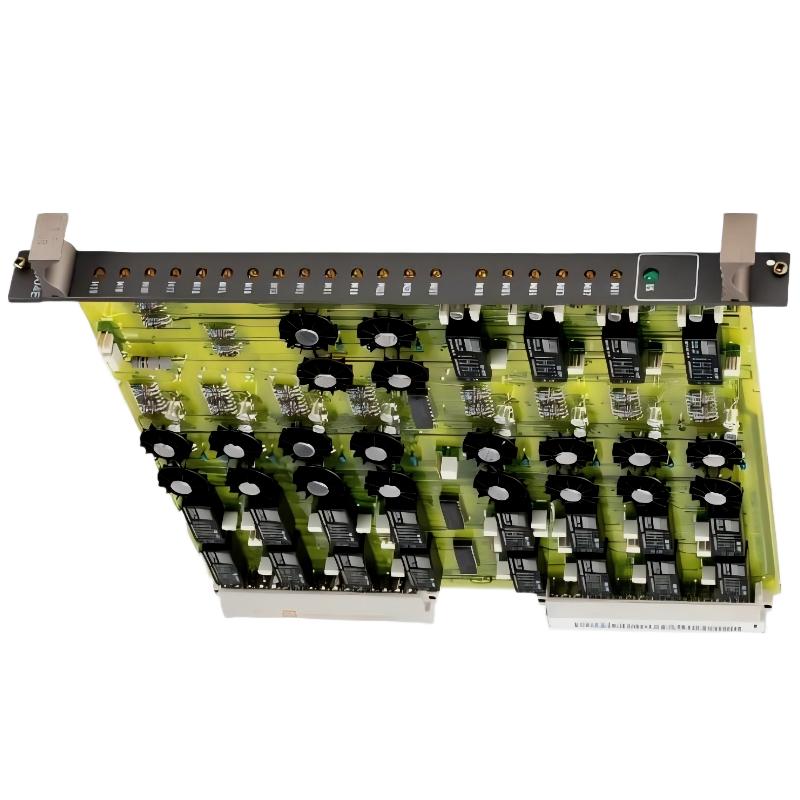 ABB 89NU04A Coupled Module Installation Guide and Application Overview
The ABB 89NU04A Coupled Module, associated with part number GKWE853000R0200, should be installed only after its hardware compatibility, connection requirements, and intended function within the existing control system have been verified. A reliable Installation Guide for this coupled module must prioritize the equipment documentation, cabinet wiring, System Configuration, and controlled commissioning checks rather than assuming that all variants share identical terminals or operating parameters.
ABB 89NU04A Module Function and System Configuration
Before installation, confirm the module designation on the nameplate and compare it with the approved parts list. The related designations 89NU04A, 89NU04A-E, and 89NU04B-E should not automatically be treated as interchangeable. Verify the complete ordering code, hardware revision, connector arrangement, and compatibility with the target rack or control platform.
For an industrial PLC or distributed control installation, the coupled module must be considered part of a larger signal and power architecture. Its role, interface requirements, and communication dependencies should be established from the applicable ABB technical documentation before any wiring changes are made.
ABB GKWE853000R0200 Installation Preparation
- Record the existing module designation, serial number, and hardware revision.
- Review the approved wiring diagram and cabinet layout.
- Identify all associated power, signal, and communication connections.
- Apply the site’s lockout/tagout procedure and verify electrical isolation before handling the module.
- Use appropriate ESD protection when removing or installing circuit-board assemblies.
- Check connector condition, mounting hardware, contamination, and signs of overheating.
Do not infer supply voltage, pin assignments, or connector polarity from a visually similar ABB Module. These details must be confirmed against the exact hardware documentation.
ABB 89NU04A Coupled Module Wiring and Setup
During Setup, inspect the mating connectors and confirm that each cable is routed to its documented destination. Keep signal wiring separated from high-current switching conductors wherever the cabinet design requires it. Check shielding and grounding arrangements against the original installation drawings instead of adding improvised grounding connections.
- Confirm that the replacement or newly installed module matches the approved part number.
- Inspect the mounting position and connector alignment before securing the assembly.
- Reconnect cables according to the verified wiring schedule.
- Cross-check every changed connection against the cabinet drawings.
- Record the completed inspection before restoring power.
ABB 89NU04A Setup and Commissioning Validation
Commissioning should proceed from basic electrical checks to system-level functional verification. First, confirm that the cabinet supply and protective earth meet the equipment specifications. Then inspect available status indicators and diagnostic information, if supported by this module and its host system.
Where the control platform provides diagnostic access, record the initial status before changing configuration parameters. Confirm that the host system recognizes the installed hardware and that dependent modules remain in their expected operating states. Any required configuration download or parameter restoration must follow the approved maintenance procedure.
Commissioning checklist:
1. Verify module identity and hardware revision.
2. Confirm wiring against approved drawings.
3. Verify supply conditions against the manual.
4. Review available hardware and system diagnostics.
5. Confirm expected inter-module operation.
6. Record final status and acceptance results.
ABB 89NU04A Coupled Module Installation Case Review
Consider a representative commissioning scenario in which a coupled module is replaced during a planned control-cabinet shutdown. After power restoration, the host system does not show the expected hardware status. Rather than immediately declaring the replacement defective, the engineer compares the installed part number with the maintenance record, checks connector seating, reviews the wiring drawings, and examines the host-system diagnostics.
If the original module is identified as a different hardware revision, compatibility must be confirmed before proceeding. If the module identity is correct, the investigation can move to documented connection checks and configuration dependencies. This is a practical engineering example, not a verified field report for the ABB 89NU04A; no measured results or product-specific failure rates are asserted.
ABB 89NU04A Installation Guide FAQ
Can ABB 89NU04A, 89NU04A-E, and 89NU04B-E be used interchangeably?
Do not assume interchangeability. Confirm the complete part number, revision, electrical interfaces, and system compatibility using the applicable ABB documentation.
What should be checked before powering up the coupled module?
Verify module identity, connector alignment, wiring, grounding, mounting, and supply conditions against the approved documentation. Follow the site’s electrical safety procedures.
Does commissioning require PLC software changes?
That depends on the host control platform and the module’s role. Check the existing configuration and the manufacturer’s instructions before modifying hardware definitions or parameters.
Conclusion: ABB 89NU04A Coupled Module Installation
A dependable ABB 89NU04A Installation Guide combines exact part identification, controlled wiring work, documented System Configuration, and staged Setup / Commissioning validation. For GKWE853000R0200, use the matching ABB documentation to establish the definitive electrical and interface requirements before installation. This approach reduces avoidable startup errors and provides a traceable basis for subsequent Troubleshooting and maintenance.
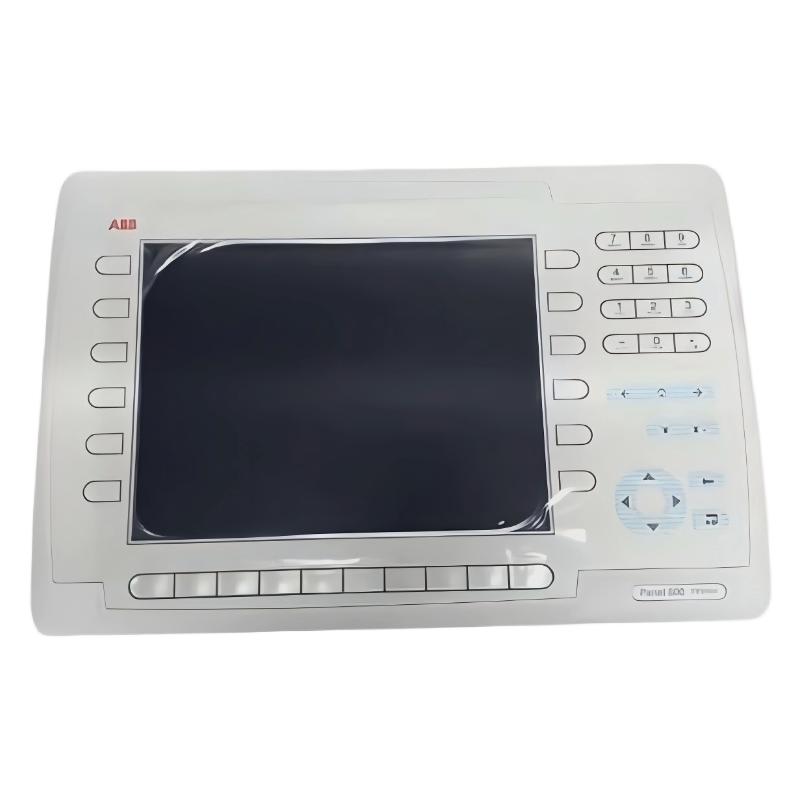 ABB PP846 3BSE042238R1 Operation Panel Screen Installation Guide
 ABB PP845 3BSE042235R1 Operation Panel Installation Guide
 ABB 89NU01E Safety Relay Installation Guide
 ABB PP825 3BSE042240R1 Operation Panel Installation Guide