
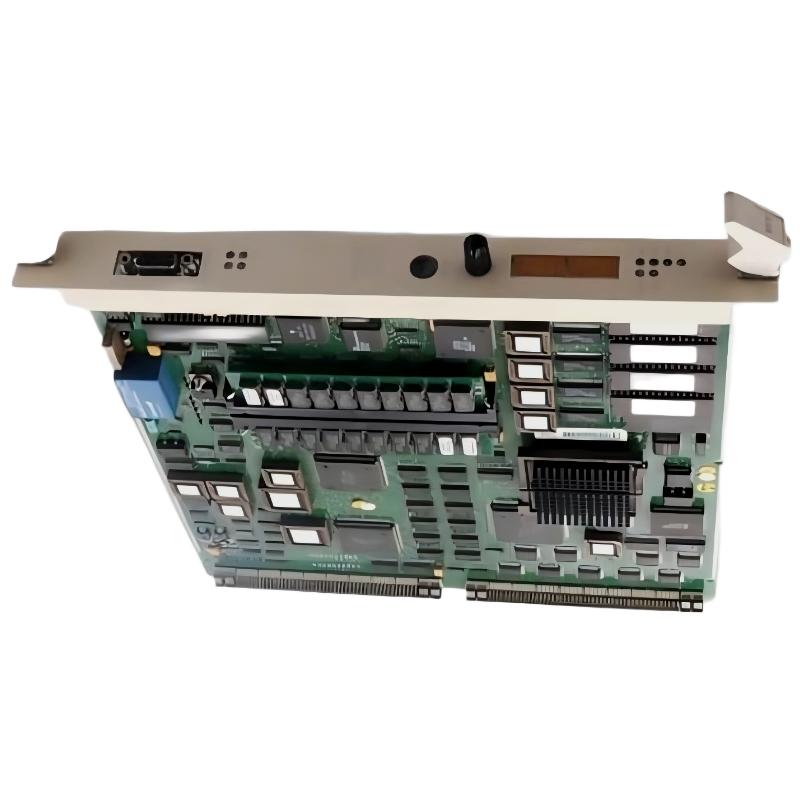
ABB PM510 3BSE000270R1 CPU Board Installation Guide
The ABB PM510 3BSE000270R1 CPU Board should be installed only after confirming hardware compatibility, rack or mounting requirements, power isolation procedures, and the applicable ABB system documentation. A reliable Setup and Commissioning process starts with identifying the installed controller architecture and verifying that the CPU board is suitable for the target system configuration.
Contents: ABB PM510 CPU Board Setup
- CPU Board Function and Compatibility
- Pre-Installation Checks
- Installation and Handling
- Setup and Commissioning
- Field Engineering Example
- Technical FAQ
- Conclusion
ABB PM510 3BSE000270R1 CPU Board Function and Compatibility
A CPU board is a critical part of a control system because it supports controller execution and coordination with compatible hardware. Before installing the ABB PM510, verify the complete part number, including 3BSE000270R1, against the equipment documentation and existing board identification.
Do not assume that a similar-looking ABB CPU board has identical firmware requirements, interfaces, or hardware compatibility. Confirm the supported controller family, firmware or software requirements, mounting arrangement, and any required configuration procedures using authoritative documentation for the specific installation.
Pre-Installation Checks for the ABB PM510 CPU Board
Preparation reduces the risk of introducing faults during a planned replacement or new installation. Record the existing system configuration before disturbing the control hardware.
- Verify the board label and part number against the approved bill of materials.
- Review the electrical drawings, rack layout, and manufacturer installation instructions.
- Confirm that the required shutdown and isolation procedure has been approved.
- Apply appropriate electrostatic discharge protection when handling the board.
- Back up relevant controller configuration and application data where supported.
- Document existing alarms, status indicators, and communication connections.
Do not remove or insert the CPU board under power unless the manufacturer explicitly specifies that the hardware supports the operation. Never rely on hot-swap assumptions based solely on the board’s appearance.
ABB PM510 CPU Board Installation and Handling Procedure
- Secure the work area. Follow the site’s lockout and tagout procedure, verify the required isolation, and obtain authorization before opening the control cabinet.
- Inspect the mounting position. Check for damaged connectors, bent contacts, contamination, corrosion, or signs of overheating.
- Confirm orientation. Align the board with the designated guides and connectors specified by the relevant hardware documentation.
- Install without force. Seat the board evenly and secure its retention mechanism according to the manufacturer’s instructions.
- Check adjacent hardware. Ensure that neighboring modules, connectors, and cables have not been displaced during installation.
- Complete a visual inspection. Verify that the board is properly seated and that all affected connections match the documented configuration.
Mechanical resistance during insertion is a reason to stop and inspect alignment, not to apply additional force. Connector damage can create intermittent faults that are difficult to distinguish from processor or firmware problems.
ABB PM510 CPU Board Setup and Commissioning Validation
Commissioning should establish that the controller starts correctly, recognizes the expected hardware, and returns to the intended operating state. The exact indicators, engineering software, communication interfaces, and startup sequence must be confirmed from the applicable ABB documentation.
- Restore power only after the cabinet and hardware checks are complete.
- Observe the documented startup indicators and record any abnormal status.
- Check for controller diagnostics, configuration mismatches, and communication alarms.
- Verify that the expected application and compatible system configuration are present.
- Confirm communication with dependent modules and supervisory systems.
- Perform approved functional tests before releasing the equipment for operation.
Do not interpret a single illuminated LED as proof that the CPU board is fully operational. Successful commissioning also requires the correct application state, expected module recognition, stable communications, and confirmation that essential control functions behave as designed.
Illustrative Commissioning Diagnostic Record
Asset: ABB PM510 3BSE000270R1 CPU Board
Part number: Verify against installed hardware
Power isolation: Confirmed under site procedure
Board seating: Visual inspection required
Startup status: Record manufacturer-defined indicators
Controller diagnostics: Record actual reported messages
Communication test: Verify against approved test plan
Application status: Confirm expected operating state
Release decision: Authorized engineer approval required
This record is a documentation example, not a set of executable ABB diagnostic commands. Use the approved engineering tool and the correct controller-specific procedure for actual commissioning.
ABB PM510 CPU Board Installation: Field Engineering Example
Consider a planned CPU board replacement on an industrial control panel. After installation, the controller does not return to its expected operating state. Rather than immediately declaring the replacement board defective, the engineer compares the installed part number with the maintenance record, checks seating and connector alignment, reviews the recorded startup indications, and examines the controller’s reported diagnostics.
If the hardware is correctly seated but the system reports a configuration mismatch, the next investigation should focus on supported hardware compatibility, application restoration, and documented startup requirements. If the board is not recognized at all, the engineer should investigate seating, connector condition, and the relevant power and rack interfaces before considering a hardware exchange.
This is an illustrative troubleshooting scenario, not a claim about a verified field repair involving this exact model. Record actual measurements and diagnostic evidence during the real commissioning activity.
ABB PM510 3BSE000270R1 CPU Board Technical FAQ
Which information should be verified before installing the ABB PM510 CPU Board?
Verify the complete part number, supported controller family, hardware compatibility, applicable firmware or software requirements, and the manufacturer’s installation instructions.
Can the ABB PM510 CPU Board be replaced while the controller is running?
Do not assume live replacement is supported. Confirm the exact hardware architecture and manufacturer instructions, and follow the site’s approved isolation procedure unless hot swapping is explicitly documented.
Should controller configuration be backed up before CPU board replacement?
Yes, where the system supports it. Preserve the application, configuration records, relevant parameters, and existing diagnostic information according to the site’s backup and change-control procedures.
What should be checked if the controller fails to start after installation?
Review part-number compatibility, board seating, connector condition, required power conditions, startup indicators, configuration compatibility, and documented controller diagnostics.
Is a successful startup indication sufficient for commissioning?
No. Verify the expected application state, hardware recognition, communications, controller diagnostics, and approved functional tests before returning the system to service.
Which tools are needed for ABB PM510 commissioning?
Use the engineering software, diagnostic interfaces, electrical test equipment, and documentation specified for the installed controller system. The precise toolset depends on the supported hardware architecture.
What records should be kept after CPU board installation?
Record the installed part number, maintenance authorization, configuration backup status, observed startup indications, diagnostic messages, functional test results, and engineer approval.
How can engineers reduce electrostatic damage during installation?
Use approved ESD protection, handle the board by its designated edges, avoid touching exposed contacts, and follow the manufacturer’s packaging and handling guidance.
Conclusion: ABB PM510 CPU Board Installation and Commissioning
A dependable ABB PM510 3BSE000270R1 CPU Board Installation Guide should prioritize hardware identification, safe isolation, electrostatic protection, correct seating, configuration compatibility, and evidence-based commissioning. Actual specifications, startup indicators, and diagnostic procedures must be confirmed against the documentation for the installed system. Complete the commissioning record and obtain the required authorization before returning the controller to service.



