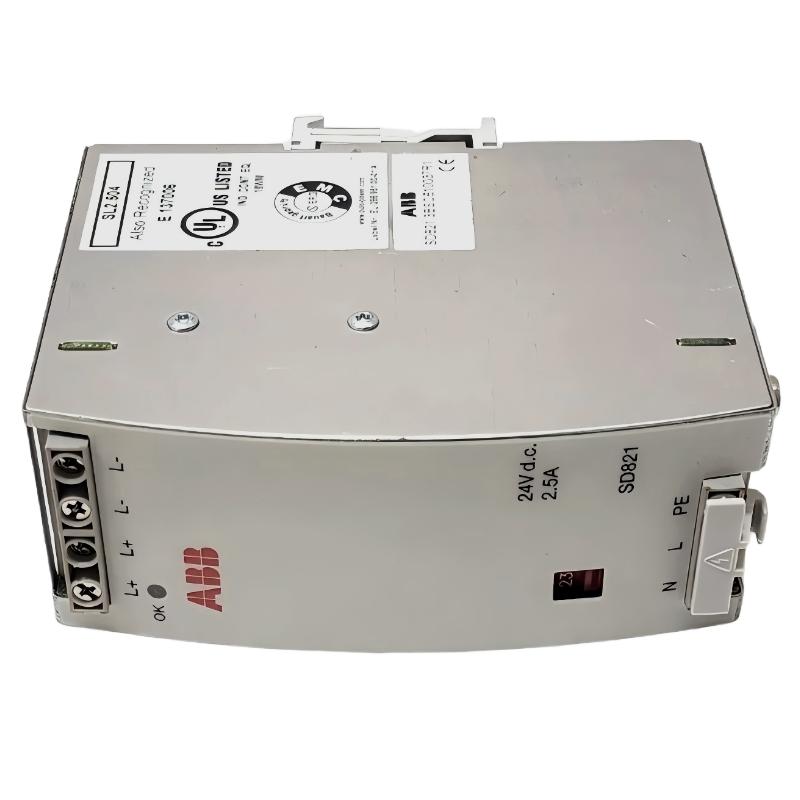
ABB SD823 3BSC610039R1 Power Supply faults should be investigated by measuring the AC input, checking the 115/230V selector, and testing the 24V DC output under load before replacing the unit. In industrial PLC and DCS systems, an unstable 24V DC supply can cause controller resets, I/O communication interruptions, sensor signal abnormalities, and unexpected equipment shutdowns. A systematic Fault Diagnosis process helps distinguish an internal power supply failure from external wiring problems, overloads, or short circuits.
ABB SD823 Power Supply Troubleshooting: Diagnostic Index
- Common SD823 power supply fault symptoms
- Fault isolation and engineering reasoning
- AC input and 24V DC output measurements
- Troubleshooting and recovery procedure
- Illustrative field fault investigation
- Preventive maintenance and replacement checks
- ABB SD823 troubleshooting FAQ
- Conclusion and general overview
Common ABB SD823 3BSC610039R1 Power Supply Fault Symptoms
The first troubleshooting task is to classify the observed symptom. A missing output, an intermittent voltage drop, and an isolated PLC communication alarm require different investigations.
- No 24V DC output: The OK indicator may be off, and connected automation equipment may fail to start.
- Low DC voltage: The supply voltage may fall when I/O modules, relays, or field instruments become active.
- Intermittent shutdown: The controller or connected modules may restart when the load changes.
- Repeated downstream alarms: Several devices may report faults at approximately the same time because they share the same 24V DC distribution bus.
- Unexpected sensor readings: A supply or grounding problem may affect instruments, although sensor wiring and the instruments themselves must also be checked.
The SD823 is a 24V DC, 10A power supply with selectable 115/230V AC input. Its output rating provides a useful starting point for troubleshooting, but a 24V supply fault should not be diagnosed from an alarm message alone.
ABB SD823 Fault Diagnosis: Identify the Source Before Replacing the Module
When several devices fail together, investigate shared dependencies first. If a PLC Controller, remote I/O modules, and multiple field instruments all lose power at the same time, the common power distribution path deserves attention before individual devices are replaced.
Use the following diagnostic logic to narrow down the cause:
- Check the scope of the failure. Determine whether the entire 24V DC bus is affected or only one branch.
- Inspect the power supply status. Observe the OK indicator and check for unusual heat, discoloration, damaged wiring, or other visible signs of a fault.
- Verify the AC source. Measure the incoming supply using approved electrical test procedures and compare it with the selector setting.
- Measure the DC output. Compare voltage at the SD823 terminals with voltage at the affected load.
- Investigate load behavior. If the voltage falls as equipment starts, examine overload, short circuits, startup current, and wiring resistance.
- Confirm the root cause. Replace the power supply only when measurements and isolation tests support an internal unit failure.
Never disconnect loads or remove conductors from an energized circuit unless a specifically approved procedure permits the work. Isolate power before changing wiring, and use qualified personnel for hazardous-voltage testing.
ABB SD823 24V DC Output Troubleshooting and Electrical Measurements
Measurements at both ends of the distribution circuit help separate an SD823 output problem from a downstream voltage drop. Use a calibrated digital multimeter and suitable current-measurement equipment, following the site’s electrical safety procedures.
- AC input: Verify the measured input against the selected 115V or 230V operating configuration and the manufacturer’s permitted input range.
- Power supply output: Measure across L+ and L− at the designated output terminals.
- Load-side voltage: Measure across the positive and return conductors at the affected PLC, I/O module, or instrument.
- Output current: Determine whether the combined load approaches or exceeds the 10A rating.
- Voltage stability: Compare readings at idle and during normal startup or operation.
The following pseudo-command sequence can be used as a maintenance checklist. It is not an executable ABB service command or a built-in SD823 diagnostic interface.
CHECK AC_INPUT against selected voltage
CHECK OK_INDICATOR
MEASURE DC_OUTPUT at SD823 terminals
MEASURE DC_VOLTAGE at affected load
COMPARE SOURCE_VOLTAGE with LOAD_VOLTAGE
CHECK TOTAL_LOAD_CURRENT against 10 A rating
CHECK VOLTAGE_STABILITY during normal load changes
RECORD measurements before and after corrective action
If the source voltage remains stable while the load-side voltage falls, investigate cable resistance, loose terminals, fuses, connectors, and the return conductor. If the voltage falls directly at the SD823 output, investigate input instability, excessive load, short circuits, and possible internal power supply damage.
How to Repair an ABB SD823 Power Supply Fault
Repair should target the confirmed cause rather than the most visible symptom. The appropriate recovery action depends on the measurements and the installation design.
When the AC input is incorrect
Check the upstream breaker, supply wiring, neutral connection where applicable, and input selector. Correct the supply problem using the approved electrical procedure. Never change the voltage selector while the unit is energized.
When the 24V DC bus is overloaded
Review the combined current demand of the PLC Controller, I/O Module assemblies, sensors, relays, and other connected loads. Investigate startup peaks and short circuits. Redistribute the load or redesign the power arrangement where necessary, without exceeding equipment ratings.
When voltage drops along the distribution wiring
Inspect conductor sizing, cable length, terminal condition, protective devices, and the DC return path. Repair damaged connections and repeat the voltage measurements at both the source and the load.
When the power supply is suspected of internal failure
If the AC input and wiring are correct, the load is within specification, and the DC output remains abnormal, arrange replacement or manufacturer-authorized repair. Before installing a replacement, confirm the model, terminal arrangement, selector position, mounting requirements, and compatibility with the existing System Configuration.
ABB SD823 Troubleshooting Case: Separating a Supply Fault from a Wiring Fault
Illustrative engineering scenario, not a verified customer case: During startup, a control cabinet experiences intermittent remote I/O resets. The initial assumption is that the SD823 power supply is deteriorating, but the controller itself does not show a consistent internal hardware fault.
The engineer records 24.0V DC at the power supply terminals and 22.8V DC at the affected remote I/O branch during the event. The 1.2V difference suggests that the distribution circuit requires investigation. After the system is safely isolated, the engineer inspects the branch terminals, wiring, and protective devices before performing another controlled startup test.
If a high-resistance connection is identified and corrected, the engineer should repeat the same measurements under comparable loading conditions. Recovery is confirmed only when the load-side voltage remains within the connected equipment’s permitted range and the resets no longer occur during the defined test period.
This scenario demonstrates the diagnostic method rather than documenting an actual repair. The example voltage readings are illustrative and must not be treated as ABB acceptance limits or evidence of a specific SD823 failure rate.
Preventing ABB SD823 Power Supply Failures in PLC and DCS Cabinets
Preventive maintenance should focus on the electrical conditions that can cause recurring interruptions, not simply on replacing equipment at fixed intervals.
- Inspect terminal connections and cable insulation during scheduled, safely isolated maintenance.
- Review changes to the 24V DC load whenever new I/O modules, sensors, relays, or communication devices are installed.
- Trend DC voltage and current where the system design supports routine monitoring.
- Check cabinet ventilation, ambient conditions, contamination, and signs of overheating.
- Keep a record of previous faults, measured voltages, load changes, and corrective actions.
- For redundant installations, inspect the complete approved voting-unit arrangement rather than testing the power supply in isolation.
Good maintenance records improve future Fault Diagnosis by showing whether an abnormal reading is new, intermittent, or associated with a recent system modification.
ABB SD823 3BSC610039R1 Troubleshooting FAQ
Why does the ABB SD823 have no 24V DC output?
Possible causes include missing AC input, an incorrect input selector setting, an overloaded output, a downstream short circuit, or an internal power supply fault. Measure the input and output safely before deciding on a replacement.
Can an overloaded SD823 cause PLC Controller resets?
Yes. If the shared 24V DC supply cannot maintain the required voltage during load changes, connected controllers and I/O equipment may reset or report faults. Confirm this by measuring the supply at the source and at the affected load during the event.
What should be checked when the SD823 output measures 24V DC?
A single normal reading does not rule out intermittent faults. Check the voltage under representative operating load, compare source and load measurements, inspect the return path, and review event timing alongside controller diagnostics.
Does an SD823 power supply fault always mean the module must be replaced?
No. Incorrect input voltage, loose connections, excessive load, short circuits, and downstream distribution problems can produce similar symptoms. Replacement is justified when the investigation supports an internal failure or the unit cannot meet its specified performance.
Can the ABB SD823 be repaired in the field?
External wiring and distribution faults can often be corrected in the field by qualified personnel. Internal power supply repair should follow ABB’s authorized service guidance. Do not open or modify energized equipment.
ABB SD823 3BSC610039R1 Power Supply: Conclusion and General Overview
Reliable ABB SD823 Troubleshooting depends on separating input faults, output overloads, distribution voltage drops, and internal hardware failures through measured evidence. Start with the AC supply and selector setting, compare the 24V DC output at the source and load, and evaluate current demand against the 10A rating. Record the results before and after corrective action. This approach improves Fault Diagnosis, reduces unnecessary module replacement, and supports more reliable PLC and DCS operation. Any final repair or replacement decision should be validated against the applicable ABB documentation and the requirements of the installed System Configuration.