
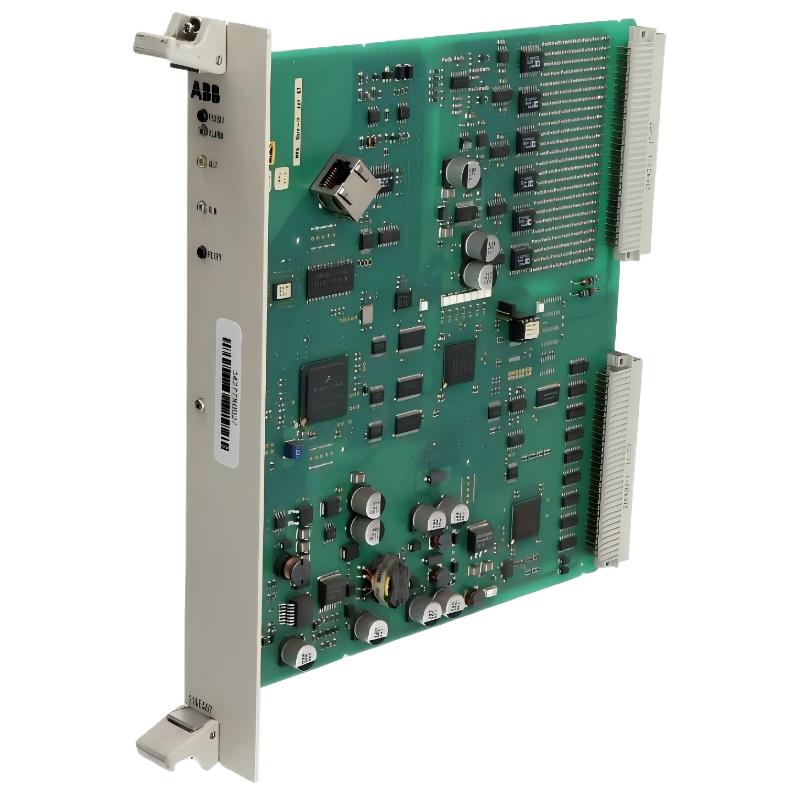
Table of Contents
- ABB 216EA62 Analog Input Unit Fault Symptoms
- ABB 216EA62 Fault Diagnosis Thinking Process
- Common Causes of ABB 216EA62 Analog Input Fault
- ABB 216EA62 Troubleshooting and Repair Actions
- ABB 216EA62 Real Fault Investigation Case
- ABB 216EA62 Troubleshooting FAQ
- ABB 216EA62 Fault Recovery Summary
ABB 216EA62 Analog Input Unit Fault Symptoms
ABB 216EA62 Analog Input Unit faults usually appear as incorrect engineering values, signal loss, unstable measurements, or abnormal A/D conversion results. In many industrial sites, troubleshooting begins by separating sensor problems from Module problems.
- Analog value frozen at zero.
- Input value jumps randomly.
- Channel diagnostic alarm appears.
- PLC Controller receives incorrect process data.
- Field transmitter signal is normal but software value is wrong.
ABB 216EA62 Fault Diagnosis Thinking Process
Professional ABB 216EA62 Troubleshooting should follow a logical diagnosis path instead of immediately replacing the Analog Input Unit.
- Confirm the field sensor output.
- Measure the input signal at the terminal.
- Compare physical value with PLC value.
- Check System Configuration parameters.
- Verify module diagnostic information.
The engineering judgment process is important because an analog measurement problem may originate from the transmitter, cable, grounding system, or software scaling.
Common Causes of ABB 216EA62 Analog Input Fault
- Incorrect input channel configuration.
- Signal cable shielding failure.
- Ground loop interference.
- Damaged field transmitter wiring.
- Incorrect engineering scaling.
- Unstable auxiliary power supply.
During Fault Diagnosis, technicians should check electrical conditions before replacing hardware.
Measure input voltage:
AI_TEST VOLTAGE CHANNEL_01

Check diagnostic status:
DIAG MODULE 216EA62

Verify configuration:
SHOW AI_PARAMETER CHANNEL_01
ABB 216EA62 Troubleshooting and Repair Actions
The repair method depends on the failure pattern identified during analysis.
- Correct incorrect channel parameters.
- Replace damaged field cables.
- Improve grounding connection.
- Remove electromagnetic interference sources.
- Replace the Analog Input Unit only after confirmation.
A common mistake during industrial maintenance is replacing the PLC Module before checking signal quality.
ABB 216EA62 Analog Input Unit Real Fault Investigation Case
In one factory maintenance case, an ABB 216EA62 Analog Input Unit generated unstable pressure feedback. The PLC Controller displayed rapid changes between 6.2 bar and 9.8 bar while the mechanical gauge remained stable at 7.1 bar.
The maintenance team measured the transmitter output and found the 4-20mA signal itself was stable. Further investigation showed that the analog cable shield was connected incorrectly, creating electrical noise interference.
After correcting grounding and replacing the damaged terminal connection, the signal variation reduced from 3.6 bar deviation to less than 0.1 bar. The module was confirmed healthy without replacement.
ABB 216EA62 Troubleshooting FAQ
Why does ABB 216EA62 output incorrect analog values?
Incorrect values may result from configuration errors, wiring problems, sensor issues, or signal interference.
How can ABB 216EA62 Fault Diagnosis be performed?
Fault Diagnosis should include checking field signals, module status, configuration parameters, and power conditions.
What causes ABB 216EA62 channel failure alarms?
Channel alarms may be related to open circuits, abnormal input signals, or incorrect software settings.
Should ABB 216EA62 be replaced when an alarm appears?
No. Engineers should complete Troubleshooting analysis first because many faults originate from external devices.
How does grounding affect ABB 216EA62 performance?
Poor grounding can introduce electrical noise and create unstable analog measurement results.
What is the first test during ABB 216EA62 troubleshooting?
The first step is usually verifying whether the actual field signal matches the expected transmitter output.
Can ABB 216EA62 faults be caused by software configuration?
Yes. Incorrect scaling, channel assignment, and parameter settings can create false fault symptoms.
How can ABB 216EA62 system reliability be improved?
Regular inspection of wiring, calibration, grounding, and System Configuration helps maintain stable operation.
ABB 216EA62 Fault Recovery Summary
ABB 216EA62 1MRB150083R1/F Analog Input Unit Troubleshooting requires practical engineering analysis. Field experience proves that signal quality, wiring conditions, and configuration accuracy are often more important than replacing hardware. A structured Troubleshooting and Fault Diagnosis process helps restore reliable PLC Controller operation quickly.



