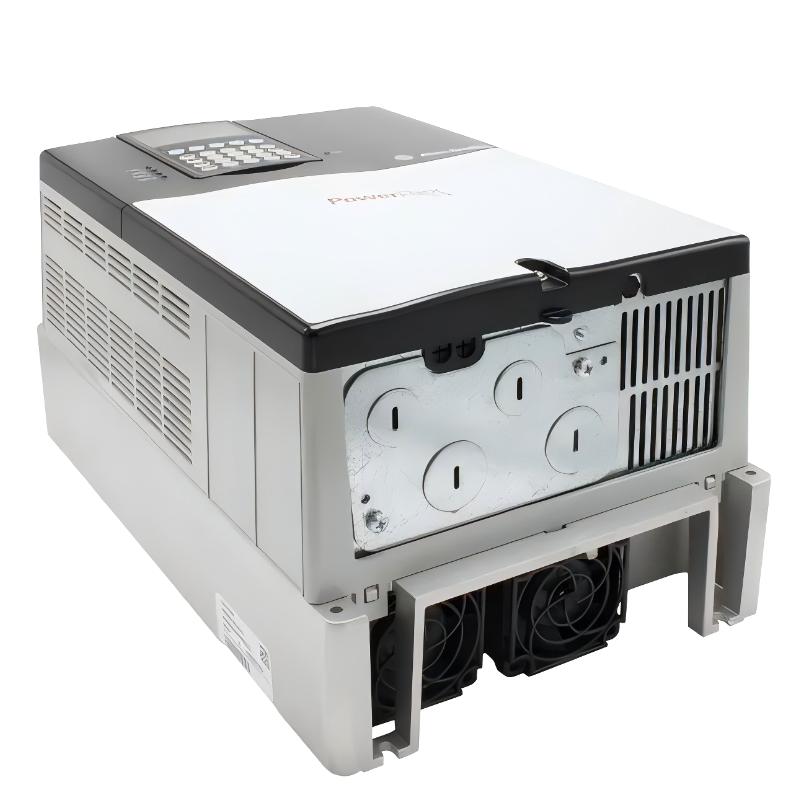
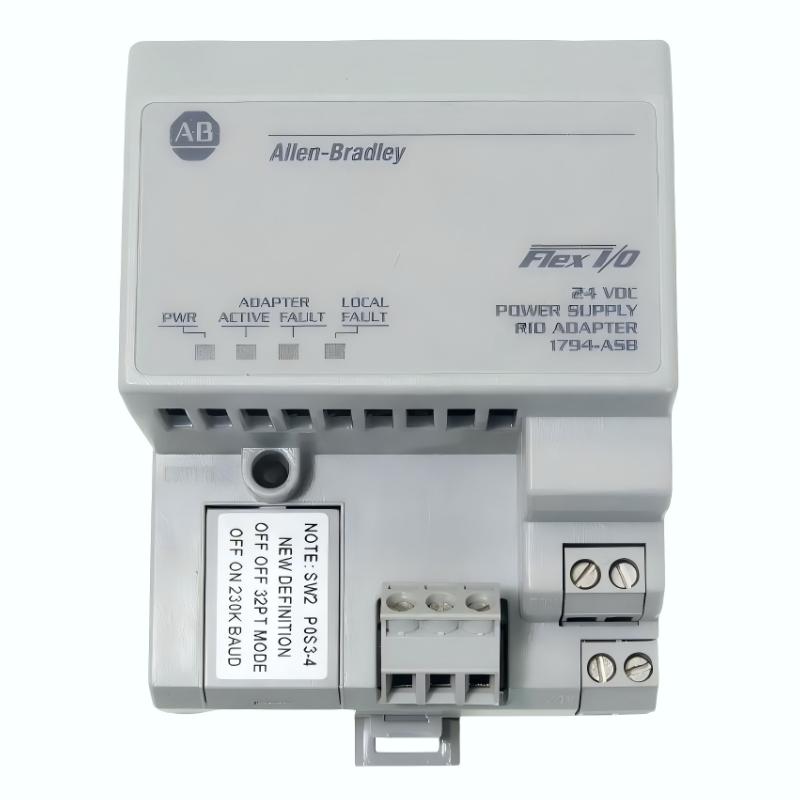
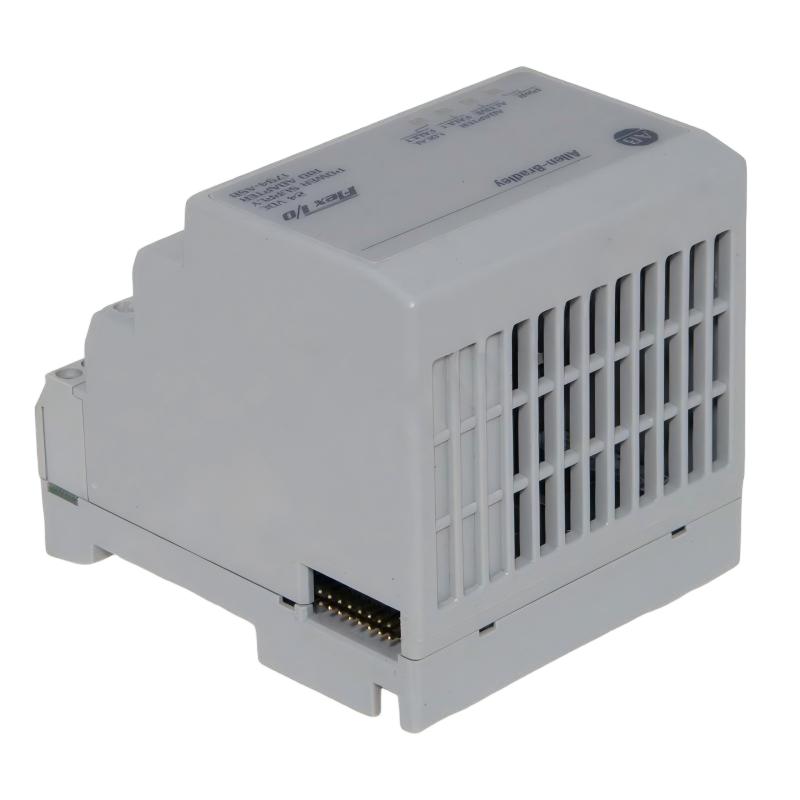
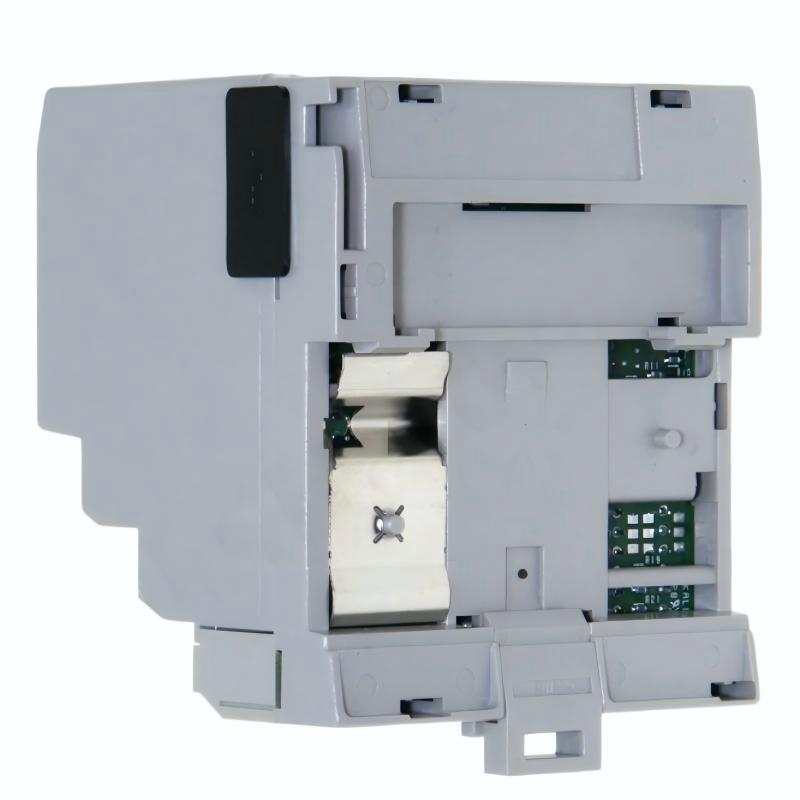
Allen Bradley 1794-ASB/E Flex Remote I/O Adapter Module
| Company Information | ||||||||
| [email protected] | ||||||||
| Mobile | +8613666084105 | |||||||
| +8613666084105 | ||||||||
| 13666084105 | ||||||||
| Add to | Room 1004, No. 62 Xiangxiu Li, Siming District, Xiamen City, Fujian Province, China | |||||||
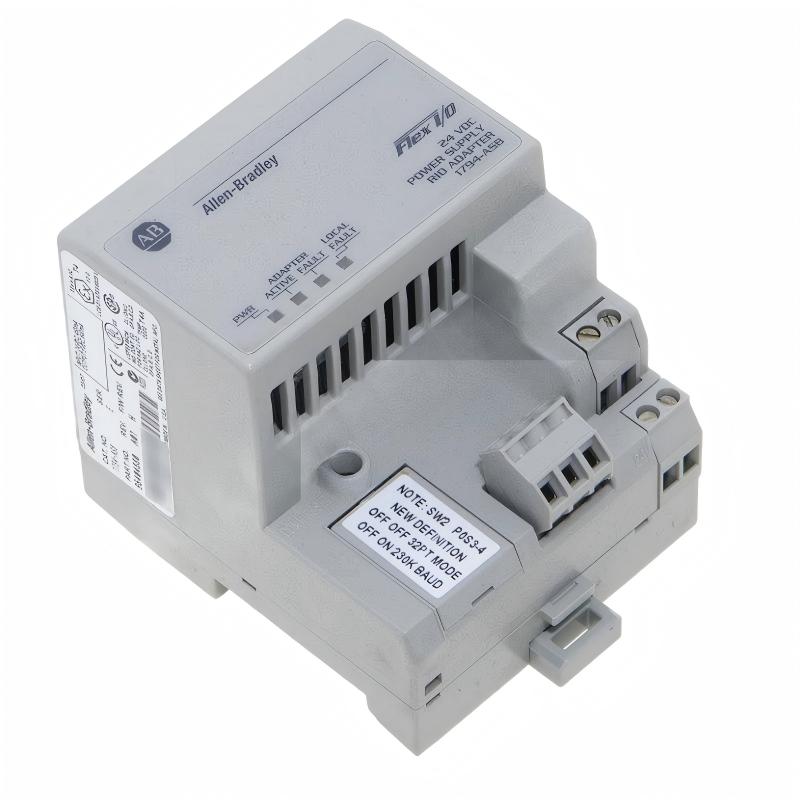 Technical Specifications
| Parameter | Specification |
|---|---|
| Model | 1794-ASB/E |
| Product Type | FLEX Remote I/O Adapter Module |
| Product Series | Allen-Bradley FLEX I/O |
| Communication Network | Remote I/O |
| I/O Module Capacity | Up to 8 FLEX I/O modules |
| Communication Rate | 57.6, 115.2, or 230.4 Kbps |
| Nominal Input Voltage | 24V DC |
| Operating Voltage Range | 19.2–31.2V DC |
| Power Consumption at 24V | 7.9 W |
| Maximum Power Dissipation | 4.6 W at 19.2V DC |
| 24V Power Supply Current Load | 330 mA |
| Inrush Current | 23 A for 2 ms at 24V DC |
| Thermal Dissipation | 15.7 BTU/hr at 19.2V DC |
| Remote I/O Cable | Belden 9463 or equivalent |
| Isolation Voltage | 850V DC for 1 second |
| Status Indicators | Power, Adapter Active, Adapter Fault, Local Fault |
| Typical Application | Remote FLEX I/O communication and PLC-based industrial control |
| Dimensions | 87 × 69 × 69 mm |
| Weight | 0.2 kg |
FAQ
1. What is the main function of the Allen-Bradley 1794-ASB/E FLEX Remote I/O Adapter Module?
The 1794-ASB/E is a FLEX I/O Remote I/O adapter used to connect FLEX I/O modules to an Allen-Bradley Remote I/O network. It acts as the communication interface between the remote FLEX I/O assembly and the control system, allowing installed I/O modules to exchange input and output data with the PLC or other compatible control equipment. The adapter supports up to eight FLEX I/O modules, making it suitable for distributed I/O applications where field signals are located away from the main processor or control cabinet.
2. How many FLEX I/O modules can the 1794-ASB/E support?
The 1794-ASB/E supports up to eight FLEX I/O modules. This capacity allows multiple digital, analog, and other compatible FLEX I/O modules to be arranged as a remote I/O station. When planning an installation, the total module arrangement should be checked against the adapter, power distribution, Flexbus requirements, and the overall Remote I/O network configuration. The eight-module capacity distinguishes the 1794-ASB/E from the 1794-ASB2, which is designed for a smaller two-module configuration.
3. What communication rates are supported by the 1794-ASB/E?
The 1794-ASB/E supports Remote I/O communication rates of 57.6 Kbps, 115.2 Kbps, and 230.4 Kbps. The appropriate communication rate should be selected according to the PLC configuration and overall Remote I/O network design. When troubleshooting communication problems, the adapter settings should be compared with the corresponding network configuration to ensure that the selected baud rate is consistent throughout the communication system. Incorrect communication settings can prevent the remote I/O station from communicating correctly with the controller.
4. What power supply is required for the 1794-ASB/E?
The 1794-ASB/E uses a nominal 24V DC power supply, with the documented operating range covering 19.2 to 31.2V DC for the applicable specification. The power supply must also be capable of handling the adapter’s startup inrush requirement. The specified inrush current is 23 A for 2 ms at 24V DC. During installation, the power supply capacity, wiring, voltage stability, and grounding arrangement should therefore be checked carefully, particularly when multiple remote I/O adapters or other loads share the same power source.
5. How can a communication fault on the 1794-ASB/E be diagnosed?
Communication troubleshooting should begin with the adapter status indicators. Check the Power and Adapter Active indicators first, then examine the Adapter Fault and Local Fault indications for abnormal conditions. After that, inspect the Remote I/O cable, connector, network wiring, and controller-side communication interface. The selected communication rate and station addressing should also be checked against the PLC configuration. If the adapter powers up normally but the controller cannot communicate with the FLEX I/O station, checking the Remote I/O network path and configuration is generally more useful than immediately replacing individual I/O modules. The adapter’s diagnostic indicators are specifically intended to assist with identifying operating and communication conditions.
6. Can the 1794-ASB/E be used with different FLEX I/O module types?
The 1794-ASB/E is designed to serve as the communication adapter for a FLEX I/O station and can support a range of compatible FLEX I/O modules within its eight-module capacity. The specific combination should be verified against the applicable FLEX I/O documentation and the requirements of the control application. When mixing different module types, engineers should consider the module’s electrical requirements, signal type, power distribution, addressing, and overall Flexbus configuration. Correct module selection is important because the adapter provides the communication interface, while the individual FLEX I/O modules perform the actual field signal functions.
7. What should be checked before replacing a 1794-ASB/E in an operating system?
Before replacement, document the existing Remote I/O address, communication rate, cable connections, power connections, and installed FLEX I/O module arrangement. The controller configuration should also be reviewed so that the replacement adapter is installed with settings consistent with the existing network. Maintenance personnel should follow the site’s electrical isolation and control-system maintenance procedures before disconnecting the adapter. After installation, verify the power supply, Remote I/O communication connection, adapter status indicators, and communication with the controller. The remote I/O station should then be tested to confirm that all installed modules are recognized and that input and output data are being exchanged correctly.
8. What are common causes of 1794-ASB/E remote I/O communication problems?
Common causes include incorrect communication-rate settings, incorrect station addressing, damaged or improperly terminated Remote I/O cables, loose connectors, unstable 24V DC power, adapter faults, and problems with the controller-side Remote I/O interface. A communication problem can also occur when the remote station configuration does not match the PLC project. Troubleshooting should therefore be performed systematically: verify power first, inspect the adapter indicators, check the network cable and connections, confirm addressing and communication-rate settings, and then verify the controller configuration. If the adapter reports a fault while the network wiring and configuration are correct, the adapter itself can be investigated as a potential source of the problem.
Allen Bradley 1794-ASB/E Flex Remote I/O Adapter Module is in stock. Please contact us for a quick quote and competitive pricing.
| Company Information | ||||||||
| [email protected] | ||||||||
| Mobile | +8613666084105 | |||||||
| +8613666084105 | ||||||||
| 13666084105 | ||||||||
| Add to | Room 1004, No. 62 Xiangxiu Li, Siming District, Xiamen City, Fujian Province, China | |||||||
Company Introduction
Xiamen Shengruite Trading Co., Ltd. is a company specializing in the supply of industrial PLC spare parts.
We provide high-quality PLC spare parts to customers in the global manufacturing, energy and power, chemical and other fields.
Since its establishment in 2011, after 13 years of rapid development, the cumulative global shipments have reached 223,650 pieces, with an annual output value of US$50 million.
Successfully served more than 500 customers in more than 100 countries and regions including Saudi Arabia, UAE, the United States, Europe, Africa, and Southeast Asia
Our Mission
Provide customers with the best quality PLC spare parts and the fastest delivery service to ensure that their industrial automation systems are always in the best operating condition.
We provide a 1-year warranty service, and we support returns and exchanges for any issues to ensure your rights and interests are fully protected.
We can provide detailed product images upon request, and our team can arrange warehouse photos for confirmation to ensure you have all the information you need before making a purchase.
Shipping times vary depending on your location. With the support of our 16 global warehouses, we strive to deliver orders as quickly as possible. Contact us to get an estimated delivery time for your specific location.
The minimum order quantity (MOQ) is typically one unit. However, for larger orders, please contact us for potential discounts and pricing details.
Yes, we offer competitive pricing for bulk purchases. Please reach out to our sales team with the specifics of your order to receive a custom quote.
We accept various payment methods for wholesale orders, including bank transfers (T/T), letters of credit, and other options upon agreement. For large transactions, please contact us directly for payment terms.
Yes, we offer flexible ordering options for both small and large quantities. Whether youre looking for a single unit or a large batch, we can accommodate your needs.
We occasionally offer promotional discounts for new wholesale customers. Contact us to learn more about any current offers available for first-time buyers.
If you are unsure of compatibility with your existing setup please provide your system details and our support team can verify compatibility prior to purchase.
Returns are accepted within 30 days if the product is unused, unopened, and in its original packaging. Please note that return shipping and associated costs are the buyer\\\\\\\\\\\\\\\\\\\\\\\\\\\\\\\\\\\\\\\\\\\\\\\\\\\\\\\\\\\\\\\\\\\\\\\\\\\\\\\\\\\\\\\\\\\\\\\\\\\\\\\\\\\\\\\\\\\\\\\\\\\\\\\\\\\\\\\\\\\\\\\\\\\\\\\\\\\\\\\\\\\\\\\\\\\\\\\\\\\\\\\\\\\\\\\\\\\\\\\\\\\\\\\\\\\\\\\\\\\\\\\\\\\\\\\\\\\\\\\\\\\\\\\\\\\\\\\\\\\\\\\\\\\\\\\\\\\\\\\\\\\\\\\\\\\\\\\\\\\\\\\\\\\\\\\\\\\\\\\\\\\\\\\\\\\\\\\\\\\\\\\\\\\\\\\\\\\\\\\\\\\\\\\\\\\\\\\\\\\\\\\\\\\\\\\\\\\\\\\\\\\\\\\\\\\\\\\\\\\\\\\\\\\\\\\\\\\\\\\\\\\\\\\\\\\\\\\\\\\\\\\\\\\\\\\\\\\\\\\\\\\\\\\\\\\\\\\\\\\\\\\\\\\\\\\\\\\\\\\\\\\\\\\\\\\\\\\\\\\\\\\\\\\\\\\\\\\\\\\\\\\\\\\\\\\\\\\\\\\\\\\\\\\\\\\\\\\\\\\\\\\\\\\\\\\\\\\\\\\\\\\\\\\\\\\\\\\\\\\\\\\\\\\\\\\\\\\\\\\\\\\\\\\\\\\\\\\\\\\\\\\\\\\\\\\\\\\\\\\\\\\\\\\\\\\\\\\\\\\\\\\\\\\\\\\\\\\\\\\\\\\\\\\\\\\\\\\\\\\\\\\\\\\\\\\\\\\\\\\\\\\\\\\\\\\\\\\\\\\\\\\\\\\\\\\\\\\\\\\\\\\\\\\\\\\\\\\\\\\\\\\\\\\\\\\\\\\\\\\\\\\\\\\\\\\\\\\\\\\\\\\\\\\\\\\\\\\\\\\\\\\\\\\\\\\\\\\\\\\\\\\\\\\\\\\\\\\\\\\\\\\\\\\\\\\\\\\\\\\\\\\\\\\\\\\\\\\\\\\\\\\\\\\\\\\\\\\\\\\\\\\\\\\\\\\\\\\\\\\\\\\\\\\\\\\\\\\\\\\\\\\\\\\\\\\\\\\\\\\\\\\\\\\\\\\\\\\\\\\\\\\\\\\\\\\\\\\\\\\\\\\\\\\\\\\\\\\\\\\\\\\\\\\\\\\\\\\\\\\\\\\\\\\\\\\\\\\\\\\\\\\\\\\\\\\\\\\\\\\\\\\\\\\\\\\\\\\\\\\\\\\\\\\\\\\\\\\\\\\\\\\\\\\\\\\\\\\\\\\\\\\\\\\\\\\\\\\\\\\\\\\\\\\\\\\\\\\\\\\\\\\\\\\\\\\\\\\\\\\\\\\\\\\\\\\\\\\\\\\\\\\\\\\\\\\\\\\\\\\\\\\\\\\\\\\\\\\\\\\\\\\\\\\\\\\\\\\\\\\\\\\\\\\\\\\\\\\\\\\\\\\\\\\\\\\\\\\\\\\\\\\\\\\\\\\\\\\\\\\\\\\\\\\\\\\\\\\\\\\\\\\\\\\\\\\\\\\\\\\\\\\\\\\\\\\\\\\\\\\\\\\\\\\\\\\\\\\\\\\\\\\\\\\\\\\\\\\\\\\\\\\\\\\\\\\\\\\\\\\\\\\\\\\\\\\\\\\\\\\\\\\\\\\\\\\\\\\\\\\\\\\\\\\\\\\\\\\\\\\\\\\\\\\\\\\\\\\\\\\\\\\\\\\\\\\\\\\\\\\\\\\\\\\\\\\\\\\\\\\\\\\\\\\\\\\\\\\\\\\\\\\\\\\\\\\\\\\\\\\\\\\\\\\\\\\\\\\\\\\\\\\\\\\\\\\\\\\\\\\\\\\\\\\\\\\\\\\\\\\\\\\\\\\\\\\\\\\\\\\\\\\\\\\\\\\\\\\\\\\\\\\\\\\\\\\\\\\\\\\\\\\\\\\\\\\\\\\\\\\\\\\\\\\\\\\\\\\\\\\\\\\\\\\\\\\\\\\\\\\\\\\\\\\\\\\\\\\\\\\\\\\\\\\\\\\\\\\\\\\\\\\\\\\\\\\\\\\\\\\\\\\\\\\\\\\\\\\\\\\\\\\\\\\\\\\\\\\\\\\\\\\\\\\\\\\\\\\\\\\\\\\\\\\\\\\\\\\\\\\\\\\\\\\’s responsibility.
Yes, we offer technical support for the installation and integration of our products. Our team can assist with setup, configuration, and troubleshooting to ensure a smooth installation.