100% Original, Ready to Ship!

ABB PP845 3BSE042235R1 Operation Panel Troubleshooting Guide
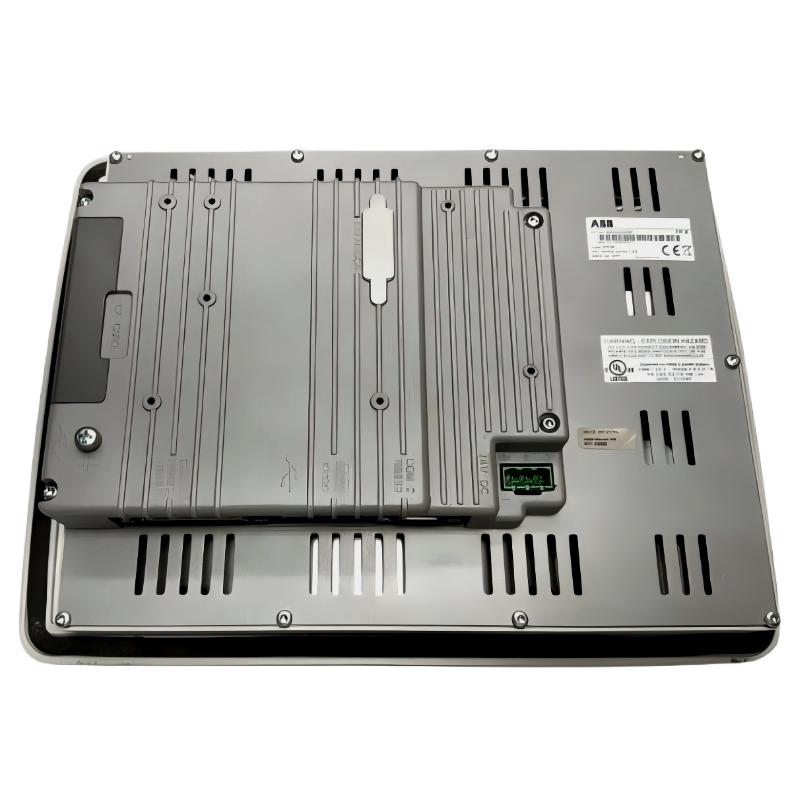
ABB PP845 3BSE042235R1 operation panel faults should be diagnosed by separating power, display, touch-input, application, and PLC communication problems. A blank screen does not automatically indicate a failed LCD, and missing process values do not necessarily mean the HMI is defective. Effective ABB PP845 Troubleshooting begins with observable symptoms and measured evidence before any component is replaced.
ABB PP845 PLC HMI Fault Diagnosis: Start with the Symptoms
The PP845 is an HMI in the ABB Panel 800 family. It provides an operator interface to a connected control system, so its visible behavior can be affected by both the panel itself and external equipment.
- No display: The panel remains dark or does not complete startup.
- Unstable display: The panel repeatedly restarts, freezes, or shows intermittent visual problems.
- No touch response: The application is visible, but operator input is not registered correctly.
- Communication alarm: The panel starts, but live values or controller status are unavailable.
- Incorrect process data: Values appear fixed, inconsistent, or different from the controller’s actual state.
ABB PP845 Troubleshooting Logic: Establish What Still Works
Before opening the enclosure, determine whether the fault affects the entire panel or only one function. This simple distinction reduces unnecessary disassembly and protects application data.
When the ABB PP845 display is completely blank
Check the DC supply at the panel terminals, connector retention, polarity, and protective devices. If the supply is correct, observe whether the panel produces any startup indication or diagnostic behavior described in the hardware manual. A blank display with verified input power requires further investigation; it is not sufficient evidence to condemn the screen alone.
When the ABB PP845 touchscreen stops responding
Check whether the screen image continues to update and whether the failure affects the entire touch surface or only particular areas. Inspect for contamination, moisture, physical damage, and abnormal mechanical pressure on the front panel. If supported by the installed version, follow the approved touch calibration procedure. Do not apply excessive pressure or use solvents that may damage the overlay.
When ABB PP845 communication fails
Separate physical connectivity from protocol and application faults. For Ethernet, inspect link status, cable integrity, IP addressing, and network reachability. For serial communication, verify the selected port, wiring, baud rate, parity, stop bits, and controller address. Then check the HMI project’s communication driver and tag definitions.
ABB PP845 Fault Diagnosis: A Measurement-First Procedure
Use the following diagnostic sequence to avoid replacing a functioning operator panel because of a fault elsewhere in the system.
- Record the displayed error message and the circumstances in which the fault occurs.
- Measure the panel’s DC supply during the fault, including startup or nearby equipment switching where safe and practical.
- Inspect the relevant power and communication connections with the equipment isolated as required.
- Check controller availability and compare HMI values against an independent engineering diagnostic.
- Review recent changes to firmware, Panel Builder 800 projects, network settings, or controller configuration.
- Change one variable at a time and record whether the symptom changes.
ABB PP845 Communication Troubleshooting: Diagnostic Commands
For an Ethernet-connected installation, a maintenance computer on the same authorized network can help distinguish basic network reachability from an HMI application fault. Replace the example address with the actual configured panel or controller address.
ipconfig
ping 192.168.1.20
arp -a
These are generic Windows diagnostic commands, not commands executed on the PP845 itself. A successful ping indicates IP reachability at that moment, but does not prove that the configured PLC protocol, controller tags, or application data are functioning correctly. A failed ping also does not prove hardware failure; network policies, addressing, or device settings may block the response.
For serial links, use the approved controller or protocol diagnostic tools rather than assuming that Ethernet commands can diagnose an RS-232, RS-422, or RS-485 connection.
ABB PP845 Troubleshooting: Root Cause by Fault Pattern
- Restarts during machine startup: Investigate voltage dips, shared power loading, grounding, and electrical interference before concluding that the panel has failed.
- Screen works but data is stale: Check communication status, controller availability, protocol configuration, and tag mapping.
- Only some values are wrong: Review individual tag addresses, data types, scaling, and the controller logic that generates those values.
- Touch input is inaccurate: Inspect the surface and mounting pressure, then use supported calibration and diagnostic procedures.
- Fault appears after an application update: Compare the new project and firmware with the last known working configuration; restore a verified compatible backup if the approved recovery plan permits it.
ABB PP845 Repair Case: Intermittent PLC Values
Illustrative engineering scenario, not a verified customer incident: An operator reports that values on an ABB PP845 freeze intermittently while the process controller continues to operate. Replacing the HMI immediately would be premature because the display and application may still be running normally.
The engineer compares the panel’s displayed values with the controller’s engineering diagnostics and checks whether communication alarms coincide with the freeze. If the controller values continue changing but the HMI values stop updating, the next checks are the communication path, driver status, network or serial errors, and project tag configuration.
For an Ethernet connection, the engineer checks link status and packet-path reachability, then reviews available switch diagnostics and device logs. For a serial connection, the investigation focuses on cable continuity, interface settings, electrical noise, and the configured protocol. If only one tag remains fixed while others update normally, inspect that tag’s address and data type before changing the entire communication configuration.
The repair is considered verified only after the affected values update correctly, relevant alarms clear, and operation remains stable during an approved observation period. Actual measurements, timestamps, and test results should be recorded in the maintenance report.
ABB PP845 Repair and Replacement Decisions
Repair should target the confirmed fault rather than the most visible symptom.
- Power fault: Correct the external supply, wiring, terminals, or grounding problem after confirming the cause.
- Configuration fault: Restore or correct the compatible HMI project and verify controller communication.
- Touch fault: Use the manufacturer’s supported calibration, inspection, or repair procedure.
- Display or internal hardware fault: Follow approved service procedures or replace the panel if failure is confirmed and repair is not appropriate.
- Recurring unexplained fault: Preserve diagnostic records and escalate for hardware or application-level analysis rather than repeatedly power-cycling the equipment.
Isolate the power before disconnecting cables or opening the cabinet. Internal panel repair should be performed only by qualified personnel using the applicable service documentation. Do not bypass machine interlocks or safety functions during testing.
ABB PP845 Troubleshooting FAQ: Common Maintenance Questions
Why is the ABB PP845 screen black even though the cabinet is powered?
The cabinet may be energized while the panel’s own supply circuit is disconnected, incorrectly wired, or outside its permitted operating range. Measure voltage at the panel terminals and inspect the startup behavior before determining whether the display or internal hardware has failed.
Why does the ABB PP845 show communication errors when the Ethernet cable is connected?
A connected cable does not guarantee a valid network configuration or working application protocol. Check link status, IP settings, controller availability, protocol parameters, and tag definitions in that order.
Can a frozen HMI value be caused by the PLC rather than the operator panel?
Yes. The controller may stop updating a variable, or the HMI may be reading an incorrect address or data type. Compare the value with independent controller diagnostics to establish which part of the data path is failing.
When should an ABB PP845 operation panel be replaced?
Replacement is appropriate when diagnostics identify an internal hardware failure, when the unit cannot be restored using approved procedures, or when serviceability and lifecycle requirements justify replacement. Confirm the replacement’s part number, revision, firmware, and application compatibility before installation.
What information should be collected before requesting ABB PP845 repair?
Record the full part number, hardware revision, firmware version if available, startup behavior, error messages, measured supply voltage, communication method, controller type, recent changes, and troubleshooting results. These details help distinguish a hardware defect from an installation or configuration issue.
ABB PP845 3BSE042235R1 Troubleshooting Conclusion and General Notes
Reliable ABB PP845 Troubleshooting follows a clear engineering principle: identify the affected function, collect measurements, isolate the cause, and verify the corrective action. Power instability, communication configuration, application errors, touch-surface damage, and internal hardware failure require different remedies. A complete Fault Diagnosis record should include the observed symptom, evidence, root cause, repair performed, and post-repair validation. Always use the applicable ABB Panel 800 hardware and software documentation for model-specific limits and service instructions.
 ABB SS110 3BSE007698R1 Voting Unit Troubleshooting Guide
 ABB DX522 1SAP245200R0001 Digital I/O Module Troubleshooting Guide
 ABB SD823 3BSC610039R1 Power Supply Troubleshooting Guide
 ABB DI685 3BDS005833R1 Digital Input Module Troubleshooting Guide