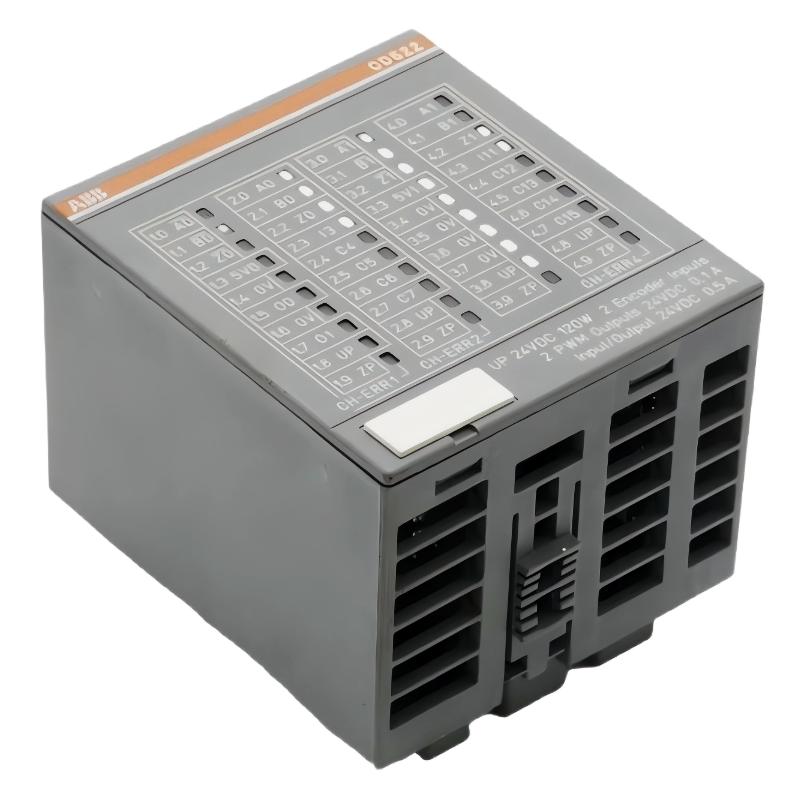
ABB CD522 Encoder Module Installation Overview
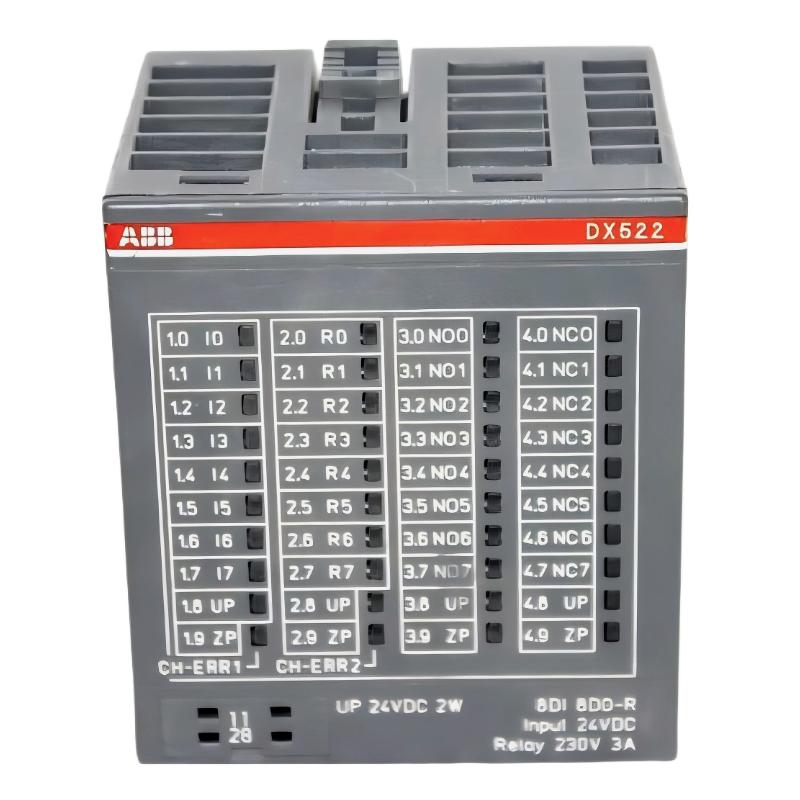
The ABB CD522 encoder module (1SAP260300R0001) is designed for high-speed position measurement, pulse counting, frequency acquisition, and PWM control in compatible ABB AC500 automation systems. A reliable installation depends on selecting the correct encoder signal interface, configuring the counting mode, and verifying the signal path before enabling machine motion.
This Installation Guide covers practical wiring checks, System Configuration, Setup, and Commissioning for the ABB CD522 PLC Module. The module provides two encoder inputs, two PWM/pulse outputs, two dedicated 24 V DC digital inputs, and eight configurable 24 V DC digital I/O channels.
ABB CD522 Installation Guide Contents
- Module Function and Application
- Hardware Preparation and Safety
- Encoder Wiring and Terminal Checks
- System Configuration and Setup
- Commissioning and Signal Validation
- Field Validation Example
- Frequently Asked Questions
- Installation Summary
What the ABB CD522 PLC Module Does
The CD522 combines encoder acquisition and fast-counter functionality with configurable digital I/O and pulse-generation capability. Depending on the selected operating mode and encoder interface, it can support incremental encoders, absolute SSI encoders, and frequency measurement up to the documented hardware limit of 300 kHz.
- Two independent encoder inputs with integrated 5 V sensor supplies.
- Incremental encoder modes, including X1, X2, and X4 evaluation where supported by the selected configuration.
- Absolute encoder acquisition using a compatible SSI interface.
- Two PWM or pulse outputs for supported control applications.
- Two dedicated digital inputs and eight configurable digital input/output channels.
Before installation, confirm that the controller, communication interface, terminal unit, firmware, and engineering software are compatible with the intended application. The maximum supported frequency does not mean every encoder interface or operating mode can run at that limit.
Preparing the ABB CD522 for Installation
Isolate the control cabinet and switch off both the supply voltage and process supply before handling the module or its terminals. Follow the plant lockout procedure and verify the absence of hazardous voltage using an appropriate meter.
- Inspect the CD522 housing, terminal unit, contacts, and module identification label.
- Confirm the exact order code is 1SAP260300R0001.
- Check the encoder datasheet for supply voltage, output type, maximum frequency, and wiring requirements.
- Prepare shielded signal cables suitable for the encoder interface and installation environment.
- Separate encoder wiring from motor leads, contactor wiring, and high-current switching conductors.
- Verify that the selected mounting orientation and ambient temperature remain within the applicable hardware-manual limits.
Do not assume that all encoders use the same connection method. A differential RS-422 encoder, a 5 V TTL encoder, a 24 V totem-pole device, and an SSI absolute encoder require different signal arrangements.
ABB CD522 Encoder Wiring and Terminal Verification
Identify the encoder channel before connecting conductors. Channel 0 uses the A0, B0, and Z0 signal designations; channel 1 uses A1, B1, and Z1. The exact terminal allocation and any unused or reserved terminals must be checked against the official CD522 connection diagram.
- Connect the encoder signals to the terminals specified for the selected interface.
- Use the integrated 5 V supply only when the encoder is rated for that supply and its current demand is within the documented limit.
- For separate encoder power supplies, verify that reference potentials are interconnected where required by the ABB wiring instructions.
- For differential signals, maintain the correct signal pairs and follow the encoder manufacturer’s shielding and termination recommendations.
- Connect 24 V digital inputs and configurable I/O only after confirming their configured function and electrical ratings.
- Check the polarity and load requirements of PWM outputs before connecting an actuator.
Each integrated 5 V encoder supply is specified for up to 100 mA. The two supplies may be paralleled only as permitted by the applicable ABB instructions, with a combined maximum of 200 mA. The 5 V outputs are not protected against reverse polarity. Never apply an external voltage to reserved terminals.
ABB CD522 System Configuration and Setup
Use the compatible ABB engineering environment to add the CD522 to the hardware configuration and assign the intended operating mode. Confirm that the selected mode matches the physical encoder rather than choosing a mode solely because it is available in the software.
- Assign the encoder channel and its counting or measurement mode.
- Configure input filtering and related parameters where supported by the selected mode.
- Map encoder values, counter status, diagnostic information, and output commands into the PLC application.
- Configure the dedicated and configurable digital channels according to the application I/O list.
- Set PWM frequency, duty cycle, or pulse count within the limits of the selected output mode.
- Compile and download the configuration, then verify the online hardware status.
Keep a record of the project version, module order code, firmware, channel mapping, and parameter settings. This record makes later replacement and troubleshooting substantially easier.
ABB CD522 Setup and Commissioning Checks
Commission the encoder input with the machine stationary first. Confirm the sensor supply, signal indicators, PLC counter values, and diagnostic status before testing at operating speed.
- Restore power according to the site’s commissioning procedure.
- Check the module’s process-voltage indicator and red diagnostic LEDs.
- Rotate the encoder slowly and verify that the count changes consistently.
- For incremental encoders, confirm direction and count scaling using a known mechanical movement.
- For SSI encoders, verify communication settings and plausible absolute position data.
- Test PWM or pulse outputs with a suitable measurement instrument before connecting the final load.
- Increase speed gradually while monitoring missed counts, unstable readings, and diagnostic messages.
The CD522 supports frequency measurement up to 300 kHz in applicable configurations. Commissioning must use the limit for the actual interface and operating mode, not just the highest headline specification.
ABB CD522 Field Validation Example
Illustrative commissioning scenario: A conveyor encoder produces inconsistent position readings during initial setup. Rather than immediately replacing the CD522, the engineer checks the sensor supply, wiring, channel indicators, and count scaling in sequence.
Assume the encoder datasheet specifies a 5 V supply and the measured supply at the sensor is 4.86 V. This value alone does not establish a fault because the acceptable range must be checked against the sensor specification. The engineer then compares the PLC count change with a known number of encoder revolutions and checks whether A/B signal transitions are being detected consistently.
If the supply is within specification but the count is incorrect, the investigation moves to signal type, phase wiring, grounding, shielding, and configuration. This is a practical diagnostic method, not a claim of a documented customer repair or a measured result from a real installation.
ABB CD522 Encoder Module Installation FAQ
Can the ABB CD522 connect to two encoders?
Yes. It has two independent encoder inputs. Each encoder must be compatible with the selected interface and operating mode.
What is the maximum encoder frequency supported by the CD522?
The documented hardware frequency limit is up to 300 kHz for applicable counting or frequency-input configurations. Verify the specific interface and mode before commissioning.
Can the CD522 supply power to an encoder?
It provides two integrated 5 V supplies, each rated up to 100 mA. Confirm the encoder’s voltage and current requirements before connection.
Which engineering software is used for CD522 configuration?
Use a compatible ABB AC500 engineering environment, such as Automation Builder where supported by the target controller and firmware. Confirm software and hardware compatibility before downloading the project.
Why should encoder wiring be separated from motor cables?
Motor switching and high-current conductors can introduce electromagnetic interference that distorts encoder signals and causes missed counts or unstable position values.
ABB CD522 Installation Guide: Final Engineering Summary
A dependable ABB CD522 installation requires correct terminal identification, compatible encoder wiring, suitable System Configuration, and staged Setup / Commissioning. Validate the sensor supply and live count before running the machine at full speed. When the measured position does not match the physical movement, investigate the entire signal path before condemning the PLC Module.
Use the current ABB CD522 hardware manual and connection diagrams as the final authority for terminal assignments, electrical limits, and safety requirements.