100% Original, Ready to Ship!

ABB SB522 3BSC760009R1 Battery Pack Installation Guide For AC400 Control Systems
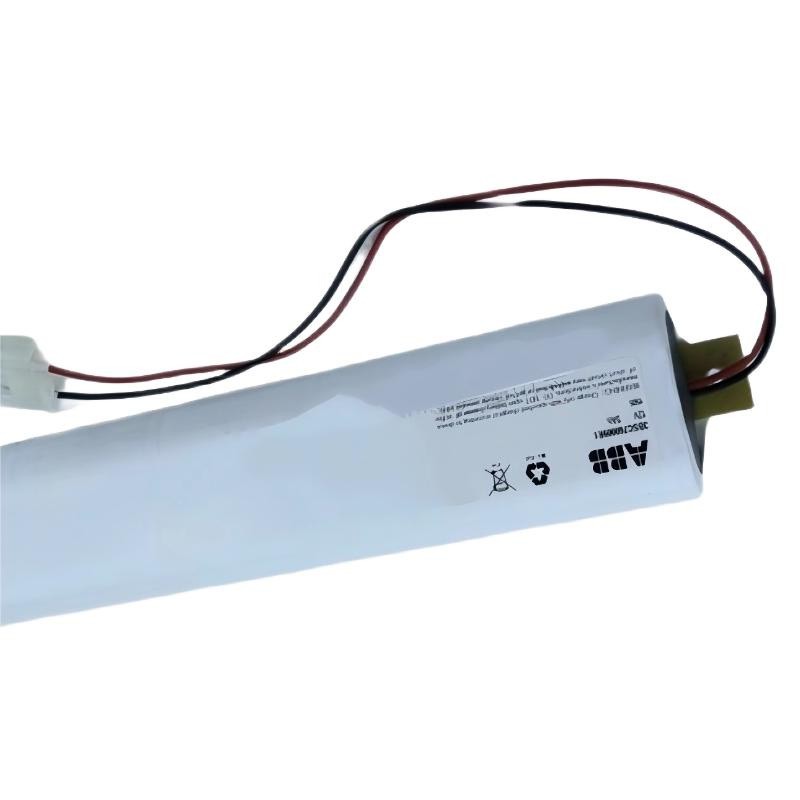
ABB SB522 3BSC760009R1 Battery Pack Installation Guide
The ABB SB522 3BSC760009R1 Battery Pack is a backup battery unit used in compatible ABB Advant Controller systems to maintain processor RAM power when the normal supply is interrupted. Correct installation, battery condition verification, and charger compatibility checks are essential for reliable Setup and Commissioning. Before replacing the battery, confirm the exact part number, installed charger model, and system maintenance procedure.
Table of Contents: ABB SB522 Battery Installation
- Battery Pack Function and System Configuration
- Installation Preparation and Safety
- Battery Installation Procedure
- Setup and Commissioning Checks
- Field Example and Engineering Verification
- ABB SB522 Installation FAQ
- General Installation Summary
ABB SB522 Battery Pack Function and System Configuration
In compatible ABB Advant control systems, the SB522 Battery Pack supplies backup energy through the designated battery charger when the normal supply is lost. Its purpose is to support memory retention rather than replace the main control-system power supply.
Historical ABB Advant Controller documentation identifies the SB522 as a rechargeable 12 V, 4 Ah nickel-cadmium battery unit used with compatible SB510 or SB511 battery chargers. Verify the exact battery revision and current equipment documentation before applying these specifications to part number 3BSC760009R1.
Installation Preparation and Safety Checks
Prepare the replacement before disturbing the existing battery connection. An incorrect battery type, damaged connector, or incompatible charger can prevent reliable memory backup.
- Confirm the complete ABB order code: SB522 3BSC760009R1.
- Identify the installed battery charger and verify compatibility with the replacement unit.
- Review the controller maintenance instructions and determine whether shutdown or an approved memory-retention procedure is required.
- Inspect the battery casing, cable insulation, connector contacts, and mounting arrangement for damage.
- Prepare suitable protective equipment and follow site electrical safety and battery-handling requirements.
Do not assume that replacing the battery is a hot-swappable operation. If controller memory retention is critical, arrange an approved maintenance window and verify the available backup strategy before disconnecting the original unit.
ABB SB522 Battery Pack Installation Procedure
- Record the initial condition. Check the controller diagnostics, battery-related alarms, and charger status before maintenance.
- Verify the replacement. Match the part number and confirm that the battery chemistry, voltage, connector, and charger requirements are correct.
- Isolate the equipment as required. Follow the manufacturer’s procedure for the specific controller and battery charger. Do not disconnect a live circuit unless the approved procedure explicitly permits it.
- Remove the old battery. Release the mounting and connector carefully. Avoid shorting the terminals or pulling on the cable.
- Install the replacement. Secure the battery in the specified mounting position, maintain the required ventilation, and connect the terminals according to the equipment documentation.
- Inspect the completed installation. Check connector seating, cable routing, polarity, and mechanical stability before restoring the system to service.
ABB SB522 Setup and Commissioning Verification
After installation, confirm that the battery charger recognizes the battery and that the controller no longer reports an unresolved battery fault. A successful physical installation does not automatically prove that the battery can sustain the required memory backup period.
- Check the battery charger indicators against the correct module manual.
- Allow the prescribed charging period where applicable.
- Review controller diagnostics and verify that battery-related alarms clear according to the documented reset procedure.
- Record the installation date, battery identification, charger model, alarm status, and maintenance reference.
- Verify the control system’s operational readiness before closing the maintenance task.
For compatible SB511 applications, historical ABB training documentation describes a fast-charging indication after battery replacement and a charging period of approximately 10 hours. Treat this as a reference for the documented configuration, not as a universal charging specification for every SB522 revision.
ABB SB522 Battery Installation: Field Example and Engineering Verification
Illustrative maintenance scenario: An Advant controller reports a battery backup alarm after a planned maintenance inspection. The engineer initially suspects battery ageing but does not immediately replace the unit.
The engineer checks the battery charger status, connector seating, maintenance history, and the exact replacement part number. The battery connection is then inspected under the site’s approved isolation procedure. After an authorized replacement, the charger status and controller diagnostics are checked again.
The installation is accepted only after the documented charging and diagnostic checks are complete. No measured voltage, battery capacity test result, or alarm-clearance time should be recorded as an actual result unless it was measured on site. This verification approach avoids confusing a plausible installation procedure with evidence of successful commissioning.
ABB SB522 3BSC760009R1 Battery Pack Installation FAQ
What is the purpose of the ABB SB522 Battery Pack?
It provides backup power for memory retention in compatible ABB Advant control-system configurations through the designated battery charger.
Can the ABB SB522 battery be replaced while the controller is running?
Do not assume that online replacement is permitted. Check the controller and charger documentation for the approved replacement method and memory-retention requirements.
How long should the ABB SB522 battery charge after installation?
The charging time depends on the compatible charger, battery condition, and applicable manual. Historical SB511 documentation describes approximately 10 hours for fast charging in its specified configuration; confirm the requirement for the equipment actually installed.
Which checks are required after ABB SB522 commissioning?
Verify correct installation, charger status, battery-related diagnostics, and the system’s documented memory-backup readiness. Record the results in the maintenance log.
General Installation Summary for ABB SB522 3BSC760009R1
A reliable ABB SB522 Battery Pack Installation Guide must address compatibility, safe replacement, charging, and commissioning verification. Confirm the exact product revision and approved charger configuration before work begins. Following the relevant ABB documentation and recording actual diagnostic results provides a stronger basis for maintenance decisions than relying on a successful physical connection alone.
 ABB SS110 3BSE007698R1 Voting Unit Installation Guide
 ABB DX522 1SAP245200R0001 Digital Input/Output Module Installation Guide
 ABB SD823 3BSC610039R1 Power Supply Installation Guide
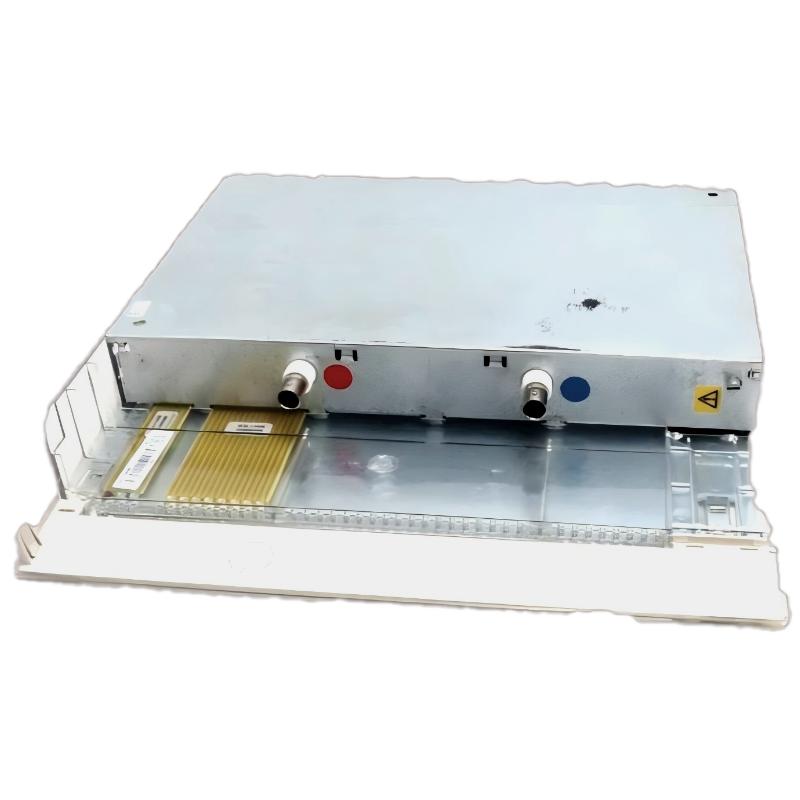 ABB DI685 3BDS005833R1 Digital Input Module Installation Guide