100% Original, Ready to Ship!

ABB DI685 3BSE011613R1 Digital Input Module Troubleshooting Guide
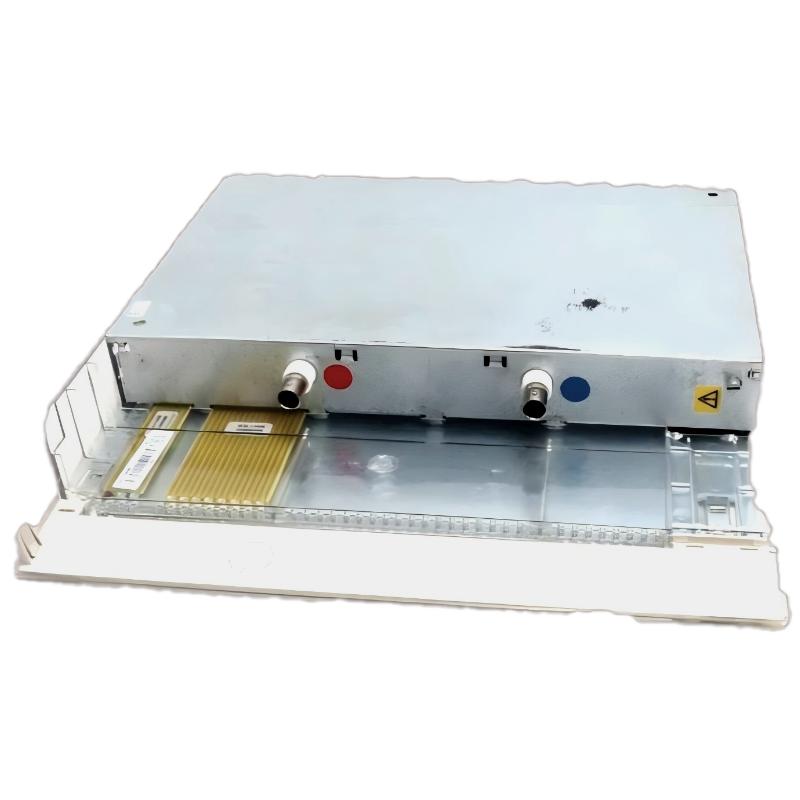
ABB DI685 3BSE011613R1 Digital Input Module Fault Diagnosis
ABB DI685 3BSE011613R1 digital input faults should be investigated by separating field-circuit problems from module, rack, and System Configuration issues. When a controller displays an incorrect input state, the first task is to establish whether the electrical signal reaches the designated module terminal and whether the configured channel matches the physical wiring. Replacing the PLC Controller I/O hardware before making these checks can introduce unnecessary downtime without addressing the actual fault.
The DI685 is identified in available product information as a digital input unit associated with ABB S600 I/O and compatible Advant control configurations. If the product is described in a purchasing record as a Numeric Input Module, verify the nameplate and full part number before applying any repair procedure.
ABB DI685 Troubleshooting Guide Contents
- Recognizing DI685 Fault Symptoms
- Fault Diagnosis Logic
- Common DI685 Input Fault Causes
- Electrical Measurements and Diagnostics
- Corrective Actions and Recovery
- Field Fault Investigation
- Troubleshooting FAQ
- General Fault Diagnosis Summary
ABB DI685 Digital Input Module Fault Symptoms
Different symptoms point toward different parts of the signal path. Record the symptom before changing wiring or hardware.
- Input remains OFF: Possible causes include an open contact, missing field supply, broken conductor, incorrect common reference, or wrong channel assignment.
- Input remains ON: Investigate a welded contact, short circuit, unintended voltage, leakage current, or inverted application logic.
- Input changes intermittently: Inspect loose terminals, unstable field power, contact bounce, electromagnetic interference, and grounding.
- Several inputs fail simultaneously: Check shared supply circuits, common conductors, terminal assemblies, rack conditions, and hardware diagnostics.
- Controller reports an I/O hardware fault: Review module identity, rack installation, supported hardware configuration, and available system diagnostic messages.
ABB DI685 Fault Diagnosis: Follow the Signal Path
A useful Troubleshooting method is to divide the input circuit into four sections: the field device, field wiring and supply, the module interface, and the controller’s configured input variable. Testing these sections independently reduces guesswork.
- Confirm the process condition. Establish whether the sensor, switch, or auxiliary contact should actually be active.
- Inspect the field circuit. Check the designated supply and return conductors, terminal tightness, and any intermediate relay contacts.
- Measure the signal. Compare the voltage at the field device with the voltage at the module’s designated input terminals.
- Read controller diagnostics. Check hardware status and compare the physical channel with the software variable.
- Isolate the fault. Determine whether the evidence points to field wiring, module hardware, rack connectivity, or project configuration.
In field troubleshooting, the difference between a measurement taken at the power supply and one taken at the input terminal is important. A healthy supply does not prove that a contact is closed or that the signal has reached the module.
Common Causes of ABB DI685 Input Faults
ABB DI685 Field Wiring and Supply Problems
A broken conductor, loose terminal, incorrect polarity, or missing common reference can prevent the correct input state from reaching the module. Inspect the entire circuit rather than relying only on the terminal voltage measured at the power supply.
ABB DI685 System Configuration Mismatch
When the physical signal is correct but the controller displays an unrelated variable, investigate the configured rack position, channel assignment, project revision, and I/O hardware recognition. A software mapping error can resemble a failed input channel.
ABB DI685 Electrical Noise and Intermittent Signals
Intermittent switching may occur when signal wiring runs alongside contactors, motor cables, or other sources of electrical interference. Inspect cable routing, grounding, shield termination, and field-device contact quality according to the installation design.
ABB DI685 Module or Rack Interface Problems
If multiple inputs fail together or system diagnostics identify a hardware issue, inspect the approved rack and connector interfaces after isolating the equipment as required. A module fault should be considered only after external supply, wiring, and configuration checks have been completed.
ABB DI685 Electrical Fault Diagnosis and Signal Analysis
Use the following diagnostic record to compare field conditions. Values shown in the example are illustrative only and must not be treated as official DI685 switching thresholds.
| Observation | Possible interpretation | Next diagnostic check |
|---|---|---|
| 24.1 V DC at the supply, but no signal at the input | Open contact, disconnected conductor, or missing return path | Measure both sides of the field circuit using the approved test points. |
| Signal changes at the module, but software state does not change | Channel mapping, input compatibility, or module issue | Compare the physical channel with the configured variable and diagnostics. |
| Several channels fail at once | Shared supply, common wiring, rack interface, or configuration problem | Check common dependencies and module-level diagnostics. |
| Input status fluctuates unexpectedly | Unstable contact, interference, supply variation, or loose connection | Record signal behavior and inspect wiring and grounding. |
ABB DI685 Troubleshooting Diagnostic Pseudocode
This example describes a diagnostic sequence in generic pseudocode. It is not an executable command set for ABB engineering software.
READ controller_hardware_status
VERIFY module_identity_and_rack_position
READ configured_input_state
MEASURE designated_field_input

IF field_signal_is_incorrect:
    INVESTIGATE sensor_supply_and_wiring
ELSE IF configured_input_state_is_incorrect:
    VERIFY channel_mapping_and_module_diagnostics
ELSE:
    VERIFY application_logic_and_process_interlocks
RECORD findings_before_replacing_hardware
Electrical measurements must be made with appropriately rated instruments and approved procedures. Never disconnect energized conductors or use improvised jumpers on an operating process to test a suspected input fault.
ABB DI685 Troubleshooting, Repair, and Recovery
The corrective action should match the confirmed cause rather than the initial symptom.
- Wiring defect: Repair or replace the affected conductor, terminal, or contact using approved materials, then repeat the continuity and functional tests.
- Field supply problem: Correct the supply or return-path defect and verify that the measured values meet the device specifications.
- Configuration error: Correct the hardware or channel mapping using the approved engineering workflow, then verify the project and controller diagnostics.
- Noise-related instability: Correct routing, grounding, shielding, or the identified interference source in accordance with the electrical design.
- Suspected hardware failure: Confirm the diagnosis, isolate power, and replace the unit only with a compatible, approved component. Follow the applicable rack and module handling instructions.
After repair, test both the inactive and active states of every affected input. Confirm that controller indications, alarms, permissives, and interlocks behave as intended. Restore any authorized temporary test conditions and document the final hardware and software status before returning the process to service.
ABB DI685 Field Fault Investigation: An Input That Will Not Turn On
Representative fault scenario: An operator reports that a limit-switch input remains inactive even though the mechanical device has reached its operating position. The initial assumption is a defective digital input module, but replacing the module immediately would not establish the root cause.
The engineer first checks the mechanical switch and its contact state. The field supply is then measured at 24.1 V DC, while the expected signal is absent at the designated DI685 input terminal. This pattern points toward the contact circuit, conductor, or reference path rather than immediately implicating the module electronics.
After the circuit is safely isolated, the technician finds that a terminal connection is loose. The connection is corrected and secured according to the terminal manufacturer’s requirements. Once the circuit is re-energized under the approved procedure, the technician verifies the input at the module and confirms that the controller variable follows the field switch.
This is an illustrative diagnostic case, not a verified customer repair record. The voltage is an example measurement, and the actual cause and corrective action must be established from site evidence. The engineering lesson is to prove where the signal is lost before condemning the I/O hardware.
ABB DI685 Troubleshooting and Repair FAQ
Why does an ABB DI685 input remain inactive?
Possible causes include an open field contact, missing supply, broken wire, incorrect reference connection, incompatible signal, or channel mapping error. Measure the signal at the designated terminals and compare it with the controller’s input status.
How can an ABB DI685 module fault be distinguished from a wiring fault?
Check the field device, supply, wiring continuity, and terminal signal first. If the correct signal reaches the module but the corresponding controller input remains incorrect, investigate the channel configuration, module diagnostics, and rack interface before concluding that the hardware has failed.
What causes intermittent ABB DI685 digital input signals?
Common causes include loose terminals, unstable field power, contact bounce, electromagnetic interference, and poor grounding. Compare the signal behavior at the field device and the module to identify where the instability begins.
Should the ABB DI685 be replaced when several inputs fail simultaneously?
Not immediately. Multiple simultaneous faults can indicate a shared supply or common wiring problem, an interface issue, or a configuration error. Review the system diagnostics and shared circuit dependencies before replacing the module.
Can an ABB DI685 input be tested by applying an external voltage?
Only when the exact input specification and approved test procedure permit it. Confirm the rated voltage, polarity, terminal arrangement, and process isolation requirements first. Applying an arbitrary voltage can damage the equipment or create an unsafe process condition.
What information should be recorded after ABB DI685 fault repair?
Record the module part number and revision, fault symptoms, controller diagnostic messages, field measurements, root cause, corrective action, affected channels, and functional test results. This information supports future Fault Diagnosis and maintenance planning.
Does ABB DI685 troubleshooting require changes to System Configuration?
Only when the evidence identifies a configuration or channel-mapping problem. Avoid unnecessary project changes when the root cause is a field wiring defect or an unstable supply. Follow the site’s change-control process for any approved configuration modification.
ABB DI685 Troubleshooting: General Fault Diagnosis Summary
Effective ABB DI685 3BSE011613R1 Troubleshooting starts with evidence: confirm the process state, inspect field wiring, measure the signal at approved terminals, examine hardware diagnostics, and verify System Configuration. Repair the identified fault, repeat the required channel tests, and document the results before restoring normal operation. The exact electrical limits, terminal assignments, and hardware replacement procedure must always be verified against the documentation for the installed DI685 unit.
 ABB SS110 3BSE007698R1 Voting Unit Troubleshooting Guide
 ABB DX522 1SAP245200R0001 Digital I/O Module Troubleshooting Guide
 ABB SD823 3BSC610039R1 Power Supply Troubleshooting Guide
 ABB DI685 3BDS005833R1 Digital Input Module Troubleshooting Guide