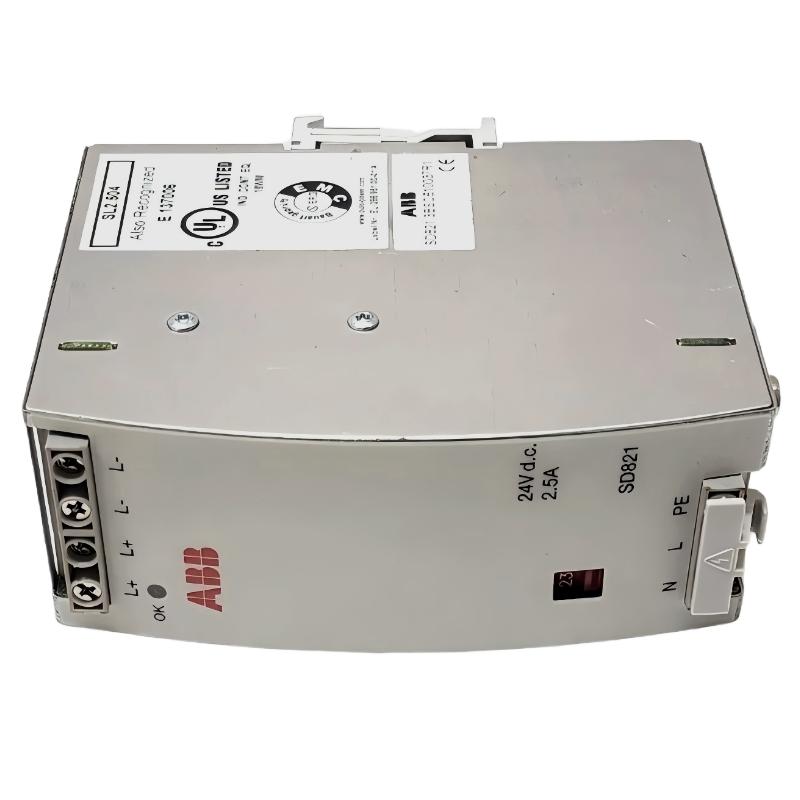
ABB DI685 3BDS005833R1 Troubleshooting for Missing Digital Inputs
When an ABB DI685 3BDS005833R1 digital input module fails to report a field contact correctly, the most efficient troubleshooting approach is to trace the signal from the field device through the terminal connection and I/O hardware to the controller database. A missing input does not automatically indicate a failed module. Wiring faults, incorrect channel mapping, an incompatible configuration, or a defective field device can produce similar symptoms.
The DI685 is an ABB Digital Input Unit associated with the S600 I/O platform. In a legacy control system, troubleshooting should begin with the installed hardware identification and its approved documentation, particularly where replacement modules or historical drawings may contain different revisions.
ABB DI685 Digital Input Fault Symptoms and Initial Observations
Record the observed behavior before disturbing the wiring. The timing and pattern of the fault often provide useful clues about its location.
- One input remains OFF: The field contact, conductor, terminal connection, or individual input channel may be responsible.
- Several inputs fail together: Check common wiring, shared field supplies, connector seating, and rack-level diagnostics.
- Field voltage is present but the controller shows OFF: Verify the signal at the correct terminals, input reference, switching threshold, and configured channel address.
- Input status changes intermittently: Investigate loose terminals, contact bounce, electrical interference, and unstable sensor power.
- Field and module indications agree, but process logic does not: Review channel mapping, signal inversion, interlocks, and controller logic.
ABB DI685 Fault Diagnosis: Trace the Signal Before Replacing Hardware
Use the following decision path to isolate the fault without making unnecessary changes to a running control system.
ABB DI685 Field Signal and Wiring Investigation
Start at the field device. Confirm its mechanical state and check whether its contact or output changes when the process condition changes. Where practical and safe, compare the measured electrical signal with the approved circuit diagram.
If the field signal is already incorrect at the source, investigate the sensor, switch, external supply, or field wiring before examining the input module. If the signal is correct at the source but differs at the I/O terminal, concentrate on the cable route, intermediate terminals, connector, and common reference.
ABB DI685 Module Status and System Configuration Checks
When the expected signal reaches the correct input terminal, examine the module’s documented status indications and the controller’s online I/O diagnostics. Confirm that the hardware is recognized, the configured slot is correct, and the application reads the intended channel.
Do not assume that every DI685 fault can be identified by a single LED or universal diagnostic code. The interpretation must follow the hardware revision and the applicable ABB documentation.
Common Causes of ABB DI685 Digital Input Faults
- Open field circuit: A broken conductor or loose terminal prevents the expected input state from reaching the module.
- Incorrect common reference: The input circuit lacks the required return path or uses an incompatible reference arrangement.
- Incorrect signal voltage: The field supply or output does not meet the input’s documented electrical requirements.
- Wrong channel assignment: The physical terminal and the configured controller address do not correspond.
- Connector or rack issue: A poorly seated module or damaged connection interrupts signal acquisition or communication with the control system.
- Field contact instability: A worn switch or fluctuating sensor output creates intermittent transitions.
- Module hardware failure: An internal channel fault remains possible after the field circuit and configuration have been verified.
ABB DI685 Troubleshooting Case: One Input Does Not Change State
Illustrative field case — not a verified customer incident: An operator reports that a limit switch changes state locally, but the associated controller input remains OFF. The initial assumption is that the digital input module has failed.
The engineer should not replace the module immediately. First, confirm the switch operation and measure the signal at the field device. Next, compare the reading at the designated I/O terminal, using the approved circuit reference and electrical safety procedure. If the signal differs between these points, investigate the cable and intermediate connections. If the correct signal reaches the terminal, inspect the channel mapping and module diagnostics before considering hardware replacement.
For example, if a circuit is designed for a nominal 24 V DC signal and a suitable meter confirms that voltage at the source, the next task is to establish whether the same signal reaches the correct input terminal. This reading alone does not establish that the input meets the module’s switching threshold or that the module is defective.
The key field-engineering lesson is to compare observations at successive points in the signal path. A verified root cause should be supported by measurements or diagnostic evidence, not by the fact that replacing a component appears to restore operation.
ABB DI685 Signal Analysis and Troubleshooting Pseudocode
The following diagnostic outline can be used as a maintenance checklist. It is pseudocode, not an executable ABB controller command.
IF field_device_state != expected_state:
    inspect_field_device_and_process_condition()
ELSE:
    measure_signal_at_field_source()
    measure_signal_at_documented_input_terminal()

    IF terminal_signal != expected_signal:
        inspect_cable_terminals_and_common_reference()
    ELSE:
        inspect_module_diagnostics()
        verify_slot_and_channel_configuration()
        compare_physical_input_with_controller_status()
    END IF
END IF
Record the channel number, operating condition, measurement point, measured voltage, module status, and controller indication. This creates a traceable basis for Fault Diagnosis and helps distinguish an intermittent wiring issue from a persistent hardware problem.
ABB DI685 Module Repair and Recovery Procedure
Repair should follow the evidence gathered during troubleshooting. Correct external wiring or configuration faults first. If the problem remains isolated to a specific channel after all permitted checks, evaluate the module using an approved test procedure or substitute a verified compatible unit under an authorized maintenance plan.
- Place the affected process and control equipment in the approved safe maintenance state.
- Record the original module identity, rack slot, wiring arrangement, and diagnostic indications.
- Correct verified wiring, terminal, field-device, or configuration problems.
- If module replacement is justified, confirm the replacement part number, revision, compatibility, and site-approved replacement procedure.
- Recheck the affected input and any related alarms, interlocks, and sequence logic.
- Document the root cause, corrective action, and post-repair test results.
Do not remove or insert the module under power unless the exact hardware documentation explicitly permits that operation and the site’s procedure authorizes it. Never bypass a protective interlock or force an input simply to conceal an unresolved fault.
ABB DI685 Troubleshooting Verification and Return to Service
Before returning the system to normal operation, verify that the corrected signal follows the actual field-device state and that the control application interprets it correctly.
- The original fault can no longer be reproduced under the approved test conditions.
- The field signal and controller indication agree.
- Related channels and shared circuits have been checked where relevant.
- Required interlocks and alarms operate as intended.
- All temporary test connections, overrides, and maintenance restrictions have been handled according to site procedure.
- The fault record identifies the confirmed cause or explicitly states that the root cause remains unconfirmed.
ABB DI685 Digital Input Module Troubleshooting FAQ
Why does an ABB DI685 input remain OFF when the sensor is activated?
Possible causes include an open circuit, incorrect common reference, insufficient or incompatible input voltage, a wrong channel assignment, or an input-channel fault. Check the signal at the source and at the documented input terminal before replacing the module.
Can a faulty sensor cause an ABB DI685 module fault alarm?
A faulty sensor or field circuit can cause an incorrect input state, but whether it generates a specific module diagnostic depends on the configured hardware and supported diagnostic functions. Use the actual controller and module diagnostics to identify the reported condition.
What should be checked when several ABB DI685 input channels fail simultaneously?
Investigate shared field power, common references, multi-channel connectors, rack connections, and controller or I/O diagnostics. Multiple simultaneous failures make a shared dependency worth checking before concluding that several independent channels have failed.
When should an ABB DI685 module be replaced?
Consider replacement after verifying the field circuit, electrical signal, terminal connections, hardware compatibility, and System Configuration. Follow the applicable ABB test procedure and site maintenance authorization before removing or installing a module.
How can engineers distinguish a wiring fault from an ABB DI685 hardware fault?
Compare the expected signal at the field device, the measured signal at the module terminal, and the reported controller state. If the signal is absent at the terminal, investigate the field circuit. If the documented input conditions are satisfied but the channel still behaves incorrectly, continue with configuration checks and approved hardware diagnostics.
ABB DI685 Fault Diagnosis Conclusion and General Overview
Effective ABB DI685 3BDS005833R1 troubleshooting depends on following the complete signal path rather than treating every missing input as a module failure. Systematic checks of field devices, electrical connections, module status, and System Configuration help isolate the fault while minimizing unnecessary replacement and downtime.