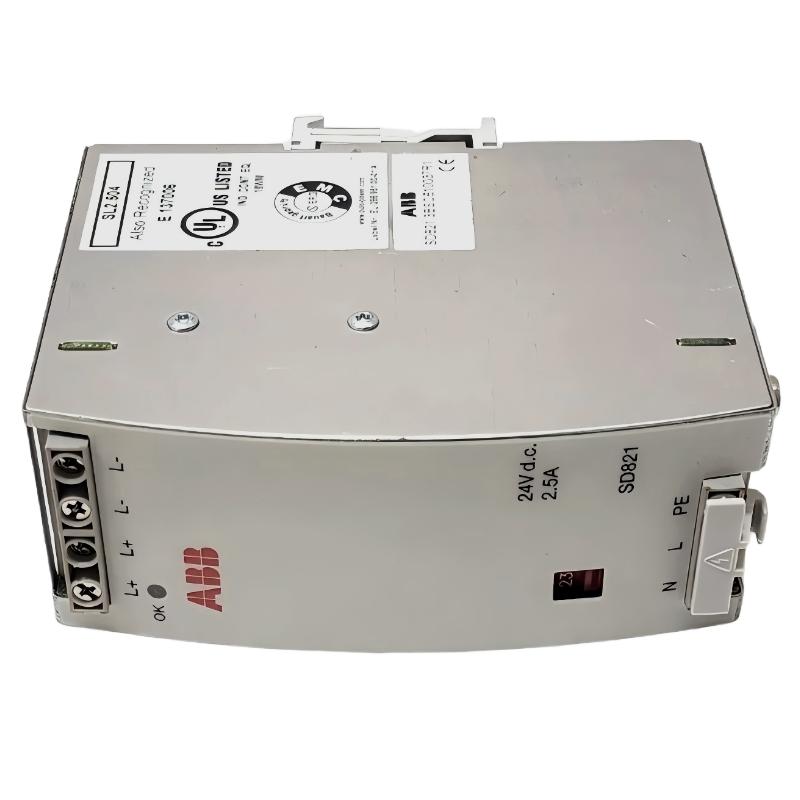
ABB DX522 1SAP245200R0001 Digital I/O Fault Diagnosis
ABB DX522 1SAP245200R0001 input and output faults should be investigated by separating field wiring problems, process supply issues, PLC configuration errors, and relay contact failures. This S500 Digital Input/Output Module provides eight 24 V DC digital inputs and eight relay outputs rated up to 230 V AC, 3 A. When a channel stops responding, replacing the module immediately is not a reliable Troubleshooting strategy.
In industrial control panels, a DX522 fault may appear as an input that remains OFF, a relay output that does not operate, or a mismatch between the PLC command and the actual field device response. Effective Fault Diagnosis requires checking the electrical signal at the terminal, the corresponding LED, the controller status, and the external circuit.
ABB DX522 Module Fault Symptoms and Initial Observations
Different fault patterns provide different diagnostic clues. Start by identifying whether the problem affects one channel, several channels, or the entire module.
- Input signal missing: The field switch operates, but the PLC input remains OFF.
- Input status unstable: The input changes unexpectedly or intermittently.
- Relay output inactive: The PLC activates an output command, but the connected equipment does not respond.
- Relay output remains active: The external load continues operating after the PLC command is removed.
- Module communication issue: The controller cannot correctly identify or exchange data with the I/O module.
- Diagnostic indication: One or more red error LEDs indicate a condition requiring investigation.
ABB DX522 Troubleshooting: Identify the Fault Area
Before changing any parameters, establish which part of the signal path is failing. A useful diagnostic approach follows the actual control circuit rather than beginning with software replacement.
Input Signal Fault Diagnosis
For an input channel that does not change state, inspect the field device and its supply first. Check the 24 V DC source, wiring continuity, input terminal assignment, and reference connection. The DX522 input circuit should be evaluated against the manufacturer’s electrical specifications.
A measured voltage close to 24 V DC at the field device does not automatically prove that the signal reaches the correct module terminal. Measure at the module terminal itself and compare the electrical condition with the PLC monitoring status.
Relay Output Fault Diagnosis
If a relay output LED responds to the PLC command but the load does not operate, investigate the external power circuit. Check the relay common connection, normally open or normally closed contact selection, fuse, load wiring, and external supply.
If the relay command changes but the contact does not switch, the relay or its internal control path may require further investigation. If the contact switches correctly but the load remains inactive, focus on the external circuit rather than the PLC program.
ABB DX522 Common Causes of Digital Input and Output Faults
- Incorrect 24 V DC input wiring or polarity.
- Loose conductors or poor contact at the terminal unit.
- Incorrect I0-I7 or R0-R7 channel assignment.
- Missing or unstable process supply voltage.
- Incorrect PLC hardware configuration or module addressing.
- Blown external load protection devices.
- Relay contacts damaged by excessive electrical loading.
- Inductive load switching without suitable suppression.
- Incorrect normally open and normally closed contact selection.
- Communication interface or I/O bus configuration problems.
ABB DX522 Input and Output Diagnostic Measurements
Electrical measurements help determine whether the fault originates in the field circuit or inside the I/O assembly. The following values are useful reference points, not a substitute for the complete ABB technical specifications.
| Diagnostic Item | Reference | Inspection Purpose |
|---|---|---|
| Digital input supply | 24 V DC | Verify input signal supply |
| Input voltage range | 0–30 V DC | Check electrical input limits |
| Relay output | Up to 230 V AC | Verify load circuit compatibility |
| Relay output current | Up to 3 A | Check load current rating |
| Process supply | 20.4–28.8 V DC | Check supply operating range |
ABB DX522 Realistic Field Diagnostic Example
Consider an illustrative troubleshooting case involving an industrial conveyor system. The PLC displays a running command for a motor contactor, but the contactor does not energize. The DX522 relay output LED changes state when the program activates the corresponding channel.
Instead of replacing the PLC Module, the engineer investigates the relay output circuit in the following order:
- Confirm that the PLC output command is active.
- Check whether the corresponding DX522 relay LED changes state.
- Measure the external control supply at the appropriate circuit points.
- Inspect the relay common and switching contacts.
- Check the contactor coil, fuse, interlocks, and external wiring.
In this illustrative case, the diagnostic path leads to an open external control-circuit fuse. The DX522 relay responds correctly, but the contactor cannot receive operating power. Replacing the module would not correct the problem.
This example demonstrates an important field engineering principle: an output command, a relay switching state, and a successful load operation are three separate conditions that must be verified independently.
ABB DX522 PLC Communication and Configuration Troubleshooting
When multiple channels become unavailable simultaneously, investigate the I/O bus and System Configuration before assuming that several individual channels have failed.
Check the following conditions:
- Confirm that the module is installed in the configured hardware position.
- Verify that the selected controller or communication interface supports the DX522.
- Inspect the I/O bus connection and terminal-unit seating.
- Compare the configured module identification with the installed hardware.
- Review controller diagnostics and communication error records.
- Check whether the problem appeared after a hardware replacement or project download.
DX522 Diagnostic Pseudocode
The following pseudocode illustrates a basic signal comparison routine. It is a conceptual diagnostic example, not an executable ABB programming instruction.
FOR channel := 0 TO 7
    IF Field_Input[channel] <> PLC_Input[channel] THEN
        REPORT "INPUT SIGNAL MISMATCH"
        CHECK Field_Wiring[channel]
        CHECK Terminal_Assignment[channel]
    END_IF
END_FOR

FOR channel := 0 TO 7
    IF PLC_Output[channel] = TRUE THEN
        CHECK Relay_LED[channel]
        CHECK Relay_Contact[channel]
        CHECK External_Load[channel]
    END_IF
END_FOR

CHECK Process_Supply
CHECK IOBUS_Status
CHECK Module_Diagnostics
ABB DX522 Repair and Recovery Recommendations
Repair actions should follow the identified fault rather than applying the same solution to every channel problem.
Correcting Digital Input Problems
- Repair damaged field wiring and replace defective connectors.
- Correct input terminal assignment and reference wiring.
- Restore the specified 24 V DC supply.
- Inspect the terminal unit for loose or damaged contacts.
- Retest the affected channel using a controlled signal source.
Recovering Relay Output Channels
- Correct external supply and fuse problems.
- Verify the intended NO or NC contact arrangement.
- Check whether the connected load exceeds the relay rating.
- Install suitable suppression for inductive loads.
- Inspect suspected relay contact damage through an approved isolation procedure.
- Replace the module if an internal hardware failure is confirmed.
ABB DX522 Post-Repair Testing and Verification
After completing Troubleshooting and Repair, perform a controlled functional test before returning the equipment to automatic operation.
- Verify the process supply voltage.
- Test each of the eight digital input channels.
- Confirm that the PLC monitoring values match the physical input states.
- Test all eight relay outputs individually.
- Verify external load operation and interlock responses.
- Review the controller and module diagnostic status.
- Record the fault cause and corrective action in the maintenance log.
ABB DX522 Troubleshooting FAQ
Why does the ABB DX522 input LED remain OFF?
Possible causes include missing 24 V DC signals, incorrect terminal wiring, an open field circuit, incorrect reference connections, or a defective input channel. Measure the voltage directly at the relevant input terminal.
Why does the DX522 relay output LED turn ON but the load does not operate?
Check the external load supply, relay contact connections, fuses, wiring, and load condition. An illuminated output LED does not independently confirm that the external load circuit is functioning.
Can an ABB DX522 relay output control an inductive load?
Relay outputs can be used for suitable loads within their electrical ratings. Inductive loads require appropriate suppression and careful consideration of switching current and contact life.
What does a red diagnostic LED indicate on the DX522?
The red diagnostic indicators identify error conditions that should be investigated using the module’s diagnostic information and the ABB Hardware Manual. The exact fault should not be determined from LED color alone.
When should the ABB DX522 module be replaced?
Replacement should be considered after checking the process supply, field wiring, terminal unit, I/O configuration, and external load circuits. An internal hardware fault should be confirmed before replacing the module.
Can the DX522 be replaced without rewiring every field conductor?
ABB S500 I/O arrangements support module replacement using compatible terminal units, allowing field wiring to remain connected when the specified replacement procedure and hardware compatibility requirements are satisfied.
ABB DX522 Troubleshooting Conclusion and General Technical Notes
Reliable ABB DX522 1SAP245200R0001 Fault Diagnosis depends on distinguishing between input signal failures, relay switching problems, external load faults, and PLC System Configuration errors. Checking the field signal, module LED, PLC status, and actual relay contact condition provides a more dependable troubleshooting path than replacing hardware based on symptoms alone.
Before performing repair work, isolate hazardous electrical supplies and follow the applicable safety procedures. Confirm all electrical ratings and replacement compatibility using the latest ABB documentation. Maintain a record of measured values, diagnostic findings, and final test results to support future maintenance and reduce recurring PLC system failures.