
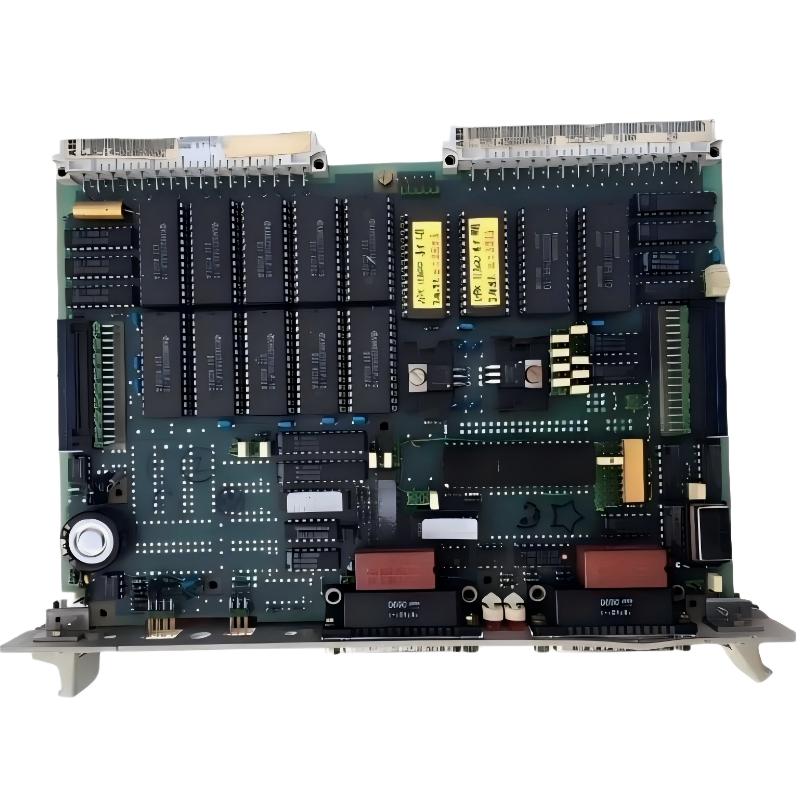
ABB 35ZE94H GJR5146600R0101 CPU Processor Board Installation Guide Overview
ABB 35ZE94H GJR5146600R0101 CPU Processor Board installation problems are usually related to rack connection, power stability, and system configuration rather than the CPU hardware itself. This processor board is used as the central processing unit in ABB PROCONTIC automation systems, where reliable program execution, communication handling, and real-time control processing are required.
During field replacement or system restoration, engineers should treat the ABB 35ZE94H CPU Processor Board as a complete PLC Controller core instead of a simple plug-in Module. Correct installation, parameter verification, and commissioning validation are critical for stable operation.
ABB 35ZE94H CPU Processor Board Role in PLC Control System Configuration
The ABB 35ZE94H GJR5146600R0101 CPU Processor Board manages application logic execution, system coordination, and communication between automation modules. In an industrial PLC architecture, the CPU board is responsible for processing control programs and maintaining deterministic operation.
- PLC program execution and task scheduling
- Communication management between control modules
- System Configuration storage and verification
- Real-time control sequence processing
- Interface coordination with I/O modules
ABB 35ZE94H CPU Processor Board Installation Preparation Requirements
Before installation, engineers should check the existing control cabinet environment. A common mistake during CPU replacement is installing the board before confirming power quality and rack conditions.
- Confirm 24V DC power supply stability
- Check rack connector condition
- Verify grounding resistance
- Backup existing PLC application parameters
- Record previous CPU LED status
Recommended Field Inspection Data
- DC supply measurement: 23.8V – 24.5V
- Ground resistance: below industrial recommended range
- Communication line insulation: normal
ABB 35ZE94H CPU Processor Board Hardware Mounting Procedure
- Switch off the PLC system power supply completely.
- Remove the existing CPU board carefully from the rack.
- Inspect backplane contacts for oxidation or mechanical damage.
- Insert the ABB 35ZE94H GJR5146600R0101 board into the correct slot.
- Secure locking mechanisms before power restoration.
ABB 35ZE94H Setup and Commissioning Validation Process
After mechanical installation, commissioning should focus on system response rather than only checking whether the CPU starts.
During one commissioning case, an ABB 35ZE94H replacement CPU showed normal LED indication but the remote I/O communication remained unstable. The engineering team measured the backplane voltage and found a fluctuation from 5.02V down to 4.71V during startup. After replacing the aged power module, the PLC system returned to stable operation.
Commissioning Diagnostic Commands
CPU STATUS CHECK
MEMORY VERIFY
I/O COMMUNICATION TEST
SYSTEM CONFIGURATION LOAD
FAULT HISTORY REVIEW
ABB 35ZE94H PLC Controller Final Installation Verification
- CPU status indicator operates normally
- PLC program executes without cycle interruption
- I/O modules respond correctly
- Communication channels remain stable
- System Configuration matches original backup
ABB 35ZE94H CPU Processor Board Installation FAQ
Can ABB 35ZE94H GJR5146600R0101 replace an existing CPU board directly?
Replacement depends on the existing PLC architecture and firmware configuration. Engineers should verify application compatibility before installation.
Why does the CPU start but the PLC system remain offline?
Possible causes include incorrect configuration data, communication faults, rack connection problems, or unstable power supply conditions.
ABB 35ZE94H GJR5146600R0101 CPU Processor Board Installation Summary
A successful ABB 35ZE94H CPU Processor Board Installation Guide process requires more than physical replacement. Professional commissioning includes electrical inspection, PLC Controller configuration verification, and field signal validation. Following an engineering-based setup method reduces unexpected downtime and improves long-term system reliability.



