100% Original, Ready to Ship!

ABB 87TS01I-E GJR2368900R2200 Coupler Module Installation Guide and Commissioning
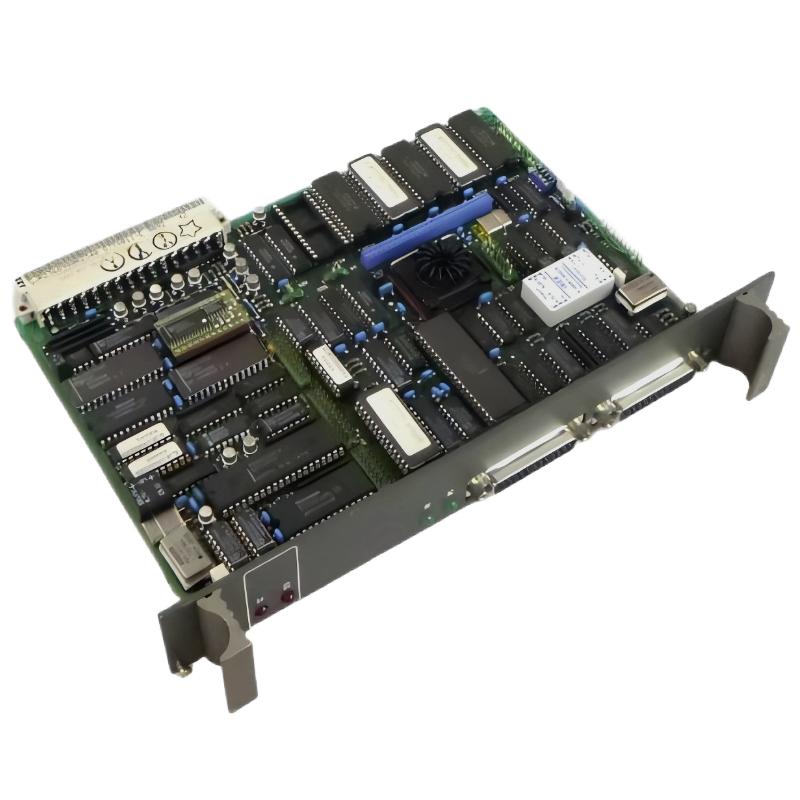
ABB 87TS01I-E Coupler Module Installation Guide
The ABB 87TS01I-E GJR2368900R2200 Coupler Module should be installed only after its hardware compatibility, mounting arrangement, power requirements, and communication interfaces have been verified against the applicable ABB documentation. A reliable Setup and Commissioning process starts with confirming the module’s role in the System Configuration rather than assuming that every coupler uses the same wiring or addressing procedure.
ABB 87TS01I-E Module Preparation and System Configuration
Before installation, identify the existing controller platform, rack or mounting assembly, connected modules, and intended communication path. Confirm that the exact GJR2368900R2200 variant matches the system documentation. Do not infer pin assignments, terminal functions, or compatibility from the model number alone.
- Record the module identification and inspect the housing and connectors for damage.
- Check the approved hardware configuration and applicable firmware or software requirements.
- Review the cabinet grounding, power distribution, and communication cable routing.
- Back up the existing PLC Controller configuration before modifying an operating system.
- Arrange an authorized shutdown and apply the site’s lockout/tagout procedure before handling hardware.
ABB 87TS01I-E Coupler Module Mounting and Connection Checks
Mount the coupler using the mechanical arrangement specified for the installed platform. Check that retaining clips, backplane contacts, terminal blocks, and connectors are fully seated where applicable. Never force a connector that does not align naturally.
Separate communication cables from high-current switching conductors where practical. Use only the specified cable type, shielding method, grounding arrangement, and termination components. Incorrect shielding or grounding can introduce intermittent communication errors that resemble a defective Module.
- Verify that the equipment is isolated and safe to access.
- Inspect the mounting position and connector condition.
- Install the module according to the platform-specific instructions.
- Confirm power and communication connections against the approved wiring diagram.
- Recheck neighboring modules and ensure no connector has been displaced.
ABB 87TS01I-E Setup and Commissioning Validation
After installation, restore power in accordance with the plant’s commissioning procedure. Observe the module indicators and compare their behavior with the official status definitions. A powered indicator alone does not prove that the coupler is exchanging valid data.
Validate the configuration in stages: module recognition, controller communication, downstream device availability, and application-level data exchange. Where the engineering software supports diagnostics, save the initial status and event log before making further changes.
Commissioning checklist:
1. Confirm the correct module identity.
2. Verify the approved System Configuration.
3. Check power and status indicators.
4. Review controller and communication diagnostics.
5. Confirm expected data exchange.
6. Record the final operating status.
ABB 87TS01I-E Coupler Module Installation Case Review
Consider a representative commissioning scenario in which a newly installed coupler receives power but the controller does not recognize the connected segment. The engineering team should not immediately replace the module. First, compare the installed hardware with the configuration, inspect connector seating, and review communication status information. If the fault disappears after correcting a mismatched configuration entry or reseating an approved connection, the evidence points toward an installation issue rather than confirmed hardware failure.
This is an illustrative troubleshooting scenario, not a verified field report for this specific part number. Record actual measurements and observations from the site rather than inserting assumed voltage, response-time, or communication values into the commissioning report.
ABB 87TS01I-E Coupler Module Installation FAQ
What should be checked before installing the ABB 87TS01I-E?
Verify the complete part number, hardware compatibility, mounting requirements, approved wiring information, and the controller’s System Configuration.
Can the ABB 87TS01I-E be replaced while the system is running?
Do not assume hot replacement is supported. Confirm the platform’s official instructions and plant safety requirements before removing or inserting the module.
Why is the coupler powered but not communicating?
Possible causes include incorrect configuration, an incompatible connection, poor connector contact, a communication-path fault, or a device-side problem. Use diagnostic evidence to isolate the cause.
What information should be saved after commissioning?
Record the part number, installed position, configuration version, indicator states, diagnostic messages, communication checks, and any corrective actions.
ABB 87TS01I-E Coupler Module Commissioning Conclusion
A dependable ABB 87TS01I-E GJR2368900R2200 Coupler Module installation relies on verified compatibility, correct mounting, documented connections, and staged communication testing. Treat the Installation Guide as a platform-specific engineering procedure, and use the actual ABB technical documentation as the authority for electrical limits, pin assignments, and supported replacement methods.
 ABB PP845 3BSE042235R1 Operation Panel Installation Guide
 ABB 89NU01E Safety Relay Installation Guide
 ABB PP825 3BSE042240R1 Operation Panel Installation Guide
 ABB 89NU01D-E GJR2329100R0100 Alarm Module Installation Guide