
 Table of Contents
- ABB 087627-001 Laser Driver Fault Symptoms
- Common Causes of ABB 087627-001 Laser Driver Fault
- ABB 087627-001 Fault Diagnosis Process
- ABB 087627-001 Troubleshooting and Repair Methods
- Engineering Analysis of ABB 087627-001 Failure
- ABB 087627-001 Laser Driver FAQ
- General Overview of ABB 087627-001 Troubleshooting
ABB 087627-001 Laser Driver Fault Symptoms in Automation Systems
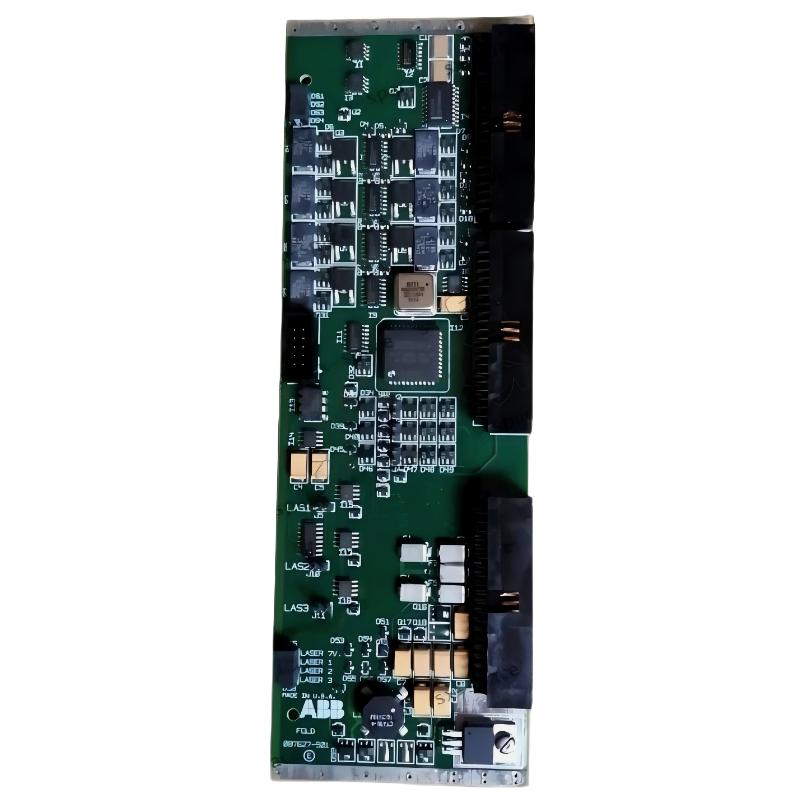
ABB 087627-001 Laser Driver faults usually appear as unstable laser output, missing feedback signals, abnormal controller alarms, or inconsistent response from the automation system. Many field failures are not caused by the Laser Driver Module itself but by incorrect System Configuration or external signal problems.
- Laser output instability
- No feedback signal to PLC Controller
- Unexpected driver shutdown
- Communication interruption
- Abnormal output response during operation
Common Causes of ABB 087627-001 Laser Driver Fault
During troubleshooting, engineers normally separate electrical causes from hardware causes. The most common failure patterns include:
- Unstable DC power supply
- Loose connector contact
- Incorrect grounding method
- Signal cable interference
- Incorrect PLC parameter configuration
A common mistake is replacing the driver immediately without checking operating conditions. Professional Fault Diagnosis requires measurement before replacement.
ABB 087627-001 Fault Diagnosis Process Using Engineering Logic
The troubleshooting process should follow signal flow from input to output.
- Confirm power input quality.
- Check PLC command signal.
- Measure driver response feedback.
- Compare actual operation with System Configuration.
- Determine whether the problem is hardware or external.
Diagnostic Procedure:

1. Measure Supply Voltage
2. Check Control Signal
3. Verify Feedback Response
4. Compare PLC Data
5. Confirm Driver Condition
ABB 087627-001 Laser Driver Troubleshooting and Repair Methods
Repair decisions should be based on measured data. If power and communication signals are normal but output remains unstable, the Laser Driver Module may require replacement or professional inspection.
- Repair damaged wiring connections.
- Restore correct grounding.
- Correct PLC configuration parameters.
- Replace defective driver hardware when necessary.
Engineering Analysis of ABB 087627-001 Failure
In one field troubleshooting case, operators reported intermittent laser output failure. Initial suspicion focused on the ABB 087627-001 Laser Driver. However, engineers monitored the control signal and discovered the command voltage dropped from normal operation to unstable levels during machine movement.
Further inspection identified cable routing near a high-power motor line. After separating the signal cable and improving shielding, the system recovered without replacing the driver.
This case demonstrates that effective Troubleshooting requires understanding the complete automation system rather than focusing only on the failed component.
ABB 087627-001 Laser Driver FAQ
What are the most common ABB 087627-001 troubleshooting problems?
The most common issues include unstable power, communication errors, signal interference, and incorrect configuration.
How can engineers confirm whether the Laser Driver is damaged?
Engineers should compare input signals, output response, and feedback status before deciding hardware replacement.
Why does ABB 087627-001 show unstable output?
Unstable output may result from power fluctuation, grounding problems, or external interference.
What is the role of PLC Controller data in Fault Diagnosis?
PLC data helps determine whether the control command reaches the driver correctly.
Can cable problems create Laser Driver alarms?
Yes. Poor cable connection or electromagnetic interference can create false alarms and abnormal feedback.
What maintenance can improve ABB 087627-001 reliability?
Regular inspection of wiring, connectors, grounding, and operating parameters helps prevent unexpected failures.
Should engineers replace the module immediately after a fault?
No. A complete Troubleshooting process should identify the actual root cause before replacement.
Why is field data important for ABB 087627-001 repair?
Measured voltage, signal level, and operating conditions provide evidence for accurate Fault Diagnosis.
General Overview of ABB 087627-001 Troubleshooting
ABB 087627-001 Laser Driver Troubleshooting requires a practical engineering approach combining electrical measurement, PLC analysis, and system evaluation. Real field experience shows that many failures can be solved through proper diagnosis instead of unnecessary hardware replacement.



