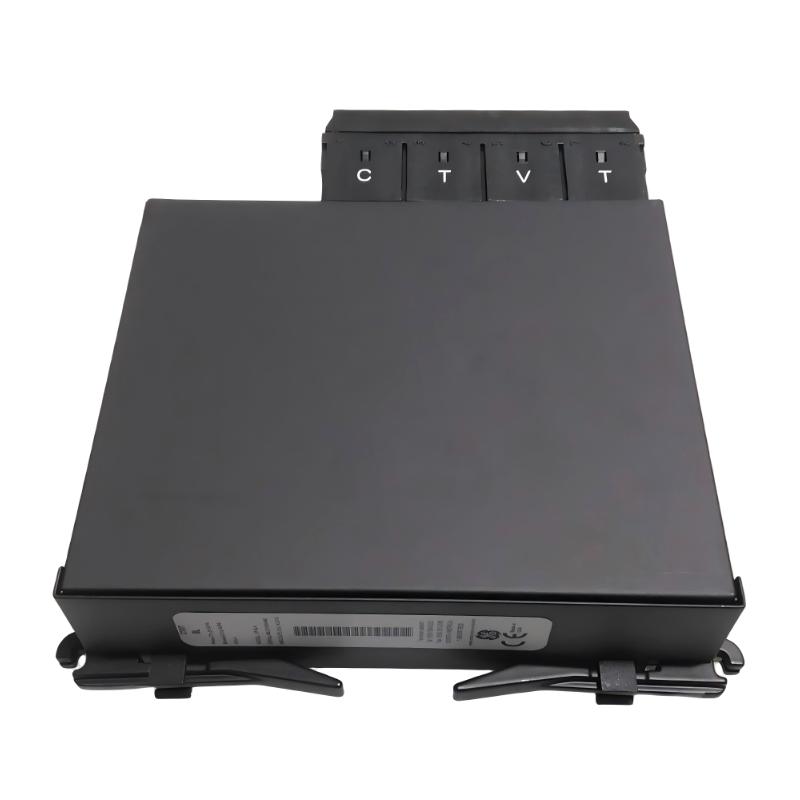
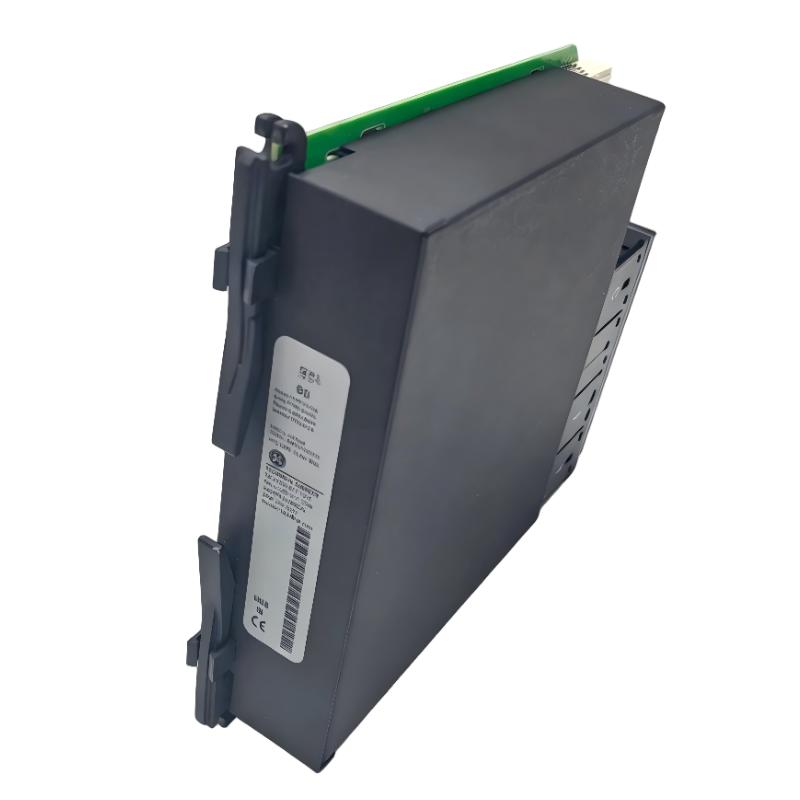
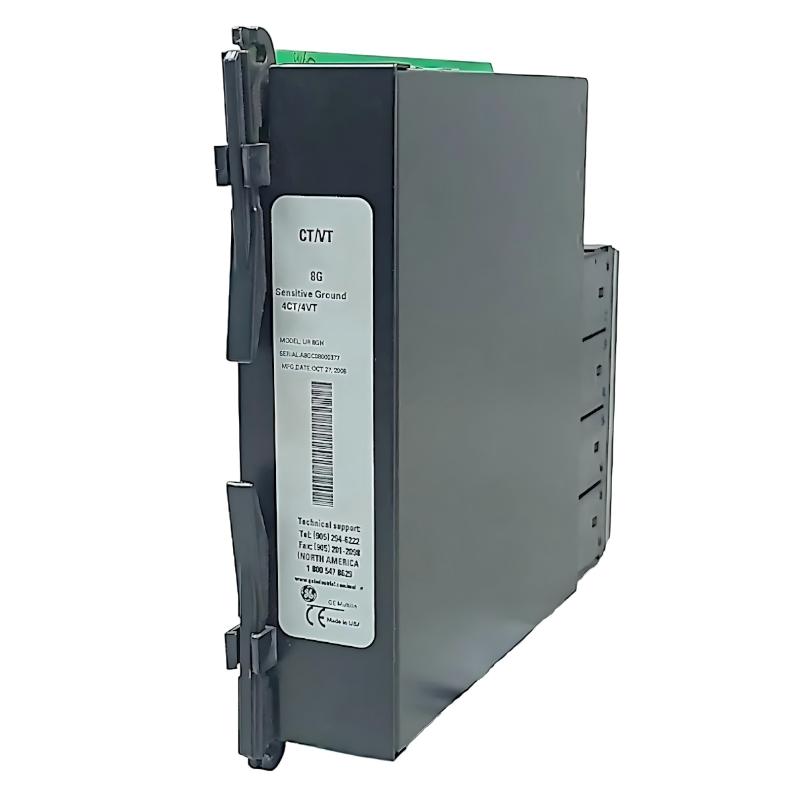
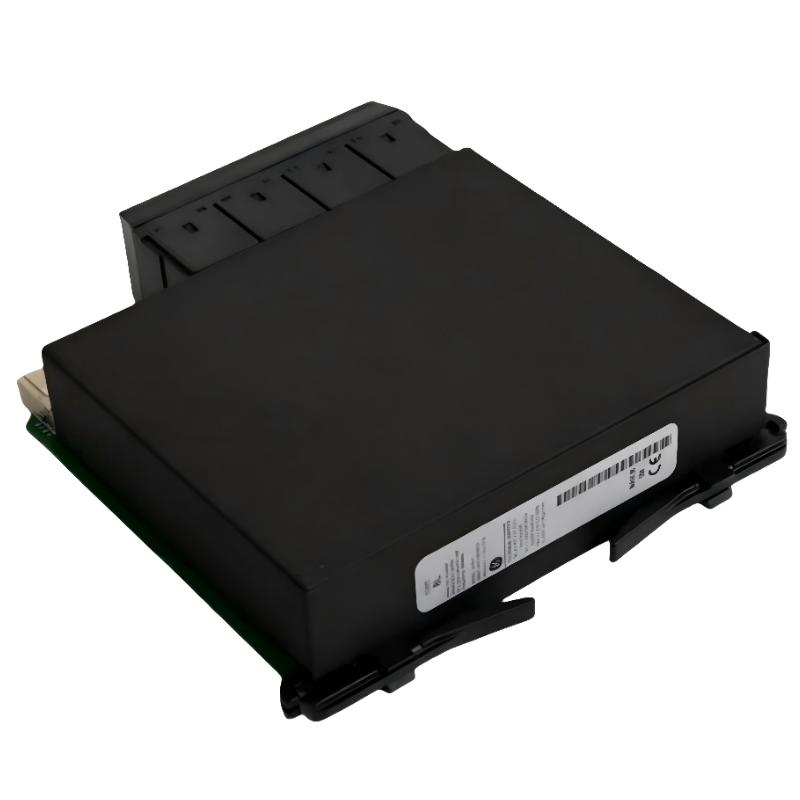
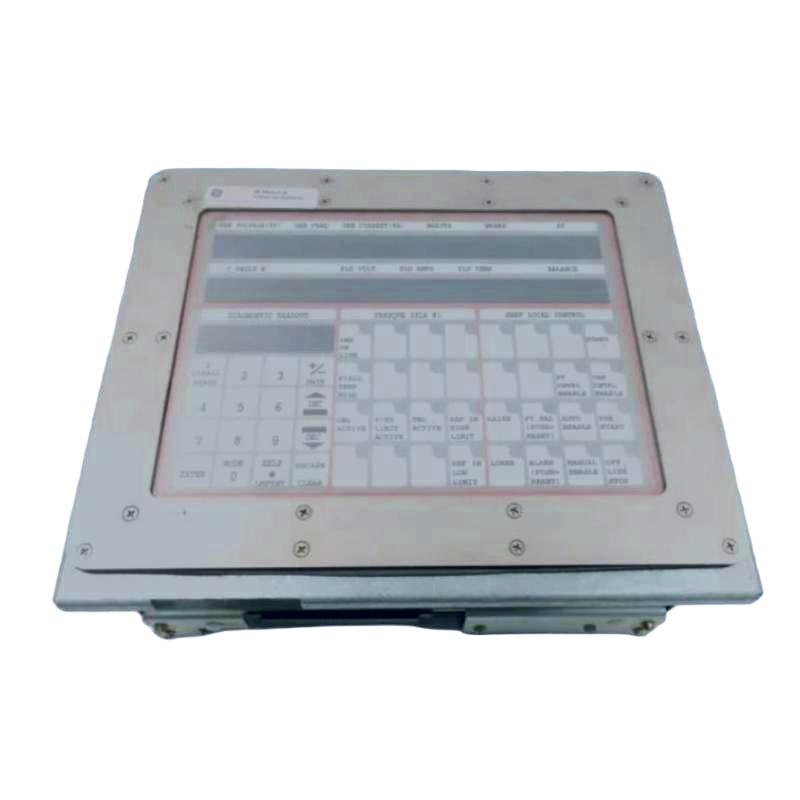
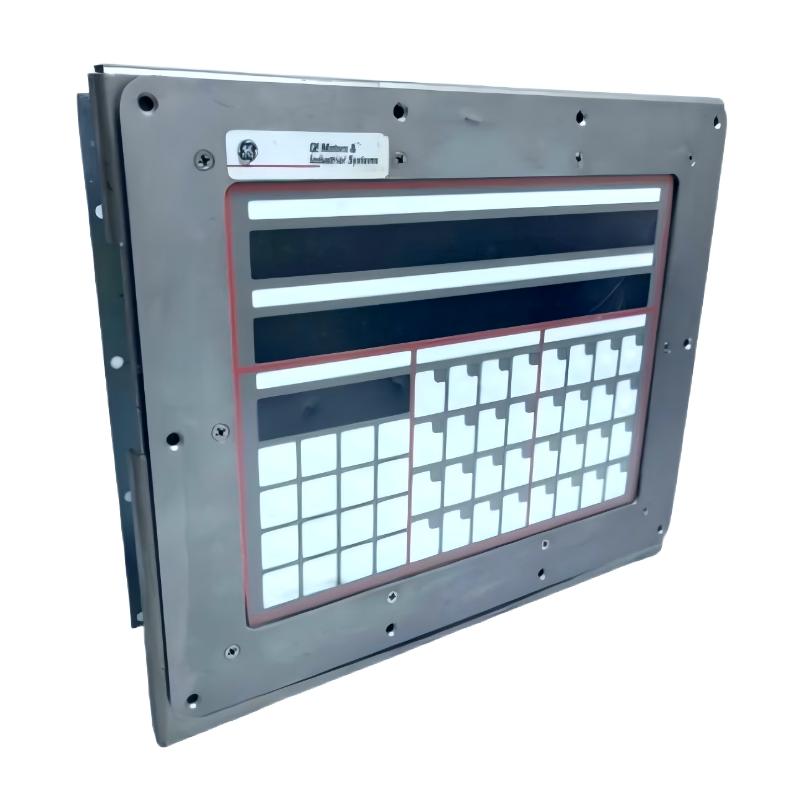
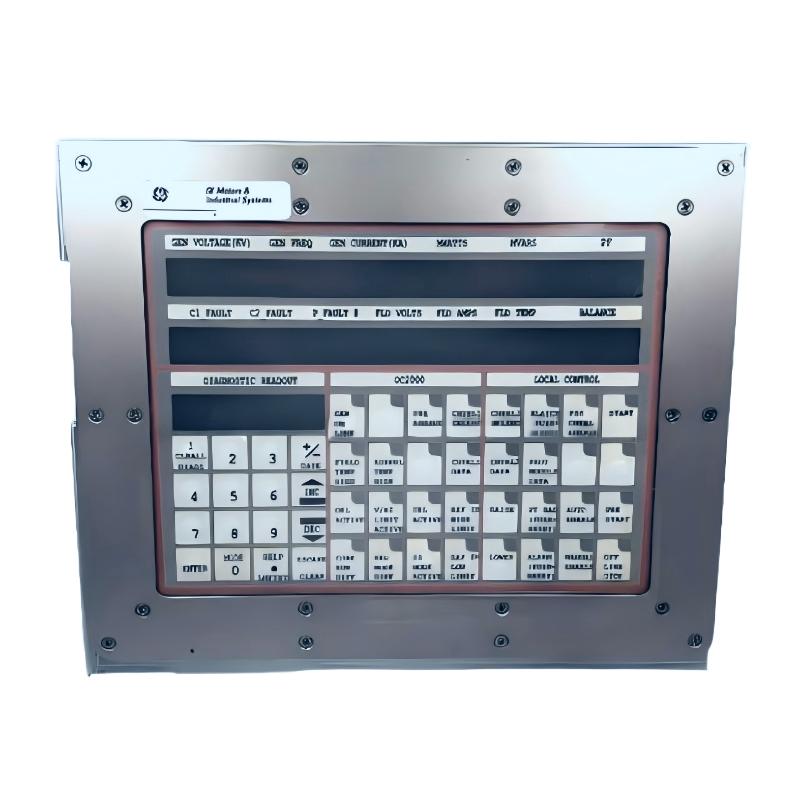
GE DS2020UCOCN4G1A Operation Interface Panel
| Company Information | ||||||||
| [email protected] | ||||||||
| Mobile | +8613666084105 | |||||||
| +8613666084105 | ||||||||
| 13666084105 | ||||||||
| Add to | Room 1004, No. 62 Xiangxiu Li, Siming District, Xiamen City, Fujian Province, China | |||||||
 Technical Specifications
| Parameter | Specification |
|---|---|
| Manufacturer | GE |
| Model | DS2020UCOCN4G1A |
| Product Type | Operation Interface Panel |
| Product Series | Mark V |
| Functional Category | Operator Interface / Control Interface |
| System Application | GE Mark V Turbine Control System |
| Main Function | Provides an operator interface for monitoring and operating the control system |
| Operator Interface | Control and status interaction |
| System Communication | Interfaces with the associated Mark V control system |
| Control Functions | Supports operator commands and system control operations according to configuration |
| Status Indication | Provides operating and system status information |
| Panel Application | Turbine control and industrial automation applications |
| Installation | Control cabinet / operator interface assembly |
| Electrical Connection | System-specific control and interface connections |
| Operating Environment | Industrial control cabinet environment |
| Typical Application | GE turbine control, monitoring and operator interaction |
| Compatible System | GE Mark V control architecture |
| Maintenance Function | Supports operator-level monitoring and control functions |
| Dimensions | 82.5 × 41.8 mm |
| Weight | 0.907 kg |
FAQ
1. What is the main function of the GE DS2020UCOCN4G1A Operation Interface Panel?
The GE DS2020UCOCN4G1A is an operation interface panel associated with the GE Mark V control system. Its primary purpose is to provide an operator-facing interface through which operating information, control functions and system status can be accessed. In a turbine control application, the operator interface is an important link between the control logic running inside the Mark V system and the personnel responsible for operating and maintaining the equipment. Depending on the overall system configuration, the panel can be used for viewing operating conditions, issuing permitted operator commands and observing system status information. Because the exact functions depend on the Mark V cabinet and associated hardware configuration, the panel should always be evaluated together with the control system in which it is installed.
2. How is the DS2020UCOCN4G1A used in a GE Mark V system?
The DS2020UCOCN4G1A is installed as part of the operator interface arrangement of a GE Mark V control system. It works with the associated control hardware to provide the operator with access to selected machine and control information. The interface allows personnel to interact with functions that have been defined by the system configuration, while the actual control logic remains within the Mark V control architecture. During operation, the interface can therefore serve as a practical point for monitoring system conditions and initiating authorized control commands. When replacing the panel, technicians should verify the original system configuration and connection arrangement because operator-interface functions can vary between different turbine control cabinets.
3. What types of information can an operator access through the operation interface?
The information available through the operation interface depends on the Mark V application and the configuration of the associated control system. Typical operator information can include equipment operating status, control states, alarms, process values, turbine operating conditions and indications associated with control functions. The interface is intended to present information required for normal operation and equipment supervision rather than independently performing the underlying control logic. If a particular status or process value is not displayed correctly, technicians should determine whether the problem originates from the interface panel, the communication path, the source I/O signal or the Mark V control logic. This distinction is important because an interface display problem does not necessarily indicate that the underlying turbine control function has failed.
4. What should be checked if the DS2020UCOCN4G1A does not respond to operator commands?
If the interface does not respond to operator commands, troubleshooting should begin with the basic power and connection conditions. Check that the panel is receiving the required supply and that its associated connectors and wiring are properly seated. Next, verify communication between the operation interface and the Mark V control system. If the interface is powered and communication is normal, check whether the specific operator command is permitted by the current operating state or control logic. Some commands may be intentionally unavailable when the turbine is in a particular operating mode or when an interlock is active. The associated control-system status and alarm information should therefore be reviewed before replacing the panel. If communication and power are confirmed but the interface continues to ignore valid commands, the panel itself can then be investigated as a possible hardware fault.
5. What can cause incorrect information to appear on the operation interface?
Incorrect information on the interface can originate from several points in the control system. The problem may be caused by an incorrect input signal, an I/O module issue, communication errors, configuration problems, control logic conditions or a fault within the interface itself. When a displayed value appears incorrect, it is useful to compare the interface indication with the corresponding signal or value elsewhere in the control system. If the original input signal is already incorrect, replacing the operation interface will not solve the problem. If the source signal is correct but the interface displays incorrect information, the communication path and interface configuration should be examined. This approach helps technicians avoid unnecessary replacement of otherwise functional control hardware.
6. How should the DS2020UCOCN4G1A be maintained?
Maintenance should focus on keeping the interface, electrical connections and associated control-system communication in reliable operating condition. During scheduled maintenance, technicians should inspect connectors for looseness, contamination, oxidation or physical damage and verify that the panel is securely mounted. The surrounding control cabinet should also be checked for excessive dust, moisture, vibration or abnormal heat because these environmental conditions can affect electronic equipment over time. Operational checks should include confirming that displayed information is stable, operator commands function correctly and there are no unexpected communication or status indications. Any maintenance should follow the site’s electrical safety procedures and the applicable GE Mark V maintenance practices. Unnecessary adjustment of configuration parameters should be avoided unless the original settings have been documented.
7. Can a faulty operation interface panel affect turbine control operation?
A faulty operation interface panel can affect the operator’s ability to monitor or issue certain commands, but the effect on actual turbine control depends on the system architecture and the specific function involved. The Mark V control logic and underlying control hardware are responsible for executing the primary automatic control functions, while the operator interface provides access to selected monitoring and command functions. If the interface fails, automatic control functions may continue operating normally in some situations, but operators could lose access to important information or manual commands. For this reason, an interface failure should not be ignored even if the turbine continues to run. Operators should verify the control-system status and follow the site’s operating and maintenance procedures to determine whether continued operation is appropriate.
8. What should be checked after replacing the DS2020UCOCN4G1A?
After replacing the DS2020UCOCN4G1A, the interface should be tested as part of the complete Mark V control system rather than being checked only for power-up. First verify that the replacement unit is the correct model and configuration, then inspect all associated electrical and communication connections. After energizing the system, confirm that the interface initializes correctly and that the expected operating information is displayed. Test representative operator functions that are permitted under the current operating condition, and verify that commands are correctly received by the control system. Alarm and status indications should also be checked to ensure that the interface accurately reflects the system condition. If the panel communicates with other control equipment, confirm that communication remains stable during operation. Any abnormal display, missing status information or failed operator command should be investigated before the interface is considered fully commissioned.
GE DS2020UCOCN4G1A Operation Interface Panel is in stock. Please contact us for a quick quote and competitive pricing.
| Company Information | ||||||||
| [email protected] | ||||||||
| Mobile | +8613666084105 | |||||||
| +8613666084105 | ||||||||
| 13666084105 | ||||||||
| Add to | Room 1004, No. 62 Xiangxiu Li, Siming District, Xiamen City, Fujian Province, China | |||||||
Company Introduction
Xiamen Shengruite Trading Co., Ltd. is a company specializing in the supply of industrial PLC spare parts.
We provide high-quality PLC spare parts to customers in the global manufacturing, energy and power, chemical and other fields.
Since its establishment in 2011, after 13 years of rapid development, the cumulative global shipments have reached 223,650 pieces, with an annual output value of US$50 million.
Successfully served more than 500 customers in more than 100 countries and regions including Saudi Arabia, UAE, the United States, Europe, Africa, and Southeast Asia
Our Mission
Provide customers with the best quality PLC spare parts and the fastest delivery service to ensure that their industrial automation systems are always in the best operating condition.
We provide a 1-year warranty service, and we support returns and exchanges for any issues to ensure your rights and interests are fully protected.
We can provide detailed product images upon request, and our team can arrange warehouse photos for confirmation to ensure you have all the information you need before making a purchase.
Shipping times vary depending on your location. With the support of our 16 global warehouses, we strive to deliver orders as quickly as possible. Contact us to get an estimated delivery time for your specific location.
The minimum order quantity (MOQ) is typically one unit. However, for larger orders, please contact us for potential discounts and pricing details.
Yes, we offer competitive pricing for bulk purchases. Please reach out to our sales team with the specifics of your order to receive a custom quote.
We accept various payment methods for wholesale orders, including bank transfers (T/T), letters of credit, and other options upon agreement. For large transactions, please contact us directly for payment terms.
Yes, we offer flexible ordering options for both small and large quantities. Whether youre looking for a single unit or a large batch, we can accommodate your needs.
We occasionally offer promotional discounts for new wholesale customers. Contact us to learn more about any current offers available for first-time buyers.
If you are unsure of compatibility with your existing setup please provide your system details and our support team can verify compatibility prior to purchase.
Returns are accepted within 30 days if the product is unused, unopened, and in its original packaging. Please note that return shipping and associated costs are the buyer\\\\\\\\\\\\\\\\\\\\\\\\\\\\\\\\\\\\\\\\\\\\\\\\\\\\\\\\\\\\\\\\\\\\\\\\\\\\\\\\\\\\\\\\\\\\\\\\\\\\\\\\\\\\\\\\\\\\\\\\\\\\\\\\\\\\\\\\\\\\\\\\\\\\\\\\\\\\\\\\\\\\\\\\\\\\\\\\\\\\\\\\\\\\\\\\\\\\\\\\\\\\\\\\\\\\\\\\\\\\\\\\\\\\\\\\\\\\\\\\\\\\\\\\\\\\\\\\\\\\\\\\\\\\\\\\\\\\\\\\\\\\\\\\\\\\\\\\\\\\\\\\\\\\\\\\\\\\\\\\\\\\\\\\\\\\\\\\\\\\\\\\\\\\\\\\\\\\\\\\\\\\\\\\\\\\\\\\\\\\\\\\\\\\\\\\\\\\\\\\\\\\\\\\\\\\\\\\\\\\\\\\\\\\\\\\\\\\\\\\\\\\\\\\\\\\\\\\\\\\\\\\\\\\\\\\\\\\\\\\\\\\\\\\\\\\\\\\\\\\\\\\\\\\\\\\\\\\\\\\\\\\\\\\\\\\\\\\\\\\\\\\\\\\\\\\\\\\\\\\\\\\\\\\\\\\\\\\\\\\\\\\\\\\\\\\\\\\\\\\\\\\\\\\\\\\\\\\\\\\\\\\\\\\\\\\\\\\\\\\\\\\\\\\\\\\\\\\\\\\\\\\\\\\\\\\\\\\\\\\\\\\\\\\\\\\\\\\\\\\\\\\\\\\\\\\\\\\\\\\\\\\\\\\\\\\\\\\\\\\\\\\\\\\\\\\\\\\\\\\\\\\\\\\\\\\\\\\\\\\\\\\\\\\\\\\\\\\\\\\\\\\\\\\\\\\\\\\\\\\\\\\\\\\\\\\\\\\\\\\\\\\\\\\\\\\\\\\\\\\\\\\\\\\\\\\\\\\\\\\\\\\\\\\\\\\\\\\\\\\\\\\\\\\\\\\\\\\\\\\\\\\\\\\\\\\\\\\\\\\\\\\\\\\\\\\\\\\\\\\\\\\\\\\\\\\\\\\\\\\\\\\\\\\\\\\\\\\\\\\\\\\\\\\\\\\\\\\\\\\\\\\\\\\\\\\\\\\\\\\\\\\\\\\\\\\\\\\\\\\\\\\\\\\\\\\\\\\\\\\\\\\\\\\\\\\\\\\\\\\\\\\\\\\\\\\\\\\\\\\\\\\\\\\\\\\\\\\\\\\\\\\\\\\\\\\\\\\\\\\\\\\\\\\\\\\\\\\\\\\\\\\\\\\\\\\\\\\\\\\\\\\\\\\\\\\\\\\\\\\\\\\\\\\\\\\\\\\\\\\\\\\\\\\\\\\\\\\\\\\\\\\\\\\\\\\\\\\\\\\\\\\\\\\\\\\\\\\\\\\\\\\\\\\\\\\\\\\\\\\\\\\\\\\\\\\\\\\\\\\\\\\\\\\\\\\\\\\\\\\\\\\\\\\\\\\\\\\\\\\\\\\\\\\\\\\\\\\\\\\\\\\\\\\\\\\\\\\\\\\\\\\\\\\\\\\\\\\\\\\\\\\\\\\\\\\\\\\\\\\\\\\\\\\\\\\\\\\\\\\\\\\\\\\\\\\\\\\\\\\\\\\\\\\\\\\\\\\\\\\\\\\\\\\\\\\\\\\\\\\\\\\\\\\\\\\\\\\\\\\\\\\\\\\\\\\\\\\\\\\\\\\\\\\\\\\\\\\\\\\\\\\\\\\\\\\\\\\\\\\\\\\\\\\\\\\\\\\\\\\\\\\\\\\\\\\\\\\\\\\\\\\\\\\\\\\\\\\\\\\\\\\\\\\\\\\\\\\\\\\\\\\\\\\\\\\\\\\\\\\\\\\\\\\\\\\\\\\\\\\\\\\\\\\\\\\\\\\\\\\\\\\\\\\\\\\\\\\\\\\\\\\\\\\\\\\\\\\\\\\\\\\\\\\\\\\\\\\\\\\\\\\\\\\\\\\\\\\\\\\\\\\\\\\\\\\\\\\\\\\\\\\\\\\\\\\\\\\\\\\\\\\\\\\\\\\\\\\\\\\\\\\\\\\\\\\\\\\\\\\\\\\\\\\\\\\\\\\\\\\\\\\\\\\\\\\\\\\\\\\\\\\\\\\\\\\\\\\\\\\\\\\\\\\\\\\\\\\\\\\\\\\\\\\\\\\\\\\\\\\\\\\\\\\\\\\\\\\\\\\\\\\\\\’s responsibility.
Yes, we offer technical support for the installation and integration of our products. Our team can assist with setup, configuration, and troubleshooting to ensure a smooth installation.