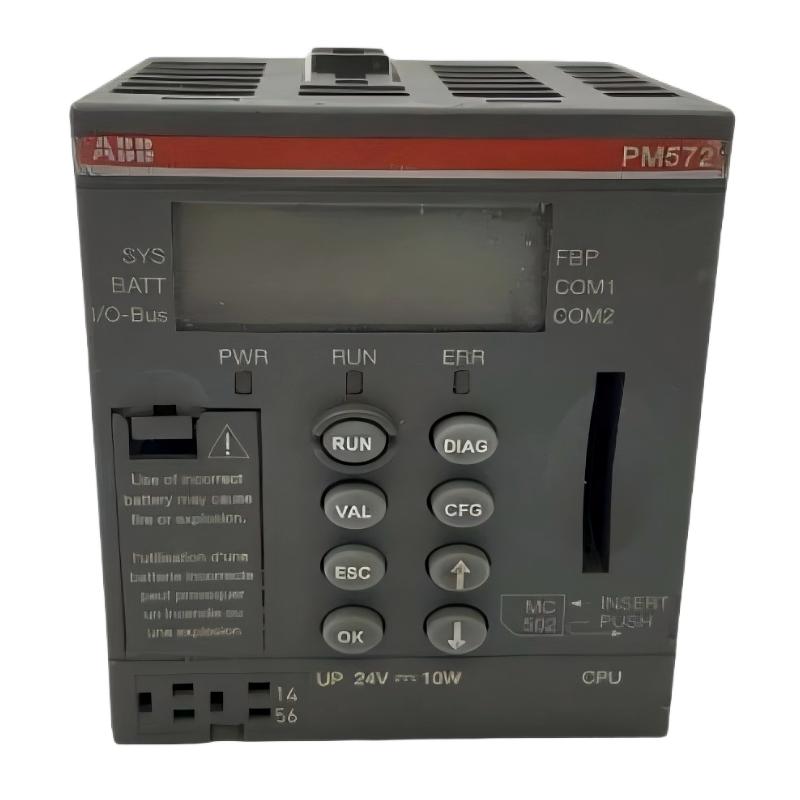
ABB 6009BZ10000K Memory Fault Patterns
ABB 6009BZ10000K memory faults should not be diagnosed from a single alarm alone. A controller that fails to start, loses application information, reports a memory diagnostic, or behaves differently after a power cycle may have a memory-module problem, but the same symptoms can also result from configuration errors, firmware incompatibility, connector problems, or corrupted application data.
The practical Troubleshooting objective is therefore to separate the fault into four categories: physical hardware, compatibility, configuration, and stored-data integrity.
ABB 6009BZ10000K Fault Diagnosis Logic
A useful Fault Diagnosis method is to work from observable evidence rather than immediately replacing the module. Start by asking what changed immediately before the failure.
- Did the controller fail directly after a memory replacement?
- Did the problem appear after a power interruption?
- Does the controller recognize the memory hardware?
- Is the diagnostic repeatable after a controlled restart?
- Does the same memory fault remain when configuration is restored?
This distinction is important. If the controller cannot recognize the memory at all, physical seating and hardware compatibility deserve early attention. If the module is recognized but the application does not behave correctly, configuration or stored-data integrity becomes more significant.
Common Causes of ABB 6009BZ10000K Memory Fault
- Incorrect or unsupported memory-module selection
- Improper module seating or connector contamination
- Firmware and hardware compatibility problems
- Incorrect System Configuration
- Corrupted or incomplete application data
- Unexpected power interruption during a data-write operation
- Controller hardware problems affecting memory access
Replacing the memory module is therefore not always the first repair action. A good field engineer first identifies which of these failure patterns is supported by the available evidence.
ABB 6009BZ10000K Diagnostic Evidence
Record the controller status before making repeated changes. Useful evidence includes diagnostic text, controller operating state, hardware identification, firmware version, application status, and the behavior observed during restart.
For systems with accessible engineering diagnostics, a pseudo diagnostic sequence can be documented as follows:
READ_CONTROLLER_STATUS
READ_MEMORY_STATUS
READ_HARDWARE_CONFIGURATION
READ_FIRMWARE_VERSION
COMPARE_SYSTEM_CONFIGURATION
CHECK_APPLICATION_INTEGRITY
LOG_DIAGNOSTIC_RESULT
These are diagnostic placeholders rather than ABB-specific commands. The actual command names depend on the engineering software and controller platform. Their purpose is to enforce a logical sequence instead of changing several variables simultaneously.
ABB 6009BZ10000K Troubleshooting and Repair
When the ABB 6009BZ10000K is suspected, begin with non-invasive checks. Confirm the part identification, inspect the installation, and compare the current hardware configuration with the approved system record.
- Record all active memory and controller diagnostics.
- Verify the memory-module part number against the approved application documentation.
- Inspect the module and connector for visible damage or contamination.
- With power isolated according to the equipment procedure, reseat the module if appropriate.
- Restore power and observe whether the original diagnostic returns.
- Compare the controller configuration with the known-good backup.
- Restore the application only when the controller and memory hardware are confirmed compatible.
If the same fault remains after configuration and seating checks, replacement with a verified compatible spare can be considered. The original module should be retained for further analysis rather than discarded immediately, especially when the failure is intermittent.
ABB 6009BZ10000K System Recovery Checks
Recovery is complete only when the control system has been functionally validated. A controller reaching RUN or an equivalent operating state is not sufficient evidence by itself.
- Confirm that the expected application is present.
- Review active and historical diagnostics.
- Check representative PLC input and output signals.
- Verify communication with connected devices.
- Compare important process parameters against the maintenance record.
- Perform a controlled restart when the process permits it.
Where the memory fault involved unexpected data loss, compare the recovered configuration with the last verified backup. This is particularly important before returning a production machine to unattended automatic operation.
ABB 6009BZ10000K Real-World Fault Investigation
In one field troubleshooting case, a controller reported a memory-related diagnostic immediately after maintenance. The replacement memory was initially considered defective because the system had operated normally before the intervention.
The engineer first compared the old and new hardware records and then checked the controller configuration. The memory module was physically seated correctly, and there was no visible connector damage. The investigation then shifted from hardware to System Configuration.
After the approved configuration was restored, the controller completed startup without the original memory diagnostic. Application checks and communication tests subsequently passed. The evidence showed that the fault was associated with configuration compatibility rather than a confirmed physical failure of the memory device.
This type of investigation is valuable because it prevents unnecessary replacement of industrial automation hardware. The strongest Fault Diagnosis is based on a sequence of observations that eliminates alternative causes.
ABB 6009BZ10000K Troubleshooting FAQ
What is the most common mistake when troubleshooting an ABB 6009BZ10000K memory fault?
The most common mistake is assuming that every memory-related diagnostic means the memory hardware has failed. Compatibility, seating, firmware, configuration, and stored-data integrity should also be investigated.
Should the ABB 6009BZ10000K be replaced immediately after a memory alarm?
No. Record the diagnostic, verify the hardware identification, inspect the installation, and compare the System Configuration before deciding that replacement is necessary.
How can a loose memory connection affect PLC operation?
An incomplete electrical connection can prevent reliable memory recognition or cause intermittent behavior during startup. Inspection and reseating should only be performed using the approved maintenance procedure.
Can firmware compatibility cause an ABB 6009BZ10000K fault?
Potentially. The supported hardware and firmware combination should be verified using the documentation for the specific host controller before concluding that the memory device is defective.
What information should be recorded before repairing a memory fault?
Record the diagnostic message, controller state, hardware configuration, firmware version, application status, maintenance history, and the exact sequence of events that preceded the fault.
What indicates that a memory replacement has actually solved the problem?
The controller should start normally, recognize the memory, retain the required application or configuration, clear the relevant diagnostic condition, communicate correctly, and pass the required functional checks.
ABB 6009BZ10000K Fault Diagnosis General Overview
Effective ABB 6009BZ10000K Troubleshooting depends on evidence-based diagnosis rather than immediate component replacement. A memory alarm can originate from the module itself, its installation, firmware compatibility, System Configuration, or stored application data. By isolating these possibilities in a controlled sequence, engineers can reduce unnecessary downtime and make the final Repair decision with greater confidence.