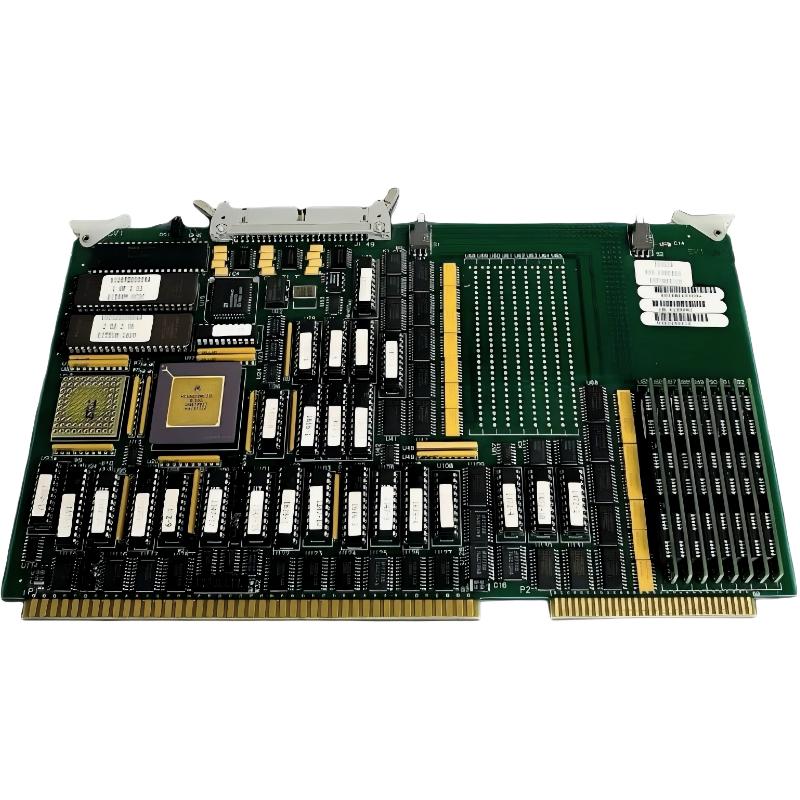
ABB 6026BZ10300G PCB Card Fault Diagnosis: Start With the Failure Pattern
ABB 6026BZ10300G PCB Card faults should be diagnosed from the failure pattern rather than by replacing the board immediately. If the controller fails during initialization, behaves intermittently, or reports abnormal control status, the investigation should separate power, connection, configuration, and PCB-level causes before a replacement decision is made.
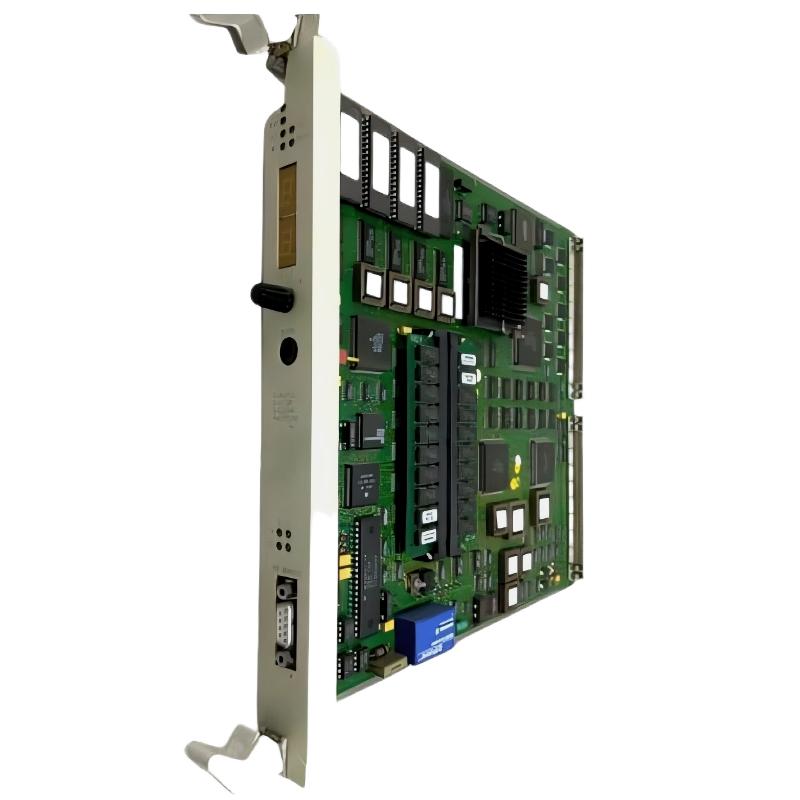
The 6026BZ10300G is referenced in industrial automation spare-parts information as a Taylor control board using a 68020 CPU and 8 MB memory configuration. Because the card operates within a larger control architecture, a symptom observed at the operator interface does not necessarily prove that the PCB is defective.
ABB 6026BZ10300G PCB Card Fault Symptoms
Several symptoms can justify a structured Troubleshooting investigation:
- Controller does not complete normal initialization.
- Unexpected control or processor alarms appear.
- System operation becomes intermittent after warm-up.
- Control functions stop responding although cabinet power remains available.
- Configuration or memory-related behavior changes after maintenance.
- Repeated resets temporarily restore operation.
The timing of the fault is particularly useful. A fault that occurs immediately after startup suggests a different diagnostic path from a fault that appears only after several hours of operation.
ABB 6026BZ10300G Fault Diagnosis Logic
A practical Fault Diagnosis sequence should move from the least invasive checks toward board-level investigation. This prevents unnecessary component replacement and preserves evidence.
Observed fault
     |
     +-- Power abnormal? ---- YES --> Correct supply problem
     |
     NO
     |
     +-- Connector/interface abnormal? ---- YES --> Correct connection
     |
     NO
     |
     +-- Configuration mismatch? ---- YES --> Restore known configuration
     |
     NO
     |
     +-- Fault follows PCB replacement? ---- YES --> Investigate PCB
     |
     NO
     |
     --> Continue system-level diagnostics
ABB 6026BZ10300G PCB Card Power and Ground Troubleshooting
Power quality is one of the first areas worth checking because electronic control cards can respond poorly to short-duration disturbances that may not be obvious from a normal cabinet voltage reading.
Measure the relevant supply at the controller under both startup and steady-state conditions. If the nominal supply is 24 VDC, for example, a reading around 24.0–24.5 VDC may appear healthy, but the maintenance engineer should also investigate transient dips, ripple, loose terminals, and shared loads.
Grounding should be evaluated at the same time. A stable DC voltage measurement does not automatically prove that the grounding and reference path are satisfactory.
ABB 6026BZ10300G PCB Connector and Interface Troubleshooting
When a fault is intermittent, connector inspection becomes more important than visual inspection of the PCB. Look for oxidation, damaged contacts, loose retention hardware, contamination, and cable strain.
A useful field technique is to compare the fault timing with mechanical or environmental changes. If the fault appears after cabinet vibration, thermal expansion, or cable movement, the interface should be investigated before replacing the electronic card.
ABB 6026BZ10300G System Configuration Fault Investigation
A replacement PCB can expose configuration inconsistencies that were not obvious with the previous hardware. Compare the current configuration against the last known-good maintenance record rather than making several parameter changes at once.
- Compare hardware identification.
- Review stored configuration data.
- Check controller initialization behavior.
- Review event and alarm history.
- Confirm expected control functions.
- Document every configuration change.
Changing multiple settings simultaneously makes Fault Diagnosis difficult because the original relationship between the fault and the corrective action is lost.
ABB 6026BZ10300G PCB Card Troubleshooting Case Study
In one field-style troubleshooting case, an industrial controller showed intermittent abnormal operation approximately 30–40 minutes after startup. The first suspicion was a failing processor PCB because the system recovered after a reset.
The investigation started with the power supply. The measured control voltage remained close to 24.2 VDC during normal operation, so the supply was not immediately identified as the primary cause. The next observation was more revealing: the fault appeared more frequently when the cabinet was warm.
The maintenance team inspected the PCB mounting and connectors. One interface connection showed evidence of poor mechanical retention. After the connection was reseated and secured, the system completed a prolonged operating test without reproducing the original intermittent fault.
This case demonstrates why resetting the controller is not a Fault Diagnosis method by itself. A reset can temporarily hide a connection or environmental problem while leaving the actual cause untouched.
ABB 6026BZ10300G PCB Card Repair and Replacement Decision
Repair should be considered only after system-level causes have been reasonably excluded. For a suspected defective PCB, compare the failed card with a known-good unit using controlled substitution where the process allows it.
A useful replacement test is to change one variable at a time:
- Record the original fault condition.
- Verify power and grounding.
- Verify connectors and associated hardware.
- Capture diagnostic information.
- Install a verified compatible replacement board if required.
- Repeat the same functional test.
- Observe the system for an extended period.
If the fault follows the PCB while all other conditions remain unchanged, confidence in the PCB-level diagnosis increases substantially.
ABB 6026BZ10300G Troubleshooting Diagnostic Commands
Where the installed control platform provides diagnostic commands or maintenance screens, capture status information before performing a reset.
> STATUS
> ALARM LIST
> EVENT LOG
> I/O STATUS
> CONFIG CHECK
> DIAGNOSTIC STATUS
The command names above are illustrative pseudo commands. Actual syntax depends on the host control system. Their purpose is to define an evidence-capture sequence rather than prescribe unsupported commands.
ABB 6026BZ10300G PCB Recovery and Post-Repair Verification
After corrective action, do not immediately close the maintenance task. The recovery stage should reproduce the operating condition under which the original fault occurred.
- Confirm normal startup.
- Verify stable controller status.
- Check associated control signals.
- Review alarms after warm-up.
- Perform a controlled load or functional test.
- Record the final measured values and configuration state.
For intermittent problems, an extended observation period is particularly important. A controller that runs correctly for two minutes has not necessarily demonstrated successful repair.
ABB 6026BZ10300G PCB Card Troubleshooting FAQ
What is the first check for an ABB 6026BZ10300G PCB fault?
Start by defining the failure pattern and checking power, grounding, connectors, and system status. These checks can eliminate several external causes before the PCB is considered defective.
Why can an ABB 6026BZ10300G fault disappear after a reset?
A reset can clear a temporary processor or control-state condition without correcting the underlying problem. Intermittent power, connector, thermal, or configuration issues can therefore return later.
How can an intermittent 6026BZ10300G fault be investigated?
Correlate the fault with operating time, cabinet temperature, vibration, load changes, and cable movement. Capture diagnostic information before resetting the controller.
Should the ABB 6026BZ10300G PCB be replaced immediately after an alarm?
No. An alarm identifies a symptom, not necessarily the failed component. Power, grounding, interfaces, configuration, and associated hardware should be checked first.
How does System Configuration affect 6026BZ10300G Troubleshooting?
An incorrect or inconsistent configuration can produce control behavior that resembles hardware failure. Comparing the active configuration with a known-good record is therefore an important part of Fault Diagnosis.
When does PCB replacement provide strong diagnostic evidence?
If all external conditions remain unchanged and the fault disappears after installing a verified compatible board, the evidence for a PCB-level fault becomes considerably stronger.
ABB 6026BZ10300G PCB Card Troubleshooting General Overview
Effective ABB 6026BZ10300G Troubleshooting depends on separating symptoms from causes. The most reliable Fault Diagnosis approach is to establish the failure pattern, verify power and interfaces, review System Configuration, capture diagnostic evidence, and then use controlled substitution when necessary. Field experience shows that intermittent PCB faults are often confused with connector, grounding, or thermal problems, so disciplined testing is more valuable than repeated resets or immediate board replacement.