
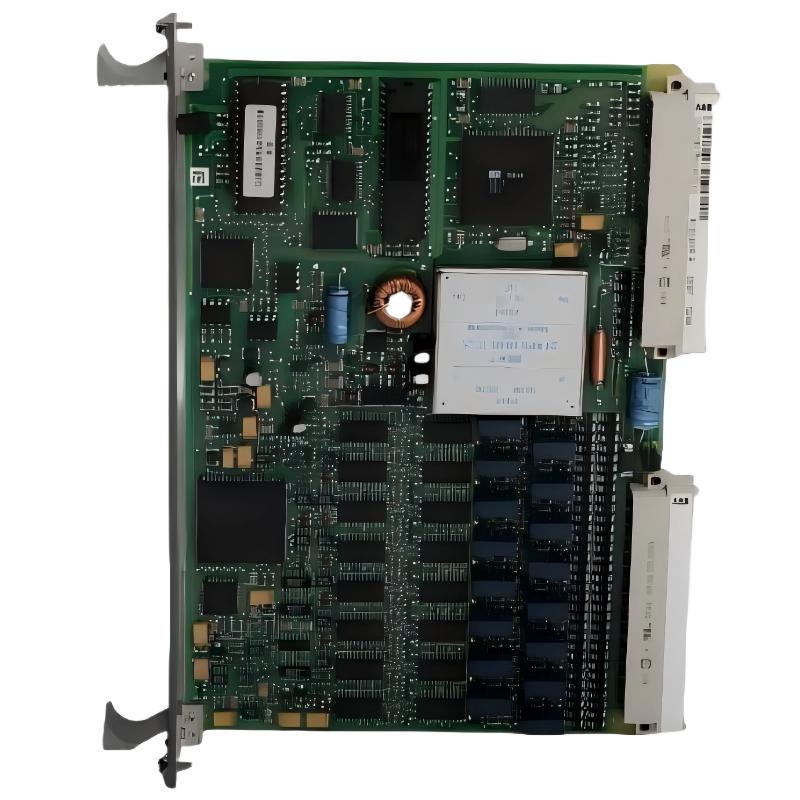
ABB 89IL07A-E Remote Bus Coupling Module Fault Diagnosis
ABB 89IL07A-E GJR2394300R0100 Remote Bus Coupling Module communication faults should be investigated by checking station recognition, bus connectivity, addressing, and the condition of the control-station interfaces before condemning the module. In legacy industrial automation systems, a missing station or intermittent data exchange can originate from external wiring, an incompatible replacement board, an incorrect address, or a fault elsewhere in the communication path.
The key troubleshooting principle is to identify where communication is lost before replacing hardware. A module that appears offline is not necessarily defective.
ABB 89IL07A-E Remote Bus Coupling Module Communication Fault Symptoms
The first task is to describe the failure precisely. Different symptoms point toward different parts of the communication chain.
- Station missing: The expected station or interface does not appear in the controller diagnostics.
- Intermittent communication: The station repeatedly disappears and returns, or communication alarms occur irregularly.
- Incorrect station identification: The system detects an unexpected address or an interface that does not match the approved configuration.
- Persistent communication alarm: The controller reports a fault that remains after a restart or approved recovery attempt.
- Unexpected process data: Data from the remote interface are stale, inconsistent, or unavailable even though some equipment remains powered.
Record the exact alarm text, the time of occurrence, and whether the fault affects one station or several. A single missing station suggests a localized problem; simultaneous failures across several stations make a shared bus, supply, or upstream interface a more important suspect.
ABB 89IL07A-E Fault Diagnosis: Trace the Communication Path
Work from the system-level evidence toward the suspected component. Avoid removing the module as the first diagnostic action, because doing so can erase useful evidence or introduce additional faults.
Controller and station status
Review the controller’s event history and the relevant station diagnostics. Establish whether the failure began immediately after maintenance, a power interruption, a configuration change, or an unrelated system event. Compare the reported station identity with the approved configuration record.
Bus wiring and physical connections
Inspect accessible cable terminations, connectors, shielding, and grounding arrangements using the plant’s approved electrical safety procedure. Look for loose contacts, oxidation, damaged cable insulation, or recent wiring changes. Check termination and polarity only where the applicable interface documentation specifies them.
Addressing and system configuration
Compare the installed hardware revision and station address with the original commissioning record. If the module has been replaced, confirm that its configuration method and hardware compatibility are correct. Do not change address selectors or board jumpers experimentally on a live system.
Module condition
If external wiring, configuration, and upstream communication have been verified, inspect the module for physical damage, overheated components, contaminated connectors, or other visible abnormalities after safe isolation. Internal electronic testing and repair should be performed by qualified personnel with appropriate equipment.
BEGIN_DIAGNOSTIC_RECORD
  CAPTURE controller_alarm_text
  RECORD affected_station_identity
  COMPARE current_status_with_baseline
  INSPECT approved_bus_connections
  VERIFY configured_address_and_hardware_revision
  CHECK upstream_interface_status
  REASSESS communication_after_authorized_correction
END_DIAGNOSTIC_RECORD
This is illustrative pseudocode for a maintenance record, not a native ABB diagnostic language or an executable command sequence. Obtain actual diagnostic values through the supported controller tools and the applicable system manual.
ABB 89IL07A-E Troubleshooting: Engineering Investigation Example
Illustrative diagnostic scenario, not a verified customer case: A legacy DCS reports that one remote station is unavailable following a maintenance shutdown. The station’s expected data are missing, while other stations continue to communicate normally.
The initial evidence makes a complete controller failure less likely, but it does not establish that the coupling module is defective. The investigation proceeds by comparing the affected station with a known-good station and reviewing any work performed during the shutdown.
- Establish the fault boundary. Confirm that the alarm is limited to one station and identify whether the controller reports a missing station, a configuration mismatch, or a different communication error.
- Review recent work. Check whether the module, bus cable, station address, or associated interface was disturbed during maintenance.
- Verify the physical path. Inspect the affected station’s connectors and cable terminations against the approved drawings. Compare relevant measurements with documented interface requirements rather than using assumed voltage thresholds.
- Check configuration consistency. Confirm the installed module identification, address settings, and hardware compatibility before considering a replacement.
- Retest under controlled conditions. After correcting an identified issue, verify communication recovery and check whether the original alarm returns.
For this example, no measured voltage, communication timing, or repair outcome is asserted because no verified field record has been supplied. In an actual maintenance report, include the measured values, instrument used, relevant acceptance limits, and before-and-after diagnostic results. That evidence makes the root-cause conclusion auditable.
ABB 89IL07A-E Remote Bus Coupling Module Repair and Recovery
Choose the corrective action based on the evidence rather than the alarm label alone.
- Loose or damaged connection: Restore the connection according to the approved wiring documentation, then repeat the communication checks.
- Address mismatch: Correct the configuration through the documented procedure and confirm that the station is uniquely and correctly identified.
- Incorrect replacement hardware: Verify compatibility with the system revision and install an approved replacement where necessary.
- Upstream bus or interface fault: Investigate the shared communication path before replacing the individual coupling module.
- Suspected internal electronic failure: Remove the unit only under an approved shutdown procedure and arrange qualified bench testing or replacement.
Do not repeatedly reset or power-cycle the system without understanding the potential process impact. If communication loss affects interlocks, control functions, or process visibility, maintain the plant’s defined safe state and follow the site’s escalation procedure.
ABB 89IL07A-E Module Repair Versus Replacement Assessment
Repair is worth considering when a qualified service facility can identify a specific component-level fault and validate the repaired assembly. Replacement is generally more defensible when the board has extensive physical damage, a confirmed internal failure without a viable repair path, or an uncertain repair history that cannot be reconciled with the plant’s reliability requirements.
Before fitting another module, check the complete part number, GJR2394300R0100 identifier, hardware revision, and documented system compatibility. A replacement that powers up but has an incompatible interface or incorrect address can produce symptoms similar to the original fault.
Following repair or replacement, preserve the old unit’s diagnostic history where possible. Document the root cause, corrective action, configuration changes, test results, and approval to return the equipment to service.
ABB 89IL07A-E Remote Bus Coupling Module Troubleshooting FAQ
Why is the ABB 89IL07A-E remote station not communicating?
Possible causes include interrupted bus connections, incorrect station addressing, incompatible hardware, an upstream interface problem, or an internal module fault. Check the controller diagnostics and trace the communication path before replacing the board.
How can I determine whether the GJR2394300R0100 module has failed?
A module fault becomes more likely after the correct supply conditions, wiring, station configuration, and upstream communication have been verified. A definitive conclusion requires the applicable diagnostic evidence or qualified testing; an offline indication alone is insufficient.
Can I test the ABB 89IL07A-E module while the DCS is running?
Only perform tests explicitly permitted by the approved system procedure and site risk assessment. Connector removal, address changes, or intrusive electrical measurements can interrupt control functions. Isolate the equipment whenever the prescribed maintenance procedure requires it.
What information should be collected before requesting an ABB module repair?
Record the full part number, hardware revision, controller and station identifiers, alarm text, fault timeline, recent maintenance history, configuration details, and measurements taken against documented specifications. Include any authorized tests performed and the results before and after corrective action.
ABB 89IL07A-E Troubleshooting Conclusion and General Notes
Effective troubleshooting of the ABB 89IL07A-E GJR2394300R0100 Remote Bus Coupling Module requires a structured Fault Diagnosis process that separates external communication problems from configuration errors and genuine hardware failure. Establish the fault boundary, inspect the documented bus connections, verify addressing, and review controller diagnostics before deciding whether repair or replacement is justified. For reliable long-term operation, retain a complete maintenance record and validate the restored communication path under the approved commissioning procedure. Exact interface specifications, diagnostic indicators, and repair limits must be confirmed using documentation for the installed hardware revision.



