
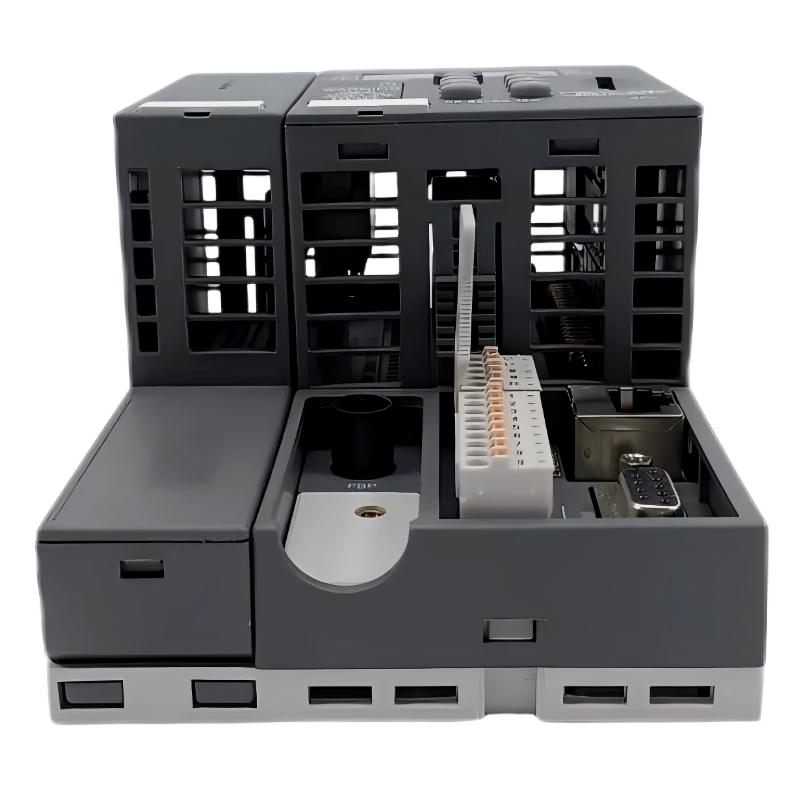
ABB PM573 PLC Troubleshooting: Start with the Fault Symptoms
ABB PM573 CPU troubleshooting should begin with controller status, power stability, application state, and communication diagnostics before a hardware replacement is considered. A PLC Controller that fails to start, loses communication, or reports unexpected I/O states may have a configuration, wiring, firmware, or peripheral-module problem rather than a defective CPU. Effective Fault Diagnosis depends on reproducing the symptom and verifying each suspected cause with measurements or diagnostic evidence.
Common ABB PM573 CPU Fault Symptoms and Causes
Different symptoms require different diagnostic paths. Record the exact status indication and the conditions under which the fault occurs instead of treating every abnormal condition as a CPU failure.
- CPU does not start normally: Check the power supply, startup status, firmware compatibility, and controller diagnostics.
- Engineering software cannot connect: Verify the physical interface, cable, network settings where applicable, and communication configuration.
- Inputs remain inactive: Investigate the field sensor, supply voltage, signal reference, terminal wiring, and input-module configuration.
- Outputs do not respond: Check program conditions, interlocks, output-module status, external supply, and actuator wiring.
- Intermittent controller resets: Review supply stability, terminal connections, electrical noise, cabinet temperature, and recorded diagnostic events.
The exact PM573 variant matters. ABB’s PM573-ETH, for example, is identified as a processor module with Ethernet and serial interfaces. Confirm the complete product code before applying interface-specific troubleshooting instructions.
ABB PM573 PLC Fault Diagnosis by Evidence
A useful Troubleshooting approach separates the observed symptom from the suspected cause. Begin with non-invasive checks and progress to electrical testing only when the equipment can be tested safely.
- Capture the original condition. Record the CPU display or LED pattern, application state, diagnostic messages, and time of failure.
- Check the power path. Measure the supply at the relevant terminals using an appropriate meter and compare the result with the exact hardware specification.
- Inspect application diagnostics. Use the compatible ABB engineering software to review controller status, project compatibility, and available diagnostic information.
- Isolate the affected subsystem. Determine whether the symptom is limited to communication, one I/O channel, an expansion module, or the controller itself.
- Test the suspected cause. Change one variable at a time and record whether the symptom changes.
Illustrative diagnostic sequence — not executable PLC commands

READ controller_status
CHECK supply_voltage_against_product_specification
REVIEW diagnostic_buffer
VERIFY project_and_firmware_compatibility
TEST communication_path
COMPARE physical_input_with_software_state
RECORD result_before_and_after_each_change
These lines describe an investigation sequence, not valid ABB command syntax. Use the actual diagnostic functions provided by the applicable engineering software and controller documentation.
ABB PM573 Communication Fault Troubleshooting
Communication problems can originate in the cable, interface selection, network configuration, protocol settings, or the connected device. A failed connection from the engineering computer does not by itself prove that the CPU has failed.
- Confirm that the physical interface matches the intended connection method.
- Inspect connectors and cable condition, then verify link or interface indicators where provided.
- Check the configured IP address and subnet when using Ethernet, ensuring that addresses do not conflict.
- For serial connections, verify the selected COM port, wiring, baud rate, parity, and other protocol parameters against the project.
- Check whether another engineering station or application is already using the communication path.
For an Ethernet-equipped variant, a basic computer-side connectivity check may help identify a network-layer issue:
ping <configured_PLC_IP_address>Replace the placeholder with the verified controller address. A successful ping does not establish that the PLC programming protocol is functioning; a failed ping also does not independently prove CPU damage. Continue with interface status and engineering-software diagnostics.
ABB PM573 I/O Module and Sensor Signal Troubleshooting
When a field device operates correctly but the application does not register its state, compare the signal at the source, at the receiving terminal, and in the PLC software. This comparison helps locate the point where the signal is lost or interpreted incorrectly.
- Identify whether the sensor provides a PNP, NPN, relay, analog-voltage, or analog-current output.
- Verify that the input module supports the connected signal type.
- Check the common reference, polarity, terminal assignment, and field-device power supply.
- For analog channels, verify the configured range and engineering-unit scaling.
- Inspect the I/O map and application logic for an incorrect address or an overriding condition.
For example, a 4–20 mA transmitter may deliver a valid current at its terminals while the application displays an incorrect engineering value because the input range or scaling is wrong. The current should be measured with an appropriate method and compared with the module’s documented input configuration before changing the PLC program.
ABB PM573 CPU Repair, Recovery, and Replacement Decisions
Recovery should follow the evidence collected during Fault Diagnosis. Repeatedly resetting the controller or downloading a different program without preserving the original state can destroy useful evidence and introduce additional faults.
- Power-related issue: Correct the verified supply, connection, or protection problem before restarting the system.
- Configuration mismatch: Restore a compatible, approved project and verify the controller target and firmware requirements.
- Communication issue: Correct the identified interface, cable, or network setting, then repeat the connection test.
- Field I/O issue: Repair the confirmed wiring or signal-interface problem and retest the channel.
- Suspected CPU hardware fault: Preserve diagnostic records and the application backup, then follow ABB service guidance or an approved replacement procedure.
Do not update firmware as a first response to an unexplained failure. Confirm the exact hardware generation, approved firmware, project compatibility, and recovery procedure. Maintain machine safety functions and isolate hazardous energy before carrying out electrical repair.
ABB PM573 Troubleshooting: Example of a Structured Field Investigation
Illustrative engineering scenario, not a verified customer repair: An operator reports that a sensor-controlled sequence intermittently fails to advance. The initial assumption is a PLC CPU fault because the controller is involved in the sequence.
The engineer first checks the event history and finds no confirmed evidence of a controller restart. Next, the engineer compares the sensor’s physical output with the state shown in the I/O monitor. Suppose the measured sensor supply is 24.1 V DC, but the input terminal does not follow the sensor output during the fault. The measurement alone does not identify the final root cause, but it shifts the investigation toward the field wiring, common reference, terminal connection, or input compatibility.
After inspecting the wiring against the electrical drawings, the engineer tests the signal path again and documents the result. If the input now follows the physical sensor state consistently, the correction is supported by repeatable evidence. If the discrepancy remains, the investigation should continue rather than declaring the issue resolved or replacing the CPU prematurely.
ABB PM573 PLC Troubleshooting FAQ
Why does an ABB PM573 PLC fail to communicate with programming software?
Possible causes include an incorrect interface, cable problems, mismatched network settings, incorrect serial parameters, or software and firmware compatibility issues. Check the physical connection and controller diagnostics before concluding that the CPU is defective.
Does a controller error indication always mean hardware failure?
No. An error indication can be associated with application execution, configuration, firmware, communication, or hardware conditions. Interpret the exact indication using the documentation for the installed variant.
What should I check if a PLC input does not change state?
Verify the sensor supply and output, electrical compatibility, terminal wiring, common reference, input-channel configuration, I/O mapping, and application logic.
Can I replace the PM573 CPU without checking the program?
Replacing the CPU without reviewing the project, firmware, configuration, and retained data can introduce new problems. Back up the application and establish compatibility before replacement.
How can I distinguish a communication fault from a CPU fault?
Check the controller’s status, physical interface, cable, network or serial settings, and engineering-software diagnostics. Use multiple observations rather than relying on a single ping or indicator.
Should I update the firmware when the PM573 stops working?
Not automatically. First identify the installed variant and current firmware, review the diagnostic evidence, and confirm an approved update and recovery procedure. Never interrupt power during a firmware operation.
What measurements are useful during PM573 fault diagnosis?
Depending on the symptom, useful evidence can include supply voltage, sensor output, analog current or voltage, communication status, and the timing of diagnostic events. Compare every measurement with the applicable device specifications and record the test conditions.
When should the ABB PM573 CPU be sent for repair?
Escalate for qualified service when supply, wiring, configuration, firmware compatibility, communication, and connected I/O issues have been investigated but the fault persists, or when there is evidence of physical damage.
ABB PM573 CPU Troubleshooting: General Conclusion
Reliable ABB PM573 CPU Troubleshooting requires a traceable process: record the symptom, verify the power and interfaces, inspect the application configuration, compare physical signals with software states, and confirm the root cause through repeatable tests. A suspected PLC Controller failure should remain a hypothesis until the evidence supports it. Preserve the approved application and diagnostic history, follow the correct ABB documentation, and validate machine operation and safety functions before returning the system to service.



