
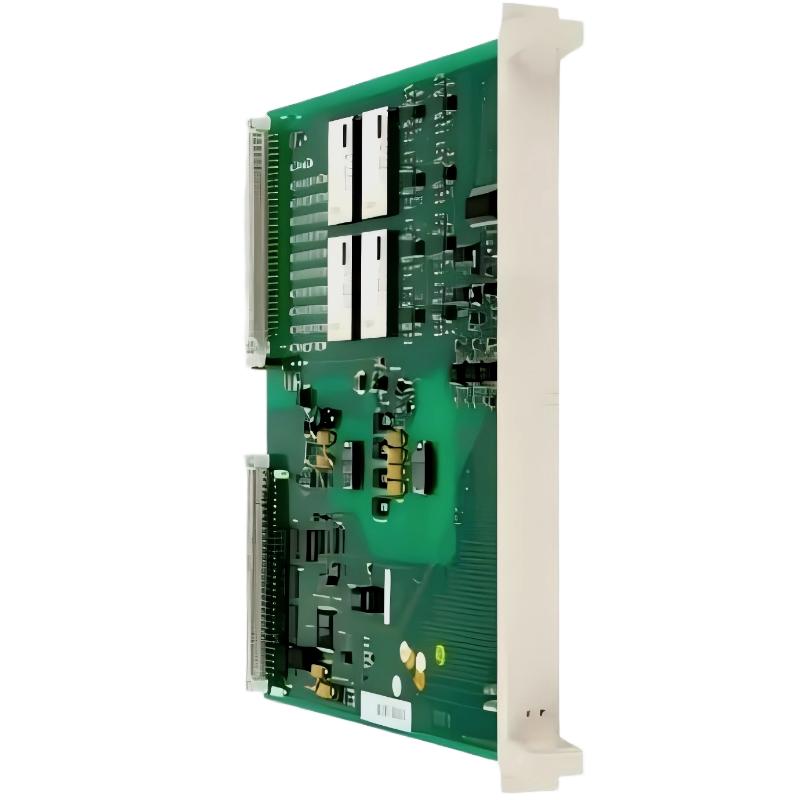
ABB 89IL05B-E Remote Bus Coupling Module Troubleshooting Guide
ABB 89IL05B-E GJR2391200R0100 Remote Bus Coupling Module communication faults should be investigated by checking the power supply, physical bus connection, controller diagnostics, and System Configuration before concluding that the module has failed. Effective Troubleshooting and Fault Diagnosis require evidence from the installed system, because an unavailable remote station can result from wiring, configuration, a connected device, or a defective interface.
ABB 89IL05B-E Remote Bus Coupling Module Fault Symptoms
The first diagnostic task is to identify what has actually failed. A remote-bus communication problem does not necessarily indicate a faulty coupling module. Record the symptoms before disconnecting cables, changing parameters, or replacing hardware.
- Remote station unavailable: The controller cannot detect or communicate with one or more configured devices.
- Intermittent communication: Stations disappear temporarily or communication error counters increase during operation.
- Startup failure: The remote bus does not establish communication after the system is powered up.
- Configuration mismatch: The controller reports a missing, unexpected, or incorrectly configured station.
- Repeated recovery attempts: Communication returns temporarily but fails again after a restart or operating-state change.
Record the exact controller alarm text, event timestamp, indicator states, and affected stations. These observations establish a baseline for subsequent Troubleshooting.
ABB 89IL05B-E Fault Diagnosis: Follow the Evidence
Fault Diagnosis is more efficient when each test eliminates a specific group of possible causes. Start with non-invasive checks and move toward component substitution only when the evidence supports it.
- Define the failure boundary. Determine whether the problem affects every remote station or only one device or bus segment.
- Check module status. Compare the actual indicator pattern with the documentation for the exact hardware revision.
- Verify electrical conditions. Measure the documented supply points and inspect for loose terminals, damaged connectors, or voltage drops under load.
- Inspect the communication path. Check cable continuity, connector seating, shielding, grounding, and required termination.
- Review controller diagnostics. Look for missing-station alarms, communication timeouts, configuration errors, and available error counters.
- Test one change at a time. Make a documented correction, repeat the same test, and determine whether the symptom changes.
If all stations fail simultaneously, investigate shared components such as the coupling interface, upstream connection, common supply, and controller configuration. If only one station fails, prioritize its local cable, connector, termination, address, and device condition.
ABB 89IL05B-E Electrical Checks for Remote Bus Faults
Electrical measurements help separate supply problems from communication-interface problems. However, measurement points and permitted ranges must come from the correct ABB documentation; the module’s full part number alone is not sufficient to establish every electrical specification.
- Measure the supply at the designated terminals or test points.
- Compare readings with the specified minimum and maximum operating limits.
- Where permitted, compare unloaded and loaded supply readings to identify voltage drop.
- Inspect cable conductors and connector contacts for corrosion, mechanical damage, or poor seating.
- Verify termination and shielding against the applicable bus topology.
- Check whether nearby contactors, drives, or other switching equipment correlate with intermittent faults.
For example, a supply reading of 23.6 V DC may be acceptable for one 24 V system but unsuitable for another device or operating condition. Do not use that value as an ABB 89IL05B-E acceptance limit without an applicable specification. A single normal voltage reading also cannot rule out transient dips or intermittent connection faults.
ABB 89IL05B-E System Configuration and Communication Errors
When the physical connections appear correct, investigate the controller’s System Configuration. A hardware replacement, project download, or change to the remote-bus layout can expose inconsistencies between configured and installed devices.
- Compare the configured station list with the actual installed hardware.
- Check applicable addresses, communication settings, and compatibility requirements.
- Review recent project changes, firmware changes, and maintenance records.
- Confirm that the controller recognizes the intended module and connected devices.
- Check whether diagnostic messages identify a communication timeout, initialization problem, or configuration mismatch.
Use the engineering software supported by the installed ABB controller family. Do not apply generic commands from unrelated PLC platforms to this module.
Generic diagnostic workflow — not executable syntax

READ controller_event_log
CHECK remote_station_status
RECORD communication_error_counters
VERIFY configured_vs_installed_devices
COMPARE supply_measurements_with_manual
RETEST after one documented correction
The lines above describe a diagnostic sequence, not actual ABB programming commands. Use the controller’s documented diagnostic functions to perform the checks.
ABB 89IL05B-E Troubleshooting and Corrective Actions
Choose corrective actions according to the fault evidence rather than replacing components by trial and error.
- Loose or damaged connection: Isolate power as required, repair the connection, and verify cable continuity.
- Supply instability: Investigate the supply source, terminal connections, loading, and voltage drop.
- Incorrect bus termination: Restore the topology and termination arrangement specified for the actual interface.
- Configuration mismatch: Correct the approved project configuration and validate the installed device list.
- Electromagnetic interference: Inspect cable routing, shield termination, grounding, and separation from switching conductors.
- Suspected module failure: Check all external causes first, then perform an approved substitution test with a verified compatible unit.
Before replacing a module, save the current configuration and diagnostic history. Follow the host system’s shutdown and replacement instructions, and confirm whether any parameter restoration or commissioning action is required.
ABB 89IL05B-E Field Fault Investigation Example
Consider a representative industrial troubleshooting scenario in which several remote devices become unavailable after a maintenance shutdown. The initial assumption is that the coupling module has failed, but replacing it immediately would not establish the root cause.
The engineer first records the controller alarms and confirms that the affected devices share the same remote-bus path. The supply is then measured at the designated test points, followed by inspection of the connectors and the bus termination arrangement. The engineer also compares the installed devices with the saved System Configuration.
Suppose the supply remains within the documented operating range, but the communication fault persists. This finding reduces the likelihood of a steady-state supply problem, although it does not exclude transient voltage drops. The investigation should then focus on the physical communication path, configuration consistency, and diagnostic evidence from the controller.
This is an illustrative case, not a verified repair report for a specific ABB 89IL05B-E unit. Actual root-cause conclusions require recorded measurements and repeatable test results.
ABB 89IL05B-E Remote Bus Troubleshooting FAQ
Why does the ABB 89IL05B-E fail to communicate with remote devices?
Potential causes include wiring faults, supply instability, incorrect termination, configuration mismatches, incompatible hardware, or a defective communication interface. Check controller diagnostics before deciding which component to replace.
How can an engineer determine whether the coupling module itself is defective?
Verify the supply, external wiring, bus topology, controller settings, and connected devices first. If the fault remains, use the manufacturer’s approved diagnostic procedure or a controlled substitution test with a compatible, verified module.
Can a communication timeout be caused by incorrect System Configuration?
Yes. An incorrect device list, addressing arrangement, or incompatible configuration can prevent expected communication even when the physical connections are intact.
What does intermittent remote-bus communication usually indicate?
Possible causes include loose connections, intermittent supply disturbances, cable damage, electromagnetic interference, or marginal signal integrity. Correlate error timestamps with electrical measurements and operating events.
Should the module be reset immediately when a bus fault occurs?
No. Capture the alarm history and current diagnostic state first. A reset may temporarily clear the symptom while removing evidence needed to identify the underlying fault.
Which measurements are useful during ABB 89IL05B-E Fault Diagnosis?
Useful evidence includes supply voltage at specified test points, voltage under load where applicable, communication error counters, controller alarm timestamps, station availability, and verified cable test results.
Can a replacement coupling module require additional commissioning?
Yes. Depending on the host architecture, replacement may require compatibility checks, configuration verification, parameter restoration, or functional testing. Follow the instructions for the actual system.
When should a suspected module be sent for repair?
Consider repair or specialist evaluation after external wiring, power, configuration, and connected-device faults have been investigated. Preserve the fault history and provide the part number, hardware revision, observed symptoms, and test results.
ABB 89IL05B-E Troubleshooting: Final Diagnostic Assessment
Effective ABB 89IL05B-E Remote Bus Coupling Module Troubleshooting depends on isolating the fault systematically. Establish the failure boundary, verify electrical conditions, inspect the communication path, review System Configuration, and validate each corrective action. Replace the module only when evidence supports a hardware fault. This approach reduces unnecessary downtime, protects diagnostic evidence, and provides a defensible basis for repair decisions.



