
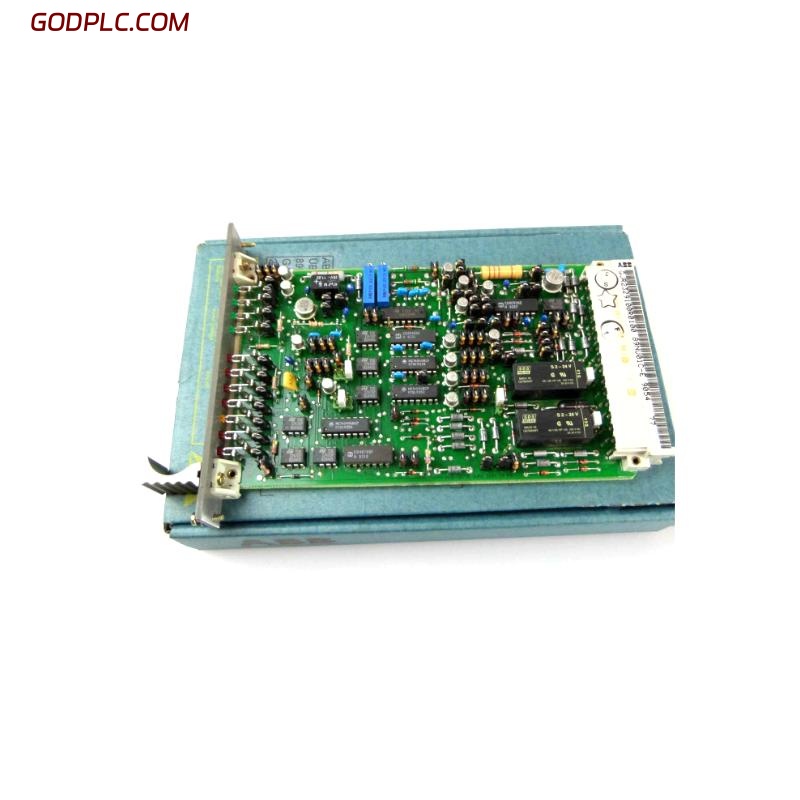
ABB 89NU01E Voltage Monitoring Module Fault Diagnosis
ABB 89NU01E voltage monitoring faults should be investigated by checking the monitored supply rails, module identification, backplane connections, and system alarm status before replacing hardware. The GJR2329100R0100 part number is associated with the ABB Procontrol P14 voltage monitoring module; it should not be assumed to be a conventional standalone safety relay. Confirm the installed unit’s designation and documentation before applying a troubleshooting procedure.
In an operating control system, a voltage monitoring alarm can originate from an actual supply deviation, an intermittent connection, a monitoring-path problem, or a defective module. The diagnostic objective is to distinguish a genuine power problem from a monitoring or reporting fault without compromising protection of the controlled process.
ABB 89NU01E Voltage Monitoring Module Symptoms and Alarm Patterns
The first task is to record the symptom as observed, rather than immediately attributing it to the module. Check the operator alarm list, local status indications, controller diagnostics, and maintenance history.
- Repeated power-supply alarms despite apparently stable cabinet power.
- A system alarm that appears after maintenance or a control cabinet restart.
- Intermittent diagnostic messages that coincide with load changes.
- Missing or inconsistent monitoring information reported to the controller.
- An alarm that remains active after the suspected supply issue has been corrected.
These symptoms are diagnostic starting points, not confirmed failure signatures unique to the ABB 89NU01E.
Investigating ABB 89NU01E Power Supply and System Configuration
Begin with the electrical supply architecture. Confirm which voltage rails the installed configuration monitors and compare actual measurements with the approved system specifications. Do not infer the exact permissible limits from a similar ABB module or from a generic Procontrol installation.
- Review the active alarm and identify the affected power supply or subsystem.
- Check the relevant power supply’s status and maintenance history.
- Measure the applicable supply at approved test points using a suitable meter.
- Compare readings under normal operation and, where safely permitted, during representative load conditions.
- Inspect rack seating, backplane contacts, connectors, and wiring for looseness, contamination, or heat damage after isolating equipment as required.
- Check whether the controller reports a corresponding module diagnostic or communication-related event.
ABB 89NU01E Fault Diagnosis Using a Measurement-First Method
Measurement trends are more useful than a single reading when investigating intermittent faults. Record the measurement location, operating condition, instrument used, and alarm timestamp. A voltage reading within limits at the power supply does not necessarily prove that the same voltage reaches the module under all conditions.
ABB Procontrol diagnostic workflow — illustrative pseudocode

READ system_alarm_history
IDENTIFY affected_supply_rail
VERIFY approved_voltage_limits
MEASURE supply_at_designated_test_points
COMPARE readings with system specification

IF supply_is_out_of_specification:
    investigate power_supply_and_distribution
ELSE:
    inspect module_seating_and_backplane
    review controller_and_module_diagnostics

RETEST only under approved operating conditions
DOCUMENT findings and corrective action
The pseudocode is a troubleshooting aid, not an executable ABB command set. Use the applicable engineering tools and manufacturer procedures for the actual Procontrol installation.
ABB 89NU01E Voltage Monitoring Module Root Cause Analysis
When the supply measurements are satisfactory, continue with the signal path and hardware installation. Check for connector problems, incorrect replacement parts, rack compatibility issues, and discrepancies between the installed revision and the system documentation. If the alarm follows a recent maintenance activity, review the work performed before concluding that an electronic component has failed.
Illustrative field case: A power-monitoring alarm returns intermittently after a cabinet inspection. The initial supply reading appears normal, so the engineer compares alarm timestamps with operating events and checks the supply again at the designated measurement points. A difference between readings at the supply and at the monitored distribution point would direct attention toward the distribution path; identical stable readings would justify further checks of module seating, diagnostics, and monitoring behavior. This is an example of engineering reasoning, not a verified service case or measured result for the 89NU01E.
ABB 89NU01E Module Repair and Recovery Decisions
Repair or replacement should follow the evidence collected during Fault Diagnosis. Avoid replacing the module solely because an alarm is displayed, particularly when a shared power supply or distribution connection could affect several devices.
- Supply deviation confirmed: Investigate the source, protective devices, connections, and distribution path.
- Connection defect found: Correct the defect under the site’s isolation and maintenance procedures, then repeat the relevant tests.
- System diagnostics indicate a rack or backplane issue: Follow the approved Procontrol maintenance procedure to investigate the affected hardware path.
- Evidence points to module failure: Verify the exact part number and revision, then use an approved repair or replacement process.
After corrective work, confirm that the alarm clears for the correct reason, the monitoring function responds as specified, and the control system returns to its approved operating state. Never suppress an alarm or bypass a protective function simply to restore normal indications.
ABB 89NU01E Voltage Monitoring Troubleshooting FAQ
What is the first check for an ABB 89NU01E power monitoring alarm?
Identify the affected supply rail from the system documentation, review the alarm history, and measure the relevant voltage at approved test points. Confirm that the reading meets the limits specified for the installed system.
Does a normal voltage reading prove that the ABB 89NU01E is faulty?
No. A normal reading at one location cannot rule out intermittent supply problems, distribution losses, backplane or connector faults, or a reporting issue. Further measurements and system diagnostics are needed before attributing the fault to the module.
Can the GJR2329100R0100 module be replaced with a similar ABB unit?
Not without confirming hardware compatibility. Check the complete designation, revision, system application, connection arrangement, and applicable ABB documentation before installing a replacement.
What information should be recorded after ABB 89NU01E troubleshooting?
Document the alarm sequence, supply measurements, measurement locations, operating conditions, module identification, inspection findings, corrective actions, and functional retest results. This record helps distinguish a recurring system fault from an isolated maintenance issue.
ABB 89NU01E Troubleshooting Conclusion and Maintenance Guidance
Effective ABB 89NU01E Troubleshooting depends on identifying the correct module, tracing the monitored supply, evaluating the alarm history, and separating external power-distribution problems from module-related faults. The GJR2329100R0100 identifier is associated with ABB Procontrol voltage monitoring equipment, so technicians should confirm the actual installed product type rather than rely on a generic safety relay procedure. Accurate measurements, revision-aware System Configuration checks, and documented verification provide a more reliable basis for repair decisions than repeated module replacement.



