
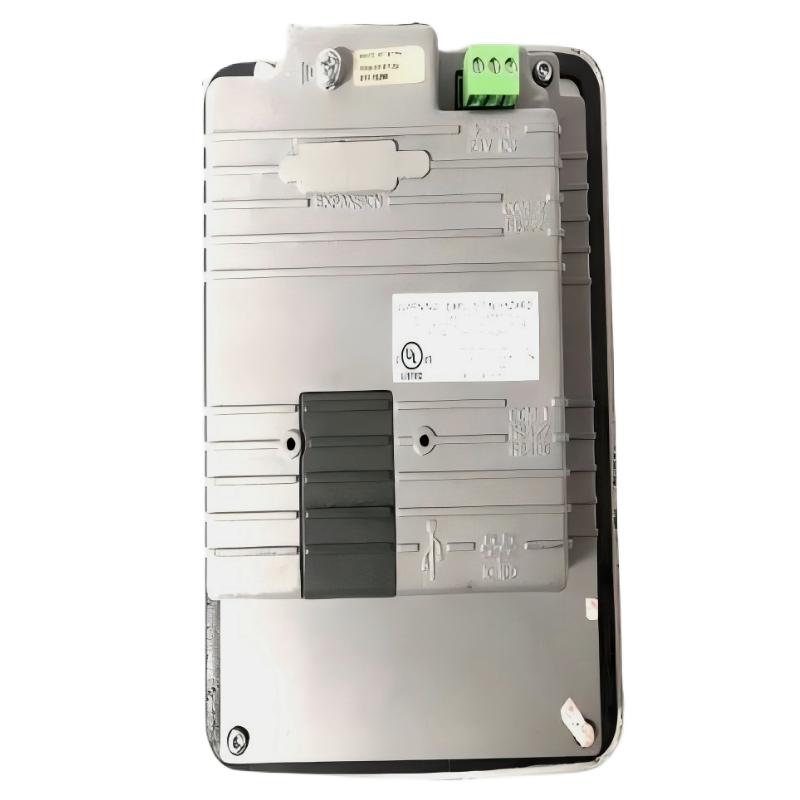
ABB PP825 3BSE042240R1 Troubleshooting and Fault Diagnosis
ABB PP825 3BSE042240R1 operation panel faults should be diagnosed by separating power-supply problems, display or touch failures, communication interruptions, and HMI application errors. A blank screen does not automatically mean the LCD has failed, and missing process values do not necessarily indicate a defective PLC Controller. The most efficient Troubleshooting approach is to identify which functions remain operational, collect evidence, and isolate the fault before replacing hardware or modifying the System Configuration.
ABB PP825 Operation Panel Fault Symptoms and Failure Patterns
The first task in ABB PP825 Fault Diagnosis is to describe the failure precisely. Record whether the panel is completely inactive, displays its startup screen, loads application graphics without live values, or responds to touch inconsistently. Each symptom directs the investigation toward a different part of the system.
- No display: Investigate the DC supply, wiring, connectors, startup behavior, and internal hardware.
- Display active but no process values: Check controller availability, communication configuration, cable integrity, and variable mapping.
- Frozen graphics or intermittent restarts: Examine supply stability, startup messages, environmental conditions, and application or firmware compatibility.
- Touchscreen responds inaccurately: Inspect the screen surface and assess touch response across different areas before considering calibration or hardware repair.
- Alarms or commands behave unexpectedly: Verify the application logic, variable assignments, alarm configuration, access permissions, and controller-side interlocks.
The PP825 is a Panel 800 operator interface, not the PLC Controller itself. A fault displayed on the HMI may originate in the controller, communication path, application project, or field equipment.
ABB PP825 Fault Diagnosis: A Process of Elimination
A useful troubleshooting decision begins with the simplest observable evidence. Avoid changing multiple settings simultaneously because doing so can obscure the original failure and introduce additional problems.
- Establish the fault boundary. Determine whether the failure affects the entire panel, one screen, a group of process variables, or only one operator function.
- Check independent evidence. Compare the HMI display with controller diagnostics, engineering-station values, and available equipment indicators.
- Verify electrical conditions. Measure the supply at the panel terminals using an appropriate meter and compare the result with the device’s specified limits.
- Inspect the physical communication path. Check connectors, cable condition, shielding and grounding arrangements, and the actual interface in use.
- Review configuration evidence. Compare firmware, application version, controller address, protocol parameters, and variable mappings with the last known working configuration.
- Test one corrective action at a time. Document the change and determine whether it restores the affected function without creating new alarms.
This sequence distinguishes an electrical failure from a communication or software issue without relying on an unverified error-code interpretation.
ABB PP825 Display Fault Troubleshooting and Power Checks
If the ABB PP825 screen is blank or repeatedly restarts, investigate the supply path before opening the enclosure or assuming that the display assembly is defective. An unloaded power-supply reading may appear normal even when the voltage drops during startup.
- Inspect the relevant protective device, terminals, connector seating, and cable condition.
- Measure DC voltage at the panel input during startup and, where safe, while the fault is occurring.
- Compare the readings with the exact hardware documentation and supply nameplate.
- Observe whether the display changes when other loads switch, without deliberately creating an unsafe disturbance.
- If the supply is correct and stable, investigate startup status, display hardware, and internal electronics using an approved service procedure.
For example, if the documented nominal supply is 24 V DC, an illustrative measurement of 24.1 V at idle followed by a drop to 19.2 V during startup would justify investigating the supply, terminals, and cable voltage drop. These values are an example of diagnostic reasoning, not published PP825 acceptance limits or measurements from a verified repair.
Do not probe live terminals unless qualified and authorized to do so. Isolate power before touching wiring, and use the specified limits rather than treating the illustrative readings as a universal pass/fail threshold.
ABB PP825 Communication Faults and HMI Application Errors
When the display works but live values disappear, determine whether communication has failed completely or only particular tags are affected. A complete loss suggests investigating the interface, cable, controller availability, and communication parameters. A single incorrect value may instead indicate a tag address, data type, scaling, or application-mapping problem.
Use available controller and engineering-tool diagnostics first. The following pseudo-command sequence is a checklist for an engineer’s investigation, not a native command interpreter supported by the PP825.
CHECK PANEL_MODEL
CHECK PANEL_FIRMWARE
CHECK APPLICATION_VERSION
CHECK CONTROLLER_STATUS
CHECK COMMUNICATION_PORT_AND_CABLE
COMPARE CONFIGURED_ADDRESS_WITH_APPROVED_BACKUP
COMPARE HMI_VALUE_WITH_CONTROLLER_VALUE
RECORD_DIAGNOSTIC_RESULT
Investigate the results in this order:
- Controller unavailable: Confirm controller operating status and the wider automation network before changing HMI settings.
- Communication path unavailable: Verify the correct port, cable specification, connector condition, and documented protocol settings.
- Controller online but values incorrect: Compare the tag definition, variable address, data type, engineering units, and scaling.
- Fault began after a replacement: Compare the replacement hardware revision, firmware, and application compatibility against the original panel.
Do not apply generic ping, serial-terminal, or PLC programming commands directly to the panel unless the relevant interface and documented tool explicitly support them. Unsupported commands can waste diagnostic time or interfere with an otherwise healthy system.
ABB PP825 Repair Strategy and Recovery Verification
Repair should address the confirmed cause rather than the most visible symptom. A damaged cable may imitate an HMI hardware fault, while an incompatible project may produce a functional display with unusable process screens.
- Save the available diagnostics, application backup, firmware details, and fault history before making changes.
- Correct any verified wiring, connector, supply, or grounding issue using the approved maintenance procedure.
- Restore communication parameters or application files from a known-good, compatible configuration where the evidence supports doing so.
- Replace the panel only when testing supports a hardware fault or when the approved maintenance process calls for replacement.
- After recovery, verify live values, alarm behavior, screen navigation, touch response, and authorized operator functions.
- Record the root cause, corrective action, measured values, replacement identifiers, and final test results.
Do not factory-reset the unit or overwrite its project as an initial troubleshooting measure. Either action may remove configuration evidence or make recovery more difficult if no valid backup is available.
ABB PP825 HMI Troubleshooting: Illustrative Field Case
Reported symptom: Following a planned panel replacement, the ABB PP825 powers up and displays the main process screen, but several process values remain unavailable.
Initial observation: The active display suggests that the panel is receiving power and can render at least part of the application. It does not prove that the controller communication is healthy.
Engineering investigation: The engineer checks the controller status independently, inspects the physical communication connection, and compares the replacement panel’s project and communication settings with the approved backup. The supply is also measured under operating conditions to exclude a coincident electrical problem.
Decision point: If the controller is running and the supply is stable, but the HMI reports unavailable values, the investigation should concentrate on the communication path and project compatibility. If only selected values are wrong while others update normally, individual tag mappings and data definitions deserve priority.
Recovery evidence: A successful repair should be demonstrated by restored live-value updates, correct alarm presentation, and verified operation of approved controls. Record actual measurements and the confirmed cause rather than reporting an assumed cable or firmware fault as fact.
This is an illustrative field troubleshooting scenario, not a claim of a documented customer incident or a verified repair outcome.
ABB PP825 Troubleshooting and Fault Diagnosis FAQ
Why does the ABB PP825 3BSE042240R1 operation panel have a blank screen?
Potential causes include loss of DC power, incorrect wiring, a loose connector, a failed display, or an internal startup problem. Measure the supply at the panel and inspect the startup behavior before deciding that the hardware needs replacement.
What causes ABB PP825 communication faults with a PLC Controller?
Possible causes include a damaged or incorrect cable, an unavailable controller, mismatched communication parameters, incorrect addressing, or an incompatible application configuration. Check the physical interface and controller diagnostics before modifying the project.
Why are some process values missing while other HMI values update?
Selective failures can indicate incorrect tag addresses, data types, scaling, controller mappings, or application-specific issues. Compare the affected values with the corresponding controller variables and inspect the individual tag definitions.
Can an unstable 24 V DC supply cause PP825 display problems?
Yes. If the applicable unit is powered from a 24 V DC source, voltage drops, poor connections, or excessive electrical noise may contribute to resets or unstable operation. Confirm the actual supply requirements and measure at the device terminals during the fault.
Should the PP825 be replaced when the touchscreen stops responding?
Not immediately. Check whether the display remains active, whether touch response fails across the entire screen or only certain areas, and whether the problem persists after approved cleaning and diagnostic checks. Hardware replacement should follow evidence of a failed component.
Is firmware mismatch a possible cause of an HMI replacement fault?
Yes. Hardware revisions and firmware releases can have different compatibility requirements. Verify the exact order code, firmware, engineering-tool release, and application support before installing a replacement or transferring a project.
What information should be collected before ABB PP825 repair?
Record the complete part number, firmware and application versions, observed symptoms, supply measurements, communication status, controller diagnostics, recent maintenance changes, and the availability of a known-good project backup.
How can engineers confirm that an ABB PP825 fault has been resolved?
Repeat the original failure test and verify stable startup, correct process values, communication recovery, touch accuracy, alarm handling, and authorized control functions. Document the final measurements and acceptance results.
ABB PP825 Troubleshooting Guide: General Conclusion
Effective troubleshooting of the ABB PP825 3BSE042240R1 operation panel depends on isolating the fault between power, display hardware, communication, and application configuration. Begin with measurable evidence, preserve the original project, and make controlled corrections one at a time. Confirm repairs through functional testing and use the applicable ABB Panel 800 documentation for hardware limits, software compatibility, and approved service procedures.



