
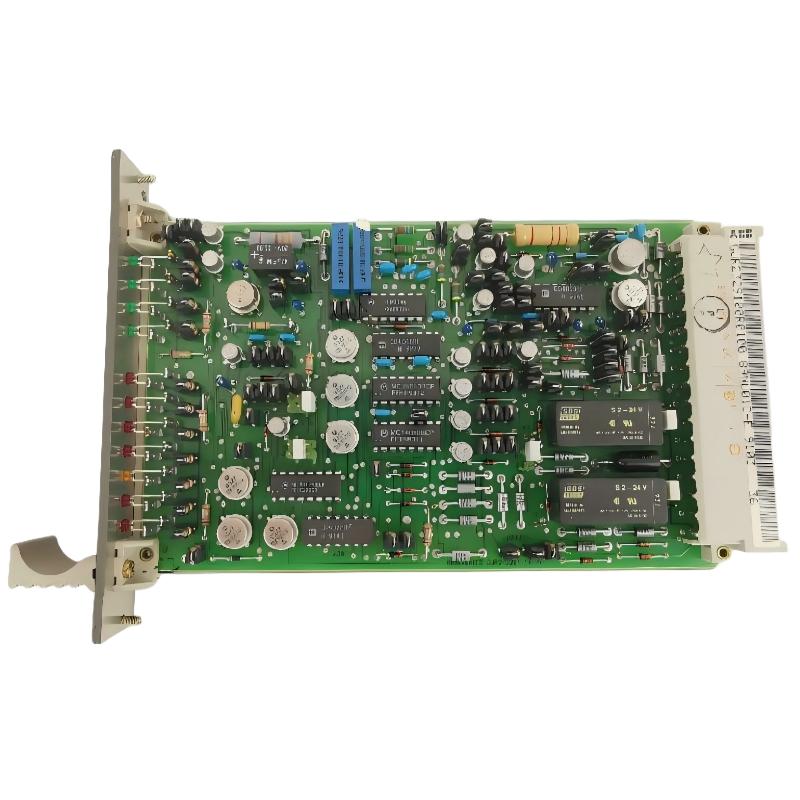
ABB 89NU01D-E Alarm Module Troubleshooting Overview
ABB 89NU01D-E GJR2329100R0100 alarm module troubleshooting should begin by distinguishing a genuine control-power abnormality from a rack connection problem, an incorrect controller configuration, or a defective monitoring circuit. Associated with the ABB Procontrol P13/P14 power plant control system, this module is described in available product information as a system power-supply voltage monitoring module. Accurate fault diagnosis requires comparison of measured supply conditions, module status, and controller alarm information before any component is replaced.
ABB 89NU01D-E Alarm Module Fault Symptoms and Failure Patterns
When a supply-monitoring alarm appears in a Procontrol cabinet, the first task is to establish whether the reported condition is continuous, intermittent, or inconsistent with independent electrical measurements. These patterns lead to different diagnostic paths.
- Persistent supply alarm: One of the monitored supply rails may be outside its permitted range, or the module may not be receiving the expected input.
- Intermittent alarm: Investigate supply fluctuations, connector contact, loose connections, and disturbances associated with other cabinet equipment.
- Alarm after module replacement: Check the part number, hardware revision, slot assignment, and controller configuration before suspecting a defective replacement.
- Controller alarm without an obvious local indication: Compare the controller’s diagnostic information with the module documentation and the measured electrical condition.
- Alarm that remains after a supply repair: Check whether the alarm is latched, whether the reset conditions are satisfied, and whether the controller has updated its status.
These are general diagnostic patterns for supply-monitoring equipment, not a confirmed list of fault codes specific to every 89NU01D-E hardware revision.
ABB 89NU01D-E Fault Diagnosis: Separate Supply Problems from Module Failure
A common troubleshooting mistake is to replace the alarm module as soon as a power-related alarm appears. The indication may originate upstream of the module, at the rack connector, or in the controller’s interpretation of the status signal.
Use the following decision sequence to narrow the fault without changing several variables at once.
- Confirm the reported alarm. Record the complete alarm text, timestamp, affected controller, and any available diagnostic information.
- Check the electrical evidence. Measure the relevant supply rails using the approved test points and compare the readings with the documented operating limits.
- Establish whether the fault is local or common. Determine whether other modules supplied by the same distribution path report related abnormalities.
- Inspect the installation. If permitted by the isolation procedure, inspect the rack connector, seating, and accessible wiring for damage or poor contact.
- Verify the system configuration. Review the intended slot, module identity, and alarm mapping before changing controller parameters.
- Evaluate the module itself. Consider internal failure only after the external supply, connector, compatibility, and configuration checks are complete.
This sequence preserves diagnostic evidence and reduces unnecessary replacement of serviceable industrial control hardware.
ABB 89NU01D-E Troubleshooting with Electrical Measurements
Measurements should be taken at documented test points with suitable instruments and under an approved electrical safety procedure. A single normal voltage reading does not rule out an intermittent dip, excessive ripple, or a connection that fails under operating conditions.
- Supply voltage: Compare the measured value with the approved limits for the exact hardware revision.
- Supply stability: If the fault is intermittent, use an appropriately rated recording instrument to capture voltage changes without exposing personnel to unsafe conditions.
- Distribution comparison: Where the design permits, compare the affected supply with an independently verified reference point on the same distribution system.
- Alarm timing: Correlate alarm timestamps with supply events, equipment starts, maintenance work, or other recorded system changes.
- Controller status: Check whether the reported condition corresponds to the correct rack and module in the application configuration.
Some third-party listings describe a nominal 24 V DC supply range of 18–32 V DC for this product family. These figures should be treated as unverified until confirmed in the correct ABB documentation; they must not replace the specified limits for the actual installed unit.
Fault investigation worksheet — illustrative pseudocode
READ alarm_text
READ alarm_timestamp
READ module_identity
READ controller_slot_mapping
MEASURE documented_supply_test_points
COMPARE readings WITH approved_limits

IF supply_is_outside_limits:
    investigate_upstream_supply_and_distribution
ELSE IF alarm_is_intermittent:
    review_recorded_voltage_and_event_timestamps
ELSE IF module_was_recently_replaced:
    verify_revision_slot_and_configuration
ELSE:
    inspect_documented_diagnostics_and_module_status

RECORD root_cause_evidence
VERIFY recovery using approved test procedure
The commands above are a diagnostic worksheet, not executable ABB Procontrol commands. Actual service software, diagnostic functions, and parameter names depend on the installed system.
ABB 89NU01D-E Alarm Module Repair and Recovery Strategy
Once the likely cause has been identified, the repair should address the failed part of the system rather than suppress the alarm indication. The appropriate corrective action depends on the evidence collected during fault diagnosis.
- Confirmed external supply problem: Repair the upstream power source or distribution connection according to the plant’s approved procedure, then repeat the required measurements.
- Damaged or poorly seated connection: Isolate the equipment and restore the connection using the specified hardware and installation procedure.
- Configuration mismatch: Correct the slot mapping or application configuration only after confirming the intended design and obtaining the required authorization.
- Suspected internal module failure: Preserve the diagnostic records and follow the approved repair, bench-test, or replacement process.
- Alarm remains active after correction: Verify the alarm’s reset conditions and confirm that the underlying fault is genuinely cleared before acknowledging the alarm.
Do not bridge unidentified contacts, bypass supply-monitoring functions, or force controller status bits to make a fault disappear. Such actions can conceal a real power-system problem.
ABB 89NU01D-E Field Investigation: An Illustrative Alarm Case
Consider a hypothetical power plant maintenance scenario in which a Procontrol controller reports a supply-monitoring alarm shortly after a cabinet service operation. The replacement module initially appears to be the obvious suspect, but the engineer does not immediately remove it.
The investigation begins with the event log and the rack drawings. The engineer then checks the approved supply test points and compares the results with the specified limits. If the supply remains stable, attention shifts to connector seating, the documented slot assignment, and the relationship between the installed hardware and the controller configuration.
If measurements reveal a supply deviation, the upstream distribution circuit should be investigated before the monitoring module is condemned. If the electrical readings are normal but the controller still reports a fault, the engineer should examine the alarm path, status interpretation, and any applicable reset conditions.
This scenario illustrates a diagnostic method rather than a verified service record for the ABB 89NU01D-E. No actual plant measurements, confirmed root cause, or repair outcome are claimed.
ABB 89NU01D-E Alarm Module Troubleshooting FAQ
Why does the ABB 89NU01D-E report a power-supply alarm?
Possible causes include an abnormal monitored supply, a distribution connection problem, an incorrectly installed module, or a configuration issue. Confirm the actual supply readings and controller diagnostics before replacing hardware.
How can I determine whether the alarm module itself is defective?
Verify the external supply conditions, rack connection, module compatibility, and controller mapping first. A module fault becomes more plausible when these checks pass and the documented diagnostics still indicate abnormal operation.
What should I check if the alarm appears intermittently?
Review event timestamps and capture the relevant supply voltage over time with an appropriately rated instrument. Check for repeatable correlations with equipment operation, supply disturbances, or cabinet maintenance.
Can an incorrect rack slot cause a troubleshooting problem?
Yes. If the application expects a module in a particular position, an incorrect slot or incompatible hardware revision may cause missing, unexpected, or incorrectly interpreted status information. Verify the approved rack configuration.
Why does the alarm remain after the supply has been repaired?
The alarm may require a documented reset or acknowledgement, or the original fault may not have been fully corrected. Confirm the measured supply condition and the specific alarm-reset requirements before taking further action.
Which diagnostic data should be saved before replacing the module?
Record the full module designation, hardware revision, rack position, alarm text, timestamps, relevant voltage measurements, controller diagnostics, and recent maintenance changes. These records help distinguish a hardware failure from an external or configuration-related issue.
Is it safe to remove the ABB 89NU01D-E while the control system is operating?
Do not assume that the module supports hot swapping. Follow the exact hardware documentation, plant operating restrictions, and approved isolation procedure before removing or inserting the module.
How should a suspected failed ABB 89NU01D-E be repaired?
Follow the manufacturer’s approved service process. If field-level inspection cannot establish the cause, arrange qualified bench testing or a verified replacement and complete the required system-level functional checks before returning the equipment to service.
Final Engineering Assessment: ABB 89NU01D-E Fault Diagnosis
Effective ABB 89NU01D-E Troubleshooting depends on evidence-based fault isolation. Confirm the actual supply condition, inspect the rack connection, verify the System Configuration, and correlate module status with controller diagnostics before declaring the hardware defective. After corrective action, repeat the documented functional checks and preserve the results for future maintenance.



