100% Original, Ready to Ship!

ABB 89NU04A Coupled Module Troubleshooting Guide
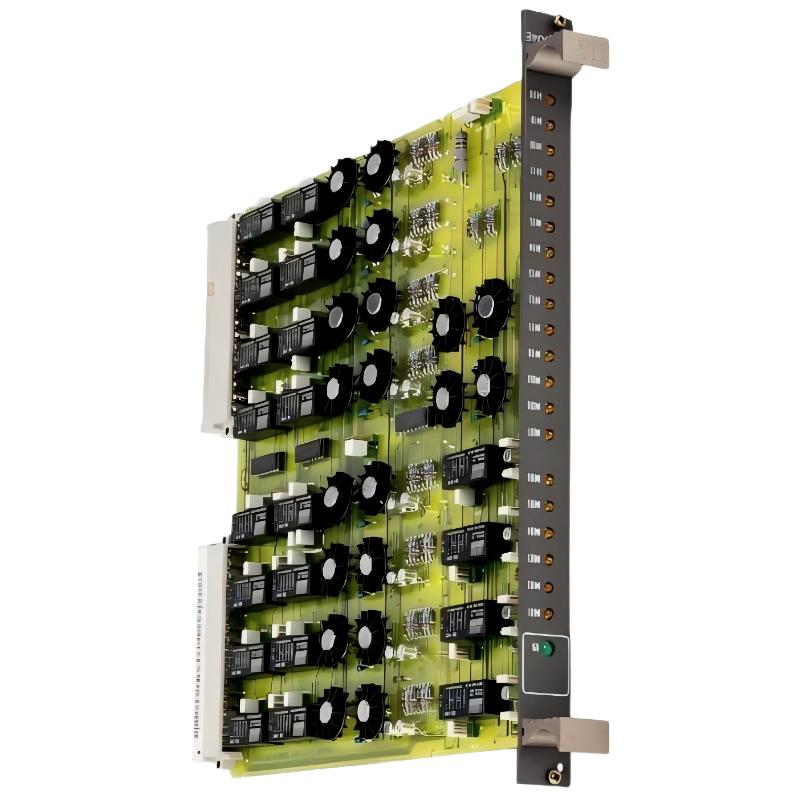
ABB 89NU04A Coupled Module Troubleshooting for PROCONTROL P14 Systems
ABB 89NU04A coupled module faults should be investigated by checking the module’s connection to the PROCONTROL system, cabinet wiring, hardware compatibility, and available system diagnostics before replacing the circuit board. The GKWE853000R0200 part number is associated with the 89NU04A-E coupling module used in ABB PROCONTROL P14 applications, including remote-bus cabinet connections. Accurate Fault Diagnosis depends on identifying the exact variant and understanding how the module is integrated into the installed control architecture.
ABB 89NU04A Module Fault Symptoms and Initial Observations
When a coupled module does not perform as expected, the first task is to establish what has actually failed. A communication interruption affecting one cabinet may have a different cause from a fault that appears immediately after module replacement.
- Unexpected loss of communication between connected control-system sections.
- Hardware status or diagnostic indications that differ from the established baseline.
- Intermittent system alarms following cabinet maintenance.
- Failure to restore normal operation after a module exchange.
- Repeated communication errors associated with a particular connection or system segment.
These symptoms are general diagnostic possibilities, not a verified list of model-specific ABB 89NU04A fault codes. Record the actual alarm text, affected system section, event timestamps, and any recent maintenance activity before changing the hardware.
ABB GKWE853000R0200 Fault Diagnosis: Trace the Failure Path
A useful Troubleshooting method separates the problem into physical connection, module identity, system configuration, and functional communication. Changing several variables at once makes it difficult to identify the original cause.
- Establish the scope. Determine whether the problem affects one module, one cabinet, or several connected system sections.
- Review recent changes. Check whether the fault began after a module replacement, wiring modification, shutdown, or configuration change.
- Inspect the physical interface. With the equipment safely isolated where required, examine connectors, seating, cable condition, and visible damage.
- Verify the installed variant. Compare the module label and ordering code with the approved bill of materials and the system drawings.
- Review system diagnostics. Use the host system’s supported diagnostic facilities to identify communication or hardware-status abnormalities.
Field experience with legacy control systems shows why the first alarm should not automatically be treated as the root cause. A communication alarm may be the consequence of an upstream connection problem, a configuration mismatch, or a fault elsewhere in the communication path.
ABB 89NU04A Coupled Module Communication Faults and Common Causes
The following checks help narrow down potential causes without assuming an undocumented internal failure mechanism.
- Connection problems: Loose, damaged, incorrectly routed, or poorly seated connections can interrupt the expected interface.
- Variant mismatch: An 89NU04A, 89NU04A-E, or 89NU04B-E replacement should be accepted only after its compatibility with the target configuration has been confirmed.
- Power-related issues: Check the relevant supply measurements against the applicable system documentation and investigate abnormal readings before reconnecting the equipment.
- Configuration inconsistencies: Compare the installed hardware and documented system arrangement with the approved configuration.
- Environmental or physical damage: Inspect for contamination, corrosion, overheating, damaged contacts, and mechanical stress.
- Upstream or downstream faults: If the module appears normal but communication remains unavailable, investigate the connected equipment and communication path rather than focusing exclusively on the module.
ABB 89NU04A Troubleshooting Logic for PROCONTROL P14
The diagnostic sequence below is a practical workflow for organizing observations. It is not an ABB command set, and the terms shown are descriptive placeholders rather than executable controller instructions.
BEGIN DIAGNOSTIC
  Record active alarms and event timestamps
  Identify affected cabinet and system section
  Verify module part number and revision
  Inspect documented connections and supply conditions
  Review available host-system diagnostics

  IF physical connection fault is confirmed:
      Correct the connection using approved procedures
      Repeat the prescribed functional checks

  ELSE IF hardware compatibility is uncertain:
      Confirm the permitted module variant
      Do not substitute an unverified replacement

  ELSE:
      Investigate the remaining communication path
      Escalate unresolved hardware faults for testing
END DIAGNOSTIC
Do not enter these descriptive labels into a PLC or DCS programming terminal. Actual diagnostic commands, test points, and acceptance limits must come from the relevant ABB manuals and the installed system documentation.
ABB 89NU04A Coupled Module Troubleshooting Case Review
Consider a representative maintenance scenario: a PROCONTROL P14 cabinet reports a communication problem after a scheduled module replacement. The initial assumption is that the replacement module is defective, but the engineer first compares the replacement label with the original maintenance record and checks the installation drawings.
The investigation then proceeds through connector seating, cable routing, documented supply conditions, and host-system diagnostic records. If the connection is correct but the system still reports a fault, the engineer checks the permitted hardware variant and examines whether the problem also affects related equipment.
This approach prevents unnecessary component swaps and preserves evidence for a more conclusive diagnosis. The scenario is illustrative rather than a verified ABB 89NU04A service report; no unsupported voltage readings, communication rates, or repair results are presented as measured field data.
ABB 89NU04A Coupled Module Repair and Recovery Checks
Repair should address the confirmed cause rather than simply clear the alarm. If a connection problem is identified, correct it according to the wiring documentation. If the module is damaged or incompatible, obtain an approved replacement and verify its complete ordering code before installation.
For suspected internal electronic failure, use an authorized repair process or qualified industrial electronics service. Avoid component-level rework without the correct circuit information, test procedures, and appropriate equipment.
- Preserve the original alarm history and diagnostic evidence.
- Document the fault, confirmed cause, corrective action, and replacement details.
- Verify the restored connections and applicable electrical conditions.
- Perform the prescribed functional checks before returning the equipment to service.
- Confirm that associated system sections operate as expected and that no new alarms appear.
Where the coupled module supports a critical control function, recovery must follow the plant’s approved shutdown, testing, and return-to-service procedures. Never bypass an interlock or protective function merely to confirm that communication has returned.
ABB 89NU04A Coupled Module Troubleshooting FAQ
Why might an ABB 89NU04A module fail to communicate with the control system?
Potential causes include connection problems, incompatible hardware variants, supply abnormalities, configuration inconsistencies, or faults elsewhere in the communication path. Review actual system diagnostics before deciding that the module itself has failed.
Can an ABB 89NU04A-E replace an 89NU04A or 89NU04B-E?
Do not assume that these variants are interchangeable. Confirm the permitted replacement using the applicable ABB documentation, hardware revision, and system configuration.
What measurements are useful during ABB 89NU04A Fault Diagnosis?
Measure only documented electrical test points using the specified instruments and safety procedures. Record relevant supply readings and compare them with the correct technical limits. Do not apply generic voltage values to an unverified terminal.
Should the coupled module be replaced whenever a communication alarm occurs?
No. Check the connection, module identity, configuration, and surrounding communication path first. Replacement is justified when the investigation identifies a hardware fault or another documented reason to exchange the module.
How can recurring ABB 89NU04A faults be reduced?
Maintain accurate wiring records, verify spare-part compatibility, inspect connections during scheduled maintenance, and preserve alarm histories. Consistent commissioning and documented troubleshooting make recurring problems easier to identify.
Conclusion: ABB 89NU04A Coupled Module Fault Diagnosis
Effective ABB 89NU04A Troubleshooting begins with evidence-based fault isolation, not immediate module replacement. For the GKWE853000R0200 coupling module in a PROCONTROL P14 environment, prioritize connection integrity, hardware compatibility, documented electrical conditions, and host-system diagnostics. Confirm the exact variant and follow the applicable ABB technical documentation before performing repairs or returning the control system to operation. A structured Fault Diagnosis process improves maintenance traceability and helps reduce unnecessary downtime without relying on unverified product specifications.
 ABB SS110 3BSE007698R1 Voting Unit Troubleshooting Guide
 ABB DX522 1SAP245200R0001 Digital I/O Module Troubleshooting Guide
 ABB SD823 3BSC610039R1 Power Supply Troubleshooting Guide
 ABB DI685 3BDS005833R1 Digital Input Module Troubleshooting Guide