100% Original, Ready to Ship!

ABB PP846 3BSE042238R1 Operation Panel Troubleshooting Guide
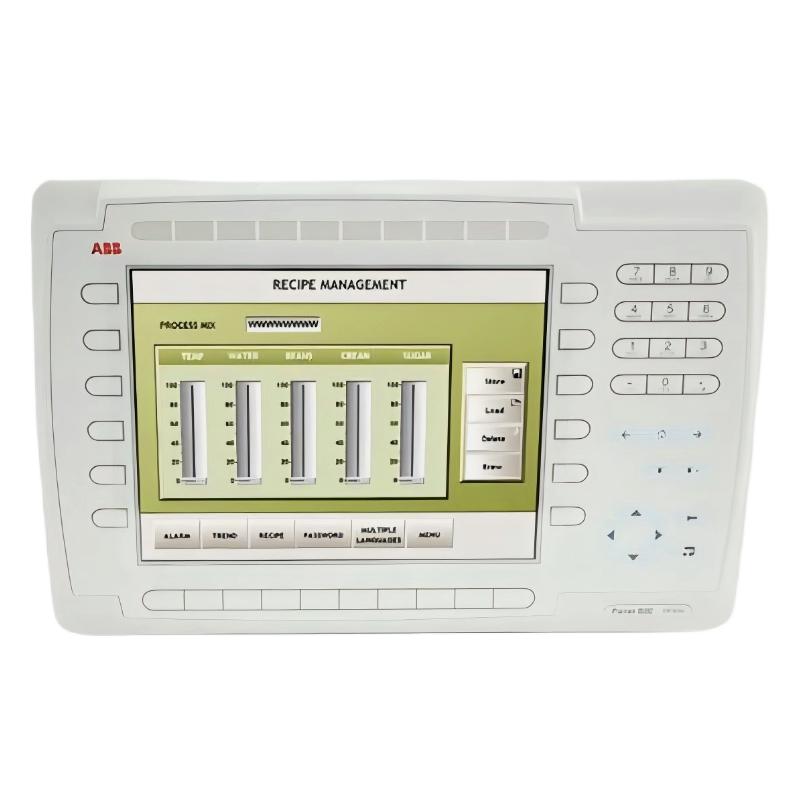
ABB PP846 3BSE042238R1 Troubleshooting: Start with the Actual Symptom
ABB PP846 3BSE042238R1 Operation Panel faults should be diagnosed by separating power, display, application, and controller communication problems before replacing the HMI. A blank screen, frozen process value, failed function key, or missing alarm can have different root causes even when all symptoms appear at the operator station. Effective ABB PP846 Troubleshooting therefore begins with observable evidence, verified measurements, and a comparison between panel behavior and controller status.
ABB PP846 Fault Diagnosis: Identify the Failure Pattern
Record what the operator sees and when the fault occurs. The relationship between the symptom and the process event often provides more diagnostic value than the symptom alone.
- Panel remains blank: Investigate the supply, startup state, display backlight, and internal hardware diagnostics.
- Panel restarts intermittently: Check voltage dips, terminal connections, electrical disturbances, and startup or watchdog indications.
- Screen operates but values stop updating: Examine the communication channel, controller availability, tag configuration, and stale-data handling.
- Some values are incorrect: Compare tag addresses, data types, scaling, engineering units, and controller source values.
- Function keys fail intermittently: Inspect key assignments, application behavior, physical key response, and possible membrane-switch wear.
- Alarms are missing: Verify alarm conditions, trigger definitions, controller status, filtering, and acknowledgement behavior.
Do not treat every frozen screen as a failed display. The LCD can remain fully operational while the HMI application receives no new controller data.
ABB PP846 Display Faults: Electrical and Hardware Investigation
When the display is blank or the operator panel repeatedly restarts, start with the electrical supply. Measure at the panel’s own power terminals because voltage measured at the distribution supply may not reveal a loose terminal or excessive cable drop.
- Confirm the panel model and its specified supply range from the hardware manual.
- Measure the DC voltage before startup, during startup, and while the fault is present.
- Inspect connectors and terminals for looseness, oxidation, discoloration, or heat damage.
- Check whether other equipment on the same supply experiences simultaneous disturbances.
- Review any available status indicators or startup diagnostics before considering hardware repair.
For example, a panel intended for 20–30 V DC that measures 24.0 V at rest but falls below its documented minimum during startup may be affected by a supply or wiring problem. These are illustrative values; the actual failure threshold and measurement must be established for the specific unit.
ABB PP846 Communication Troubleshooting: Trace Data from Controller to Screen
When the ABB PP846 screen remains responsive but process values become stale, trace the data path from the controller to the HMI. The purpose is to identify where the expected update stops, not to change several communication settings at once.
- Confirm that the controller is running and the source variable is changing.
- Inspect Ethernet link status or the applicable serial interface.
- Compare communication parameters with the approved System Configuration.
- Check IP address conflicts, subnet settings, serial wiring, and connector condition as applicable.
- Review controller diagnostics and available HMI communication error messages.
- Verify that the affected tag is mapped to the correct controller address and data type.
For Ethernet installations, a link indication confirms only a physical connection; it does not prove that the application protocol or tag mapping is correct. For serial installations, check the selected interface and wiring arrangement against the applicable manual rather than assuming that every connector uses the same pin assignment.
ABB PP846 Fault Diagnosis Using a Structured Diagnostic Log
A structured log helps distinguish a repeatable fault from an intermittent symptom. The following pseudocode is an illustrative troubleshooting checklist, not a native command interface supported by the PP846.
IF panel_power_is_outside_documented_range:
    inspect_supply_and_terminal_wiring
ELSE IF panel_does_not_complete_startup:
    review_startup_diagnostics_and_hardware_status
ELSE IF controller_source_value_is_not_changing:
    investigate_controller_or_process_data_source
ELSE IF controller_value_changes_but_HMI_value_is_stale:
    inspect_communication_and_tag_configuration
ELSE IF only_one_key_or_screen_function_fails:
    inspect_key_assignment_and_application_logic
RECORD measurements, timestamps, and corrective actions
Record the exact timestamp, operating condition, displayed value, reference value, diagnostic message, and any changes made during the test. Preserve the original configuration before attempting a recovery operation.
ABB PP846 Operation Panel Repair: A Practical Case Analysis
Illustrative field case: Operators report that the PP846 continues displaying the main process screen, but one temperature value appears frozen after a controller maintenance activity. The rest of the display remains responsive, and other process values continue updating.
The first diagnostic question is whether the source temperature variable is changing in the controller. If the controller value is also static, investigate the sensor input, controller logic, or upstream data source. If the controller value changes but the PP846 value remains fixed, inspect the affected tag address, data type, communication status, and project revision.
Suppose the controller engineering station displays 68.4 while the operator panel continues showing 61.2. These example readings demonstrate the comparison method and are not measurements from a verified service case. The next action is to confirm that both displays refer to the same variable and update interval before concluding that the HMI has a communication or application fault.
This approach avoids unnecessary panel replacement when the actual cause is a tag mapping error or controller-side change.
ABB PP846 Troubleshooting for Function-Key and Alarm Problems
The PP846 is a function-key panel, so incorrect key behavior should be investigated separately from touch-screen faults associated with other HMI models. Determine whether the key physically responds, whether the application recognizes the input, and whether the configured function is permitted in the current operating state.
- Compare the failed key with another key assigned to a known, safe test function.
- Review the HMI project’s function-key mapping and active-screen behavior.
- Check user permissions and any interlocks that intentionally block an operation.
- For missing alarms, confirm the trigger condition, alarm configuration, communication status, and acknowledgement rules.
- If a physical key remains unresponsive across compatible test screens, inspect the keypad and arrange qualified hardware service as required.
Never bypass an interlock or change a live control command simply to determine whether a key works. Use a simulation, approved maintenance mode, or controlled test procedure.
ABB PP846 Recovery and Replacement Decision
Recovery should be proportional to the evidence collected. A communication issue may require correcting a cable, network parameter, or project mapping; a power issue may require repairing the supply path. Internal hardware repair should be considered only after external causes have been checked.
- Save available diagnostic records and back up the current approved HMI project.
- Correct the identified wiring, power, configuration, or communication problem.
- Restart the panel only when the operating procedure permits it and the consequences are understood.
- Recheck the original symptom and verify all affected process values and alarms.
- Document any firmware, project, or hardware changes and obtain operational approval before returning to service.
A factory reset or project deletion is not a first-line troubleshooting action. Such operations may remove the application required for plant operation. Use them only when specifically justified by the applicable ABB instructions and a verified recovery plan.
ABB PP846 Troubleshooting FAQ
Why is the ABB PP846 screen blank even though the control system is running?
The HMI has its own power and startup requirements. Check the supply at the panel terminals, connectors, startup diagnostics, and display hardware. The controller running normally does not establish that the operator panel is receiving correct power.
What causes ABB PP846 communication faults?
Potential causes include incorrect network or serial parameters, wiring defects, a failed communication interface, controller unavailability, incompatible project configuration, or incorrect tag mapping. Identify which part of the data path is failing before changing settings.
Should the PP846 be replaced if only one process value is incorrect?
Not immediately. Compare the controller source value with the HMI value, then verify the tag address, data type, scaling, and project revision. A single incorrect value often points to a configuration or data-source issue rather than a complete panel failure.
Can the ABB PP846 be reset to fix an application problem?
A reset may be appropriate in a documented recovery procedure, but it can also remove settings or application data. Back up the approved project and confirm the exact reset procedure before proceeding.
When is professional ABB PP846 hardware repair necessary?
Qualified service is appropriate when the panel shows persistent hardware-related symptoms after the supply, external wiring, configuration, and communication path have been verified. Internal repair must follow the manufacturer’s safety and service requirements.
ABB PP846 Troubleshooting Summary: Confirm the Root Cause Before Repair
Reliable ABB PP846 3BSE042238R1 Fault Diagnosis depends on separating electrical, display, application, and communication failures. Use measurements and controller-side comparisons to identify the failing part of the system, preserve configuration backups, and validate recovery under controlled conditions. This evidence-based process reduces unnecessary replacements and helps maintain dependable operation of the wider PLC or DCS installation.
 ABB SS110 3BSE007698R1 Voting Unit Troubleshooting Guide
 ABB DX522 1SAP245200R0001 Digital I/O Module Troubleshooting Guide
 ABB SD823 3BSC610039R1 Power Supply Troubleshooting Guide
 ABB DI685 3BDS005833R1 Digital Input Module Troubleshooting Guide