100% Original, Ready to Ship!

ABB SB522 3BSC760009R1 Battery Pack Troubleshooting Guide For Backup Power Faults
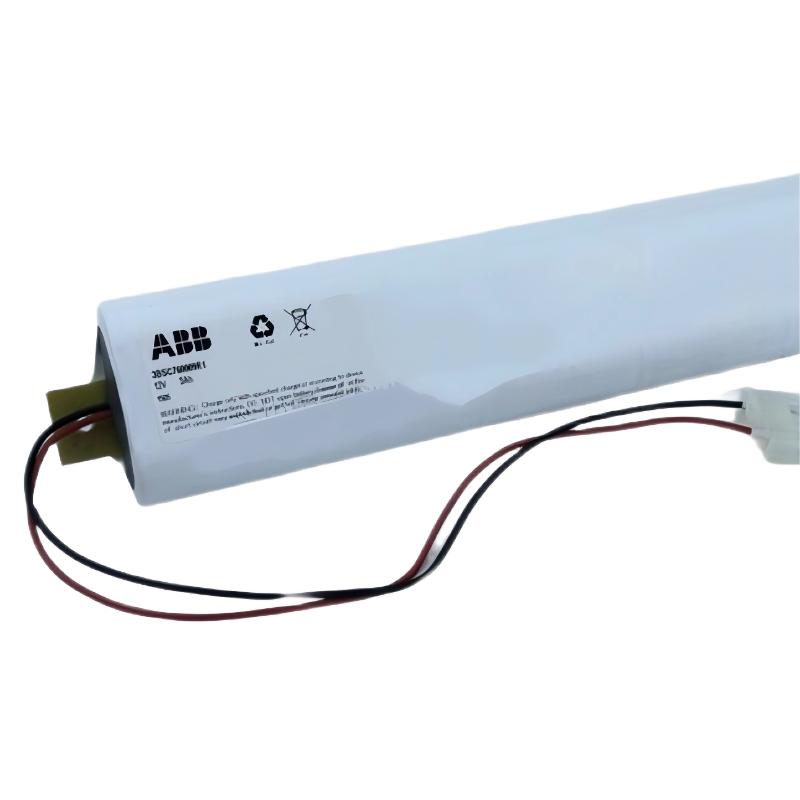
ABB SB522 3BSC760009R1 Battery Pack Troubleshooting Guide
ABB SB522 3BSC760009R1 Battery Pack faults should be investigated by separating battery deterioration from charger problems, loose connections, and controller diagnostic issues. In compatible ABB Advant systems, a battery backup alarm does not automatically prove that the battery itself has failed. Effective Troubleshooting starts with charger status, connection inspection, maintenance history, and verification of the actual System Configuration.
ABB SB522 Fault Diagnosis Contents
- Recognizing Battery Pack Fault Symptoms
- Fault Diagnosis and Root Cause Isolation
- Diagnostic Checks and Command Logic
- Battery Pack Repair and Recovery
- Field Investigation Example
- ABB SB522 Troubleshooting FAQ
- General Fault Summary
ABB SB522 Battery Pack Fault Symptoms
Common signs of a battery backup problem include a persistent battery alarm, a charger fault indication, an unexpected change in battery status, or a loss of memory retention after a power interruption. The exact indicators depend on the installed charger and controller revision.
- Battery fault alarm: The charger or controller detects an abnormal battery condition.
- Battery not recognized: A loose connector, open circuit, incorrect installation, or failed battery may prevent proper detection.
- Repeated alarm after replacement: The charger, wiring, compatibility, or diagnostic reset procedure may require further investigation.
- Insufficient backup performance: The battery may have reduced usable capacity even when its initial terminal voltage appears reasonable.
On documented SB511 charger configurations, historical ABB training material identifies the battery-fault indication as potentially associated with a discharged or disconnected battery, a short circuit, an interrupted battery circuit, or a cold battery at startup. Always confirm indicator meanings in the manual for the installed equipment.
ABB SB522 Battery Fault Diagnosis: Separate the Battery from the Charger
Replacing the battery immediately can waste maintenance time if the original fault is caused by the charging circuit or a poor connection. A structured Fault Diagnosis process compares the observed symptoms with the conditions under which the alarm occurs.
When the fault appears immediately after startup
Check connector seating, battery temperature, and whether the charger is in its documented startup or charging state. A transient indication may have a different meaning from a persistent alarm.
When the alarm remains after battery replacement
Confirm the replacement part number and battery chemistry. Then inspect the connection and charger status. If the battery and connections are correct, investigate the charger and its diagnostic circuit rather than repeatedly changing batteries.
When memory retention is lost after a power failure
Review the battery’s maintenance history, the length of the interruption, the condition of the charging system, and the controller’s backup requirements. A normal unloaded voltage reading alone cannot establish the battery’s remaining capacity.
ABB SB522 Troubleshooting: Diagnostic Checks and Command Logic
The following checklist is a maintenance logic aid, not an ABB service command or a substitute for the manufacturer’s diagnostic software.
CHECK part_number
CHECK charger_compatibility
CHECK connector_and_cable
READ charger_indicators
READ controller_battery_diagnostics

IF battery_fault_persists:
    VERIFY battery_condition
    VERIFY charging_circuit
    CHECK applicable_manual

AFTER corrective_action:
    RECHECK charger_status
    RECHECK controller_alarms
    RECORD measured_results
Use an appropriate meter and the manufacturer’s specified test points when electrical measurements are required. For a nominal 12 V battery configuration, compare the measured voltage with the correct battery specification and test conditions. Do not apply a generic voltage threshold to every battery chemistry or charger revision.
- Inspect the connector for looseness, oxidation, or physical damage.
- Check the battery cable for broken conductors and damaged insulation.
- Verify that the charger has its required supply and shows the expected operating status.
- Compare measured readings with the applicable ABB manual, including the prescribed battery test method.
- Do not bypass internal fuses or apply an external charging source unless explicitly authorized by the manufacturer’s procedure.
ABB SB522 Battery Pack Repair and Recovery Procedure
The SB522 is a battery unit, so field repair should focus on diagnosis, safe replacement, and verification rather than opening the pack or attempting component-level battery repairs.
- Document the active alarm and the operating conditions when it occurred.
- Check the part number, charger compatibility, connector condition, and installation history.
- Test the battery only by the approved method and compare the results with the relevant specification.
- Replace the battery with an approved compatible unit if it fails the prescribed checks.
- If the fault remains, inspect the charging circuit and associated controller diagnostics.
- After corrective action, verify charging status, clear alarms only through the authorized procedure, and document the outcome.
Do not open a sealed battery assembly, bridge a fuse, short the terminals, or use an unapproved charger. If the battery shows leakage, swelling, overheating, or damaged wiring, stop work and follow the site’s battery-handling procedure.
ABB SB522 Battery Fault: Field Investigation Example
Illustrative case: A battery alarm remains active after a maintenance team installs a replacement SB522 unit. The first assumption is that the replacement battery is defective, but the engineer checks the evidence before ordering another part.
The inspection confirms that the battery connector is not fully seated. Under the approved isolation procedure, the connection is corrected and the charger is returned to service. The engineer then monitors the charger indicators and controller diagnostics according to the applicable manual.
If the alarm clears after the documented charging and diagnostic sequence, the connection is a likely cause. If it remains, the next checks should include battery compatibility, battery condition, and charger operation. This example illustrates a diagnostic method; it is not a claim about a verified customer repair or a measured result from a specific site.
ABB SB522 3BSC760009R1 Troubleshooting FAQ
Why does the ABB SB522 battery alarm remain active after replacement?
Possible causes include a loose connector, incompatible battery, charging-circuit fault, or an alarm that requires the documented diagnostic sequence. Verify each condition before replacing additional components.
Does a normal battery voltage prove that the SB522 is healthy?
No. An unloaded voltage reading does not confirm usable capacity or backup runtime. Use the manufacturer’s specified test method and assess the charging system as well.
Can an ABB SB522 Battery Pack be repaired internally?
Do not open or modify the battery pack as a routine field repair. Follow the manufacturer’s maintenance instructions and replace a failed unit with an approved compatible part.
What should be checked if the charger reports a battery fault?
Check the exact charger model, indicator definitions, connector condition, battery compatibility, and measured results. Consult the relevant charger manual before concluding that the battery has failed.
General Fault Summary for ABB SB522 Battery Pack
Reliable ABB SB522 3BSC760009R1 Troubleshooting depends on distinguishing battery failure from charger, wiring, and diagnostic problems. Start with observable evidence, use model-specific electrical limits, and verify the system after each corrective action. A documented Fault Diagnosis process reduces unnecessary replacements and helps protect controller memory retention during power interruptions.
 ABB SS110 3BSE007698R1 Voting Unit Troubleshooting Guide
 ABB DX522 1SAP245200R0001 Digital I/O Module Troubleshooting Guide
 ABB SD823 3BSC610039R1 Power Supply Troubleshooting Guide
 ABB DI685 3BDS005833R1 Digital Input Module Troubleshooting Guide