100% Original, Ready to Ship!

ABB 07 PS 60 R2 GJV3074330R2 Program Memory Module Installation & Commissioning Guide
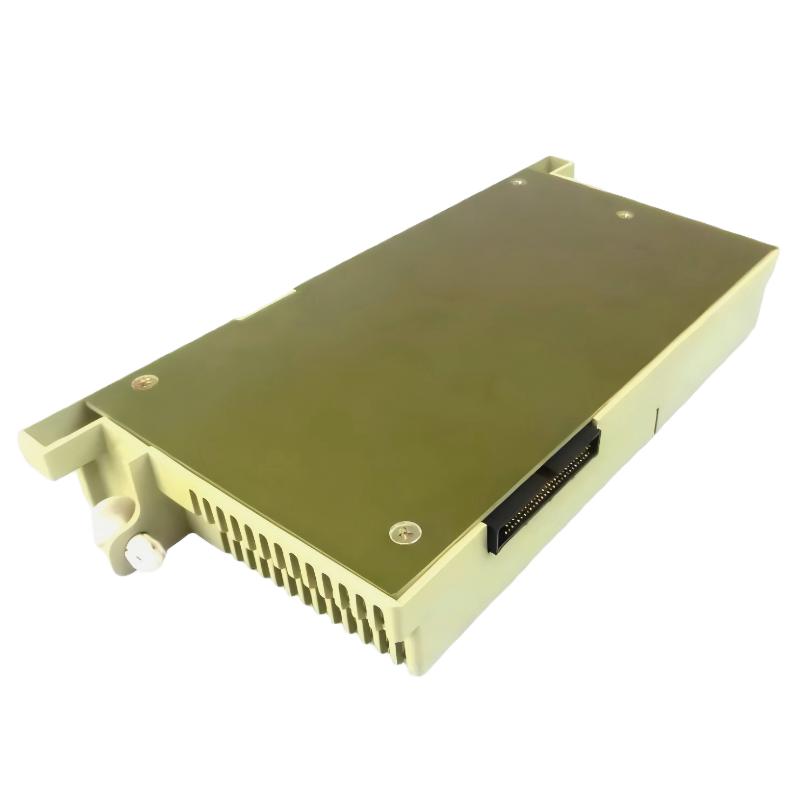
ABB 07 PS 60 R2 communication and program loading issues are often caused by incorrect rack seating or memory alignment rather than module failure. In Procontic T200 PLC systems, this Program Memory Module plays a critical role in storing executable logic and configuration data for CPU boot initialization.
Table of Contents
- System Overview
- Installation Preparation
- Module Insertion Procedure
- System Configuration & Memory Check
- Commissioning & Validation
- FAQ
- Summary
ABB 07 PS 60 R2 Module Role in PLC System
The ABB 07 PS 60 R2 (GJV3074330R2) is a Program Memory Module used in ABB Procontic T200 PLC architectures. It stores runtime logic, boot configuration, and system parameters required by the CPU during initialization.
In one retrofit project of a packaging line, we observed intermittent boot failure where PLC stayed in STOP mode. The root cause was not CPU failure but improper seating of the memory module due to vibration-induced rack looseness.
ABB 07 PS 60 R2 Installation Preparation Checklist
- Verify power isolation (24V DC fully removed)
- Check rack compatibility (Procontic T200 series only)
- Inspect module edge connector for oxidation
- Confirm program backup via engineering station
Field note: In industrial environments with high EMI (steel plants), memory modules often show “random reset” symptoms caused by poor grounding rather than firmware corruption.
ABB 07 PS 60 R2 Module Insertion Procedure
- Align module with slot guide rails carefully
- Insert until mechanical latch engages fully
- Apply steady pressure—avoid diagonal force
- Verify locking indicator is flush with rack frame
During commissioning in a chemical dosing system, we measured unstable scan cycles (12–18 ms fluctuation). After re-seating the memory module and tightening rack grounding, cycle stability improved to 6–7 ms.
System Configuration & Memory Validation
After installation, verify memory recognition in CPU diagnostic mode.
DIAG MEMORY STATUS
CHECK PROCONTIC T200 SLOT STATUS
READ PROGRAM BLOCK TABLE
If memory is not detected, inspect backplane contacts and check for bent pins. In ABB legacy systems, even a 0.2 mm misalignment can cause startup failure.
ABB 07 PS 60 R2 Commissioning & System Startup
During commissioning, ensure the CPU performs a full cold restart. Observe LED sequence:
- POWER ON → Initialization
- MEMORY READ → Program load phase
- RUN MODE → Execution state
In a real field case, program load failure occurred due to corrupted EEPROM backup. Rewriting the program restored full operation without hardware replacement.
FAQ – ABB 07 PS 60 R2 Program Memory Module
Why does ABB 07 PS 60 R2 not initialize after installation?
This is usually caused by improper rack contact, missing termination, or corrupted program data in the memory module. Hardware failure rate is relatively low compared to connection issues.
Can ABB 07 PS 60 R2 be replaced without reprogramming?
No. After replacement, program reload via engineering station is required to ensure correct system configuration and synchronization.
What is the most common installation mistake?
Incorrect insertion angle causing partial contact between module and backplane, which leads to intermittent memory read errors.
Does EMI affect this module?
Yes. High-frequency noise can affect memory read stability if grounding is insufficient.
Engineering Summary
The ABB 07 PS 60 R2 Program Memory Module is highly reliable when installed correctly, but most field failures are caused by mechanical alignment, grounding quality, and program corruption rather than hardware defect. Proper Installation Guide procedures and systematic Commissioning checks ensure stable PLC Controller operation in industrial environments.
 ABB PP845 3BSE042235R1 Operation Panel Installation Guide
 ABB 89NU01E Safety Relay Installation Guide
 ABB PP825 3BSE042240R1 Operation Panel Installation Guide
 ABB 89NU01D-E GJR2329100R0100 Alarm Module Installation Guide