
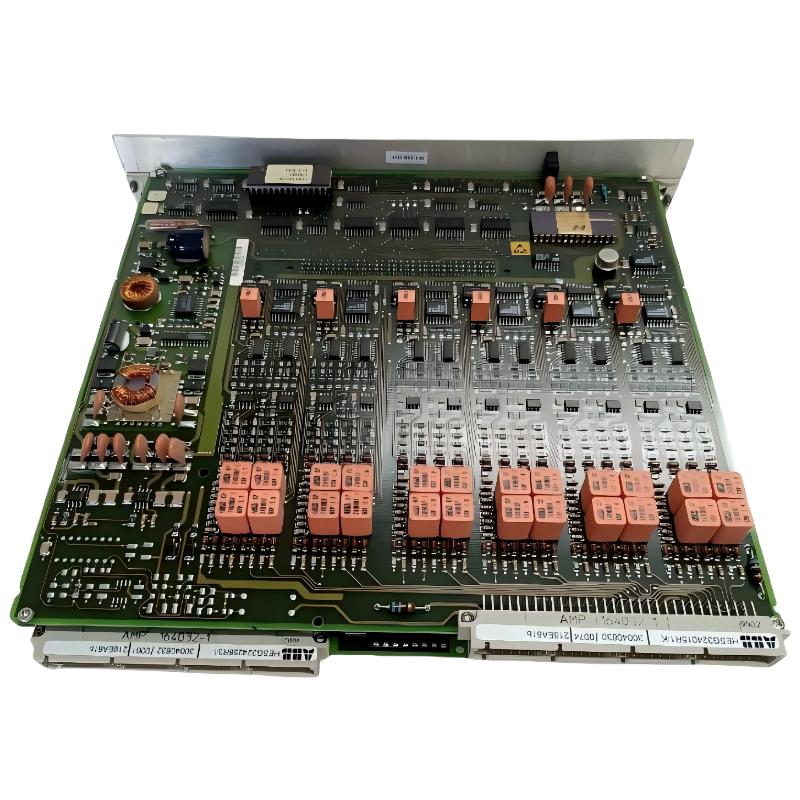
ABB 216EA61b HESG324015R1 Input Module faults are commonly related to signal quality, communication interruption, grounding problems, or configuration errors. In real industrial troubleshooting, engineers should perform Fault Diagnosis based on measurement evidence instead of replacing the PLC Module immediately.
This Troubleshooting Guide explains practical methods for ABB 216EA61b fault investigation, signal analysis, and recovery procedures.
ABB 216EA61b Fault Troubleshooting Guide Contents
- ABB 216EA61b Fault Symptoms
- Fault Thinking Process and Root Cause Analysis
- ABB 216EA61b Fault Diagnosis Methods
- Module Repair and Recovery Actions
- Field Failure Investigation Example
- FAQ
ABB 216EA61b HESG324015R1 Input Module Fault Symptoms
Typical ABB 216EA61b troubleshooting cases may include:
- Incorrect analogue measurement values.
- Loss of communication with control system.
- Unexpected channel alarm.
- Input value jumping or unstable.
- Module diagnostic alarm indication.
ABB 216EA61b Input Module Fault Thinking Process
Experienced engineers normally separate the problem into three areas:
- Field device problem.
- Signal transmission problem.
- ABB Input Module hardware or configuration problem.
This method prevents unnecessary replacement of expensive automation components.
ABB 216EA61b Fault Diagnosis and Signal Testing
The first step is collecting real measurement data.
Diagnostic Procedure:

Step 1:
Measure field transmitter output

Step 2:
Compare module input terminal value

Step 3:
Check controller displayed value

Step 4:
Review alarm history
- Check DC supply voltage stability.
- Inspect terminal connection resistance.
- Verify communication bus activity.
- Compare actual input with software value.
Common Causes of ABB 216EA61b Input Module Fault
- Incorrect signal grounding.
- EMI interference from nearby power equipment.
- Loose terminal connection.
- Incorrect System Configuration.
- Aging field transmitter.
ABB 216EA61b Module Repair and Recovery Procedure
Repair decisions should be based on diagnostic results. If field signals are correct but the module reading remains abnormal, engineers should verify module hardware condition.
- Save existing configuration data.
- Remove and inspect module connectors.
- Check replacement module compatibility.
- Perform controlled commissioning.
ABB 216EA61b HESG324015R1 Troubleshooting Real Case
During one plant maintenance investigation, operators reported incorrect measurement values from an ABB 216EA61b Input Module. The displayed process value differed from the local transmitter reading.
The troubleshooting team measured:
- Transmitter output: 12.0 mA stable
- Module terminal input: 11.98 mA
- DCS displayed value: 14.6 mA equivalent
The investigation showed that the hardware was healthy. The actual problem was incorrect channel scaling inside the System Configuration. After correcting the configuration, the measurement returned to normal operation.
ABB 216EA61b Troubleshooting FAQ
Why does ABB 216EA61b Input Module lose measurement accuracy?
Signal grounding problems, scaling errors, and unstable field instruments are frequent reasons for inaccurate readings.
How can engineers confirm ABB 216EA61b hardware failure?
Hardware failure should only be considered after verifying power supply, wiring, signal input, and configuration parameters.
What is the fastest method for ABB 216EA61b Fault Diagnosis?
Comparing field measurement, module terminal signal, and DCS displayed value is usually the fastest diagnostic approach.
ABB 216EA61b HESG324015R1 Input Module Troubleshooting Summary
ABB 216EA61b HESG324015R1 Input Module Troubleshooting requires a structured engineering approach. Most failures come from signal paths, configuration mistakes, or installation conditions rather than the module itself. Accurate measurement, logical Fault Diagnosis, and field experience are the key factors for reliable recovery of ABB automation systems.



