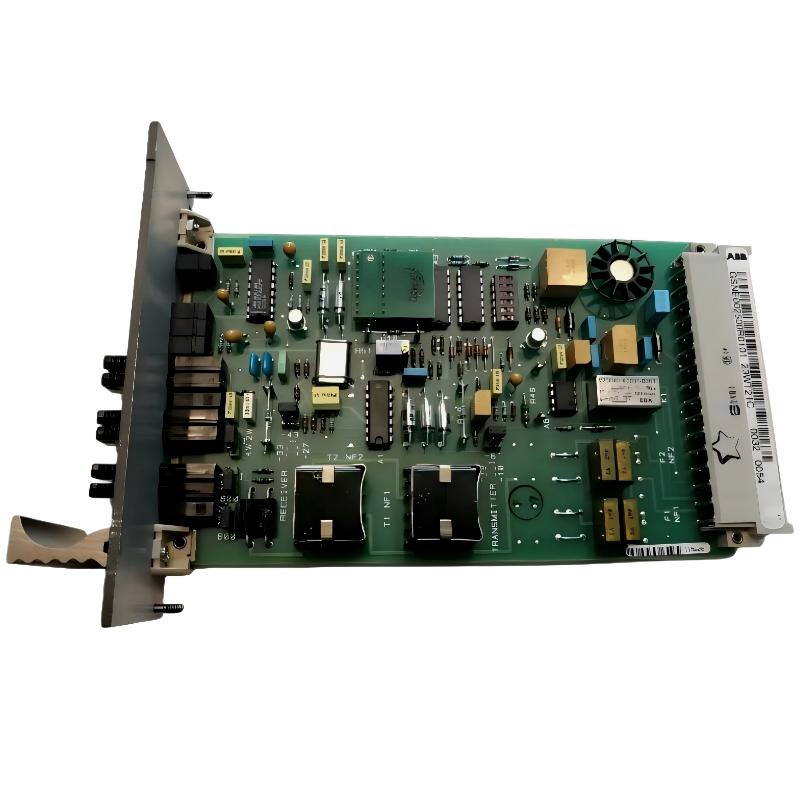
Table of Contents – ABB 23WT21 GSNE002500R5101 Modem Troubleshooting Guide
- ABB 23WT21 Modem Communication Fault Symptoms
- ABB 23WT21 Fault Diagnosis Thinking Process
- Common Causes of ABB 23WT21 Communication Fault
- ABB 23WT21 Modem Repair and Recovery Method
- ABB 23WT21 Troubleshooting FAQ
ABB 23WT21 GSNE002500R5101 Modem Communication Fault Symptoms
ABB 23WT21 GSNE002500R5101 communication faults are usually caused by communication environment problems, configuration mismatch, or signal degradation instead of immediate Module failure. Engineers should perform structured Fault Diagnosis before replacing the Modem.
- RTU communication timeout alarms.
- PLC Controller cannot receive remote data.
- Intermittent communication interruption.
- Carrier detection failure.
- Unexpected data transmission delay.
ABB 23WT21 Modem Fault Diagnosis Engineering Analysis Process
A practical troubleshooting process starts from observation. In a remote monitoring project, engineers found that ABB 23WT21 communication failure occurred every afternoon. Initial assumption was modem aging, but signal measurement showed the modem output remained stable.
Further analysis identified that nearby high-power switching equipment generated electromagnetic interference. After improving cable routing and grounding, communication recovered without replacing the ABB Module.
The troubleshooting logic was:
- Confirm power supply condition.
- Check communication parameter consistency.
- Measure signal quality.
- Inspect external interference sources.
- Replace hardware only after eliminating configuration problems.
Common Causes of ABB 23WT21 GSNE002500R5101 Communication Fault
- Incorrect DIP switch S1 configuration.
- Communication baud rate mismatch.
- Poor grounding connection.
- Long-distance cable attenuation.
- EMI interference from industrial equipment.
- Damaged communication cable shielding.
- Incorrect RTU System Configuration.
ABB 23WT21 Diagnostic Checklist:

Check Power = 24VDC
Check Carrier Signal = Active
Check Baud Rate = Match PLC Setting
Check Cable Shield = Correct
Check Communication Log = Analyze Timeout
ABB 23WT21 GSNE002500R5101 Modem Repair and Recovery Method
ABB 23WT21 Troubleshooting should focus on restoring communication reliability. The following recovery method is commonly used in industrial maintenance.
- Reset communication parameters.
- Correct DIP switch configuration.
- Inspect and repair communication wiring.
- Remove external noise sources.
- Retest PLC Controller communication performance.
During one repair case, communication errors reached 30 failed packets per minute. After replacing a damaged shield cable and correcting grounding, packet loss dropped to zero during a 12-hour stability test.
ABB 23WT21 GSNE002500R5101 Modem Troubleshooting FAQ
Why does ABB 23WT21 Modem show communication timeout alarms?
Timeout alarms are usually related to signal interruption, incorrect configuration, communication cable problems, or external interference.
How can ABB 23WT21 Fault Diagnosis identify hardware failure?
Hardware failure should only be considered after checking power supply, wiring, communication parameters, and signal quality.
What causes ABB 23WT21 communication speed mismatch?
Incorrect baud rate selection or inconsistent System Configuration between connected devices can create communication speed mismatch.
How should engineers troubleshoot ABB 23WT21 Module instability?
Engineers should analyze communication logs, measure electrical signals, and verify installation conditions before replacing the Module.
Can ABB 23WT21 Modem faults affect PLC Controller operation?
Yes. Communication failure may prevent PLC Controller systems from receiving remote monitoring data or control information.
What field data should be recorded during ABB 23WT21 Troubleshooting?
Important records include voltage measurement, communication error frequency, signal quality, and operating environment conditions.
How can ABB 23WT21 communication reliability be improved?
Improved grounding, proper shielding, correct configuration, and regular maintenance can significantly increase communication stability.
When should ABB 23WT21 Modem replacement be considered?
Replacement should be considered only when diagnostic testing confirms internal hardware malfunction after eliminating external causes.
ABB 23WT21 GSNE002500R5101 Modem Troubleshooting Summary
The ABB 23WT21 GSNE002500R5101 Modem is a reliable industrial communication device, but communication failures can occur due to wiring, configuration, and environmental factors. Effective Troubleshooting requires a field-oriented Fault Diagnosis method that combines signal measurement, System Configuration review, and practical engineering experience. Correct analysis can reduce unnecessary replacement costs and improve automation system availability.