
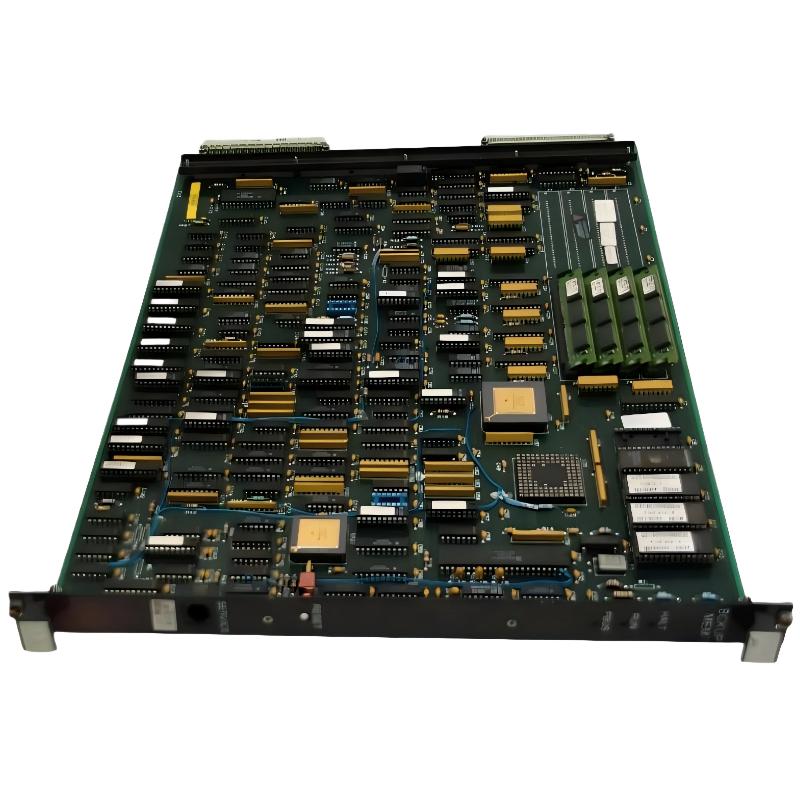
ABB 6214BZ10120C Backup Memory Module Troubleshooting Introduction
ABB 6214BZ10120C memory faults should be diagnosed by separating hardware recognition problems from configuration, data-access, and backup-process failures. The module is identified as a 4 MB memory module, so an abnormal memory indication does not automatically mean the physical module has failed.
This Troubleshooting Guide uses a fault-diagnosis approach suitable for legacy ABB control systems. The objective is to determine where the failure occurs: controller detection, memory access, configuration, data transfer, or recovery.
ABB 6214BZ10120C Fault Diagnosis Decision Path
A useful troubleshooting strategy is to establish the first abnormal condition rather than replacing components in sequence.
- No memory detected: investigate seating, connector condition, host compatibility, and hardware status.
- Memory detected but invalid: investigate configuration, revision compatibility, or initialization.
- Memory detected but backup fails: investigate data access and controller operating conditions.
- Backup completes but restore fails: investigate data integrity and configuration compatibility.
- Intermittent memory alarms: investigate mechanical connection, environmental conditions, and system stability.
ABB 6214BZ10120C PLC and Module Fault Symptoms
Typical symptoms associated with a backup memory problem can appear during startup, configuration loading, maintenance backup, or recovery. The symptom timing is often more useful than the alarm wording itself.
- Memory module not detected during startup.
- Unexpected memory capacity indication.
- Backup operation stops before completion.
- Configuration data cannot be restored.
- Memory-related diagnostic message appears after controller restart.
- Intermittent recognition after maintenance work.
For Fault Diagnosis, record whether the problem occurs immediately at startup or only when memory is accessed. A startup recognition fault points toward hardware or compatibility, while a backup-only failure can indicate a data or configuration issue.
ABB 6214BZ10120C Backup Memory Fault Cause Analysis
Several causes can produce similar symptoms. The following checks help prevent unnecessary replacement of a working module.
- Incorrect module installation or incomplete connector engagement.
- Contamination or oxidation at the memory interface.
- Incorrect host hardware or firmware compatibility.
- Invalid or incomplete System Configuration.
- Interrupted backup or restore operation.
- Corrupted or incompatible stored data.
- Controller power instability during memory access.
ABB 6214BZ10120C Troubleshooting Investigation Method
Start with evidence. Record the controller operating state, alarm text, memory status, and reported capacity before disturbing the hardware. If the controller still recognizes the 6214BZ10120C, do not remove it immediately.
A practical diagnostic sequence can be represented by the following pseudo commands:
READ CONTROLLER STATUS
READ MEMORY STATUS
CHECK MEMORY CAPACITY
CHECK SYSTEM CONFIGURATION
TEST MEMORY ACCESS
TEST BACKUP OPERATION
COMPARE STORED DATA
REPEAT AFTER CONTROLLED RESTART
The exact commands depend on the ABB control platform. These pseudo commands describe the diagnostic logic rather than a platform-specific programming language.
ABB 6214BZ10120C Electrical and System Measurements
Memory troubleshooting should include measurements at the host system when the symptom suggests a power or controller stability problem. Measure the supply at the controller according to the equipment specification rather than applying a generic voltage limit.
During one representative maintenance investigation, engineers first observed a stable controller supply and normal controller operation before focusing on the memory path. Because the controller remained stable and the memory capacity was correctly identified, the investigation moved toward configuration and data integrity instead of replacing the memory hardware.
This approach is important in legacy systems because a failed backup operation can be caused by the interaction between the controller software, stored configuration, and memory contents. A voltage measurement alone cannot prove that the memory device is healthy.
ABB 6214BZ10120C Troubleshooting Case Study
A representative field-service pattern involves a controller that starts normally but reports a memory-related problem when a backup procedure is initiated. The first observation may lead technicians to suspect the 6214BZ10120C, but the diagnostic sequence should begin with recognition.
In the investigation, the memory was detected and its expected capacity was available. The next observation was that the failure occurred only during the data-transfer stage. This changed the fault hypothesis from physical connection failure to configuration or stored-data handling.
The engineering team then preserved the existing configuration, checked the System Configuration, and repeated the operation under controlled conditions. Once the configuration state was corrected, the backup process completed successfully.
The important engineering lesson is that a memory module should not be condemned simply because the system reports a memory-related fault. The fault location must be established first.
ABB 6214BZ10120C Memory Module Repair and Recovery
Repair action should correspond to the confirmed failure point. If the problem is mechanical, correct the installation. If the module is recognized but configuration data is invalid, address the configuration before replacing hardware.
- Preserve the current system configuration whenever possible.
- Confirm whether the 6214BZ10120C is detected.
- Check the reported memory capacity.
- Inspect and reseat the module if physical connection is suspect.
- Verify controller and memory compatibility.
- Repeat the backup operation under controlled conditions.
- Only replace the module when evidence indicates a hardware fault.
- Validate the repaired system through a complete backup or restore test.
ABB 6214BZ10120C Intermittent Memory Fault Troubleshooting
Intermittent faults require a different approach from permanent failures. If the module works after a restart but fails later, record when the alarm appears and what operation was active at the time.
Pay particular attention to:
- Recent maintenance or module replacement.
- Repeated controller power cycling.
- Connector movement or mechanical vibration.
- Temperature changes inside the control cabinet.
- Changes to controller configuration.
- Backup operations performed shortly before the alarm.
If reseating temporarily restores operation, do not treat that result as a final repair. The connector, mounting arrangement, contact condition, and host hardware should be inspected to identify why the fault was intermittent.
ABB 6214BZ10120C Preventive Maintenance and System Configuration
Backup memory becomes especially valuable when a legacy controller must be recovered after hardware replacement. Maintain a controlled record of valid configuration data and periodically verify that backup procedures can actually be completed.
- Keep documented copies of approved controller configurations.
- Record installed memory module identification.
- Document controller firmware and hardware revisions.
- Perform controlled backup verification during planned maintenance.
- Avoid unnecessary memory replacement when diagnostic evidence does not support it.
ABB 6214BZ10120C Troubleshooting FAQ
What is the first check when ABB 6214BZ10120C is not detected?
Check the module seating, connector condition, host hardware compatibility, and controller diagnostic status before assuming that the memory module has failed.
Why can a backup operation fail even when the memory module is detected?
Detection only confirms that the controller can identify the memory hardware. Backup failure may still be related to System Configuration, stored data, controller state, or the backup procedure itself.
Should the 6214BZ10120C be replaced immediately after a memory alarm?
No. Fault Diagnosis should first determine whether the problem is hardware recognition, configuration, data integrity, or the memory access process.
What does correct memory capacity detection indicate?
Correct capacity detection is useful evidence that the controller can identify the memory device. It does not by itself prove complete memory integrity, so a functional backup or restore test is still recommended.
How should an intermittent ABB 6214BZ10120C fault be investigated?
Record the conditions under which the alarm occurs, inspect the physical connection, review recent maintenance activity, check system stability, and repeat the memory operation under controlled conditions.
ABB 6214BZ10120C Troubleshooting Conclusion and General Guidance
Effective ABB 6214BZ10120C Troubleshooting depends on identifying the exact point at which memory operation fails. A disciplined Fault Diagnosis process separates hardware recognition from configuration and data-transfer problems, reducing unnecessary component replacement.
For legacy ABB control systems, the most reliable repair strategy is evidence-based: verify recognition, confirm memory capacity, examine System Configuration, analyze the operating condition, and finally validate the backup or recovery function. This approach provides a practical basis for maintaining the 6214BZ10120C Backup Memory Module in demanding industrial environments.



