
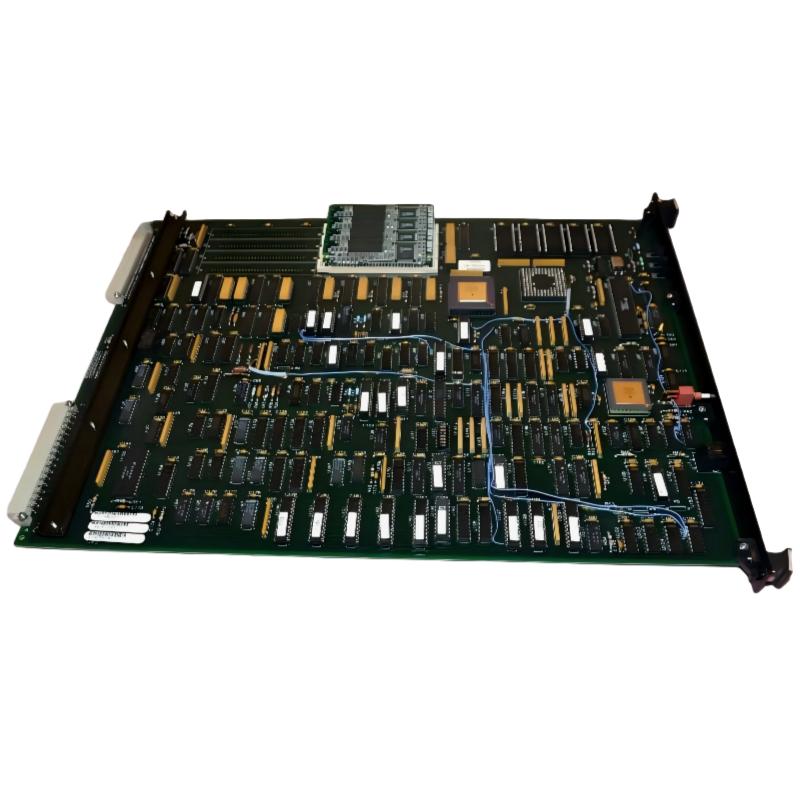
ABB 6214BZ10121G Backup Memory Module Troubleshooting Guide
ABB 6214BZ10121G Backup Memory Module faults should be diagnosed by separating memory recognition, stored-data integrity, controller configuration, and physical interface problems. A controller that reports a memory-related alarm is not necessarily indicating a failed module, so effective Troubleshooting starts with evidence rather than immediate replacement.
ABB 6214BZ10121G PLC Controller Fault Symptoms
Field symptoms can vary depending on the controller architecture and application. Typical observations may include abnormal startup behavior, missing retained configuration, memory-related diagnostics, or unexpected application initialization.
- Memory module not recognized by the controller.
- Diagnostic indication associated with memory or configuration.
- Application data not available after startup.
- Unexpected initialization of retained parameters.
- Repeated diagnostic events after a restart.
ABB 6214BZ10121G Fault Diagnosis Logic
The first engineering question should be: What changed immediately before the fault appeared? If the system operated normally for months and the alarm appeared after maintenance, investigate handling, connector condition, configuration changes, and power events before assuming component failure.
A useful diagnostic path is:
- Record the exact diagnostic message.
- Determine whether the memory is recognized.
- Compare current System Configuration with the known-good configuration.
- Inspect the memory interface.
- Check application and retained data integrity.
- Only then evaluate replacement or recovery options.
ABB 6214BZ10121G Troubleshooting Based on Controller Evidence
When the controller identifies the module but reports invalid or unexpected data, the investigation should move toward configuration and data integrity. When the controller cannot identify the device at all, the physical interface and hardware compatibility become higher-priority checks.
Read Controller Diagnostic
Check Memory Device Status
Compare System Configuration
Verify Application Data
Inspect Memory Interface
Controlled Restart
Recheck Diagnostic Status
ABB 6214BZ10121G Backup Memory Module Physical Inspection
Physical inspection is particularly useful after maintenance. Check for contamination, damaged contacts, incomplete seating, mechanical stress, or evidence of abnormal heating. A memory module that looks visually normal can still have an interface problem, so diagnostic recognition should be compared before and after reseating according to the approved maintenance procedure.
ABB 6214BZ10121G Memory Fault Case Analysis
In a field troubleshooting case, a PLC Controller began reporting a memory-related diagnostic immediately after a maintenance shutdown. The initial assumption was that the Backup Memory Module had failed. Instead of replacing it immediately, the technician compared the pre-shutdown diagnostic record with the post-startup condition.
The module interface was inspected and the stored project was compared against the current System Configuration. The investigation found that the controller environment had changed during maintenance. After restoring the correct configuration and performing a controlled commissioning cycle, the memory diagnostic cleared.
The key lesson from this case is that timing matters. If a memory fault appears immediately after configuration work, Fault Diagnosis should examine the maintenance changes before concluding that the hardware has failed.
ABB 6214BZ10121G Troubleshooting for Intermittent Memory Faults
Intermittent faults require a different approach from permanent failures. Record when the diagnostic occurs and whether it follows power cycling, controller restart, machine vibration, temperature changes, or maintenance activity.
- Check whether the fault occurs during every startup.
- Record the controller diagnostic history.
- Compare behavior before and after a controlled restart.
- Inspect the module seating and connector condition.
- Check for changes in System Configuration.
- Verify that retained application data remains consistent.
ABB 6214BZ10121G Repair and Recovery Strategy
Repair should be based on the confirmed failure mode. If the controller recognizes the module and the problem is caused by configuration or data integrity, replacing the hardware may not solve the problem. If the module remains unrecognized after compatibility, installation, and interface checks have been completed, replacement becomes a more reasonable corrective action.
Before returning the system to production, preserve the recovered configuration and document the diagnostic condition, corrective action, and final controller status.
ABB 6214BZ10121G Fault Diagnosis Verification
After corrective work, perform more than a single successful startup. Verify normal controller operation, memory recognition, application availability, and stable behavior through a controlled restart. Where the process permits, monitor the system long enough to confirm that the original diagnostic does not return.
ABB 6214BZ10121G Troubleshooting Guide FAQ
What is the first check when the ABB 6214BZ10121G generates a memory fault?
Record the exact controller diagnostic and determine whether the PLC Controller recognizes the memory device. This immediately helps separate recognition problems from data or configuration problems.
Why should the existing System Configuration be checked during troubleshooting?
A configuration mismatch can produce symptoms that resemble memory failure. Comparing the current environment with a known-good configuration can prevent unnecessary hardware replacement.
What can cause an intermittent backup memory fault?
Possible causes include an unstable physical interface, incorrect seating, configuration changes, power-related events, or data integrity problems. The diagnostic history and timing of the fault are valuable evidence.
When should the backup memory module be considered defective?
The module should be considered suspect after compatibility, installation, connector condition, configuration, and stored-data issues have been systematically eliminated.
Is replacing the module always the correct repair?
No. If the root cause is configuration or application data, a replacement module may reproduce the same symptom. Fault Diagnosis should identify the actual failure mechanism first.
ABB 6214BZ10121G Backup Memory Module General Overview
Effective ABB 6214BZ10121G Troubleshooting depends on distinguishing a genuine hardware failure from configuration, interface, and data-integrity problems. A field-oriented Fault Diagnosis process uses controller evidence, diagnostic history, physical inspection, and controlled recovery tests to determine the root cause before repair or replacement.



