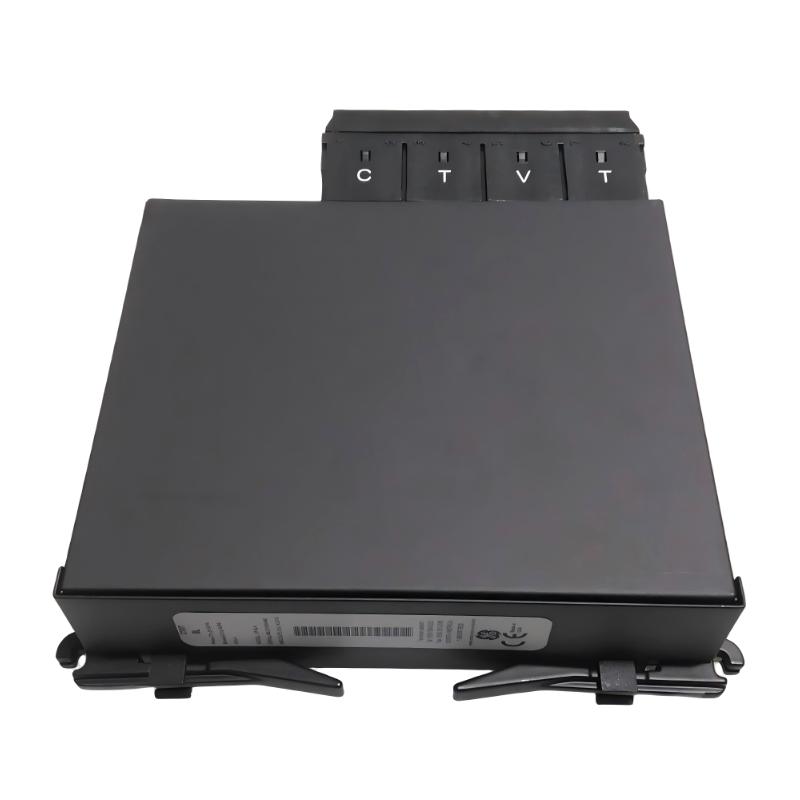
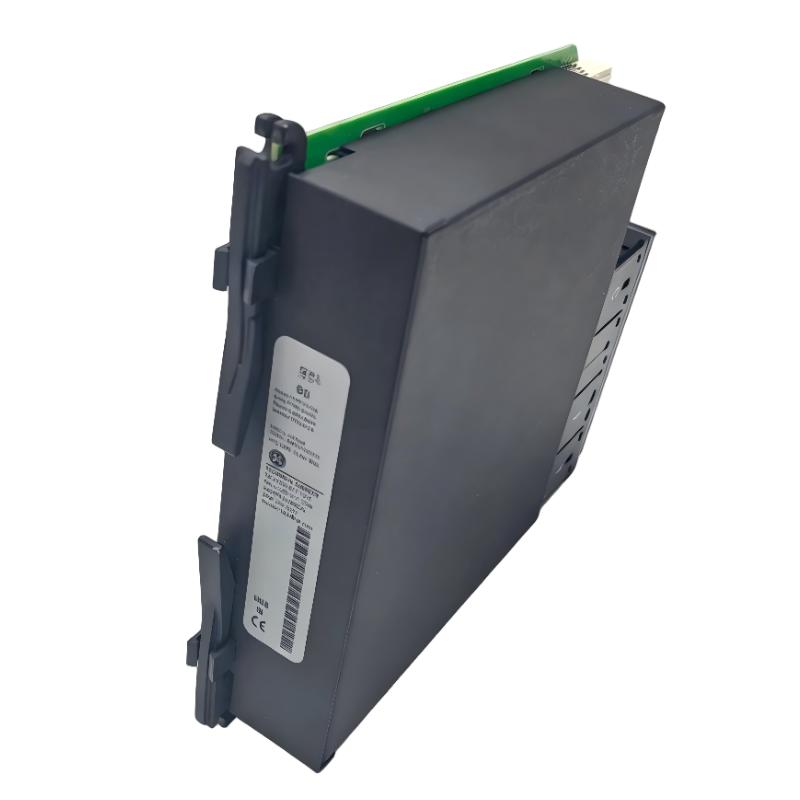
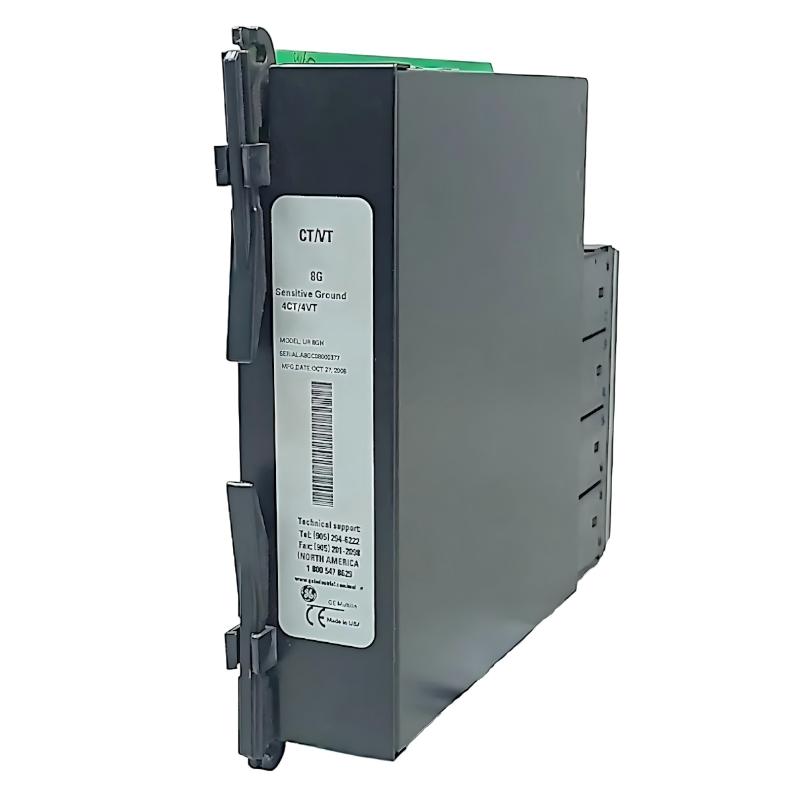
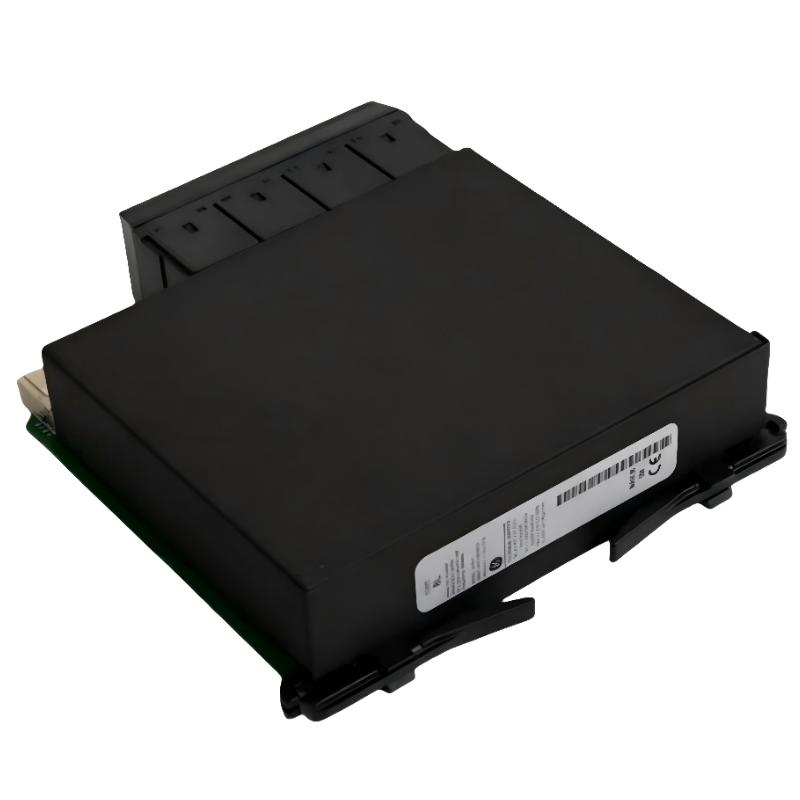
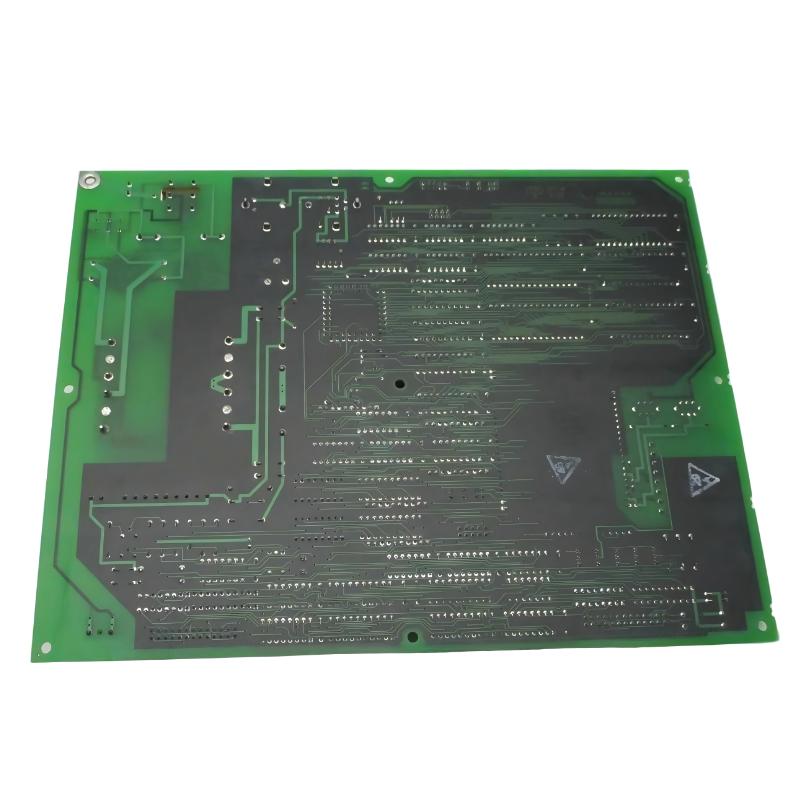
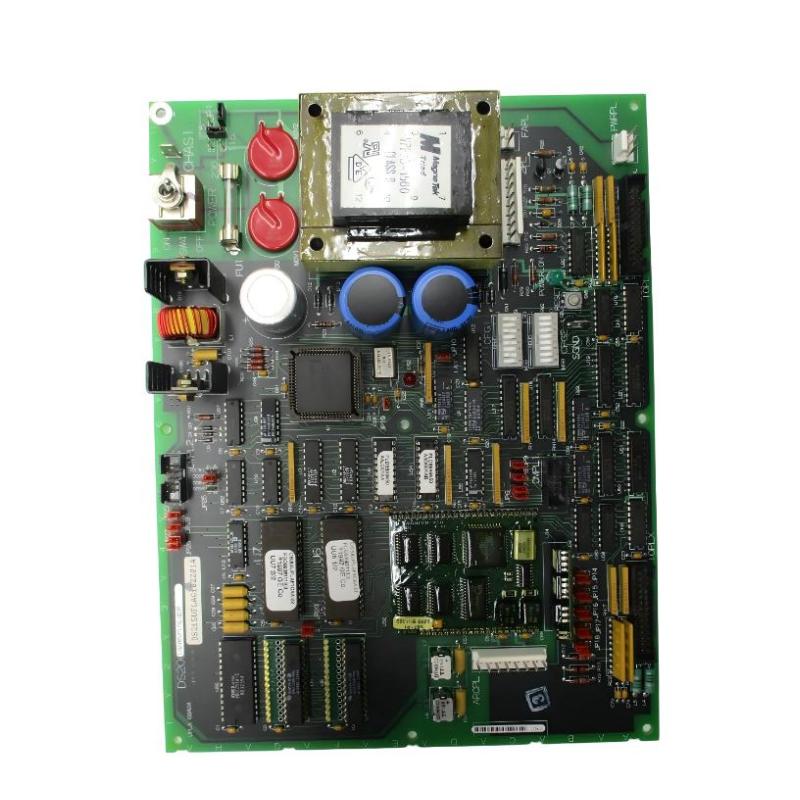
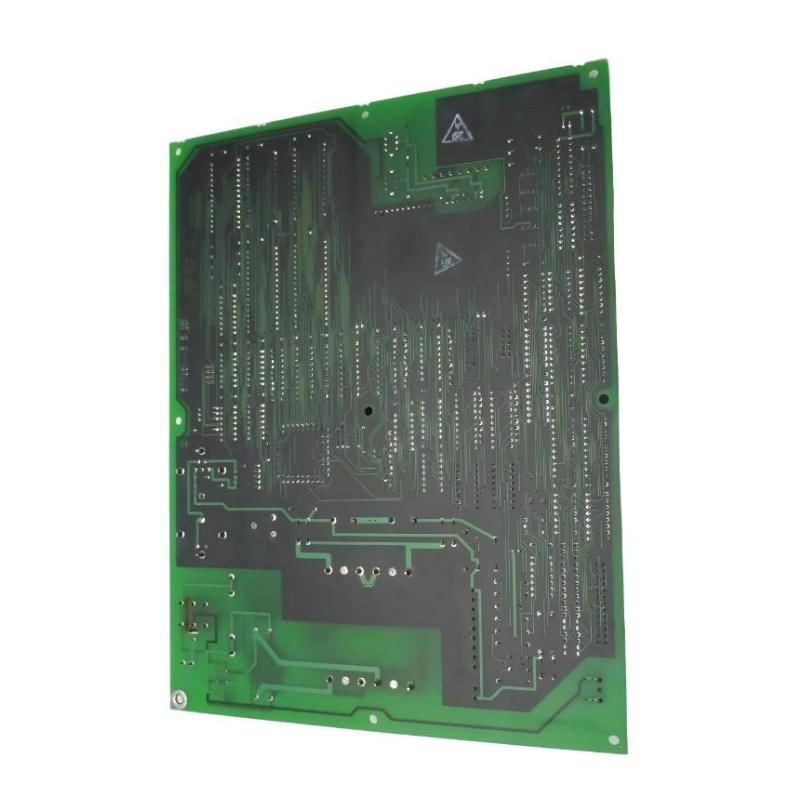
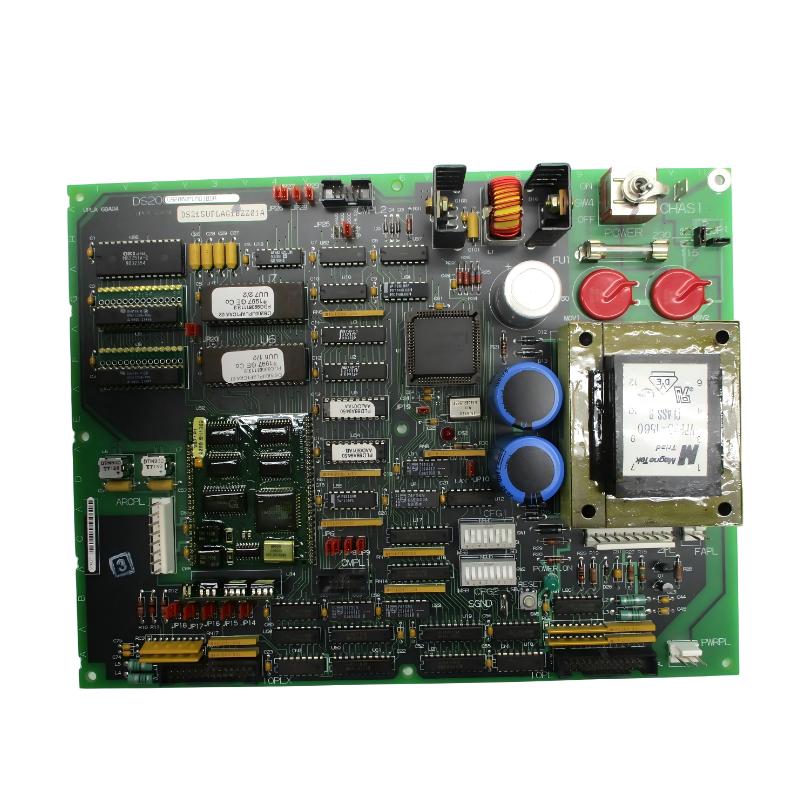
GE DS215UPLAG1BZZ01A Power Supply And LAN Interface Board
| Company Information | ||||||||
| [email protected] | ||||||||
| Mobile | +8613666084105 | |||||||
| +8613666084105 | ||||||||
| 13666084105 | ||||||||
| Add to | Room 1004, No. 62 Xiangxiu Li, Siming District, Xiamen City, Fujian Province, China | |||||||
 Technical Specifications
| Parameter | Specification |
|---|---|
| Brand | GE General Electric |
| Model | DS215UPLAG1BZZ01A |
| Product Series | Mark V / EX2000 |
| Product Type | Power Supply and LAN Interface Board |
| Functional Acronym | UPLA |
| Main Function | Power Conversion, LAN Communication Interface, and Board-Level Signal Processing |
| Application System | GE Mark V Turbine Control and EX2000 Excitation Control Systems |
| Input Power | 115/230 VAC, 50/60 Hz |
| DC Outputs | 24 VDC and 5 VDC |
| Power Supply Type | Switching Power Supply |
| LAN Interface | DLAN+ Interface |
| Serial Interface | RS-232C |
| Processor | Integrated Microprocessor |
| Non-Volatile Memory | Flash Memory |
| Reset Function | Power Reset and Manual Reset |
| Undervoltage Detection | 5 V Logic Supply Undervoltage Detection |
| Configuration Jumpers | 28 |
| Configuration Switches | 2 Sets |
| Status Indicators | 2 LED Indicators |
| Green LED | Power Status |
| Red LED | Fault Status |
| Fuse | 1 |
| Firmware | Integrated Firmware / EEPROM Firmware Configuration |
| Functional Revision | B |
| PCB Coating | Standard Coating |
| Typical Application | EX2000 Excitation Systems, Mark V Control Systems, and LAN Interface Power |
| Installation | Control Cabinet Board Installation |
| Operating Temperature | -40°C to +70°C, depending on system installation conditions |
| Dimensions | 210 × 140 × 50 mm |
| Weight | 1.29 kg |
FAQ
1. What is the main function of the GE DS215UPLAG1BZZ01A?
The GE DS215UPLAG1BZZ01A is a Power Supply and LAN Interface Board used in GE Mark V and EX2000 control systems. Its primary functions include converting incoming AC power into the DC voltages required by the control electronics and providing communication interfaces for system data exchange. The board incorporates a DLAN+ interface and an RS-232C serial interface, allowing it to participate in the communication architecture of the associated control system. It also contains a microprocessor, non-volatile memory, reset circuitry, and undervoltage detection functions. In an EX2000 excitation or Mark V control installation, the board therefore performs both power-related and communication-related functions rather than serving only as a conventional power supply.
2. What input and output power does the DS215UPLAG1BZZ01A support?
The power supply section is designed for 115/230 VAC input at 50/60 Hz and converts the incoming AC supply into low-voltage DC power required by the control system. The primary DC outputs associated with the board include 24 VDC and 5 VDC. The 5 VDC supply is primarily associated with digital logic, processor circuitry, and other electronic circuits, while the 24 VDC supply can support associated control and interface circuits. The actual load requirements and distribution of these voltages depend on the Mark V or EX2000 system architecture in which the board is installed. During maintenance, both the incoming AC voltage and the resulting DC outputs should be checked to determine whether a problem originates from the input supply, conversion circuitry, or external load.
3. What is the purpose of the DLAN+ interface on the DS215UPLAG1BZZ01A?
The DLAN+ interface is an important communication interface on the DS215UPLAG1BZZ01A. It is used for data communication between the board and associated devices within the GE control system architecture. Through this interface, control, status, and monitoring information can be exchanged between relevant components of the Mark V or EX2000 system. If DLAN+ communication fails, technicians should inspect the communication cable, connectors, interface condition, board power supply, and the status of other nodes on the network. If several devices experience communication problems simultaneously, the common communication path and system power should be investigated first rather than immediately assuming that the UPLA board has failed.
4. What is the purpose of the RS-232C interface on the DS215UPLAG1BZZ01A?
The RS-232C interface provides serial communication capability for the DS215UPLAG1BZZ01A and can be used for specific system communication, maintenance, or diagnostic functions depending on the installation. It works with the board’s processor and internal control circuitry to exchange serial data with compatible equipment. When an RS-232C communication problem occurs, the first checks should include the serial cable, connector condition, communication parameters, transmit and receive connections, and the status of the connected device. If the external connection is correct, the board’s power supply and processor operation should also be examined. Incorrect communication settings or wiring can prevent communication even when the hardware itself is functioning normally.
5. What do the green and red LEDs on the DS215UPLAG1BZZ01A indicate?
The board provides two primary status LEDs for basic visual monitoring. The green LED is associated with the board’s power status and normally indicates that the required power is present. The red LED is associated with a fault or abnormal condition. If the green LED does not illuminate, the input power, fuse, power conversion circuitry, and associated connections should be checked. If the red LED remains illuminated, additional investigation should be performed on the board’s internal operating condition, DC outputs, processor status, and communication interfaces. During troubleshooting, the state of both LEDs should be recorded together with any Mark V or EX2000 diagnostic information because the combination of indications can provide useful clues about the source of the problem.
6. How should a power failure on the DS215UPLAG1BZZ01A be diagnosed?
Power-related problems should be investigated systematically from the input side toward the output and connected load. First, verify that the 115/230 VAC input is present and within the expected range. Then inspect the associated wiring and fuse. If the fuse has opened, the reason for the overcurrent condition should be identified before installing another fuse. Next, measure the 24 VDC and 5 VDC outputs and check whether an external load is causing excessive current or a short circuit. If the input is normal but one or more DC outputs are missing, the switching power supply and related conversion circuitry should be investigated. If several connected devices lose power at the same time, the common supply path and downstream load should also be checked to determine whether the problem is external to the DS215UPLAG1BZZ01A.
7. What is the purpose of the reset function on the DS215UPLAG1BZZ01A?
The reset function allows the board’s internal processing and control functions to be reinitialized without necessarily performing a complete system power shutdown. It can be useful when the processor encounters a temporary operating condition, communication problem, or other recoverable logic fault. The board also incorporates power-reset and 5 V logic supply undervoltage detection circuitry, which can cause the processor to be reset when the logic supply falls below the required operating level. However, a reset should not be treated as a permanent solution for a recurring fault. If the problem immediately returns after resetting, technicians should investigate the power supply, external communication lines, board hardware, configuration, and connected loads to determine the underlying cause.
8. What tests should be performed after replacing a DS215UPLAG1BZZ01A?
After installing a replacement DS215UPLAG1BZZ01A, first verify that the board model, revision, firmware configuration, and hardware settings are appropriate for the existing system. Check all power connections, communication cables, jumpers, configuration switches, and connectors before applying power. Once powered, observe the green and red LEDs and verify that the required DC outputs, including 24 VDC and 5 VDC, are within the expected operating range. The DLAN+ and RS-232C interfaces should then be checked to confirm that communication with the associated Mark V or EX2000 equipment has been restored. Any system alarms or diagnostic messages should be reviewed, and relevant control functions should be tested according to the approved commissioning procedure. The system should only be returned to normal operation after the power supply, communication interfaces, diagnostics, and associated control functions have been confirmed to operate correctly.
GE DS215UPLAG1BZZ01A Power Supply And LAN Interface Board is in stock. Please contact us for a quick quote and competitive pricing.
| Company Information | ||||||||
| [email protected] | ||||||||
| Mobile | +8613666084105 | |||||||
| +8613666084105 | ||||||||
| 13666084105 | ||||||||
| Add to | Room 1004, No. 62 Xiangxiu Li, Siming District, Xiamen City, Fujian Province, China | |||||||
Company Introduction
Xiamen Shengruite Trading Co., Ltd. is a company specializing in the supply of industrial PLC spare parts.
We provide high-quality PLC spare parts to customers in the global manufacturing, energy and power, chemical and other fields.
Since its establishment in 2011, after 13 years of rapid development, the cumulative global shipments have reached 223,650 pieces, with an annual output value of US$50 million.
Successfully served more than 500 customers in more than 100 countries and regions including Saudi Arabia, UAE, the United States, Europe, Africa, and Southeast Asia
Our Mission
Provide customers with the best quality PLC spare parts and the fastest delivery service to ensure that their industrial automation systems are always in the best operating condition.
We provide a 1-year warranty service, and we support returns and exchanges for any issues to ensure your rights and interests are fully protected.
We can provide detailed product images upon request, and our team can arrange warehouse photos for confirmation to ensure you have all the information you need before making a purchase.
Shipping times vary depending on your location. With the support of our 16 global warehouses, we strive to deliver orders as quickly as possible. Contact us to get an estimated delivery time for your specific location.
The minimum order quantity (MOQ) is typically one unit. However, for larger orders, please contact us for potential discounts and pricing details.
Yes, we offer competitive pricing for bulk purchases. Please reach out to our sales team with the specifics of your order to receive a custom quote.
We accept various payment methods for wholesale orders, including bank transfers (T/T), letters of credit, and other options upon agreement. For large transactions, please contact us directly for payment terms.
Yes, we offer flexible ordering options for both small and large quantities. Whether youre looking for a single unit or a large batch, we can accommodate your needs.
We occasionally offer promotional discounts for new wholesale customers. Contact us to learn more about any current offers available for first-time buyers.
If you are unsure of compatibility with your existing setup please provide your system details and our support team can verify compatibility prior to purchase.
Returns are accepted within 30 days if the product is unused, unopened, and in its original packaging. Please note that return shipping and associated costs are the buyer\\\\\\\\\\\\\\\\\\\\\\\\\\\\\\\\\\\\\\\\\\\\\\\\\\\\\\\\\\\\\\\\\\\\\\\\\\\\\\\\\\\\\\\\\\\\\\\\\\\\\\\\\\\\\\\\\\\\\\\\\\\\\\\\\\\\\\\\\\\\\\\\\\\\\\\\\\\\\\\\\\\\\\\\\\\\\\\\\\\\\\\\\\\\\\\\\\\\\\\\\\\\\\\\\\\\\\\\\\\\\\\\\\\\\\\\\\\\\\\\\\\\\\\\\\\\\\\\\\\\\\\\\\\\\\\\\\\\\\\\\\\\\\\\\\\\\\\\\\\\\\\\\\\\\\\\\\\\\\\\\\\\\\\\\\\\\\\\\\\\\\\\\\\\\\\\\\\\\\\\\\\\\\\\\\\\\\\\\\\\\\\\\\\\\\\\\\\\\\\\\\\\\\\\\\\\\\\\\\\\\\\\\\\\\\\\\\\\\\\\\\\\\\\\\\\\\\\\\\\\\\\\\\\\\\\\\\\\\\\\\\\\\\\\\\\\\\\\\\\\\\\\\\\\\\\\\\\\\\\\\\\\\\\\\\\\\\\\\\\\\\\\\\\\\\\\\\\\\\\\\\\\\\\\\\\\\\\\\\\\\\\\\\\\\\\\\\\\\\\\\\\\\\\\\\\\\\\\\\\\\\\\\\\\\\\\\\\\\\\\\\\\\\\\\\\\\\\\\\\\\\\\\\\\\\\\\\\\\\\\\\\\\\\\\\\\\\\\\\\\\\\\\\\\\\\\\\\\\\\\\\\\\\\\\\\\\\\\\\\\\\\\\\\\\\\\\\\\\\\\\\\\\\\\\\\\\\\\\\\\\\\\\\\\\\\\\\\\\\\\\\\\\\\\\\\\\\\\\\\\\\\\\\\\\\\\\\\\\\\\\\\\\\\\\\\\\\\\\\\\\\\\\\\\\\\\\\\\\\\\\\\\\\\\\\\\\\\\\\\\\\\\\\\\\\\\\\\\\\\\\\\\\\\\\\\\\\\\\\\\\\\\\\\\\\\\\\\\\\\\\\\\\\\\\\\\\\\\\\\\\\\\\\\\\\\\\\\\\\\\\\\\\\\\\\\\\\\\\\\\\\\\\\\\\\\\\\\\\\\\\\\\\\\\\\\\\\\\\\\\\\\\\\\\\\\\\\\\\\\\\\\\\\\\\\\\\\\\\\\\\\\\\\\\\\\\\\\\\\\\\\\\\\\\\\\\\\\\\\\\\\\\\\\\\\\\\\\\\\\\\\\\\\\\\\\\\\\\\\\\\\\\\\\\\\\\\\\\\\\\\\\\\\\\\\\\\\\\\\\\\\\\\\\\\\\\\\\\\\\\\\\\\\\\\\\\\\\\\\\\\\\\\\\\\\\\\\\\\\\\\\\\\\\\\\\\\\\\\\\\\\\\\\\\\\\\\\\\\\\\\\\\\\\\\\\\\\\\\\\\\\\\\\\\\\\\\\\\\\\\\\\\\\\\\\\\\\\\\\\\\\\\\\\\\\\\\\\\\\\\\\\\\\\\\\\\\\\\\\\\\\\\\\\\\\\\\\\\\\\\\\\\\\\\\\\\\\\\\\\\\\\\\\\\\\\\\\\\\\\\\\\\\\\\\\\\\\\\\\\\\\\\\\\\\\\\\\\\\\\\\\\\\\\\\\\\\\\\\\\\\\\\\\\\\\\\\\\\\\\\\\\\\\\\\\\\\\\\\\\\\\\\\\\\\\\\\\\\\\\\\\\\\\\\\\\\\\\\\\\\\\\\\\\\\\\\\\\\\\\\\\\\\\\\\\\\\\\\\\\\\\\\\\\\\\\\\\\\\\\\\\\\\\\\\\\\\\\\\\\\\\\\\\\\\\\\\\\\\\\\\\\\\\\\\\\\\\\\\\\\\\\\\\\\\\\\\\\\\\\\\\\\\\\\\\\\\\\\\\\\\\\\\\\\\\\\\\\\\\\\\\\\\\\\\\\\\\\\\\\\\\\\\\\\\\\\\\\\\\\\\\\\\\\\\\\\\\\\\\\\\\\\\\\\\\\\\\\\\\\\\\\\\\\\\\\\\\\\\\\\\\\\\\\\\\\\\\\\\\\\\\\\\\\\\\\\\\\\\\\\\\\\\\\\\\\\\\\\\\\\\\\\\\\\\\\\\\\\\\\\\\\\\\\\\\\\\\\\\\\\\\\\\\\\\\\\\\\\\\\\\\\\\\\\\\\\\\\\\\\\\\\\\\\’s responsibility.
Yes, we offer technical support for the installation and integration of our products. Our team can assist with setup, configuration, and troubleshooting to ensure a smooth installation.