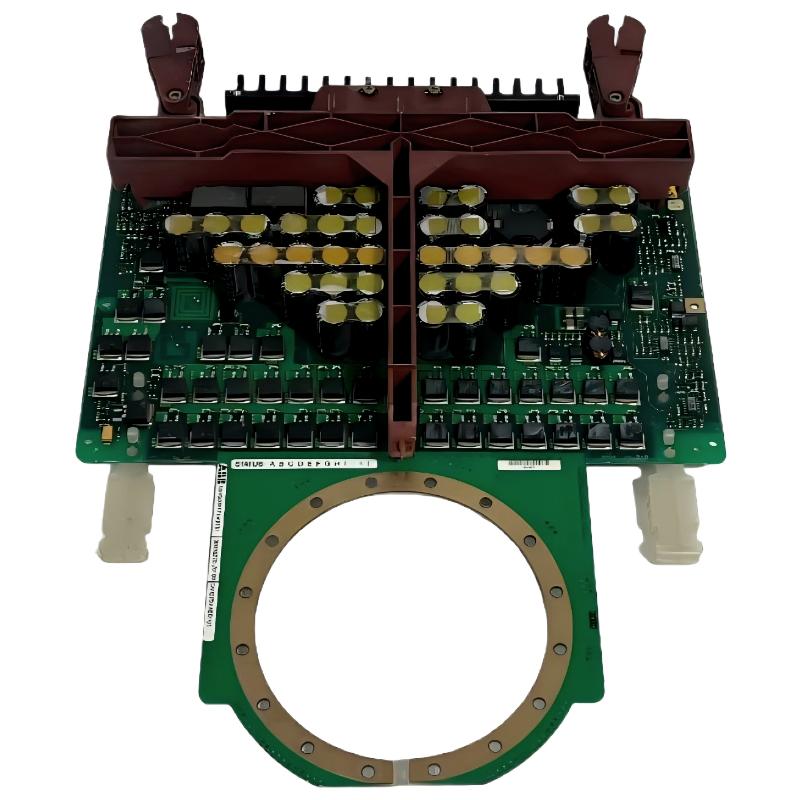
ABB 5SGY3545L0014 IGCT Fault Diagnosis Thinking Process
ABB 5SGY3545L0014 IGCT Module faults should not be diagnosed by replacing the semiconductor immediately. When an ABB converter trips, the practical troubleshooting question is whether the IGCT is the primary failure or the component that reacted to an upstream problem. Gate-drive faults, cooling problems, abnormal current, DC-link disturbances, commutation issues, and incorrect mechanical contact can all produce symptoms that initially look like an IGCT failure.
ABB 5SGY3545L0014 Troubleshooting Map
- ABB 5SGY3545L0014 Fault Symptoms
- ABB 5SGY3545L0014 Field Observation Method
- ABB 5SGY3545L0014 Common Fault Causes
- ABB 5SGY3545L0014 Fault Diagnosis Tests
- ABB 5SGY3545L0014 Repair Strategy
- ABB 5SGY3545L0014 Field Troubleshooting Case
- ABB 5SGY3545L0014 Troubleshooting FAQ
- ABB 5SGY3545L0014 General Fault Summary
ABB 5SGY3545L0014 IGCT Fault Symptoms
A failed ABB 5SGY3545L0014 may be accompanied by converter overcurrent, phase-related trips, abnormal DC-link behavior, gate-drive alarms, repeated semiconductor protection events, or an inability to start the power stage. However, the alarm message alone is not sufficient evidence that the IGCT itself has failed.
ABB 5SGY3545L0014 Electrical Fault Symptoms
- Repeated converter trips during enable or acceleration
- Abnormal phase current response
- DC-link disturbance immediately after power-stage enable
- Gate-drive fault indication
- Repeated semiconductor protection events
- Converter shutdown after a short operating period
ABB 5SGY3545L0014 Field Observation Method
Experienced engineers normally begin with the event sequence. The timing of the fault is often more useful than the fault text itself. A trip that occurs immediately when the power stage is enabled points toward a different investigation path from a trip that appears only after several minutes at high load.
ABB 5SGY3545L0014 Fault Timing Analysis
- Immediate trip: investigate gate-drive, protection, wiring, configuration, and power-stage conditions.
- Trip during acceleration: investigate current demand, motor behavior, control parameters, and converter protection.
- Trip after extended operation: investigate cooling, thermal rise, mechanical contact, and load conditions.
- Intermittent trip: investigate connections, optical links, environmental conditions, and vibration-related mechanical issues.
Common Causes of ABB 5SGY3545L0014 IGCT Fault
- Gate-drive malfunction
- Incorrect or unstable gate-drive supply
- Fiber-optic communication problems where applicable
- Cooling-system degradation
- Incorrect mechanical clamping or thermal contact
- Excessive current or abnormal load conditions
- DC-link overvoltage or transient conditions
- Incorrect System Configuration
- Commutation circuit problems
- Previous semiconductor damage that was not fully investigated
ABB 5SGY3545L0014 Fault Diagnosis Tests
ABB 5SGY3545L0014 Troubleshooting should proceed from low-risk observations toward more invasive tests. Do not perform resistance or semiconductor tests on an energized medium-voltage converter.
Example diagnostic logic:

IF AUXILIARY_STATUS != NORMAL
    CHECK CONTROL_POWER
    CHECK_GATE_DRIVER
ENDIF

IF GATE_STATUS != READY
    CHECK_GATE_INTERFACE
    CHECK_FIBER_LINK
ENDIF

IF COOLING_STATUS != READY
    CHECK_PUMP_OR_FAN
    CHECK_FLOW_OR_TEMPERATURE
ENDIF

IF PHASE_CURRENT_IMBALANCE == TRUE
    CHECK_POWER_STAGE
    CHECK_LOAD
    CHECK_CURRENT_FEEDBACK
ENDIF

IF FAULT_REPEATS_AFTER_RESET
    STOP_REPEATED_RESTARTS
    INVESTIGATE_ROOT_CAUSE
ENDIF
ABB 5SGY3545L0014 Gate-Drive Troubleshooting
Gate-drive status is one of the first areas to investigate when the converter reports a semiconductor-related fault. A healthy-looking power module cannot operate correctly if the gate unit is not generating the required switching command or if feedback from the gate-drive circuit is abnormal.
ABB 5SGY3545L0014 Cooling Fault Diagnosis
Thermal faults require more than checking whether a cooling pump or fan is running. Engineers should evaluate flow, temperature rise, heat-transfer surfaces, and operating history. A cooling system can remain operational while providing insufficient thermal performance.
ABB 5SGY3545L0014 IGCT Repair Strategy
If the IGCT is confirmed as damaged, repair should include investigation of the surrounding converter stage. Replacing only the semiconductor may restore operation temporarily while leaving the original destructive condition in place.
ABB 5SGY3545L0014 Replacement Decision
- Record the original fault code and event sequence.
- Inspect the gate-drive and protection circuitry.
- Check cooling performance and mechanical installation conditions.
- Inspect associated power-stage components according to the drive maintenance procedure.
- Install the verified replacement IGCT using the correct mechanical procedure.
- Repeat low-level electrical checks before high-voltage commissioning.
ABB 5SGY3545L0014 Field Troubleshooting Case
Consider a common field pattern: an ABB medium-voltage converter trips with a semiconductor-related alarm immediately after enable. The first assumption is often “IGCT failure.” An experienced troubleshooting process does not stop there.
The maintenance team first checks whether the alarm appears before meaningful load current is established. If the trip is instantaneous, the investigation moves toward gate-drive status, protection feedback, configuration, and power-stage conditions. If the gate-drive status is abnormal before the converter attempts normal switching, replacing the IGCT at that stage would be premature.
Measured values should be recorded during the investigation rather than relying on visual inspection. Typical records include DC-link voltage, phase current, cooling temperature, gate-drive status, and fault timestamps. For example, a commissioning record might show a stable auxiliary supply while the gate-drive status changes from READY to FAULT at enable. That observation directs the investigation toward the gate-drive path rather than immediately blaming the power semiconductor.
ABB 5SGY3545L0014 Diagnostic Evidence
The important engineering principle is correlation. A measured abnormal value that occurs at the same timestamp as the converter trip is more useful than a general alarm description. The troubleshooting engineer should therefore compare event logs, measured electrical values, thermal conditions, and gate-drive status before making the repair decision.
ABB 5SGY3545L0014 Recovery and Post-Repair Verification
After repairing the converter, do not judge the result solely by whether the alarm has disappeared. The system should be monitored during controlled operation. Compare current balance, thermal behavior, fault history, cooling status, and gate-drive feedback against the pre-fault condition.
- Verify stable auxiliary power.
- Confirm normal gate-drive status.
- Confirm cooling permissives.
- Check phase current symmetry.
- Monitor temperature during load increase.
- Review event history after the test.
ABB 5SGY3545L0014 Troubleshooting FAQ
What is the first troubleshooting step for an ABB 5SGY3545L0014 fault?
Start with the fault timing, event history, gate-drive status, cooling status, and measured electrical conditions. Do not assume that a semiconductor-related alarm automatically means the IGCT has failed.
Can a gate-drive problem cause an ABB 5SGY3545L0014 fault?
Yes. The IGCT depends on its gate-drive system for controlled switching, so gate-drive power, control signals, feedback, and optical interfaces where applicable should be included in the Fault Diagnosis process.
Can cooling problems damage an ABB IGCT Module?
Insufficient cooling can increase semiconductor temperature and thermal stress. Cooling performance should therefore be checked whenever a fault appears after extended operation or under high load.
Why should engineers avoid repeated resets after an IGCT fault?
Repeated attempts can expose a damaged power stage to additional electrical stress. If the same protection event returns, the root cause should be investigated before another restart.
What measurements are useful during ABB 5SGY3545L0014 Troubleshooting?
Useful records include DC-link voltage, phase currents, cooling temperature or flow information, gate-drive status, fault timestamps, and relevant protection feedback. The exact measurement points depend on the drive architecture.
Should the ABB 5SGY3545L0014 always be replaced after a semiconductor alarm?
No. A semiconductor alarm can be triggered by associated gate-drive, protection, cooling, control, load, or power-stage problems. The IGCT should be replaced only after the available evidence supports semiconductor failure.
ABB 5SGY3545L0014 General Fault Summary
Effective ABB 5SGY3545L0014 Troubleshooting depends on finding the cause behind the alarm rather than simply replacing the failed-looking component. The most reliable Fault Diagnosis process combines event timing, electrical measurements, gate-drive information, thermal observations, and System Configuration checks. For high-power IGCT converters, this engineering approach reduces unnecessary component replacement and provides a more reliable path from fault detection to repair and controlled recommissioning.