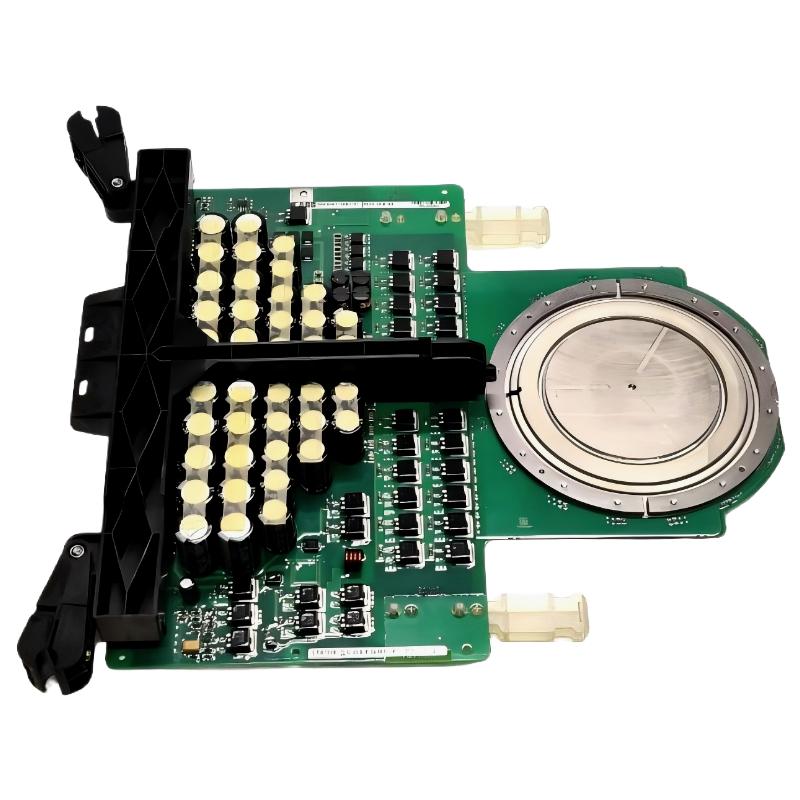
ABB 5SHX2645L0004 IGCT faults should not be diagnosed by replacing the power module first. A practical Fault Diagnosis process starts with the converter protection event, gate-drive behavior, phase measurements, cooling condition, and surrounding power circuit. ABB documentation identifies 5SHX2645L0004 as an IGCT RC type, associated with product ID 3BHL000389P0104.
ABB 5SHX2645L0004 IGCT Fault Symptoms
The most useful starting point is the exact symptom. An immediate converter trip, repeated gate-drive alarm, abnormal phase current, excessive temperature rise, or a protection event during load increase points toward different diagnostic paths.
- Converter trips immediately after enabling the power stage.
- One phase behaves differently from the other phases.
- Gate-drive protection appears without an obvious external load change.
- Temperature rises abnormally after a short operating period.
- Protection occurs only when converter load increases.
- The replacement IGCT produces the same fault as the original device.
The last symptom is particularly important. If a replacement device produces the same fault, the original IGCT may have been the victim rather than the root cause.
ABB 5SHX2645L0004 Fault Diagnosis Thinking Process
A useful field method is to divide the problem into four layers: control command, gate-drive response, power-stage behavior, and thermal/mechanical condition. This prevents technicians from jumping directly to semiconductor replacement.
ABB 5SHX2645L0004 Control Layer
First establish whether the converter is actually issuing the expected switching command. Review the control-system event log and determine whether the trip originated from the power stage or from an upstream permissive.
ABB 5SHX2645L0004 Gate-Drive Layer
If the control command is present but the gate-drive system reports an abnormal state, investigate the gate unit, interface, supply condition, wiring, and protection feedback before condemning the IGCT.
ABB 5SHX2645L0004 Power-Stage Layer
Compare the affected phase with a healthy phase under the same safe test condition. A phase-specific deviation is more useful diagnostically than a general statement that “the converter has a fault.”
ABB 5SHX2645L0004 Thermal Layer
When the fault appears after several minutes instead of immediately, thermal resistance, cooling performance, mounting pressure, contamination, and abnormal switching losses become increasingly important suspects.
Common ABB 5SHX2645L0004 IGCT Fault Causes
ABB 5SHX2645L0004 Troubleshooting should include the surrounding converter hardware because an IGCT failure can be secondary to another fault.
- Gate-drive malfunction or incorrect gate-drive feedback.
- Loose or damaged power connections.
- Abnormal DC-link conditions.
- Cooling-system degradation.
- Incorrect mechanical mounting or thermal interface condition.
- Insulation damage or contamination.
- Abnormal switching conditions elsewhere in the converter.
- Incorrect replacement-part identification.
Public product information also shows that the 5SHX2645L0004 family belongs to ABB’s IGCT spare-parts range. Related 5SHX devices can have different ratings and configurations, so visual similarity should never be used as the acceptance criterion for a replacement.
ABB 5SHX2645L0004 Electrical Measurements
Measurement should be performed according to the converter’s approved maintenance procedure and only with equipment rated for the relevant energy level. Static tests can help identify a severe short or open condition, but they cannot by themselves prove correct dynamic switching.
Record trip code
Record affected phase
Record DC-link condition
Record gate-drive status
Compare phase measurements
Check cooling permissive
Inspect mechanical condition
Confirm replacement part identity
For troubleshooting records, always associate a measurement with its operating condition. A voltage or current value without information about converter state, load, temperature, and test location has limited diagnostic value.
ABB 5SHX2645L0004 Gate-Drive Troubleshooting
Gate-drive Troubleshooting is often the highest-value diagnostic step when an IGCT appears to fail unexpectedly. If the control system commands switching but the gate unit reports a protection condition, the investigation should remain at the interface level until the gate-drive circuit has been verified.
- Check gate-unit status and diagnostic indicators.
- Inspect connectors for mechanical damage or incomplete engagement.
- Check the applicable gate-drive supply according to the equipment documentation.
- Compare the affected channel with a known healthy channel where the system design permits it.
- Review whether the fault is instantaneous or load-dependent.
A fault that appears immediately after a switching command suggests a different mechanism from a fault that appears only after thermal buildup. This timing information should be included in the Fault Diagnosis report.
ABB 5SHX2645L0004 Thermal Fault Troubleshooting
Thermal problems are commonly underestimated because the converter may start normally and trip only after operating time has accumulated. In this situation, inspect the cooling path before assuming semiconductor failure.
- Verify cooling equipment operation.
- Inspect the heat-transfer path for contamination or abnormal contact.
- Compare temperature behavior between corresponding phases.
- Check whether the fault follows converter load.
- Review historical temperature and alarm records if available.
Do not create a generic temperature limit for the 5SHX2645L0004 without consulting the applicable ABB equipment documentation. The correct acceptance value depends on the complete converter design and measurement location.
ABB 5SHX2645L0004 IGCT Repair Decision
Repair or replacement should be decided only after the failure mechanism has been reasonably isolated. If the IGCT is replaced without correcting an external gate-drive, cooling, mechanical, or power-circuit problem, the replacement can experience the same stress.
ABB 5SHX2645L0004 Replacement Indicators
- Confirmed semiconductor failure according to the approved maintenance test procedure.
- Physical damage that cannot be accepted for continued operation.
- Persistent phase-specific abnormal behavior after surrounding circuits have been verified.
- Insulation or electrical test results outside the equipment’s approved limits.
ABB 5SHX2645L0004 Repair Checks Before Re-Energization
- Verify the replacement part identification.
- Inspect the gate-drive interface.
- Verify mechanical mounting.
- Confirm cooling conditions.
- Review the original fault cause.
- Repeat the approved commissioning checks before returning the converter to normal load.
ABB 5SHX2645L0004 Field Diagnostic Example
A useful field diagnostic pattern is a converter that trips repeatedly immediately after power-stage enable following an IGCT replacement. The correct engineering response is not to install another device immediately. The technician first records the trip timing, affected phase, gate-drive status, DC-link condition, and cooling permissive.
If the same protection event occurs with a replacement IGCT, attention should move toward the gate-drive circuit, associated power components, control command, or protection logic. If the replacement operates normally at low load but develops a phase-specific temperature increase during load escalation, the investigation should shift toward cooling, mounting, switching behavior, and the surrounding power circuit.
This diagnostic pattern is deliberately presented without invented site measurements. Actual voltage, current, temperature, and protection values should be taken from the converter under investigation and compared with the applicable ABB equipment documentation.
ABB 5SHX2645L0004 Troubleshooting FAQ
Does an ABB 5SHX2645L0004 converter trip always mean the IGCT is defective?
No. The trip may originate from the gate-drive circuit, protection system, DC-link, cooling system, mechanical installation, or another component in the power stage.
Why can an IGCT fail again after replacement?
A repeated failure can indicate that the original root cause was not corrected. Gate-drive faults, abnormal switching conditions, cooling problems, or surrounding power-stage failures should therefore be investigated before installing another replacement.
Can a multimeter confirm that the ABB 5SHX2645L0004 is healthy?
A multimeter can assist with basic electrical checks, but it cannot establish complete dynamic switching performance. Semiconductor diagnosis should follow the approved converter maintenance procedure and use appropriate test equipment.
Why is the exact part number important during repair?
ABB has multiple related IGCT devices with similar physical appearances but different electrical and application characteristics. The complete type designation and product identification should be checked against the converter documentation before installation.
ABB 5SHX2645L0004 Fault Diagnosis Summary
Effective ABB 5SHX2645L0004 Troubleshooting is a process of elimination, not a parts-swapping exercise. Start with the protection event, separate control and gate-drive problems from power-stage faults, examine thermal behavior when the trip is load-dependent, and verify the complete replacement configuration before commissioning. A well-documented Fault Diagnosis record becomes the baseline for future maintenance and can significantly reduce repeated IGCT failures.