Table of Contents
- ABB 216EA62 Analog Input Unit Installation Overview
- ABB 216EA62 PLC System Preparation and Configuration
- ABB 216EA62 Analog Input Wiring and Signal Setup
- ABB 216EA62 Setup and Commissioning Procedure
- ABB 216EA62 Field Commissioning Case
- ABB 216EA62 Analog Input Unit FAQ
- ABB 216EA62 Installation Summary
ABB 216EA62 Analog Input Unit Installation Overview
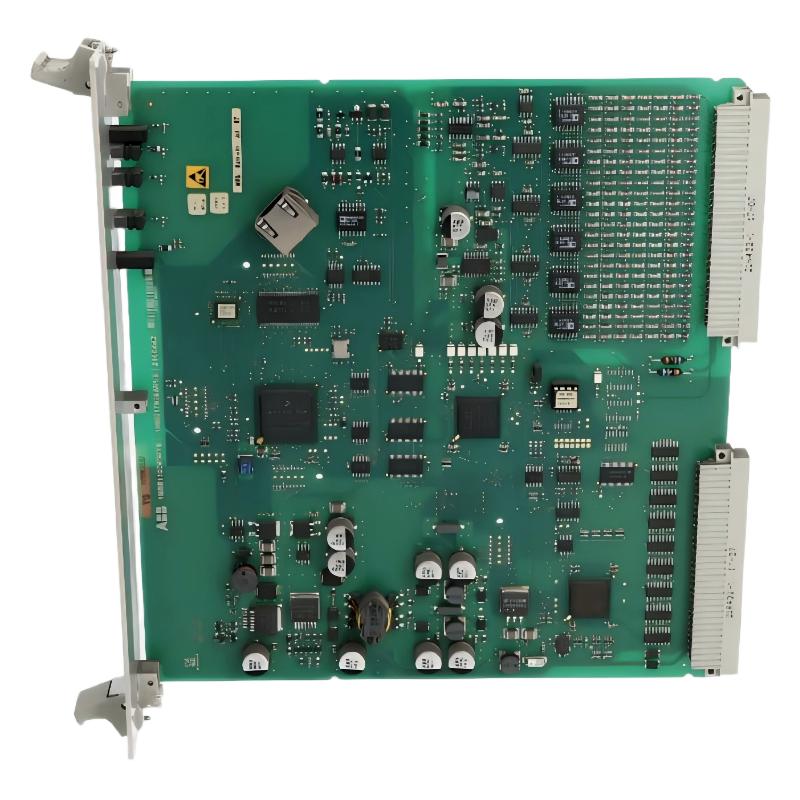
ABB 216EA62 1MRB150083R1/F Analog Input Unit installation problems are commonly related to incorrect signal configuration, grounding mistakes, or improper rack integration rather than the hardware itself. This Analog Input Unit works as an A/D conversion module, transforming industrial field signals into digital values for ABB control and protection systems.
The correct Installation Guide approach requires understanding the complete System Configuration, including rack position, input signal type, field wiring, and software parameters. The module is designed for industrial applications requiring stable analog measurement and reliable signal processing.
ABB 216EA62 PLC System Preparation and Configuration
Before installing the ABB 216EA62 PLC Controller interface module, engineers should verify the existing automation architecture and confirm compatibility with the controller rack.
- Check ABB rack slot availability.
- Verify 24VDC auxiliary power stability.
- Confirm analog signal type: voltage, current, RTD or transmitter output.
- Review existing PLC Controller software configuration.
- Prepare shielded signal cables for industrial environments.
A typical field check should include measuring the supply voltage before module insertion. In practical commissioning work, stable power between 23.5VDC and 24.5VDC usually indicates acceptable installation conditions.
ABB 216EA62 Analog Input Wiring and Signal Setup
The ABB 216EA62 Analog Input Unit requires careful signal wiring because weak grounding or cable interference can create unstable measurement values.
- Use separated cable routing for analog signals and power cables.
- Connect cable shields according to ABB grounding practice.
- Check transmitter loop current before connection.
- Verify polarity of voltage input channels.
During Installation Guide execution, engineers normally perform a loop simulation test before connecting field sensors.
Check AI channel status:
READ_AI_CHANNEL 01

Verify signal value:
MONITOR_ANALOG_INPUT AI01

Check module diagnostic:
MODULE_STATUS 216EA62
ABB 216EA62 Setup and Commissioning Procedure
The ABB 216EA62 Setup and Commissioning process should include hardware inspection, software parameter loading, and signal verification.
- Install the module into the assigned rack position.
- Power on the automation system.
- Download System Configuration parameters.
- Verify channel scaling values.
- Perform simulated input testing.
A correct commissioning result means the engineering value displayed in the control system matches the external measurement source.
ABB 216EA62 Analog Input Unit Field Commissioning Case
In one commissioning case, an ABB 216EA62 Analog Input Unit showed unstable temperature feedback after initial startup. The displayed signal fluctuated between 42°C and 58°C while the actual process temperature remained around 45°C.
The engineering team first checked the module hardware and found no internal fault indication. Further signal analysis identified that the sensor cable was installed parallel to a motor power cable. After rerouting the cable and improving shielding, the analog fluctuation dropped from approximately 16 units to less than 1 unit.
This case demonstrates that ABB 216EA62 Fault Diagnosis during commissioning should always include external signal inspection before replacing the Module.
ABB 216EA62 Analog Input Unit FAQ
What signals can ABB 216EA62 process?
ABB 216EA62 is designed for industrial analog signal acquisition and A/D conversion applications. The supported signal range depends on the specific System Configuration and application setup.
Why does ABB 216EA62 show unstable analog values?
Unstable values are commonly caused by grounding problems, electromagnetic interference, damaged cables, or incorrect scaling parameters.
How should ABB 216EA62 be configured in a PLC system?
The module should be configured according to rack position, channel assignment, input type, and engineering scaling requirements.
What should be checked before replacing ABB 216EA62?
Engineers should complete Fault Diagnosis including power measurement, cable inspection, channel testing, and software verification before replacement.
Can ABB 216EA62 operate in harsh industrial environments?
The module is designed for industrial automation applications where stable signal conversion and reliable operation are required.
What tools are useful for ABB 216EA62 troubleshooting?
Multimeters, signal calibrators, ABB engineering software, and system diagnostic tools are commonly used during troubleshooting.
Why is signal calibration important after installation?
Calibration ensures that field sensor values correctly match the digital values processed by the control system.
How can ABB 216EA62 communication reliability be improved?
Correct grounding, proper cable shielding, and accurate System Configuration parameters significantly improve reliability.
ABB 216EA62 Installation Summary
Successful ABB 216EA62 1MRB150083R1/F Analog Input Unit installation depends on correct wiring, accurate configuration, and professional commissioning methods. Field experience shows that most startup issues come from external signal conditions rather than module failure. A structured Installation Guide and practical Setup verification process can significantly reduce commissioning time.