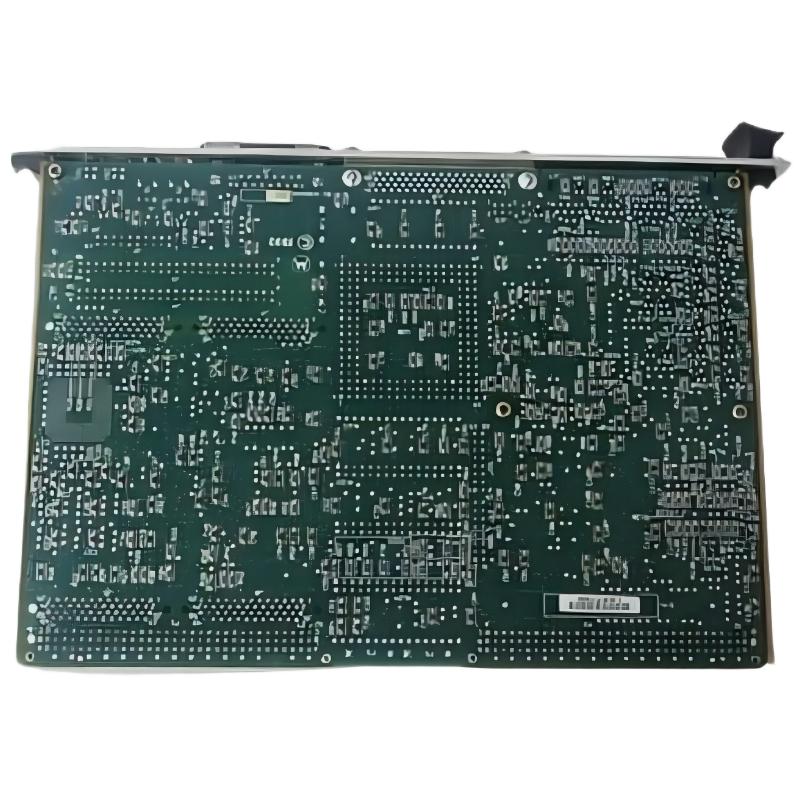
ABB 88FK05R0100 Remote Bus Coupling Module Fault Diagnosis
When an ABB 88FK05R0100 (GJR2393600R0100) Remote Bus Coupling Module fails to establish remote-bus communication, the most useful first action is to determine where the communication path breaks down. A missing endpoint can result from a connection problem, incorrect channel assignment, configuration mismatch, or defective hardware; replacing the module before checking these possibilities can lead to unnecessary downtime.
The 88FK05R0100 is identified as a Procontrol remote-bus coupling component. Troubleshooting should therefore follow the actual Procontrol architecture and available diagnostics, rather than generic Ethernet or PLC network procedures.
ABB 88FK05R0100 Fault Symptoms and Their Significance
Start by describing the failure precisely. Different symptoms suggest different investigation paths.
- Remote endpoint absent: The controller or engineering interface does not recognize the expected remote-bus endpoint.
- Intermittent communication: The endpoint appears and disappears, potentially indicating an unstable connection or an intermittent hardware issue.
- Communication alarm after maintenance: A cable, connector, rack position, or configuration may have changed during the work.
- Persistent fault after restart: The problem may remain in the physical path, system configuration, or module itself.
- Multiple endpoints affected: Investigate shared infrastructure or a common channel before focusing on a single coupling module.
These are diagnostic categories, not claims that every symptom is a documented failure mode unique to this ABB part.
Fault Isolation Logic for the ABB 88FK05R0100 Module
A useful field method is to move from evidence that is easiest to verify toward tests that require more intervention. Preserve the initial alarm state and avoid changing several variables at once.
- Capture the first alarm, timestamp, affected endpoint, and any preceding maintenance activity.
- Check whether one endpoint or several endpoints on the same path are affected.
- Verify that the installed part is 88FK05R0100 / GJR2393600R0100 and that the rack position matches the system drawings.
- Inspect cable identification, connector seating, strain relief, and visible damage.
- Compare the expected remote-bus channel with the as-installed cable route.
- Review available system diagnostics and configuration records for inconsistencies.
- Consider hardware substitution only after external connections and configuration have been checked.
Common Causes of ABB 88FK05R0100 Remote Bus Communication Faults
In practical Fault Diagnosis, the following categories should be considered before the module is declared defective.
- Loose or damaged connection: A partially engaged connector or damaged contact can interrupt communication.
- Incorrect cable destination: The physical cable may connect to a different channel or endpoint than the configuration expects.
- Configuration mismatch: Rack records, channel assignments, or endpoint definitions may no longer match the installed hardware.
- Electrical interference: A cable routed alongside switching or high-current conductors may be exposed to noise, depending on the physical interface and installation.
- Shared infrastructure fault: If multiple endpoints fail together, a common connection or upstream component may be involved.
- Module or mating hardware failure: Internal damage is possible, but should be assessed after the external path has been verified.
ABB 88FK05R0100 Diagnostic Checks Without Guesswork
Use the diagnostics available in the installed control system. Generic pseudo commands can help organize an investigation, but they are not executable commands for the ABB module.
CAPTURE initial_alarm_and_timestamp
IDENTIFY affected_remote_bus_endpoint
COMPARE expected_channel_with_actual_cable
INSPECT connectors_and_cable_condition
REVIEW system_event_history
VERIFY configuration_against_drawings
DOCUMENT results_before_hardware_swap
If electrical testing is required, first identify the exact interface and its approved test method. Do not apply an assumed voltage, resistance, or signal threshold to an undocumented connector. Use a calibrated instrument only where the system documentation permits the measurement, and keep personnel clear of energized equipment.
Illustrative Field Case: ABB Remote Bus Endpoint Missing
In a representative post-maintenance scenario, a remote endpoint fails to appear after cabinet work. The initial observation alone does not establish whether the coupling module has failed. The engineer records the alarm, checks whether adjacent endpoints remain available, and inspects the affected channel’s cable connections.
Suppose the inspection reveals that the cable label does not match the destination shown in the approved drawing. The next action is to verify the cable route against the engineering records and correct the discrepancy under the plant’s isolation procedure. Communication is then retested and the resulting diagnostics are recorded.
If the endpoint remains unavailable, the investigation should continue with the far-end connector, shared bus infrastructure, configuration, and finally controlled substitution with a known-good compatible module if permitted. This example illustrates a troubleshooting method; it is not a claim of a verified customer incident or a measured repair outcome.
ABB 88FK05R0100 Troubleshooting: Recovery and Verification
Once a suspected cause has been corrected, verify more than the disappearance of an alarm.
- Confirm that the expected endpoint is consistently recognized.
- Check for recurring communication events during the approved observation period.
- Verify the relevant interlocks and dependent functions according to the commissioning plan.
- Compare the final configuration with the approved system records.
- Document the original symptom, findings, corrective action, and final test result.
Do not repeatedly reset the control system as a substitute for fault isolation. A reset may temporarily clear a symptom without correcting an unstable connection or configuration error.
ABB 88FK05R0100 Fault Diagnosis: Frequently Asked Questions
Why is the remote endpoint missing after installation?
Check the cable path, connector seating, intended channel, and system configuration before concluding that the coupling module is defective.
Does an intermittent communication fault prove hardware failure?
No. Intermittent faults can also arise from unstable connections, damaged cables, or shared infrastructure problems. Correlate the event history with physical inspection findings.
What does it mean if several remote endpoints fail simultaneously?
A shared cable path, common connection, or upstream component may be involved. Investigate the common elements before replacing individual modules.
Can a generic Ethernet tester be used on the 88FK05R0100?
Only if the exact interface documentation identifies a compatible Ethernet connection and approves the test method. Do not assume that a Procontrol remote-bus interface is Ethernet.
Should the module be replaced immediately when an alarm appears?
No. Preserve diagnostic evidence and check the physical connection, channel assignment, and System Configuration first. Replace the module only when evidence supports that decision and the replacement procedure is approved.
What evidence should be included in a repair report?
Include the full part identifiers, affected channel and endpoint, alarm timestamps, cable inspection findings, configuration checks, corrective actions, and post-repair test results.
Conclusion: ABB 88FK05R0100 Troubleshooting and Repair Decisions
Effective troubleshooting of the ABB 88FK05R0100 Remote Bus Coupling Module depends on structured evidence collection and fault isolation. Begin with the communication symptom, identify whether the failure is isolated or shared, verify the cable and connector path, and compare the physical installation with the approved Procontrol System Configuration. Treat module replacement as an evidence-based decision, and use ABB’s applicable technical documentation for all electrical tests and repair procedures.