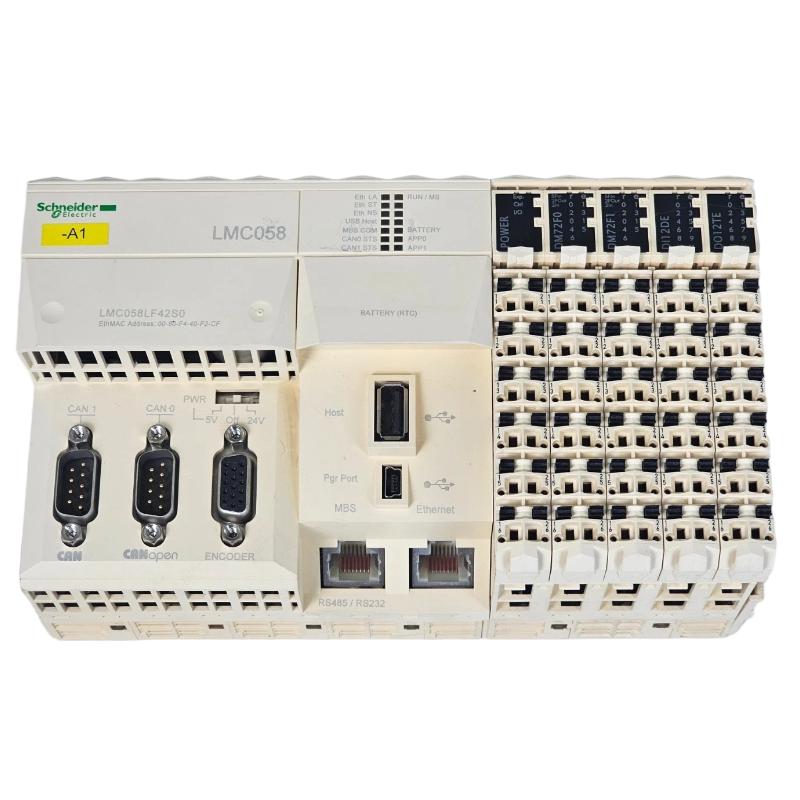
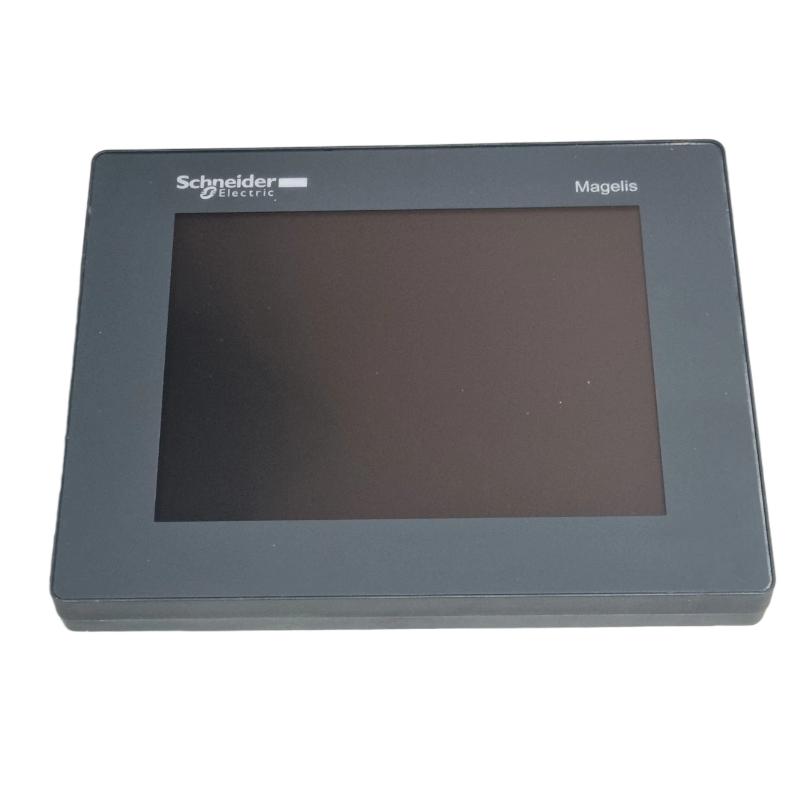
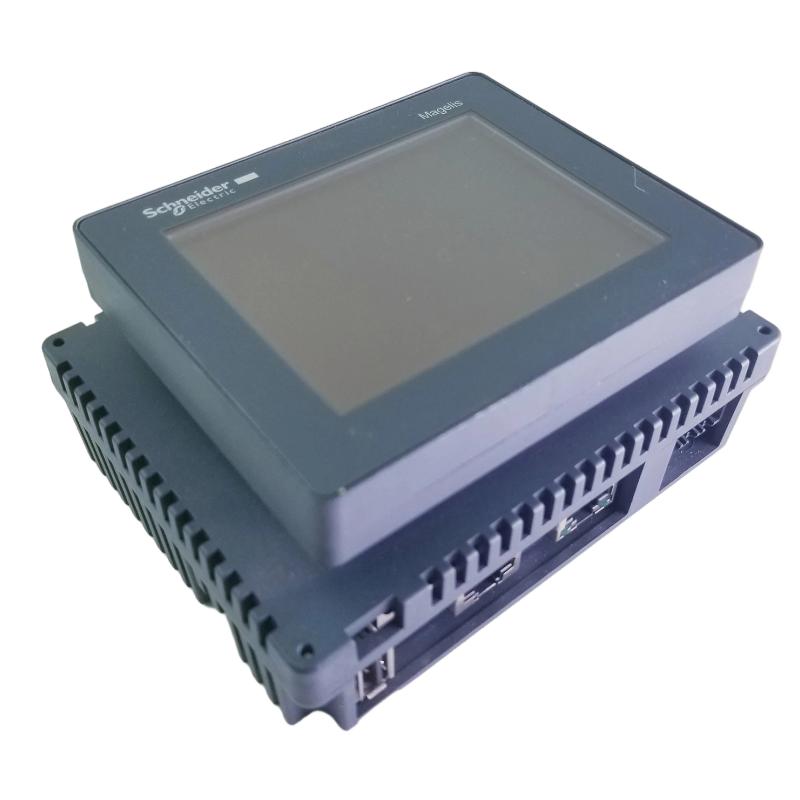
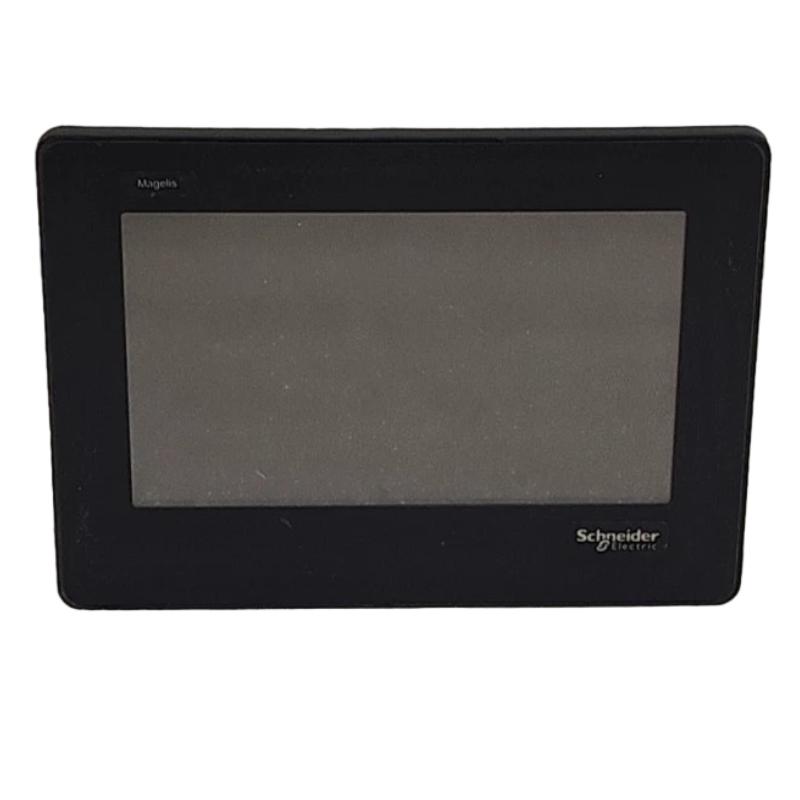
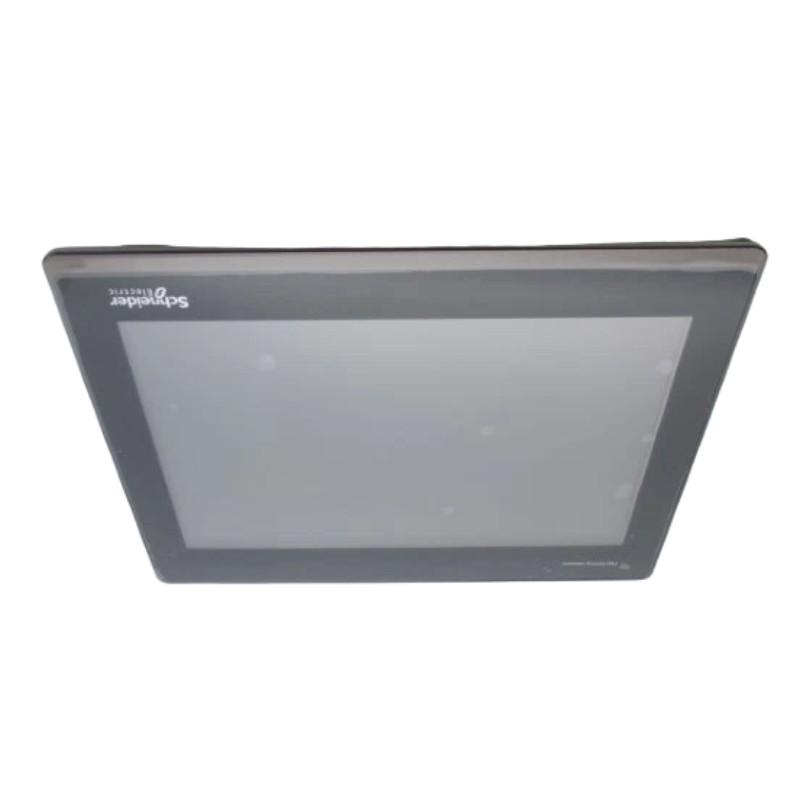
Schneider HMIST6600 Touch Panel Screen
| Company Information | ||||||||
| [email protected] | ||||||||
| Mobile | +8613666084105 | |||||||
| +8613666084105 | ||||||||
| 13666084105 | ||||||||
| Add to | Room 1004, No. 62 Xiangxiu Li, Siming District, Xiamen City, Fujian Province, China | |||||||
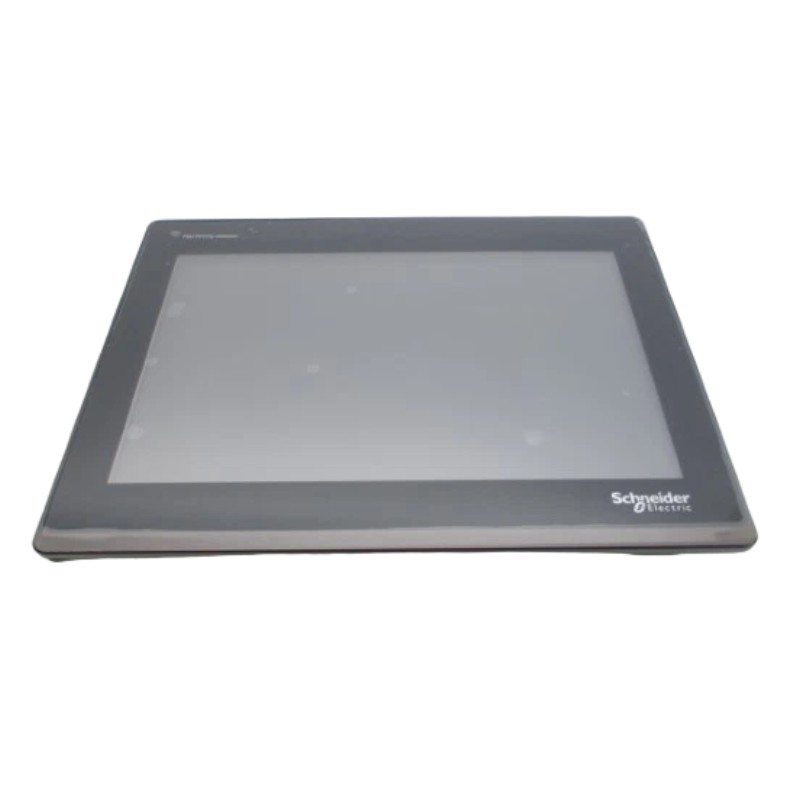
Technical Specifications
| Parameter | Specification |
|---|---|
| Brand | Schneider Electric |
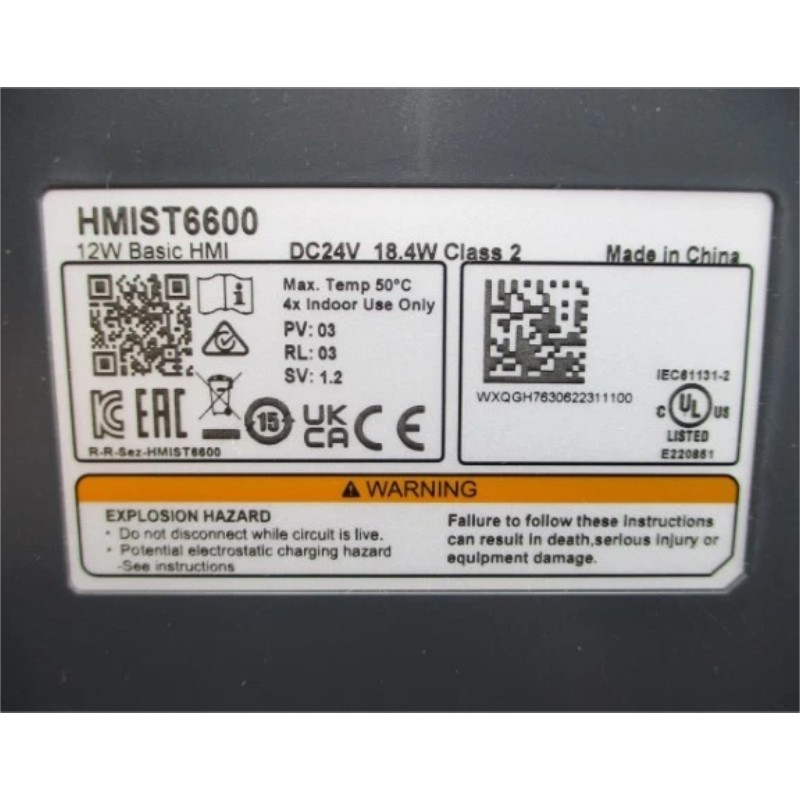
| Model | HMIST6600 |
| Product Name | Touch Panel Screen |
| Product Series | Harmony ST6 |
| Product Type | Human-Machine Interface (HMI) Touch Panel |
| Display Size | 12-inch wide screen |
| Display Type | Colour TFT LCD |
| Display Resolution | 1280 × 800 pixels (WXGA) |
| Display Colours | 16 million colours |
| Touch Technology | Single-touch analogue resistive touchscreen |
| Processor | ARM Cortex-A8 |
| Processor Frequency | 800 MHz |
| Device Memory | 1 GB |
| User Data Memory | 128 MB |
| Backup Memory | 512 KB |
| Configuration Software | EcoStruxure Operator Terminal Expert |
| Rated Supply Voltage | 24 V DC (±20%) |
| Power Consumption | 18.4 W |
| Inrush Current | 30 A |
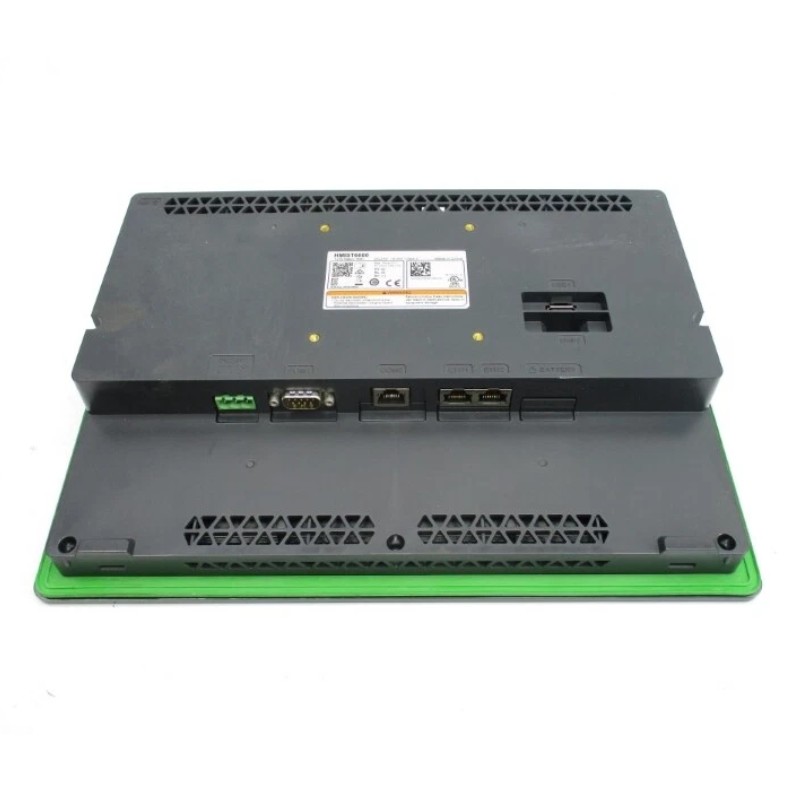
| Ethernet Interfaces | 2 × 10/100BASE-T Ethernet |
| Serial Communication | 2 COM ports: COM1 (RS-232C) and COM2 (RS-485) |
| USB Interfaces | 1 × USB 2.0 Type-A host; 1 × USB 2.0 Micro-B device |
| Application Capacity | Up to 200 application pages |
| Backlight Type | White LED |
| Backlight Service Life | Approximately 50,000 hours under specified conditions |
| Brightness Adjustment | 16 levels |
| Front Panel Material | Aluminium alloy |
| Front Panel Protection | IP65F when correctly installed |
| Rear Panel Protection | IP20 |
| Operating Temperature | 0–50°C |
| Storage Temperature | -20–60°C |
| Relative Humidity | 10–90% RH, non-condensing |
| Cooling Method | Natural air circulation |
| Installation Method | Panel mounting with mounting fasteners |
| Panel Cutout | 295 × 217 mm |
| Dimensions | 235 × 313 × 50 mm |
| Weight | 1.8 kg |
FAQ
Q1: What is the Schneider Electric HMIST6600 touch panel used for?
The HMIST6600 is a 12-inch human-machine interface from the Harmony ST6 series. It enables operators to monitor industrial processes, view equipment status, display alarms, and interact with compatible PLC-based control systems through configurable graphical screens.
Q2: Which software is used to program the HMIST6600?
The HMIST6600 uses EcoStruxure Operator Terminal Expert for HMI application development and configuration. Before downloading a project, verify software compatibility, communication settings, screen configuration, and the application transfer procedure.
Q3: What communication interfaces does the HMIST6600 provide?
The panel has two Ethernet ports, one RS-232C serial interface, one RS-485 serial interface, one USB Type-A host port, and one USB Micro-B device port. These interfaces support connections to compatible PLCs, industrial equipment, and engineering computers, depending on the selected communication protocol.
Q4: What is the display resolution of the HMIST6600, and how does it affect HMI design?
The display resolution is 1280 × 800 pixels (WXGA), providing space for process diagrams, operating controls, alarm lists, and monitoring data. When designing the application, use appropriately sized fonts, clear navigation, and consistent screen layouts to maintain readability during machine operation.
Q5: What power supply does the HMIST6600 require?
The HMIST6600 uses a nominal 24 V DC power supply with a specified tolerance of ±20%. Its rated power consumption is 18.4 W, and the documented inrush current is 30 A. Select a suitable supply, account for startup current, and follow the manufacturer’s wiring and grounding instructions.
Q6: How should the HMIST6600 be installed in a control cabinet?
Prepare the panel opening according to the specified cutout dimensions, install the supplied mounting hardware, and ensure the sealing gasket is correctly positioned. Provide adequate clearance for connectors and cables. Correct installation is essential for maintaining the specified front-panel protection.
Q7: What should be checked if the HMIST6600 cannot communicate with a PLC?
Check the network cable or serial wiring, power supply, PLC communication settings, protocol selection, and device addresses. Review diagnostic messages and confirm that the HMI project uses the correct communication driver. If communication still fails, test the connection independently and inspect the configuration of both devices.
Q8: Can the HMIST6600 replace an existing industrial HMI?
Replacement depends on the existing HMI’s mounting arrangement, panel cutout, power requirements, communication interfaces, PLC compatibility, and application software. Even when the electrical connections are compatible, the original project may require conversion or redevelopment. Test the replacement and verify all operating functions before returning the machine to service.
Schneider HMIST6600 Touch Panel Screen is in stock. Please contact us for a quick quote and competitive pricing.
| Company Information | ||||||||
| [email protected] | ||||||||
| Mobile | +8613666084105 | |||||||
| +8613666084105 | ||||||||
| 13666084105 | ||||||||
| Add to | Room 1004, No. 62 Xiangxiu Li, Siming District, Xiamen City, Fujian Province, China | |||||||
Company Introduction
Xiamen Shengruite Trading Co., Ltd. is a company specializing in the supply of industrial PLC spare parts.
We provide high-quality PLC spare parts to customers in the global manufacturing, energy and power, chemical and other fields.
Since its establishment in 2011, after 13 years of rapid development, the cumulative global shipments have reached 223,650 pieces, with an annual output value of US$50 million.
Successfully served more than 500 customers in more than 100 countries and regions including Saudi Arabia, UAE, the United States, Europe, Africa, and Southeast Asia
Our Mission
Provide customers with the best quality PLC spare parts and the fastest delivery service to ensure that their industrial automation systems are always in the best operating condition.
We provide a 1-year warranty service, and we support returns and exchanges for any issues to ensure your rights and interests are fully protected.
We can provide detailed product images upon request, and our team can arrange warehouse photos for confirmation to ensure you have all the information you need before making a purchase.
Shipping times vary depending on your location. With the support of our 16 global warehouses, we strive to deliver orders as quickly as possible. Contact us to get an estimated delivery time for your specific location.
The minimum order quantity (MOQ) is typically one unit. However, for larger orders, please contact us for potential discounts and pricing details.
Yes, we offer competitive pricing for bulk purchases. Please reach out to our sales team with the specifics of your order to receive a custom quote.
We accept various payment methods for wholesale orders, including bank transfers (T/T), letters of credit, and other options upon agreement. For large transactions, please contact us directly for payment terms.
Yes, we offer flexible ordering options for both small and large quantities. Whether youre looking for a single unit or a large batch, we can accommodate your needs.
We occasionally offer promotional discounts for new wholesale customers. Contact us to learn more about any current offers available for first-time buyers.
If you are unsure of compatibility with your existing setup please provide your system details and our support team can verify compatibility prior to purchase.
Returns are accepted within 30 days if the product is unused, unopened, and in its original packaging. Please note that return shipping and associated costs are the buyer\\\\\\\\\\\\\\\\\\\\\\\\\\\\\\\\\\\\\\\\\\\\\\\\\\\\\\\\\\\\\\\\\\\\\\\\\\\\\\\\\\\\\\\\\\\\\\\\\\\\\\\\\\\\\\\\\\\\\\\\\\\\\\\\\\\\\\\\\\\\\\\\\\\\\\\\\\\\\\\\\\\\\\\\\\\\\\\\\\\\\\\\\\\\\\\\\\\\\\\\\\\\\\\\\\\\\\\\\\\\\\\\\\\\\\\\\\\\\\\\\\\\\\\\\\\\\\\\\\\\\\\\\\\\\\\\\\\\\\\\\\\\\\\\\\\\\\\\\\\\\\\\\\\\\\\\\\\\\\\\\\\\\\\\\\\\\\\\\\\\\\\\\\\\\\\\\\\\\\\\\\\\\\\\\\\\\\\\\\\\\\\\\\\\\\\\\\\\\\\\\\\\\\\\\\\\\\\\\\\\\\\\\\\\\\\\\\\\\\\\\\\\\\\\\\\\\\\\\\\\\\\\\\\\\\\\\\\\\\\\\\\\\\\\\\\\\\\\\\\\\\\\\\\\\\\\\\\\\\\\\\\\\\\\\\\\\\\\\\\\\\\\\\\\\\\\\\\\\\\\\\\\\\\\\\\\\\\\\\\\\\\\\\\\\\\\\\\\\\\\\\\\\\\\\\\\\\\\\\\\\\\\\\\\\\\\\\\\\\\\\\\\\\\\\\\\\\\\\\\\\\\\\\\\\\\\\\\\\\\\\\\\\\\\\\\\\\\\\\\\\\\\\\\\\\\\\\\\\\\\\\\\\\\\\\\\\\\\\\\\\\\\\\\\\\\\\\\\\\\\\\\\\\\\\\\\\\\\\\\\\\\\\\\\\\\\\\\\\\\\\\\\\\\\\\\\\\\\\\\\\\\\\\\\\\\\\\\\\\\\\\\\\\\\\\\\\\\\\\\\\\\\\\\\\\\\\\\\\\\\\\\\\\\\\\\\\\\\\\\\\\\\\\\\\\\\\\\\\\\\\\\\\\\\\\\\\\\\\\\\\\\\\\\\\\\\\\\\\\\\\\\\\\\\\\\\\\\\\\\\\\\\\\\\\\\\\\\\\\\\\\\\\\\\\\\\\\\\\\\\\\\\\\\\\\\\\\\\\\\\\\\\\\\\\\\\\\\\\\\\\\\\\\\\\\\\\\\\\\\\\\\\\\\\\\\\\\\\\\\\\\\\\\\\\\\\\\\\\\\\\\\\\\\\\\\\\\\\\\\\\\\\\\\\\\\\\\\\\\\\\\\\\\\\\\\\\\\\\\\\\\\\\\\\\\\\\\\\\\\\\\\\\\\\\\\\\\\\\\\\\\\\\\\\\\\\\\\\\\\\\\\\\\\\\\\\\\\\\\\\\\\\\\\\\\\\\\\\\\\\\\\\\\\\\\\\\\\\\\\\\\\\\\\\\\\\\\\\\\\\\\\\\\\\\\\\\\\\\\\\\\\\\\\\\\\\\\\\\\\\\\\\\\\\\\\\\\\\\\\\\\\\\\\\\\\\\\\\\\\\\\\\\\\\\\\\\\\\\\\\\\\\\\\\\\\\\\\\\\\\\\\\\\\\\\\\\\\\\\\\\\\\\\\\\\\\\\\\\\\\\\\\\\\\\\\\\\\\\\\\\\\\\\\\\\\\\\\\\\\\\\\\\\\\\\\\\\\\\\\\\\\\\\\\\\\\\\\\\\\\\\\\\\\\\\\\\\\\\\\\\\\\\\\\\\\\\\\\\\\\\\\\\\\\\\\\\\\\\\\\\\\\\\\\\\\\\\\\\\\\\\\\\\\\\\\\\\\\\\\\\\\\\\\\\\\\\\\\\\\\\\\\\\\\\\\\\\\\\\\\\\\\\\\\\\\\\\\\\\\\\\\\\\\\\\\\\\\\\\\\\\\\\\\\\\\\\\\\\\\\\\\\\\\\\\\\\\\\\\\\\\\\\\\\\\\\\\\\\\\\\\\\\\\\\\\\\\\\\\\\\\\\\\\\\\\\\\\\\\\\\\\\\\\\\\\\\\\\\\\\\\\\\\\\\\\\\\\\\\\\\\\\\\\\\\\\\\\\\\\\\\\\\\\\\\\\\\\\\\\\\\\\\\\\\\\\\\\\\\\\\\\\\\\\\\\\\\\\\\\\\\\\\\\\\\\\\\\\\\\\\\\\\\\\\\\\\\\\\\\\\\\\\\\\\\\\\\\\\\\\\\\\\\\\\\\\\\\\\\\\\\\\\\\’s responsibility.
Yes, we offer technical support for the installation and integration of our products. Our team can assist with setup, configuration, and troubleshooting to ensure a smooth installation.