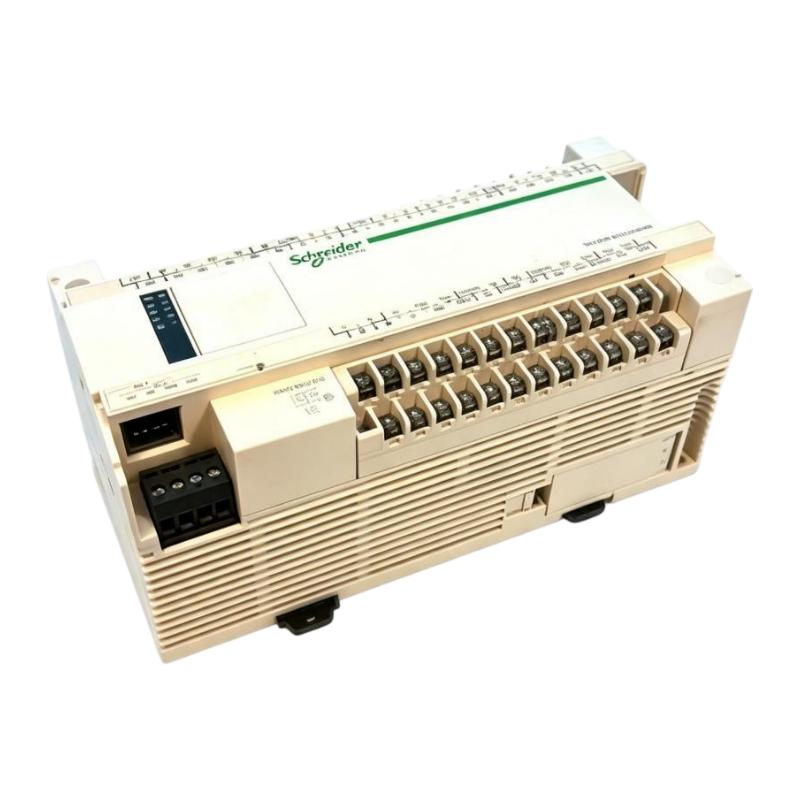
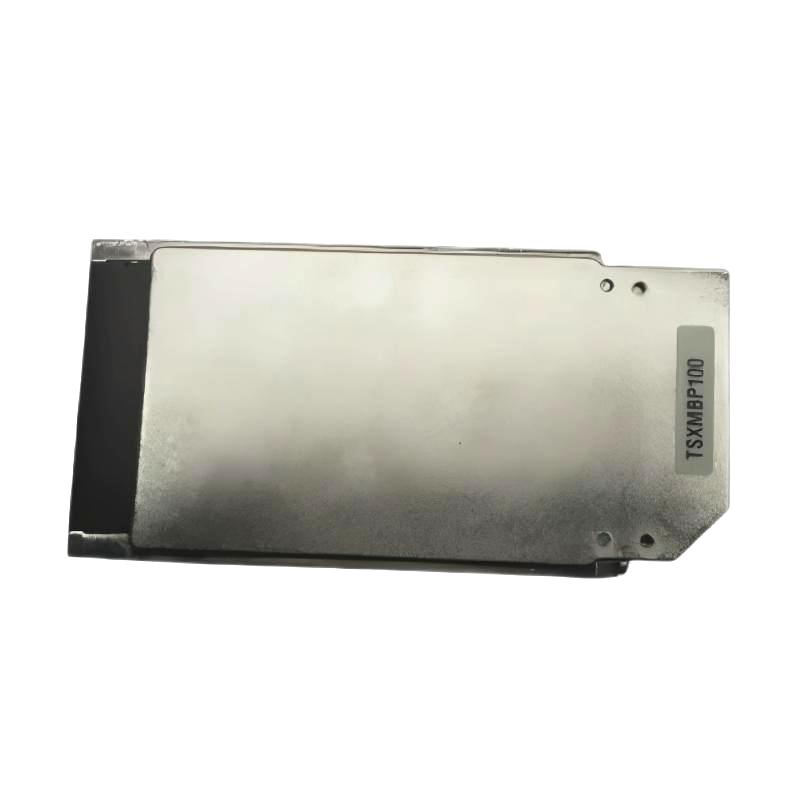
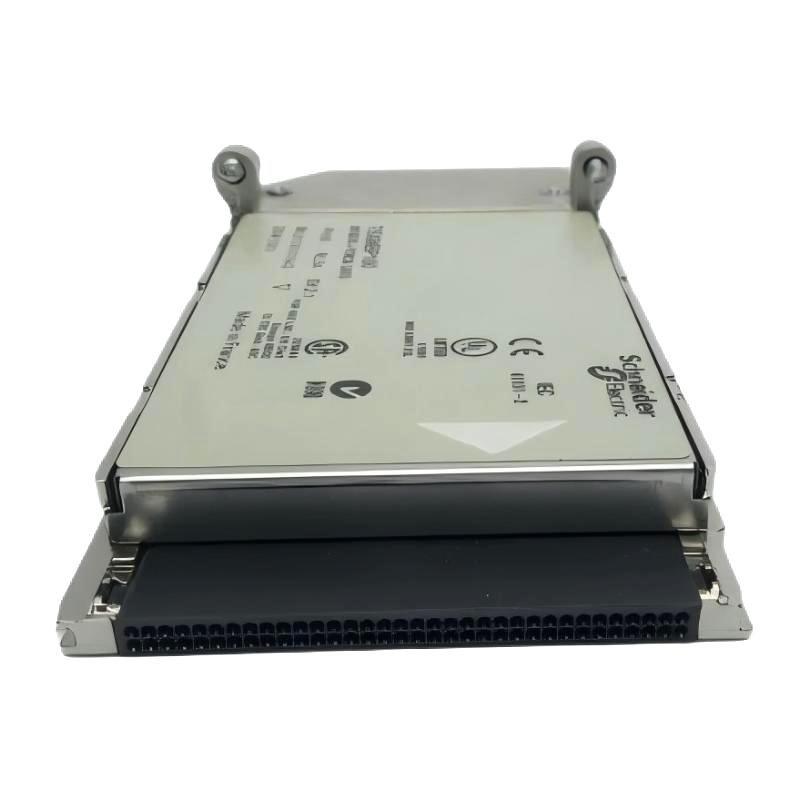
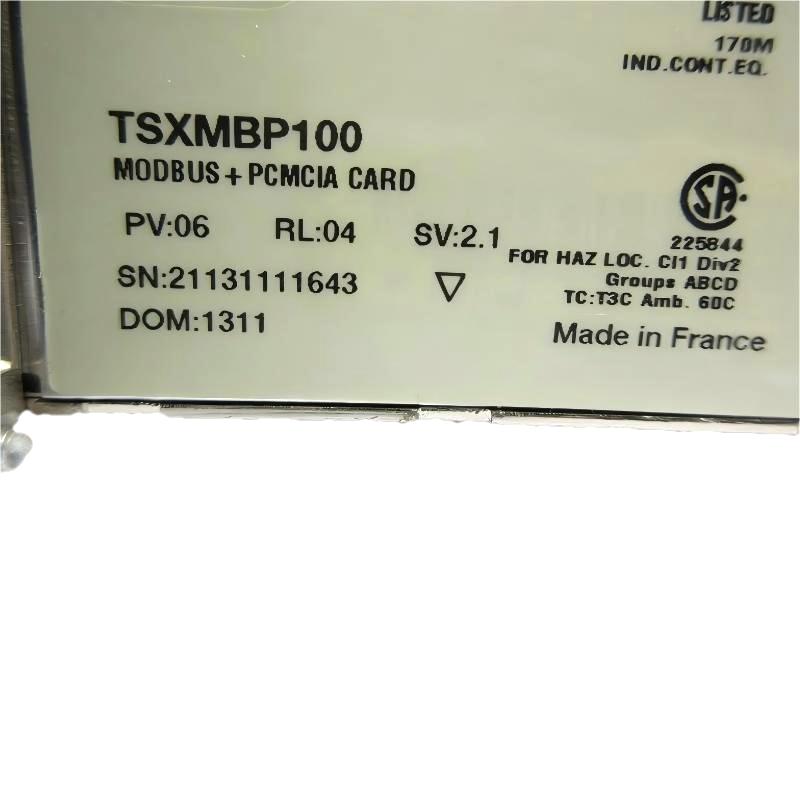
Schneider TSXMBP100 PCMCIA Card
| Company Information | ||||||||
| [email protected] | ||||||||
| Mobile | +8613666084105 | |||||||
| +8613666084105 | ||||||||
| 13666084105 | ||||||||
| Add to | Room 1004, No. 62 Xiangxiu Li, Siming District, Xiamen City, Fujian Province, China | |||||||
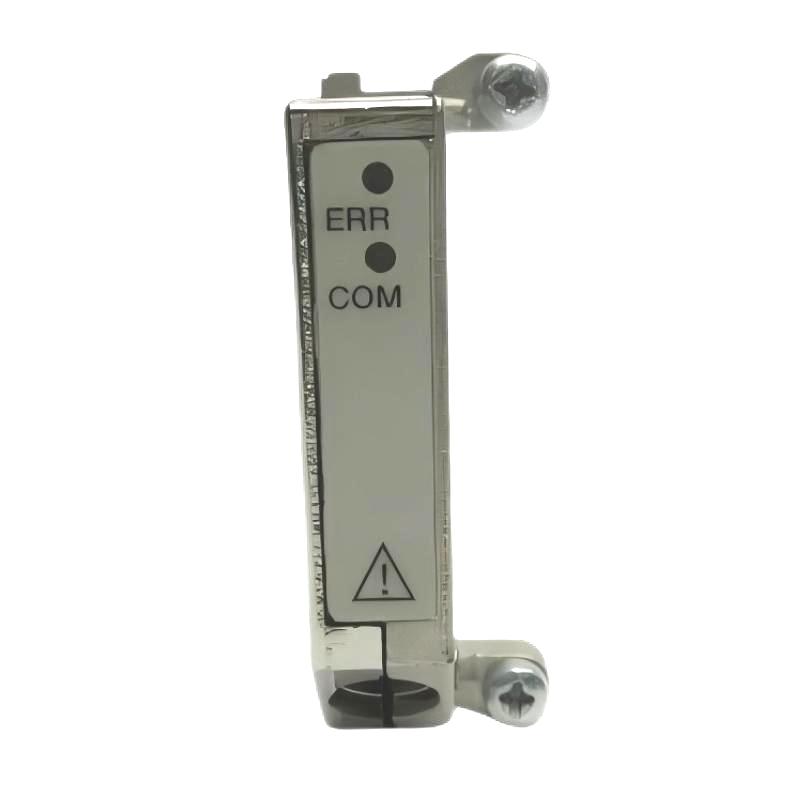 Technical Specifications
| Parameter | Specification |
|---|---|
| Brand | Schneider Electric |
| Product Type | PCMCIA Card |
| Model | TSXMBP100 |
| Product Category | PCMCIA Communication / Expansion Card |
| Interface Type | PCMCIA |
| Main Function | Provides communication and functional expansion capabilities for compatible Schneider Electric automation equipment |
| System Application | Industrial automation, PLC control systems, and data communication |
| Communication Application | Data exchange between automation equipment and system expansion |
| Installation | Installed in a compatible PCMCIA card slot |
| Typical Applications | PLC system expansion, industrial communication, and automation equipment data exchange |
| System Compatibility | Compatible Schneider Electric automation control systems |
| Operating Environment | Industrial automation environment |
| Product Purpose | Automation system communication and functional expansion |
| Dimensions | 170 × 155 × 35 mm |
| Weight | 0.11 kg |
FAQ
1. What is the Schneider TSXMBP100 PCMCIA Card mainly used for?
The Schneider TSXMBP100 is a PCMCIA card designed for communication or system expansion in compatible industrial automation systems. It is installed through a PCMCIA interface on the appropriate automation equipment, allowing the control system to support additional communication or expansion functions according to the project requirements. In PLC applications, the card can form part of the data exchange architecture between the controller and other automation equipment. Before using the TSXMBP100, engineers should verify compatibility with the specific PLC model, system architecture, software configuration, and intended application.
2. What interface does the TSXMBP100 use?
The TSXMBP100 uses a PCMCIA interface and is intended for automation equipment equipped with a compatible PCMCIA slot. Once installed, the card communicates with the host system through the PCMCIA interface and is managed according to the hardware and software configuration of the automation platform. During installation, the card should be correctly aligned with the slot and inserted carefully without excessive force. For systems already operating in production, installation or replacement should follow the applicable maintenance procedures. After installation, the host controller should be checked to ensure that the TSXMBP100 is correctly recognized.
3. What automation systems can use the TSXMBP100?
The TSXMBP100 is intended for industrial automation systems based on compatible Schneider Electric hardware architectures. Depending on the host controller, software environment, and overall system design, it can be used for PLC communication, equipment data exchange, and related system expansion. In an industrial installation, the PCMCIA card can form part of the automation control architecture and support data interaction with other control devices or higher-level systems. Before installation, engineers should verify compatibility between the PLC model, PCMCIA interface, software environment, and specific application requirements. Having a PCMCIA slot alone does not necessarily mean that a device supports the TSXMBP100.
4. How should the Schneider TSXMBP100 be installed?
Before installing the TSXMBP100, verify that the target device provides a compatible PCMCIA slot and that the card model matches the automation system configuration. Check the card orientation before insertion and carefully insert it into the appropriate interface without applying excessive force. If the equipment is already operating in production, follow the site’s safety and maintenance procedures and place the relevant system in an appropriate maintenance state before installation. After installation, verify that the PLC or host controller recognizes the card correctly. If additional software configuration is required, configure the relevant parameters according to the project requirements. A communication or functional test should then be performed to verify proper operation with the host controller and connected equipment.
5. How can TSXMBP100 recognition or communication problems be diagnosed?
If the TSXMBP100 is not recognized after installation, first check whether the PCMCIA card is correctly inserted and securely connected to the slot. Then check the operating status of the host controller and review available system diagnostics to determine whether the expansion card is detected. If hardware recognition is normal but communication remains unavailable, continue by checking the software configuration, communication parameters, connected devices, and relevant communication paths. In an automation system with multiple nodes, the status of other devices should also be checked to determine whether the problem is local or system-wide. A structured troubleshooting sequence—hardware installation, system recognition, software configuration, communication parameters, and external equipment—can make fault isolation more efficient.
6. How does the TSXMBP100 participate in PLC data exchange?
The exact data exchange method depends on the host controller, system software, and overall automation network architecture in which the TSXMBP100 is installed. Once installed in compatible PLC or automation equipment, the PCMCIA card participates in the required communication or expansion functions through the host system’s hardware and software configuration. The PLC application can then access relevant data and exchange information with external automation equipment according to the system design. For reliable communication, the PLC hardware configuration, TSXMBP100-related settings, communication parameters, data mapping, and external device configuration must be consistent. Incorrect configuration in any of these areas can result in a situation where the card is recognized correctly but actual process data cannot be exchanged properly.
7. What should be considered when replacing a TSXMBP100?
Before replacing a TSXMBP100, verify the complete replacement model and confirm compatibility with the existing Schneider Electric automation system. If the equipment is controlling an active production process, place the relevant system into an appropriate maintenance state according to site safety and maintenance requirements. Before removing the existing card, it is recommended to record the current hardware configuration, software parameters, and communication settings. After installing the replacement card, confirm that it is securely installed and correctly recognized by the PLC or host controller. Then verify the relevant software configuration and perform communication tests with connected equipment. For critical production systems, complete functional testing should be performed before automatic operation is restored to confirm that communication and control functions are operating normally.
8. What should be checked when commissioning the TSXMBP100?
Commissioning the TSXMBP100 should cover hardware installation, system recognition, software configuration, and actual communication performance. First, verify that the PCMCIA card is correctly installed and that the PLC or host device detects it without errors. Next, review the system hardware configuration, communication parameters, and data mapping to ensure that all settings match the project requirements. After configuration, use defined test data to verify that information can be transmitted and received correctly. If the TSXMBP100 is connected to external PLCs, control devices, or other automation equipment, each communication node should be checked individually for proper status and response. If abnormal data is observed, investigate device addressing, communication parameters, data mapping, application logic, and physical connections. A complete commissioning procedure should verify the entire communication path from the TSXMBP100 through the host controller to the external equipment, ensuring stable and reliable system operation.
Schneider TSXMBP100 PCMCIA Card is in stock. Please contact us for a quick quote and competitive pricing.
| Company Information | ||||||||
| [email protected] | ||||||||
| Mobile | +8613666084105 | |||||||
| +8613666084105 | ||||||||
| 13666084105 | ||||||||
| Add to | Room 1004, No. 62 Xiangxiu Li, Siming District, Xiamen City, Fujian Province, China | |||||||
Company Introduction
Xiamen Shengruite Trading Co., Ltd. is a company specializing in the supply of industrial PLC spare parts.
We provide high-quality PLC spare parts to customers in the global manufacturing, energy and power, chemical and other fields.
Since its establishment in 2011, after 13 years of rapid development, the cumulative global shipments have reached 223,650 pieces, with an annual output value of US$50 million.
Successfully served more than 500 customers in more than 100 countries and regions including Saudi Arabia, UAE, the United States, Europe, Africa, and Southeast Asia
Our Mission
Provide customers with the best quality PLC spare parts and the fastest delivery service to ensure that their industrial automation systems are always in the best operating condition.
We provide a 1-year warranty service, and we support returns and exchanges for any issues to ensure your rights and interests are fully protected.
We can provide detailed product images upon request, and our team can arrange warehouse photos for confirmation to ensure you have all the information you need before making a purchase.
Shipping times vary depending on your location. With the support of our 16 global warehouses, we strive to deliver orders as quickly as possible. Contact us to get an estimated delivery time for your specific location.
The minimum order quantity (MOQ) is typically one unit. However, for larger orders, please contact us for potential discounts and pricing details.
Yes, we offer competitive pricing for bulk purchases. Please reach out to our sales team with the specifics of your order to receive a custom quote.
We accept various payment methods for wholesale orders, including bank transfers (T/T), letters of credit, and other options upon agreement. For large transactions, please contact us directly for payment terms.
Yes, we offer flexible ordering options for both small and large quantities. Whether youre looking for a single unit or a large batch, we can accommodate your needs.
We occasionally offer promotional discounts for new wholesale customers. Contact us to learn more about any current offers available for first-time buyers.
If you are unsure of compatibility with your existing setup please provide your system details and our support team can verify compatibility prior to purchase.
Returns are accepted within 30 days if the product is unused, unopened, and in its original packaging. Please note that return shipping and associated costs are the buyer\\\\\\\\\\\\\\\\\\\\\\\\\\\\\\\\\\\\\\\\\\\\\\\\\\\\\\\\\\\\\\\\\\\\\\\\\\\\\\\\\\\\\\\\\\\\\\\\\\\\\\\\\\\\\\\\\\\\\\\\\\\\\\\\\\\\\\\\\\\\\\\\\\\\\\\\\\\\\\\\\\\\\\\\\\\\\\\\\\\\\\\\\\\\\\\\\\\\\\\\\\\\\\\\\\\\\\\\\\\\\\\\\\\\\\\\\\\\\\\\\\\\\\\\\\\\\\\\\\\\\\\\\\\\\\\\\\\\\\\\\\\\\\\\\\\\\\\\\\\\\\\\\\\\\\\\\\\\\\\\\\\\\\\\\\\\\\\\\\\\\\\\\\\\\\\\\\\\\\\\\\\\\\\\\\\\\\\\\\\\\\\\\\\\\\\\\\\\\\\\\\\\\\\\\\\\\\\\\\\\\\\\\\\\\\\\\\\\\\\\\\\\\\\\\\\\\\\\\\\\\\\\\\\\\\\\\\\\\\\\\\\\\\\\\\\\\\\\\\\\\\\\\\\\\\\\\\\\\\\\\\\\\\\\\\\\\\\\\\\\\\\\\\\\\\\\\\\\\\\\\\\\\\\\\\\\\\\\\\\\\\\\\\\\\\\\\\\\\\\\\\\\\\\\\\\\\\\\\\\\\\\\\\\\\\\\\\\\\\\\\\\\\\\\\\\\\\\\\\\\\\\\\\\\\\\\\\\\\\\\\\\\\\\\\\\\\\\\\\\\\\\\\\\\\\\\\\\\\\\\\\\\\\\\\\\\\\\\\\\\\\\\\\\\\\\\\\\\\\\\\\\\\\\\\\\\\\\\\\\\\\\\\\\\\\\\\\\\\\\\\\\\\\\\\\\\\\\\\\\\\\\\\\\\\\\\\\\\\\\\\\\\\\\\\\\\\\\\\\\\\\\\\\\\\\\\\\\\\\\\\\\\\\\\\\\\\\\\\\\\\\\\\\\\\\\\\\\\\\\\\\\\\\\\\\\\\\\\\\\\\\\\\\\\\\\\\\\\\\\\\\\\\\\\\\\\\\\\\\\\\\\\\\\\\\\\\\\\\\\\\\\\\\\\\\\\\\\\\\\\\\\\\\\\\\\\\\\\\\\\\\\\\\\\\\\\\\\\\\\\\\\\\\\\\\\\\\\\\\\\\\\\\\\\\\\\\\\\\\\\\\\\\\\\\\\\\\\\\\\\\\\\\\\\\\\\\\\\\\\\\\\\\\\\\\\\\\\\\\\\\\\\\\\\\\\\\\\\\\\\\\\\\\\\\\\\\\\\\\\\\\\\\\\\\\\\\\\\\\\\\\\\\\\\\\\\\\\\\\\\\\\\\\\\\\\\\\\\\\\\\\\\\\\\\\\\\\\\\\\\\\\\\\\\\\\\\\\\\\\\\\\\\\\\\\\\\\\\\\\\\\\\\\\\\\\\\\\\\\\\\\\\\\\\\\\\\\\\\\\\\\\\\\\\\\\\\\\\\\\\\\\\\\\\\\\\\\\\\\\\\\\\\\\\\\\\\\\\\\\\\\\\\\\\\\\\\\\\\\\\\\\\\\\\\\\\\\\\\\\\\\\\\\\\\\\\\\\\\\\\\\\\\\\\\\\\\\\\\\\\\\\\\\\\\\\\\\\\\\\\\\\\\\\\\\\\\\\\\\\\\\\\\\\\\\\\\\\\\\\\\\\\\\\\\\\\\\\\\\\\\\\\\\\\\\\\\\\\\\\\\\\\\\\\\\\\\\\\\\\\\\\\\\\\\\\\\\\\\\\\\\\\\\\\\\\\\\\\\\\\\\\\\\\\\\\\\\\\\\\\\\\\\\\\\\\\\\\\\\\\\\\\\\\\\\\\\\\\\\\\\\\\\\\\\\\\\\\\\\\\\\\\\\\\\\\\\\\\\\\\\\\\\\\\\\\\\\\\\\\\\\\\\\\\\\\\\\\\\\\\\\\\\\\\\\\\\\\\\\\\\\\\\\\\\\\\\\\\\\\\\\\\\\\\\\\\\\\\\\\\\\\\\\\\\\\\\\\\\\\\\\\\\\\\\\\\\\\\\\\\\\\\\\\\\\\\\\\\\\\\\\\\\\\\\\\\\\\\\\\\\\\\\\\\\\\\\\\\\\\\\\\\\\\\\\\\\\\\\\\\\\\\\\\\\\\\\\\\\\\\\\\\\\\\\\\\\\\\\\\\\\\\\\\\\\\\\\\\\\\\\\\\\\\’s responsibility.
Yes, we offer technical support for the installation and integration of our products. Our team can assist with setup, configuration, and troubleshooting to ensure a smooth installation.